Cloudflare Error 1015 is a rate-limiting error. It appears as You are being rate limited and means the site owner has set a request-frequency limit through Cloudflare, and your IP address has exceeded it.
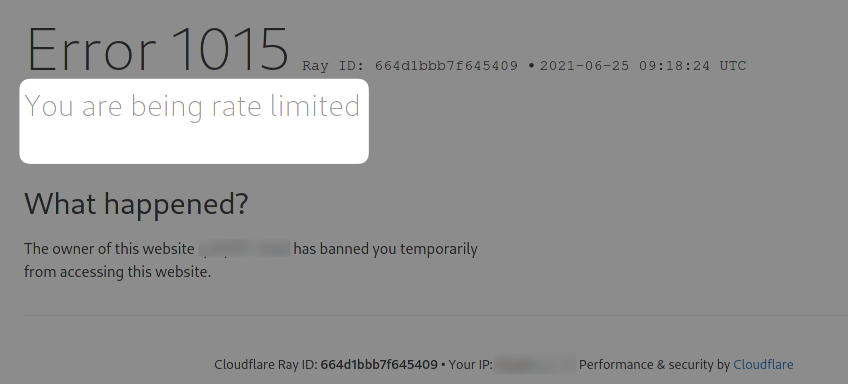
What causes Error 1015
- Sending too many requests too quickly from the same IP address, whether from a script, a bot, or repeated manual page refreshes.
- Sharing an IP address with other traffic that's already close to the limit, which is common on shared networks, VPNs, and some proxy pools.
- Missing or inconsistent request headers, which some rate-limiting rules use to distinguish normal browser traffic from automated requests.
How to fix "Error 1015 Rate Limited" as a visitor
There are a few different things you can try:
- Wait a few minutes and reload. Cloudflare rate limits are usually temporary and clear on their own.
- Disable any VPN or switch networks if you suspect you're sharing a rate-limited IP with other traffic.
- Clear your browser cache and cookies if the error persists after waiting.
How to avoid Error 1015 when scraping or automating requests
- Throttle your request rate. Add a delay between requests so you stay under the rate limit the site has configured, and respect any
Retry-Afterheader in the response. - Distribute requests across multiple IPs. A single IP sending a high volume of requests is the most common trigger, so rotating proxies spreads that volume out. ScrapingBee rotates proxies automatically across requests, which helps avoid triggering a single IP's rate limit.
- Persist sessions instead of reconnecting on every request, since repeated new connections can look like abusive traffic even at a moderate request rate.
For instance, here's an example Python code snippet that implements exponential backoff unless a rate-limited response specifies how long to wait:
import time

import requests


def fetch_with_backoff(url, max_retries=5):
    delay = 1
    for attempt in range(max_retries):
        response = requests.get(url)
        if response.status_code in (429, 403):
            retry_after = response.headers.get("Retry-After")
            wait = int(retry_after) if retry_after else delay
            time.sleep(wait)
            delay *= 2
            continue
        return response
    raise Exception(f"Failed after {max_retries} retries")
Retry-After contains the number of seconds to wait before retrying. If it isn't present, the exponential backoff (delay *= 2) doubles the wait time on each attempt.