If you're learning how to scrape WooCommerce product data, one of the first things you'll notice is how much store setups can vary. Different themes, custom fields, product variations, and anti-bot protections can all affect how product information is loaded and how easy it is to extract. In some stores, the data is available directly in the HTML. In others, pricing, stock status, or variation details are loaded dynamically.
This guide explains how to scrape WooCommerce product data more reliably, which product fields to extract, and what to look for before scaling your workflow. You'll also see a practical approach for handling JavaScript-heavy pages and returning structured product data in a reusable format.

Quick Answer (TL;DR)
To scrape product data from a WooCommerce store efficiently, you should use a web scraper capable of handling JavaScript and rotating residential proxies. For a scalable solution, the WooCommerce scraper API is the most effective tool to bypass blocks and extract product information into a CSV file or JSON format.
What Is a WooCommerce Product Scraper
A WooCommerce product scraper is a specialized web scraping tool designed to visit a WooCommerce site and automatically gather data from its catalog. Unlike a manual export or a basic unofficial application, a dedicated scraper can navigate through thousands of product names and extract their specific attributes without human intervention. This powerful tool essentially "reads" the HTML or JSON data sent by the WordPress server and converts it into a clean, structured data format.
This data collection process typically targets an online store to monitor prices, descriptions, and images. Because WooCommerce is independently developed by various merchants, every website might have a slightly different structure. A high-quality WooCommerce scraper is flexible enough to handle these variations, ensuring you get accurate data every time. For developers looking to build a wider market overview, integrating an eCommerce scraping API alongside your WooCommerce logic enables you to access data from multiple platforms through a single service, simplifying the overall process of competitive data acquisition.
Common Product Data You Can Extract
When you scrape product data, your goal is to capture the most relevant product details for your analysis. A standard WooCommerce scraper can extract the following data fields:
- Product Titles: The full product names as they appear on the store.
- Prices: Both the regular price and any active sales prices.
- SKU: The unique identifier used for inventory management.
- Stock Status: Current stock levels to determine if an item is available.
- Descriptions: Detailed information about the product features.
- Categories: The specific categories the WooCommerce product belongs to.
- Images: URLs for the main image and any gallery images.
Why Businesses Scrape WooCommerce Stores
In a competitive market, businesses must stay ahead by having the most current data. One major use case is inventory and price monitoring; by scraping WooCommerce sites, retailers can adjust their own prices in real-time based on competitor activity. This ensures they remain attractive to customers while protecting their margins.
Another reason to extract product data is to create a comprehensive database for market research. Developers often build tools that analyze these product listings to identify emerging features or gaps in a competitor's functionality. For agencies, being able to gather data and import it into an Excel or CSV format allows them to build sales catalogs or migrate an online store with just a few clicks. This automated data collection is a powerful tool for any business that relies on accurate data to make informed strategic decisions.
How WooCommerce Stores Load Product Data
Understanding the technical functionality of a WooCommerce site is the first step toward successful scraping. Most WooCommerce store pages are rendered on the server via WordPress, meaning the product data is often baked directly into the HTML. When a web scraper hits a URL, it receives a document containing the product details within specific tags like <h1> for titles or unique <span> classes for prices. However, more modern setups might use the official woocommerce site REST API or AJAX to access data dynamically as the user scrolls.
In these cases, the product details might not appear in the initial source code. Instead, the website uses JavaScript to gather data and display it after the page loads. To extract product info from these sites, your web scraper must be able to navigate the Document Object Model (DOM) or intercept JSON responses. This is a critical distinction when scraping e-commerce product data, as failing to account for dynamic loading will result in missing stock or price data. Knowing whether the product listings are static or dynamic determines which scraping e-commerce product data techniques you should apply to ensure a reliable extract every time. This high-level understanding ensures your tool remains effective across different store configurations.
How to Scrape WooCommerce Products Step by Step
Step 1: Setting up your environment
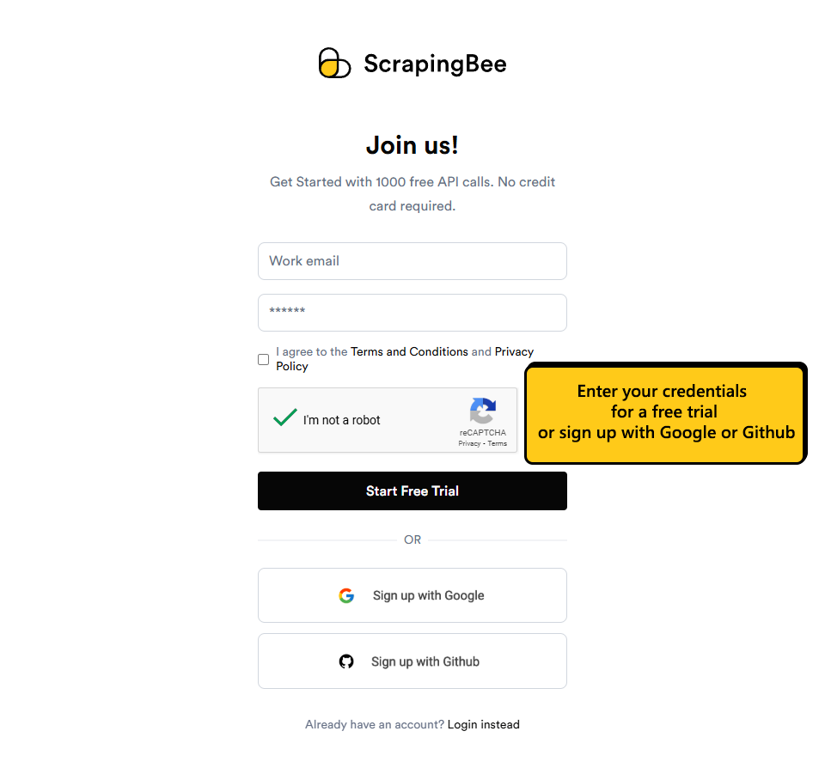
You need a ScrapingBee account to use the AI Web Scraping API. Head to the ScrapingBee sign-up page and create a free account. You'll get 1000 free API credits, more than enough to follow along in this tutorial and build your first WooCommerce scraper.
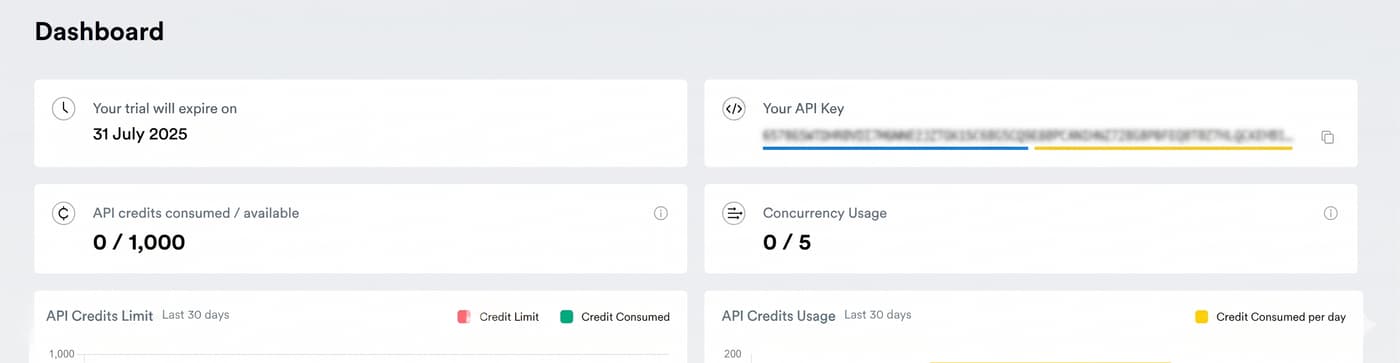
A successful sign-up directs you to your dashboard, where you'll find your API key. Copy and keep it safe, you'll need it for each request we make.
Installing ScrapingBee Python SDK
To use the WooCommerce Scraping API, you need to install our official Python library. The SDK handles request authentication, proxy rotation, response parsing, and anti-bot bypass automatically.
pip install scrapingbee
Step 2: Using ScrapingBee's WooCommerce Scraper API
The WooCommerce Scraper API uses AI-driven technology to extract structured data, including product info, pricing, and stock levels, from WooCommerce websites.
For this tutorial, we'll use porterandyork, a publicly accessible WooCommerce website, as our target.
Initialize the ScrapingBee client
Import the required modules (ScrapingBee's SDK and json) and initialize the client using your API key.
# Import Libraries
from scrapingbee import ScrapingBeeClient
import json

# Initialize the client
client = ScrapingBeeClient(api_key='YOUR_API_KEY')
Define your AI extraction rules
Rather than writing CSS or XPath selectors that are vulnerable to web layout changes, ScrapingBee's AI-powered web scraping API allows you to select data fields using plain English. Tell the API precisely what you want, and it'll figure out the extraction for you.
product_data_rules = {
    'product_name': {
        'type': 'string',
        'description': 'The full name of the meat or seafood product'
    },
    'price': {
        'type': 'string',
        'description': 'The product price including the dollar sign, e.g. $49'
    },
    'stock_status': {
        'type': 'string',
        'description': 'Whether the product is in stock or out of stock'
    },
    'full_description': {
        'type': 'string',
        'description': 'The full product description including flavour notes, aging process, and butchering details'
    },
    'weight_options': {
        'type': 'list',
        'description': 'List of available weight or size options the customer can choose from'
    },
    'meat_type': {
        'type': 'string',
        'description': 'The type of meat or protein, e.g. Beef, Wagyu, Pork, Chicken, Seafood'
    },
    'cut': {
        'type': 'string',
        'description': 'The specific cut of meat, e.g. Flat Iron, Ribeye, Filet Mignon, Porterhouse'
    },
    'breed_or_grade': {
        'type': 'string',
        'description': 'The breed or quality grade of the meat, e.g. Angus, Wagyu, USDA Prime, Natural'
    },
    'aging': {
        'type': 'string',
        'description': 'How long and how the product has been aged, e.g. "28 days"'
    },
    'categories': {
        'type': 'list',
        'description': 'Breadcrumb or category path this product belongs to, e.g. ["Beef", "Steaks"]'
    },
    'featured_image_url': {
        'type': 'string',
        'description': 'The URL of the main product photo'
    },
    'subscription_available': {
        'type': 'string',
        'description': 'Whether a subscription or recurring delivery option is available for this product'
    },
    'shipping_info': {
        'type': 'string',
        'description': 'Any shipping notes such as ships fresh, ships frozen, or free shipping threshold'
    }
}
This code block defines the rules for extracting product information from a Porter & York product page.
Make a request
You can fetch the data fields described in your extraction rules by including the ai_extract_rules parameter in your request. If you'd prefer a more hands-free approach, you don't necessarily need to define extraction rules. ScrapingBee's ai_query parameter allows you to describe all your data needs in a single string.
from scrapingbee import ScrapingBeeClient
import json

# Initialize the client
client = ScrapingBeeClient(api_key="YOUR_API_KEY")

# Example extraction rules
product_data_rules = {
    "product_name": {
        "type": "string",
        "description": "The full name of the product",
    },
    "price": {
        "type": "string",
        "description": "The product price including the currency symbol",
    },
    "stock_status": {
        "type": "string",
        "description": "Whether the product is in stock or out of stock",
    },
    "full_description": {
        "type": "string",
        "description": "The full product description",
    },
    "categories": {
        "type": "list",
        "description": "Breadcrumb or category path this product belongs to",
    },
    "featured_image_url": {
        "type": "string",
        "description": "The URL of the main product image",
    },
}


def scrape_product(client, url: str) -> dict | None:
    response = client.get(
        url,
        params={
            "ai_query": "Extract all product details from this product page",
            "ai_extract_rules": product_data_rules,
            "render_js": True,
            "wait": "3000",
        },
    )

    if response.status_code != 200:
        print(f"HTTP error {response.status_code}: {url}")
        return None

    try:
        product = json.loads(response.content)
    except json.JSONDecodeError as e:
        print(f"JSON decode error for {url}: {e}")
        return None

    return product


# Test with one product URL
product = scrape_product(client, "https://porterandyork.com/product/buy-flat-iron/")

if product:
    print(json.dumps(product, indent=2))
Notice how we set the render_js parameter to true? This is important because the target page uses JavaScript to render some of its content. This parameter is set to True by default. If you're scraping a static WooCommerce site and would prefer not to waste resources, you'll need to set the render_js parameter to false.
Step 3: Scraping WooCommerce Product Data at Scale
WooCommerce websites often list products on shop or category pages, as on our target website. To extract all product data on the website, we'll use ScrapingBee's AI extraction feature to pull the main category URLs, loop through them to identify product URLs, and then loop through those to extract product data.
import json
import random
import time


category_rules = {
    "category_urls": {
        "type": "list",
        "description": (
            "URLs of all main WooCommerce product category pages linked on this store. "
            "Only include category pages containing /product-category/. "
            "Do not include product pages, cart pages, account pages, or other navigation links."
        ),
    }
}

link_rules = {
    "product_urls": {
        "type": "list",
        "description": (
            "URLs of all individual product pages listed on this category page. "
            "Only include product detail URLs containing /product/. "
            "Do not include category pages or navigation links."
        ),
    }
}


def normalise_to_list(raw) -> list[str]:
    """Convert AI output into a clean list of strings."""
    if isinstance(raw, list):
        return [str(item).strip() for item in raw if str(item).strip()]
    if isinstance(raw, str):
        return [item.strip() for item in raw.split(",") if item.strip()]
    return []


def unique_urls(urls: list[str]) -> list[str]:
    """Deduplicate URLs while preserving order."""
    return list(dict.fromkeys(urls))


def discover_categories(client, base_url: str) -> list[str]:
    print(f"\n[Step 1] Discovering categories from: {base_url}")

    response = client.get(
        base_url,
        params={
            "ai_query": "Extract all main product category URLs from this WooCommerce store",
            "ai_extract_rules": category_rules,
            # Example-site-specific selector; remove if you want broader compatibility
            "ai_selector": ".e-n-menu-heading",
            "render_js": True,
            "wait": "3000",
        },
    )

    if response.status_code != 200:
        print(f"  HTTP error {response.status_code}: {base_url}")
        return []

    try:
        data = json.loads(response.content)
    except json.JSONDecodeError as e:
        print(f"  JSON decode error for {base_url}: {e}")
        return []

    raw_urls = normalise_to_list(data.get("category_urls", []))

    category_urls = [
        url
        for url in raw_urls
        if "/product-category/" in url
        and "/product/" not in url
        and len(url.rstrip("/").split("/product-category/")[1].split("/")) == 1
    ]

    category_urls = unique_urls(category_urls)

    print(f"  Found {len(category_urls)} categories")
    return category_urls


def get_product_urls(client, category_url: str) -> list[str]:
    print(f"\n[Step 2] Fetching product URLs from: {category_url}")

    response = client.get(
        category_url,
        params={
            "ai_query": "Extract all product detail URLs from this category page",
            "ai_extract_rules": link_rules,
            # Example-site-specific selector; remove if the site structure varies
            "ai_selector": ".product-grid",
            "render_js": True,
            "wait": "3000",
        },
    )

    if response.status_code != 200:
        print(f"  HTTP error {response.status_code}: {category_url}")
        return []

    try:
        data = json.loads(response.content)
    except json.JSONDecodeError as e:
        print(f"  JSON decode error for {category_url}: {e}")
        return []

    raw_urls = normalise_to_list(data.get("product_urls", []))

    product_urls = [
        url
        for url in raw_urls
        if "/product/" in url and "/product-category/" not in url
    ]

    product_urls = unique_urls(product_urls)

    print(f"  Found {len(product_urls)} products")
    return product_urls


def scrape_product(client, url: str) -> dict | None:
    response = client.get(
        url,
        params={
            "ai_query": "Extract all product details from this product page",
            "ai_extract_rules": product_data_rules,
            "render_js": True,
            "wait": "3000",
        },
    )

    if response.status_code != 200:
        print(f"   HTTP error {response.status_code}: {url}")
        return None

    try:
        product = json.loads(response.content)
    except json.JSONDecodeError as e:
        print(f"   JSON decode error for {url}: {e}")
        return None

    product["source_url"] = url
    return product


if __name__ == "__main__":
    base_url = "https://porterandyork.com"
    products = []

    category_urls = discover_categories(client, base_url)

    for category_url in category_urls:
        product_urls = get_product_urls(client, category_url)

        for product_url in product_urls:
            product = scrape_product(client, product_url)
            if product:
                products.append(product)
                print(f'   OK: {product.get("product_name")} | {product.get("price")}')

            time.sleep(random.uniform(2.0, 3.5))

    with open("products.json", "w", encoding="utf-8") as f:
        json.dump(products, f, indent=2, ensure_ascii=False)

    print(f"\nDone. Saved {len(products)} products to products.json")
WooCommerce vs Other E-commerce Platforms
When it comes to data collection, WooCommerce offers a unique experience compared to closed, hosted platforms. Because it is built on WordPress, the functionality of a WooCommerce site is highly customizable through thousands of different themes and plugins. This means that while the core data fields are usually standard, the website layout can vary wildly from one online store to another. A web scraper that works perfectly on one store might need structural adjustments to navigate and extract data from another.
However, the open nature of the platform often makes it easier to find detailed information in the source code compared to more restrictive environments. Understanding these differences is key to building a scalable scraper that can handle a wide variety of WordPress configurations. Developers must account for these variations to ensure that the extracted product details remain accurate and useful for analysis. Ultimately, the flexibility of the platform is both a challenge and an advantage for those looking to build comprehensive datasets of e-commerce products for their research projects. By mastering these nuances, you can create a robust system that enables you to gather data effectively across the global market.
Scraping WooCommerce vs Shopify
There are key differences when scraping WooCommerce compared to a Shopify store. Shopify is a hosted platform with a highly standardized structure, which makes it easier for a Shopify scraper API to extract product info across different stores consistently. However, Shopify often employs aggressive global rate-limiting. WooCommerce, being independently developed on WordPress, requires more robust parsing rules due to varied themes. Yet, WooCommerce stores often lack Shopify's centralized security filters, allowing you to scrape product data more aggressively if you have a reliable web scraper and the right residential proxies to navigate local blocks.
Learn From Other E-commerce Scraping Guides
To truly master data collection, you should look beyond just one platform. Many of the technical patterns used to scrape WooCommerce apply directly to other major marketplaces. For instance, learning how to scrape Shopify with AI can teach you advanced parsing logic for varied layouts. If you need to analyze a broader market, you should also learn how to scrape eBay or scrape Google Shopping. Each service provides unique detailed information, helping you create a complete picture of the global online store landscape and stay ahead of your competition.
Start Scraping WooCommerce Product Data at Scale
If you are ready to stay ahead of the competition, now is the time to transition your data collection from manual processes to a high-speed automated pipeline. Handling thousands of WooCommerce URL requests requires a scraper that remains stable at scale and delivers fast response times. By moving away from inefficient manual methods and adopting a WooCommerce scraper API, you can gather data from an entire market in a fraction of the time it takes using traditional local scripts.
A professional service ensures that you always get accurate data, regardless of how many product listings you need to extract simultaneously. Whether you are importing fresh data into a new store or building a real-time inventory tracker, the right web scraper will make the entire process reliable and stable. Don't let technical security blocks or complex JavaScript rendering slow your business growth. Open an account and build a reliable workflow for scraping product data and exporting it to CSV or Excel.
Frequently Asked Questions (FAQs)
Is it legal to scrape WooCommerce product data?
Scraping publicly available product details, such as prices and product names, is generally legal for market analysis. However, you should always check the website's terms of service and rules. Avoid scraping personal data or copyrighted images for commercial importing without obtaining proper legal permission or licensing first.
Can WooCommerce block scrapers?
Yes, many WooCommerce site owners use security plugins or web application firewalls to block a suspicious scraper. To access the data consistently, your web scraper should use residential proxies and rotate its headers to mimic a real online store customer browsing the website at a human pace.
What is the best data to scrape from WooCommerce stores?
The most valuable data points are usually prices, stock levels, and SKU numbers. This detailed information allows you to analyze competitor sales and inventory health. Capturing product titles and descriptions is also vital if you are building a comparison market or a new, optimized online store.
How often should WooCommerce product data be scraped?
This depends on how quickly the market moves. For prices and stock status, many businesses scrape every 24 hours. If the store has frequent sales, you might need to gather data every few hours to ensure your account has the most accurate data for your internal analytics.

Jakub is a Senior Content Manager at ScrapingBee, a T-shaped content marketer deeply rooted in the IT and SaaS industry.