Pokemon card prices move fast. A Charizard ex sitting at $40 on Monday can hit $65 by Friday after a strong tournament showing. If you're building a price tracker, a collection manager, or a flip-finder, you need a Pokémon card API that keeps up.
The good news is that several Pokémon card APIs exist in 2026 that cover the TCG well. The bad news is that each one has a ceiling. When you hit it, the only path forward is scraping the marketplaces directly. This guide covers the most useful APIs, explains where each one falls short, and shows how to scrape PriceCharting for the data no API exposes.

Quick answer (TL;DR)
For most Pokémon card pricing workflows, the free APIs are enough. pokemontcg.io covers TCGPlayer and Cardmarket averages. pokemonpricetracker.com adds graded values and PSA population data. tcgapi.net is the only option that bundles PriceCharting prices and eBay comparable sales in a single call.
Live seller listings, marketplace-specific sold-price views, and fuller vintage pricing history often require either a specialized API, licensed data access, or carefully handled scraping. That part is not as simple as it sounds: PriceCharting sits behind Cloudflare and returns a JavaScript challenge to plain HTTP requests. A standard requests call always returns 403. ScrapingBee handles the access layer (headless browser rendering, residential proxy rotation, and structured data extraction) so your code can focus on parsing the data.
Every Pokemon Card API Worth Knowing in 2026
Before writing a line of scraping code, you should check out what the free APIs already cover. Here's a quick summary of the most commonly used APIs:
| API | Prices | Free tier | Best for | Strengths | Biggest limitation |
|---|---|---|---|---|---|
| pokemontcg.io | TCGPlayer + Cardmarket | 1,000/day (no key), 20,000/day (free key) | Card metadata and standard market pricing | Most widely used; flexible query syntax; comprehensive English set coverage | Price data syncs on a schedule and can lag after rapid market moves |
| tcgdex.dev | TCGPlayer + Cardmarket (embedded per card) | Generous, no published hard limit | International and non-English set coverage | 14 languages; REST + GraphQL; 1/7/30-day price trends; no auth required | Cardmarket prices update daily only; best suited for international coverage rather than US-only projects |
| Scrydex | Raw + graded prices, trends, history | None, starts at $29/mo (~160 req/day) | Multi-TCG platforms needing graded data and price history | Population reports, historical trends, covers 6 TCGs from one API | No free tier; $29/mo yields only ~160 requests per day |
| pokewallet.io | TCGPlayer + Cardmarket (real-time) | 100/hour, 1,000/day | Developers wanting a simpler REST alternative | Real-time prices; no credit card required for free tier | REST only; 100 requests per hour caps any automated workflow |
| pokemonpricetracker.com | TCGPlayer + PSA/BGS/CGC grading | 100 credits/day | Graded card tracking and PSA population analysis | PSA/BGS/CGC/SGC population reports; gem rates; CSV export; Japanese variants | Population and export endpoints require a paid plan |
| pokemon-api.com | TCGPlayer, Cardmarket, eBay graded | 100 calls/day | Multi-market price aggregation across multiple TCGs | CardMarket EUR + eBay USD graded + TCGPlayer USD in one response; covers 6 TCGs | 100 calls/day is very low for automated workflows |
| tcgapi.net | TCGPlayer + PriceCharting + eBay comps | 1,000 req/day | eBay sold prices and PriceCharting data without scraping | Actual transaction prices via /v1/comps; PriceCharting + TCGPlayer aggregated in one call | Free tier (1,000 req/day) is far lower than pokemontcg.io's 20,000/day with a free key; smaller community |
1. pokemontcg.io
Despite being merged into Scrydex, pokemontcg.io is the most widely used starting point. The query syntax is flexible: q=name:Charizard filters by name, but you can combine fields like q=name:Charizard set.id:base1 rarity:"Rare Holo" to narrow to a specific printing.
Each card response includes the full set metadata, format legality, and a nested tcgplayer object with a prices dict keyed by printing type (holofoil, reverseHolofoil, normal) and then by price point (low, mid, high, market, directLow). You can use market for fair-value comparisons. Without an API key, you get 1,000 requests a day and 30 per minute; a free key raises that to 20,000 a day by default.
2. tcgdex.dev
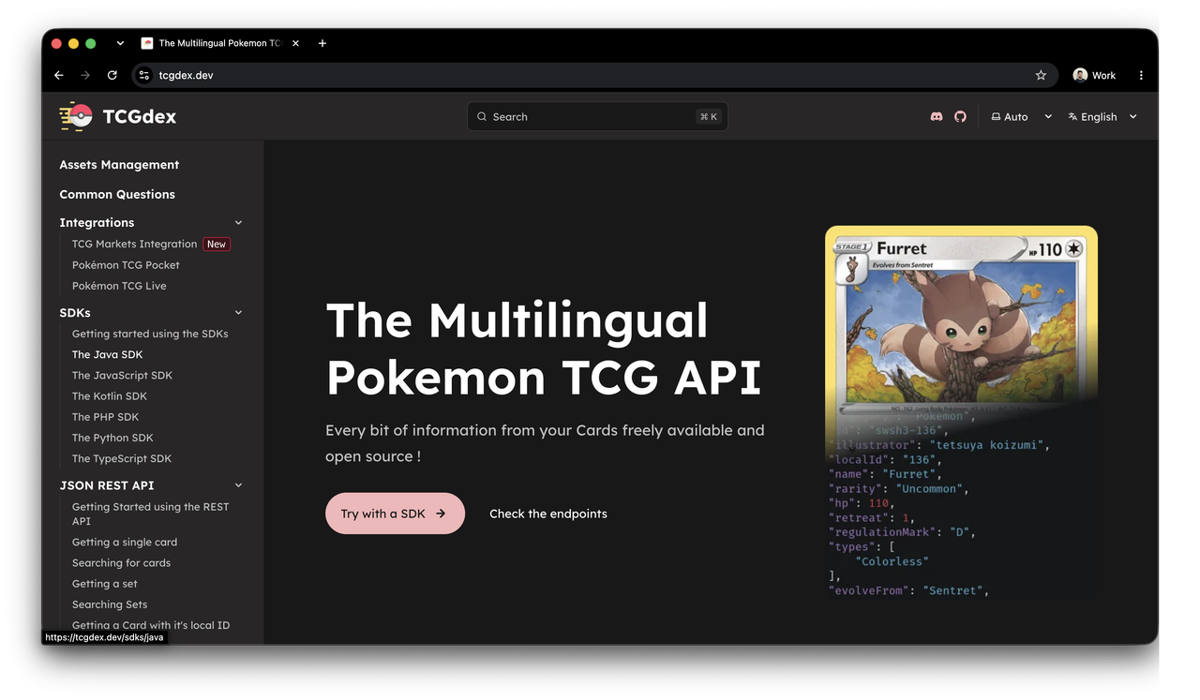
tcgdex.dev supports 14 languages and covers international sets that pokemontcg.io handles less thoroughly, including Japanese, French, German, Italian, and Portuguese releases. It offers both REST and GraphQL endpoints, and card objects include HP, types, attacks, weaknesses, stages, retreat cost, and illustrator credits.
It also now ships pricing data embedded directly in every card response under a pricing field pulling TCGPlayer (updated hourly) and Cardmarket (updated daily), with 1/7/30-day trend averages included. If your project needs non-English set coverage for card metadata, this is the most complete free option.
3. Scrydex
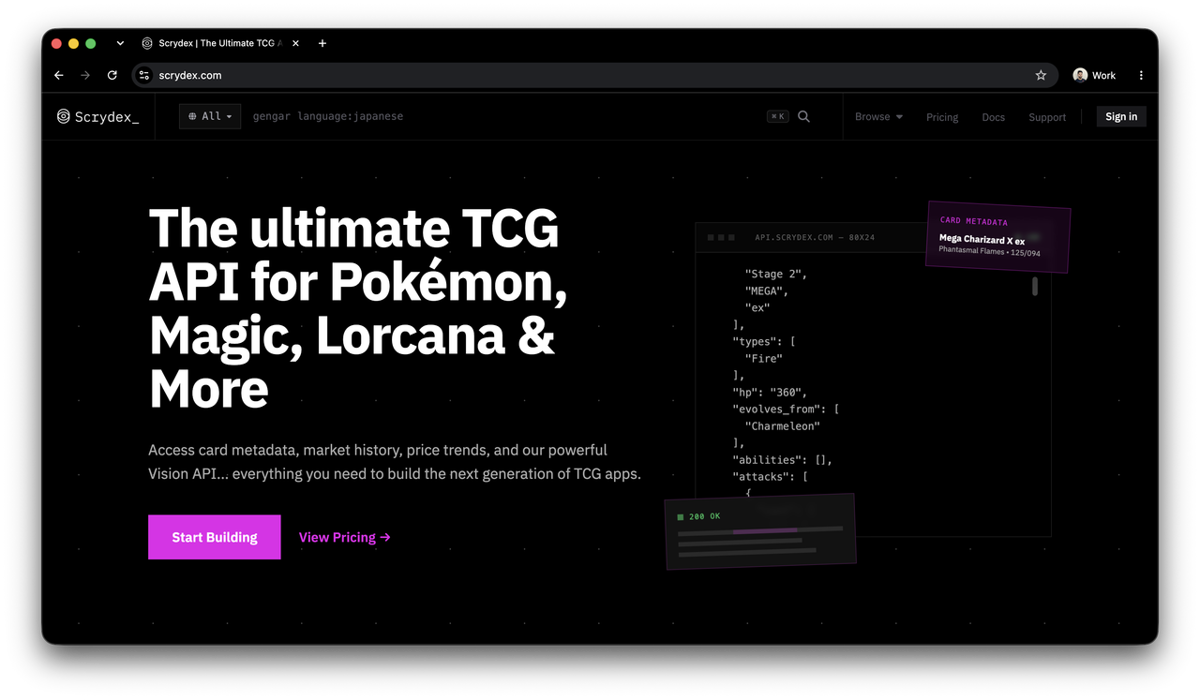
Scrydex is built by the same team behind pokemontcg.io, positioned as a paid successor rather than a replacement. Scrydex adds market history, graded prices, and population reports on top of card data, and covers Pokémon, Lorcana, Magic: The Gathering, Gundam, One Piece, and Riftbound from a single API.
There's no free tier: plans start at $29/month for 5,000 credits (roughly 160 requests a day), scaling to $99/month, $399/month, and custom Enterprise pricing, all published at scrydex.com/pricing.
4. pokewallet.io
pokewallet.io hits TCGPlayer and markets itself as a developer-friendly alternative to tcgdex and pokemontcg.io. It's REST-only; there's no GraphQL endpoint despite what you might expect from a newer entrant. Its free tier includes 100 requests per hour and 1,000 per day, no credit card required.
5. pokemonpricetracker.com
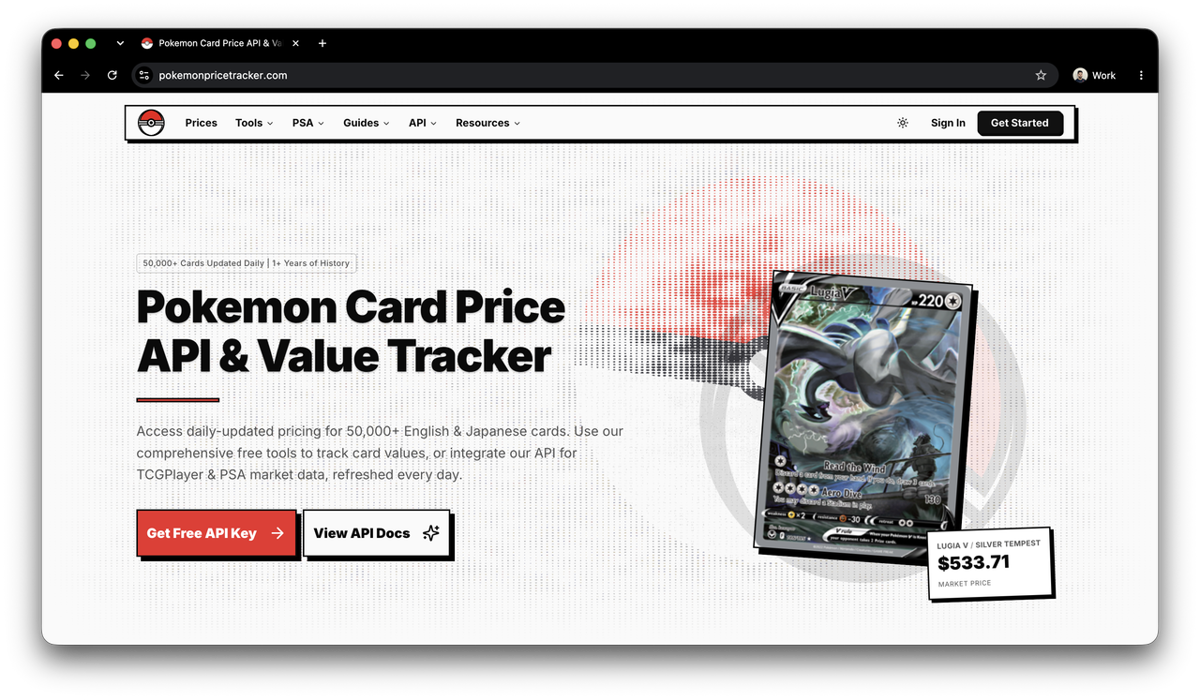
pokemonpricetracker.com is the deepest option for graded card data. The /api/v2/population endpoint returns PSA, BGS, CGC, and SGC population reports including gem rates (the percentage of submitted copies grading at PSA 10 or BGS 10). The /api/v2/cards endpoint bundles grading stats alongside TCGPlayer prices. The /api/v2/export endpoint lets you download card data in bulk as CSV. Japanese variants and promos are included. The free tier gives 100 credits a day at 60 requests a minute, and the $9.99/month API tier steps up to 20,000 credits a day, which is enough for regular automated pulls of card and price data, just not population or export.
6. pokemon-api.com
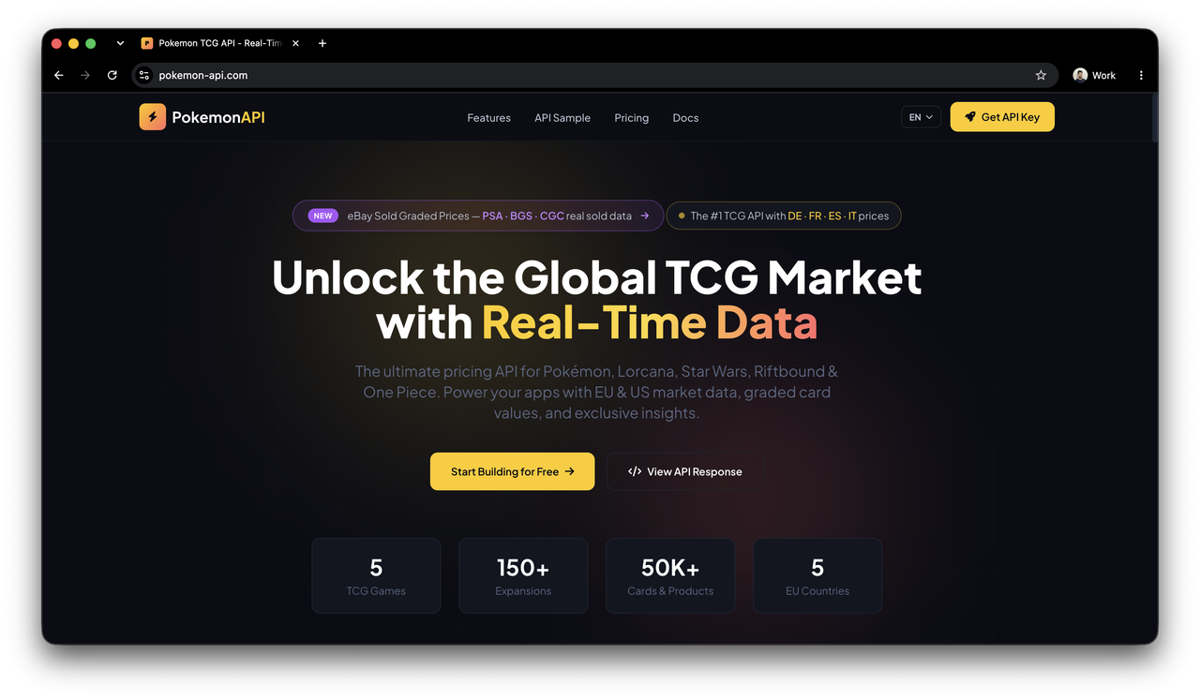
pokemon-api.com aggregates CardMarket EUR, eBay USD graded, and TCGPlayer USD prices in a single card response, which reduces the number of API calls needed if you're tracking multiple markets. It covers five TCGs alongside Pokémon: Lorcana, Star Wars, One Piece, LoL Riftbound, and Magic: The Gathering. The free tier allows 100 requests per day and 30 requests per minute, which seems quite decent for hobbyists.
7. tcgapi.net
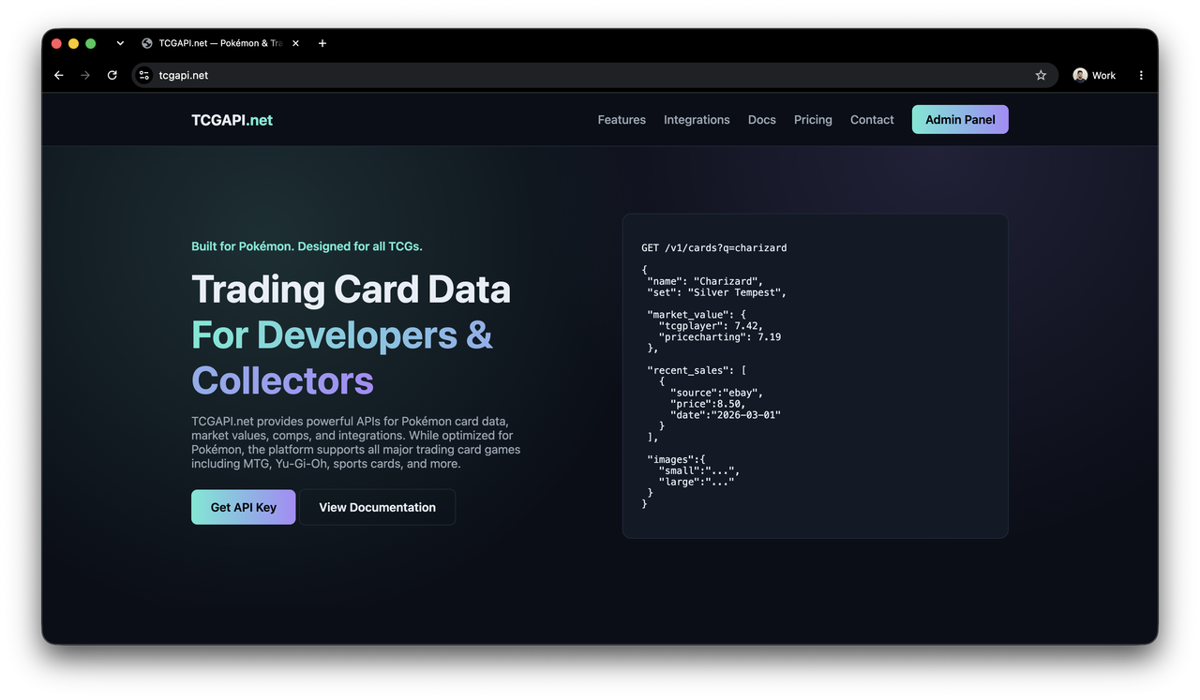
tcgapi.net has two endpoints that no other API matches. The /v1/comps endpoint returns recent eBay comparable sales (actual transaction prices, not just listings). The /v1/value/ endpoint aggregates TCGPlayer and PriceCharting prices in a single call. It also ships with Shopify and eBay integrations for shop owners who want to automate listing prices. The free tier gives 1,000 requests per day.
Pulling card data from the Pokémon TCG API
pokemontcg.io is the most practical starting point. Sign up for a free API key, and you get 1,000 requests per day.
import requests

# you can add your API key below if you have one
# API_KEY = "your_api_key_here"
# HEADERS = {"X-Api-Key": API_KEY}
HEADERS = {}

def get_card(name: str) -> list[dict]:
    resp = requests.get(
        "https://api.pokemontcg.io/v2/cards",
        headers=HEADERS,
        params={"q": f"name:{name}", "pageSize": 10},
        timeout=10,
    )
    resp.raise_for_status()
    return resp.json()["data"]

for card in get_card("Charizard"):
    tcgplayer = card.get("tcgplayer", {})
    prices = tcgplayer.get("prices", {})
    updated = tcgplayer.get("updatedAt", "unknown")
    print(f"{card['name']} ({card['set']['name']}) — prices last synced: {updated}")
    print(prices)
Here's what the output would look like:
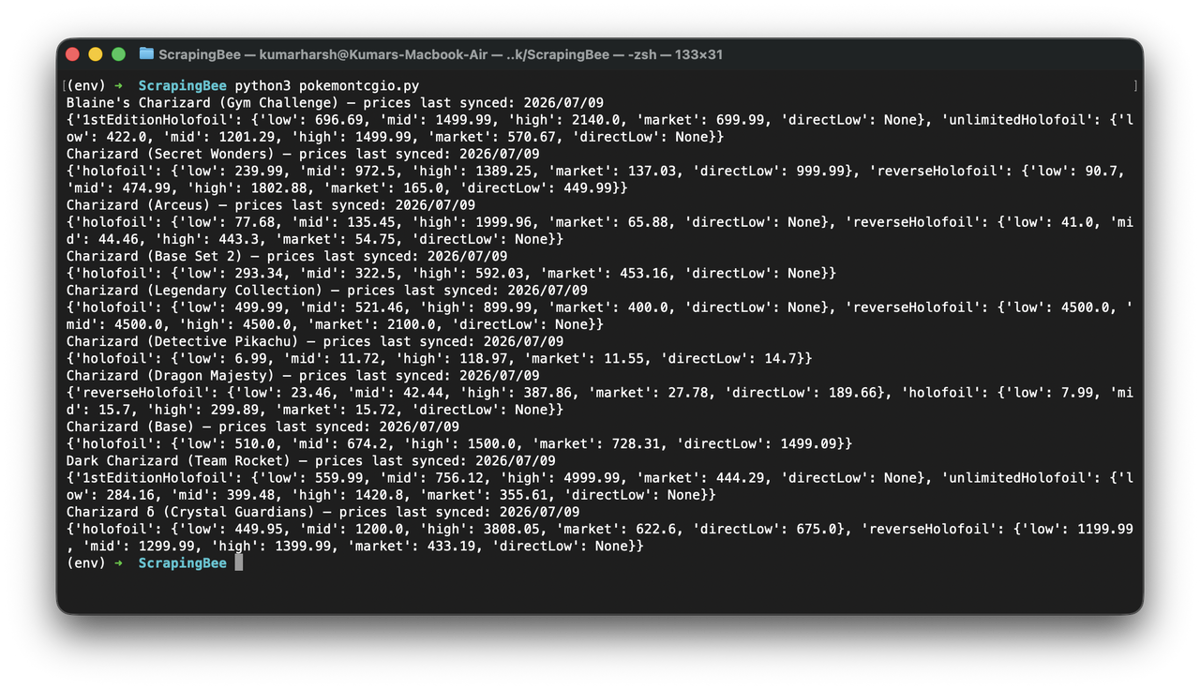
The updatedAt field matters. It tells you when the prices were last synced from TCGPlayer. For a card that spiked two days ago, that timestamp might already be stale.
Where even the best Pokemon card APIs fall short
Every API in that table has at least one of these limitations:
- Price syncs run on a schedule. A card that jumps after a tournament result won't reflect the new price until the next update cycle.
- APIs surface market averages. Individual seller listings with condition grades and actual asking prices aren't available through any API.
- Graded card premiums are either absent or locked behind paid tiers.
- Sold prices (what a card actually transacted for) are not exposed by any free API. Listed prices and real transaction prices can differ by 20 to 40 percent on high-demand cards.
- PriceCharting data for vintage cards and sealed product is only partially accessible via tcgapi.net.
For any of those cases, you need to go to the source.
Scraping PriceCharting for Vintage and Graded Prices
PriceCharting is a common reference for loose, graded, and sealed product pricing on vintage Pokémon cards. Its pages are relatively easy to parse once loaded, but plain HTTP requests can still hit Cloudflare challenges, so scraping usually requires browser rendering.
Why a plain request fails
import requests

HEADERS = {"User-Agent": "Mozilla/5.0 (compatible; price-tracker/1.0)"}
resp = requests.get(
    "https://www.pricecharting.com/game/pokemon-base-set/charizard-4",
    headers=HEADERS,
    timeout=10,
)
print(resp.status_code)
print(resp.headers.get("Cf-Mitigated"))
This returns 403 with Cf-Mitigated: challenge, and the body is Cloudflare's "Just a moment..." interstitial. Swapping in a full desktop Chrome header set produces the same result because Cloudflare is running a JavaScript challenge. requests never executes JavaScript, so no header combination gets past it.
Getting through with ScrapingBee
ScrapingBee renders the page in a real headless browser (render_js, on by default) and can route the request through its stealth proxy pool (stealth_proxy=True) for sites that check browser fingerprints beyond just headers. A short js_scenario wait gives the challenge time to resolve before the HTML is captured:
from scrapingbee import ScrapingBeeClient

client = ScrapingBeeClient(api_key="YOUR_API_KEY")

def fetch_pricecharting_page(url: str) -> str | None:
    js_scenario = {"instructions": [{"wait": 2000}]}
    response = client.get(
        url,
        params={
            "js_scenario": js_scenario,
            "stealth_proxy": True,
            "country_code": "us",
        },
    )
    if not response.ok:
        print(f"Request failed: {response.status_code}")
        return None
    return response.text

html = fetch_pricecharting_page(
    "https://www.pricecharting.com/game/pokemon-base-set/charizard-4"
)
stealth_proxy costs more credits than a standard request and only works with JS rendering enabled. Reserve it for pages like this one.
Three ways to pull the actual prices
Once you're past the challenge, the price field IDs are worth learning before you write a single selector. PriceCharting repurposed its old video-game price-guide naming for cards, so the IDs don't match what you'd expect. used_price is Ungraded, complete_price is Grade 7, new_price is Grade 8, graded_price is Grade 9, box_only_price is Grade 9.5, and manual_only_price is PSA 10.
1. Raw HTML plus BeautifulSoup, if you want full control over parsing:
from bs4 import BeautifulSoup

def parse_prices(html: str) -> dict:
    soup = BeautifulSoup(html, "html.parser")

    def extract(field_id: str) -> str | None:
        el = soup.select_one(f"#{field_id} .price")
        return el.text.strip() if el else None

    return {
        "ungraded": extract("used_price"),
        "grade_7": extract("complete_price"),
        "grade_8": extract("new_price"),
        "grade_9": extract("graded_price"),
        "grade_9_5": extract("box_only_price"),
        "psa_10": extract("manual_only_price"),
    }

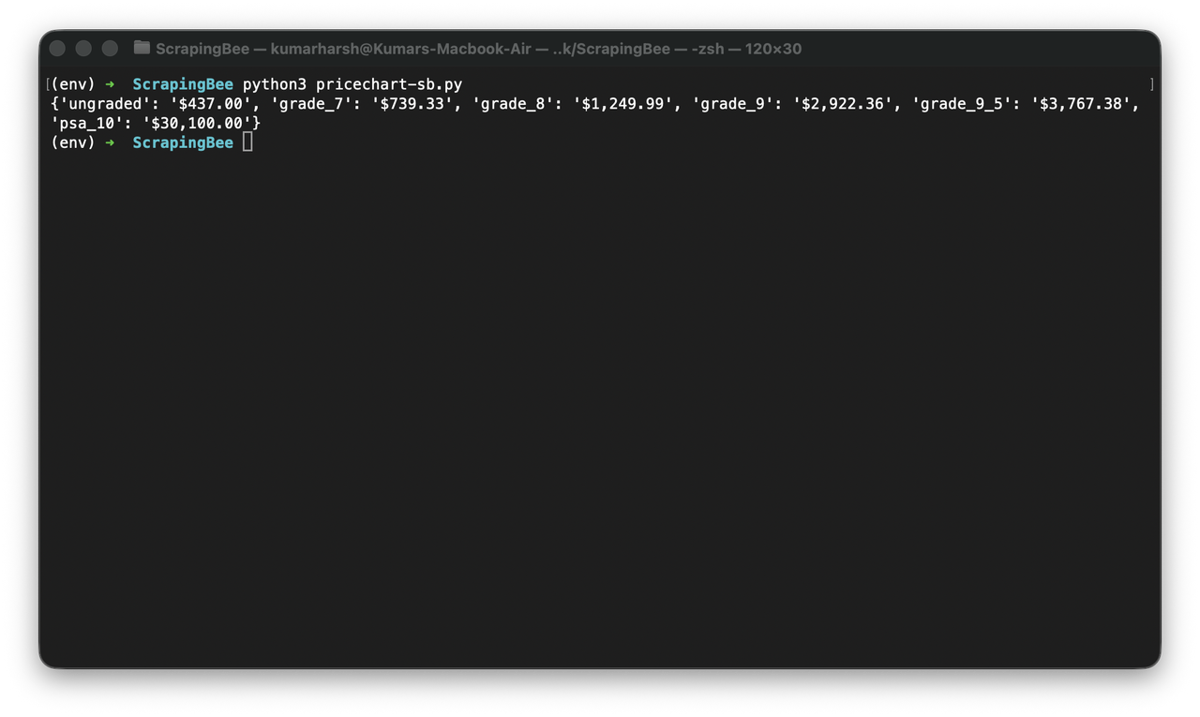
print(parse_prices(html))
Here's what the result could look like:
2. ScrapingBee's built-in extract_rules, which returns structured JSON directly from the same API call with no BeautifulSoup step needed:
response = client.get(
    "https://www.pricecharting.com/game/pokemon-base-set/charizard-4",
    params={
        "js_scenario": {"instructions": [{"wait": 2000}]},
        "stealth_proxy": True,
        "extract_rules": {
            "ungraded": "#used_price .price",
            "grade_7": "#complete_price .price",
            "grade_8": "#new_price .price",
            "grade_9": "#graded_price .price",
            "grade_9_5": "#box_only_price .price",
            "psa_10": "#manual_only_price .price",
        },
    },
)
print(response.json())
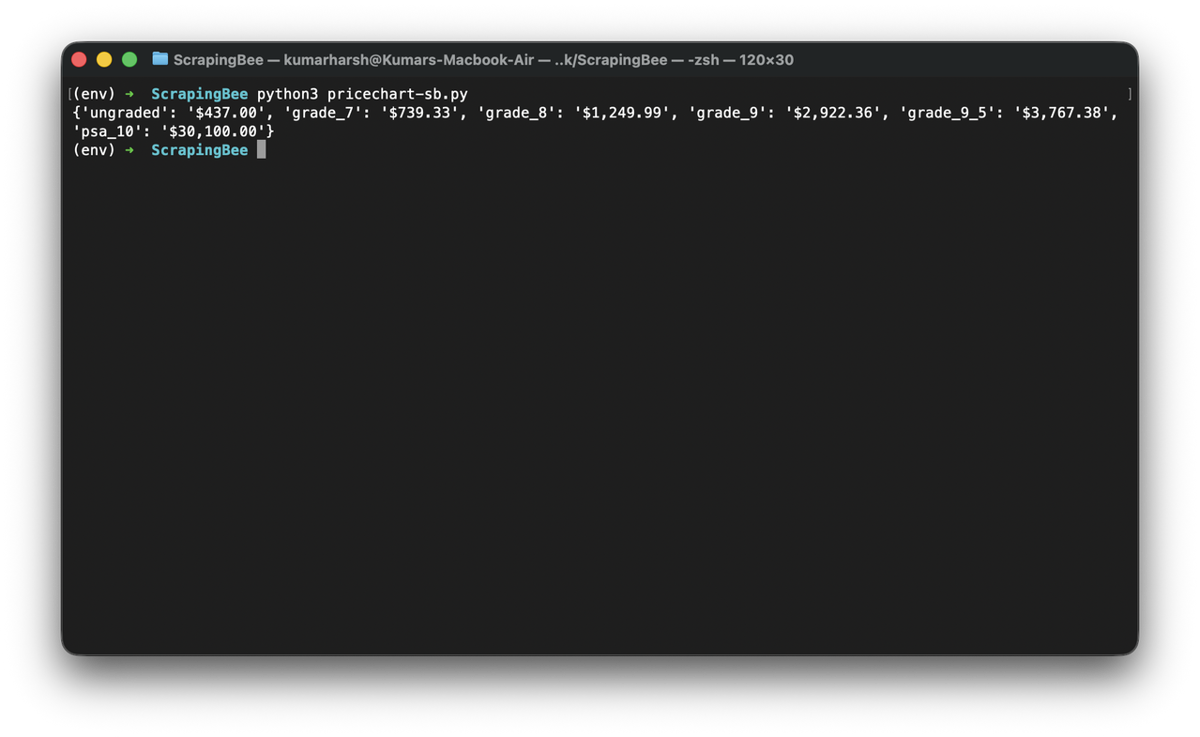
The output will be exactly the same as the previous one, except without needing to use BeautifulSoup or any HTML parser at all:
3. AI extraction, which lets you describe the data you want in plain English. This approach is resilient to layout changes, and PriceCharting has already reworked its field naming once:
response = client.get(
    "https://www.pricecharting.com/game/pokemon-base-set/charizard-4",
    params={
        "js_scenario": {"instructions": [{"wait": 2000}]},
        "stealth_proxy": True,
        "ai_selector": "#price_data",
        "ai_extract_rules": {
            "prices": {
                "description": "the price for each grade or condition shown in the price table",
                "type": "list",
                "output": {
                    "grade": "the grade or condition label, e.g. Ungraded, Grade 9, PSA 10",
                    "price": "the price for that grade",
                },
            }
        },
    },
)
print(response.json())
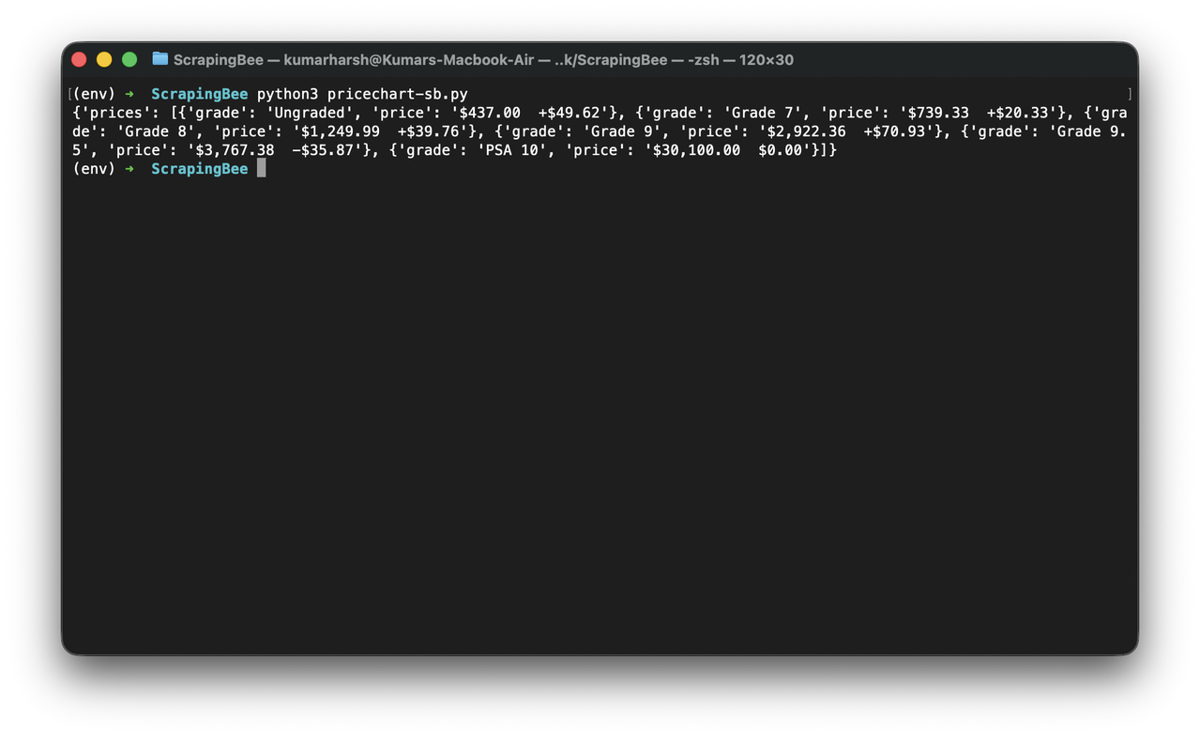
Here's what the output would look like:
AI extraction costs 5 extra credits per request on top of the standard call. For high-volume routine pulls, the CSS selectors above are faster and cheaper.
Scraping an entire set
Set listings live at pricecharting.com/console/{set-slug}, for example /console/pokemon-base-set. The card table ID is games_table (with an underscore):
def get_set_slugs(set_slug: str) -> list[str]:
    url = f"https://www.pricecharting.com/console/{set_slug}"
    html = fetch_pricecharting_page(url)
    soup = BeautifulSoup(html, "html.parser")

    slugs = []
    for a in soup.select("table#games_table td.title a"):
        href = a.get("href", "")
        if "/game/" in href:
            slugs.append(href.split("/game/")[-1])
    return slugs

def scrape_set_prices(set_slug: str) -> list[dict]:
    results = []
    for slug in get_set_slugs(set_slug):
        card_html = fetch_pricecharting_page(f"https://www.pricecharting.com/game/{slug}")
        results.append({"card": slug, **parse_prices(card_html)})
    return results
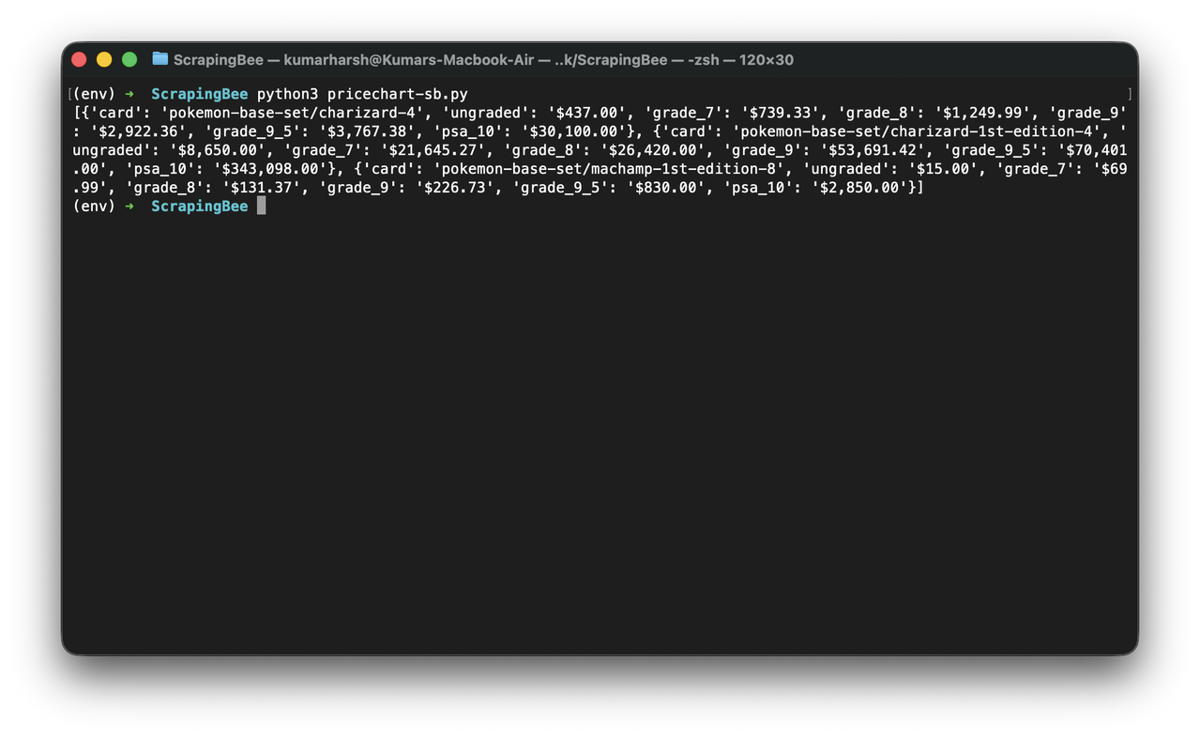
Here's what the output for this script (limited to just the first three cards) would look like:
ScrapingBee's proxy pool handles blocking prevention. A small delay between requests keeps you within your plan's concurrency limit, which is the only job sleep needs to do here.
Scraping responsibly
PriceCharting's robots.txt is permissive, it only disallows a handful of specific paths (/stripe-connect, /publish-offer, /buy), not the card and set pages this guide scrapes. The real restriction is in their Terms of Service instead: PriceCharting claims ownership of "Price Data" (current and historical pricing, trends, and related info from their site, API, or downloads) and restricts how it can be used once you have it. Personal research and internal use are fine. Referencing their prices on an external site is allowed if you cite PriceCharting and link back to them. But building any product, app, or system that exposes their Price Data to third parties, customers, clients, or the public requires either a paid "Legendary" subscription for internal business use or express written permission for anything public-facing.
Practically: this guide's approach is fine for a personal tracker or research project you're not redistributing. If you're building something you intend to ship to other users, check PriceCharting's official API first, since that's the licensed path for exactly that use case, rather than relying on scraped data for a public product. Either way, keep request rates low and cache results locally so you're not re-fetching data you already have.
Putting Together A Basic Price Aggregator
The practical pattern is to query the API first and only scrape when the API data is stale or missing.
import requests
from datetime import datetime, timedelta
from bs4 import BeautifulSoup
from scrapingbee import ScrapingBeeClient

POKEMONTCG_API_KEY = "YOUR_POKEMONTCG_API_KEY"
# Optional: raises daily limit from 1k to 20k
SCRAPINGBEE_API_KEY = "YOUR_SCRAPINGBEE_API_KEY"

tcg_headers = {"X-Api-Key": POKEMONTCG_API_KEY} if POKEMONTCG_API_KEY else {}
sb_client = ScrapingBeeClient(api_key=SCRAPINGBEE_API_KEY)


def get_card(name: str) -> list[dict]:
    resp = requests.get(
        "https://api.pokemontcg.io/v2/cards",
        headers=tcg_headers,
        params={"q": f"name:{name}", "pageSize": 10},
        timeout=10,
    )
    resp.raise_for_status()
    return resp.json()["data"]


def fetch_pricecharting_page(url: str) -> str | None:
    response = sb_client.get(
        url,
        params={
            "js_scenario": {"instructions": [{"wait": 2000}]},
            "stealth_proxy": True,
            "country_code": "us",
        },
    )
    if not response.ok:
        print(f"Request failed: {response.status_code}")
        return None
    return response.text


def parse_prices(html: str) -> dict:
    soup = BeautifulSoup(html, "html.parser")

    def extract(field_id: str) -> str | None:
        el = soup.select_one(f"#{field_id} .price")
        return el.text.strip() if el else None

    return {
        "ungraded": extract("used_price"),
        "grade_7": extract("complete_price"),
        "grade_8": extract("new_price"),
        "grade_9": extract("graded_price"),
        "grade_9_5": extract("box_only_price"),
        "psa_10": extract("manual_only_price"),
    }


def get_pricecharting_price(pc_slug: str) -> dict:
    html = fetch_pricecharting_page(f"https://www.pricecharting.com/game/{pc_slug}")
    if html is None:
        return {}
    return parse_prices(html)


def is_fresh(date_str: str, max_age_days: int = 1) -> bool:
    try:
        updated = datetime.strptime(date_str, "%Y/%m/%d")
        return datetime.now() - updated < timedelta(days=max_age_days)
    except (ValueError, TypeError):
        return False


def get_best_price(card_name: str, pc_slug: str) -> dict:
    for card in get_card(card_name):
        tcgplayer_data = card.get("tcgplayer", {})
        prices = tcgplayer_data.get("prices", {})
        updated = tcgplayer_data.get("updatedAt", "")
        if prices and is_fresh(updated):
            return {"source": "pokemontcg-api", "prices": prices}

    # API prices stale or missing — check PriceCharting for vintage or graded data
    pc = get_pricecharting_price(pc_slug)
    if pc.get("ungraded"):
        return {"source": "pricecharting", "prices": pc}

    return {}


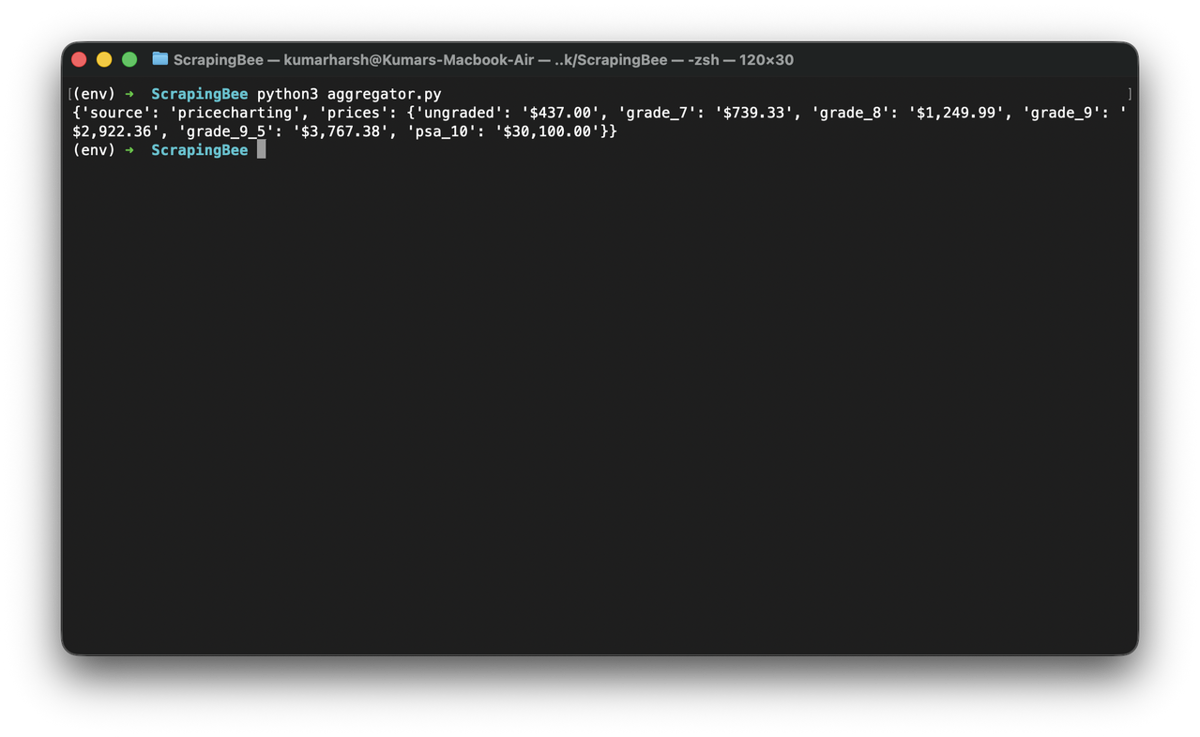
print(get_best_price("Charizard", "pokemon-base-set/charizard-4"))
If the API turns out to have stale price information, the script will automatically scrape PriceCharting for the latest prices:
From here, you can do a number of things, like:
- store results in SQLite with a timestamp column to build a price history
- schedule daily pulls with APScheduler or a cron job
- trigger alerts when a card crosses a price threshold, etc.
When to Use an API vs. When to Scrape
The APIs work well for card metadata, ballpark pricing, and anything where a same-day sync is close enough. pokemontcg.io covers most projects. pokemonpricetracker.com is the right upgrade if graded card data matters to your use case. tcgapi.net is the only way to get PriceCharting data without scraping it yourself.
Scraping becomes necessary for live marketplace listings, recent sold prices, and condition-level breakdowns by individual sellers. PriceCharting is straightforward to parse with BeautifulSoup after you retrieve the rendered HTML. TCGPlayer requires a headless browser and residential proxies to pass Cloudflare, which ScrapingBee handles transparently.
The combination covers the full picture: reliable baseline data from the APIs, and current market reality from the scraped sources.
What's Next?
The APIs in this guide cover the majority of card metadata and pricing workflows. pokemontcg.io handles most use cases for free. When you need graded card data, pokemonpricetracker.com or tcgapi.net close most of the gaps. When you need live marketplace data or vintage card history that no API exposes, ScrapingBee handles the Cloudflare layer so you can focus on parsing the data rather than fighting the access problem.
If you want to try the PriceCharting scraper from this guide, ScrapingBee's free trial includes 1,000 credits, enough to pull prices across a full vintage set.
FAQ
Is there a free Pokemon card API?
Yes. pokemontcg.io gives you 1,000 requests per day without an API key, or 20,000 per day with a free key. tcgdex.dev requires no authentication and has no published rate limit. Several pricing-focused APIs offer free tiers, though Scrydex is the exception — plans start at $29/month with no free option.
What is the best Pokemon card API for prices?
For TCGPlayer and Cardmarket averages, pokemontcg.io covers most use cases. For graded card values and PSA population data, pokemonpricetracker.com goes deeper. tcgapi.net is the only API that bundles PriceCharting and eBay comp prices alongside TCGPlayer. For live individual seller listings with condition breakdowns, scraping the marketplace directly is the only available path.
Does the Pokemon TCG API include card images?
Yes. pokemontcg.io includes image URLs in each card object. TCGdex and Scrydex return images as well.
Can I get sold listing prices from a Pokemon card API?
For eBay, yes. tcgapi.net's /v1/comps endpoint returns recent eBay comparable sales with actual transaction prices, available on its free tier. For TCGPlayer sold prices, scraping the recent sales tab directly is the only available path (no API currently exposes it).