Job scraping software has become the fastest way to turn messy job postings into clean, analyzable signals about the job market. Instead of clicking through endless filters and tabs, you can programmatically collect listings, normalize them, and reuse the dataset for everything from salary benchmarks to hiring insights.
In this guide, you'll learn which tools are best for different sources (aggregators vs. single boards vs. freelance marketplaces), what to extract, and how to keep your pipeline stable when sites change or fight back.

Quick Answer (TL;DR)
If you need a ready-made source, start with Google Jobs APIs for wide coverage. For dynamic boards like Indeed, use a scraping API with rendering and anti-bot handling.
If you want maximum control, open-source browser automation (like Playwright) works well. For non-technical workflows, automated web scraping that supports no-code platforms with scheduling and export capabilities is the best option.
Shortlist: The Best Job Scraping Tools by Use Case
If you're deciding where to begin, start by matching the tool to your source and the depth of data you need. With that in mind, here's a quick shortlist:
- Google Jobs (via a SERP/API provider) is ideal for market-wide discovery across multiple job boards, since it aggregates listings in one place. It typically returns JSON fields plus filters, and the setup is low.
- Indeed scraping (with a scraping API and parser) makes sense when you need high-volume job posting data with deep filters. You'll usually get structured JSON or CSV output, and the setup is medium.
- Monster-specific extraction is the right fit when you want a targeted job board scraper for one inventory. It produces consistent listing records with a low to medium setup.
- Upwork monitoring works best for freelance lead sourcing and rate tracking, so you can capture gig records and skills with low setup.
- Freelancer marketplace scraping complements Upwork when you want broader category coverage, with structured exports of projects, bids, and budgets, and a low to medium setup.
| Tool | Best for | Output | Setup level |
|---|---|---|---|
| Google Jobs (via a SERP/API provider) | Market-wide discovery across multiple job boards; comparing roles, locations, and job market trends | JSON listing fields (title, company, location, posted date, salary when available, URL) | Low |
| Indeed scraping (scraping API + parser) | High-volume job posting data and deep filters; scrape job listings for analysis | Structured JSON/CSV with job details + job description | Medium |
| Monster-specific extraction | Targeted job data extraction from one job website (use when you need that inventory) | Consistent listing records in a structured format | Low–Medium |
| Upwork monitoring | Freelance gig lead generation; tracking skills demand and rates | Gig records (skills, budget/rate, posted time, URL) | Low |
| Freelancer marketplace scraping | Broader coverage across multiple sources for freelance work; tracking budgets and bids | Projects + bids + budgets in a structured format (JSON/CSV) | Low–Medium |
| Open-source browser automation (Playwright/Selenium) | Custom scraping project needs: handling unusual flows and rendering | Whatever you design (JSON/CSV/DB) | Medium–High |
| No-code tools (Apify / Make / n8n) | Non-technical users who want a one-stop shop with pre-built templates and data export options | Exports to Google Sheets / CSV / JSON | Low–Medium |
Tool 1: Google Jobs Scraping for Broad Coverage
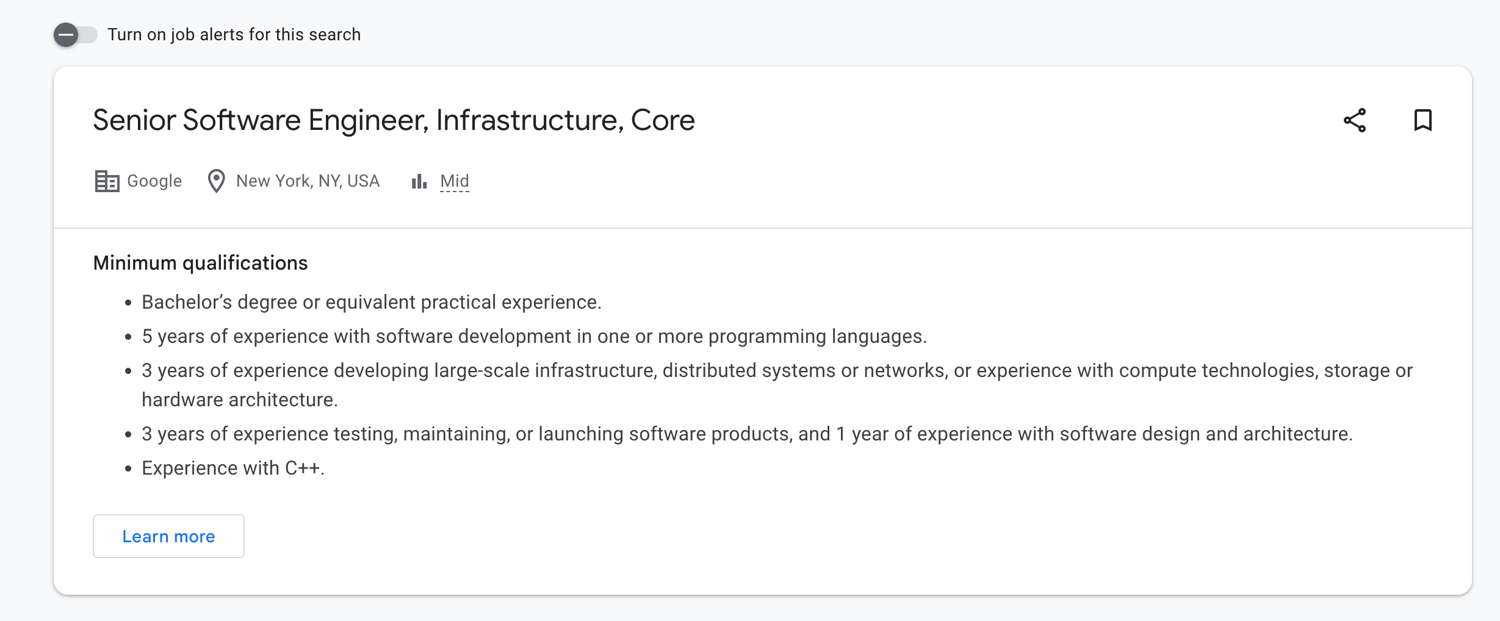
Google Jobs is a strong "first stop" because it aggregates listings from many sources into one interface, which makes it ideal for scanning the market before you commit to scraping individual boards. If you're doing market research or trying to spot job market trends, Google Jobs gives you breadth fast, especially for role/location comparisons and salary snapshots.
A typical workflow looks like this: build consistent queries (role and location), pull results, then normalize company names and deduplicate job URLs. Many teams use a SERP API provider that supports a Google Jobs engine and caching controls (helpful when you rerun the same searches repeatedly).
If Google Jobs is your main source, you'll want pagination, filters (like remote/on-site), and a predictable response format. That's where an API-based approach shines versus HTML parsing: fewer layout surprises, easier retries, and simpler downstream analysis.
Don't forget to check out our "How to Scrape Google Jobs" guide if you want to learn more.
What to Extract From Google Jobs
To keep comparisons consistent across searches, extract the same schema every time, even if some fields are missing. Recommended data points:
- Job title
- Company
- Location (and "remote" flags when present)
- Posted date/age
- Salary range (when available)
- Employment type (full-time, contract, etc.)
- Job URL / source URL
- A short job description snippet (or the first paragraph)
Then store everything in a structured format so you can compare like-for-like.
Here's an example: search "Data Engineer" in "Berlin" vs. "Remote," and compare salary ranges. This is also where consistent naming matters; "Data Engineer (m/f/d)" and "Data Engineer" should map to the same role family for analysis.
Tool 2: Indeed Scraping for High Volume Listings
Indeed is often worth scraping directly when you need depth: lots of filters, lots of pages, and lots of long-tail roles. If you're trying to scrape job postings at scale for a talent map or a competitive hiring dashboard, Indeed can deliver huge coverage, but it comes with tradeoffs.
The main challenges are dynamic rendering, aggressive throttling, and frequent UI changes. Many pages load parts of the listing asynchronously, and anti-scraping measures can escalate quickly if you hammer search pages without a plan. That's why teams typically combine a scraper with session handling, realistic headers, and selective JavaScript rendering (only when the content truly requires it).
Don't forget to check out our "How to scrape Indeed" guide if you want to learn more.
Tips to Reduce Blocks on Job Boards
When you're collecting listings from high-traffic boards, stability is a systems problem, not just a parsing problem. A few practical steps that help:
- Respect rate limits: slow down bursts and add jitter so requests don't look robotic.
- Rotate IPs (especially residential/ISP pools) to avoid repeated bans from the same address.
- Use realistic headers and keep them consistent across a session.
- Render JS only when needed: rendering everything is expensive and increases your fingerprint.
- Cache and store results so you don't re-request the same pages; this can save time and reduce unnecessary load during your scraping process.
- Invest early in basic scraping infrastructure (logging, retries, backoff), so your pipeline stays up to date as sites change the content they show or their pagination rules.
Tool 3: Monster Data Extraction for a Specific Job Board

Monster is the "go deep on one inventory" option. Use it when Monster is a must-have source for your niche, or when your stakeholders care specifically about Monster listings (e.g., certain specific industries or regions). This is common for recruiting teams, sales teams doing lead generation, and analysts running targeted job data extraction.
The goal here is consistency: use the Monster API to pull the same set of listing fields for every result, including the source URL, so you can track changes over time and avoid duplicates from the same company. Once you extract job listings, you can enrich them with company metadata, normalize titles, and tie them to pipeline activity.
Tool 4: Upwork Job and Gig Monitoring

Upwork is a different category: freelance gigs and short-term projects. It's useful when you care about skills demand, rate signals, and inbound opportunities rather than classic full-time roles. For agencies and consultants, monitoring Upwork can surface a new job request that matches your niche and help you keep a pulse on shifting requirements.
You can use the Upwork API to track titles, skills/tags, budget or hourly ranges, and client history. Over time, this dataset can feed competitive analysis (what others are charging) or even predictive models for which skills are trending upward.
Tool 5: Freelancer Project Scraping for Another Marketplace

Freelancer is a strong complement to Upwork because categories and buyer behavior differ. If you're monitoring demand across multiple sources, scraping two marketplaces often gives you a clearer picture than relying on just a few sites.
Use the Freelancer scraper API to extract key fields like project title, description, budget, bid count, skills, client signals, and posted time. This lets you compare competition levels and pricing pressure across categories. It's especially useful for teams building a repeatable scraping project aimed at service packaging or outreach, where you need consistent visibility into project supply.
What Job Scraping Tools Are and What They Do
Job scraping tools help you turn public listings into usable web data. Instead of reading listings as a human (and doing manual searches), you automate data collection so you can analyze jobs at scale.
Most tools aim to extract data into a predictable schema, such as:
- Title, company, location
- Salary (when present)
- Posted date
- Listing URL
- Employment type
- Core job details (skills, requirements, seniority)
This supports use cases such as job seeker alerts, monitoring job ads for competitors, building datasets for compensation insights, and tracking job openings across channels. The core idea is simple: you scrape job listings, normalize the records, and use the data collected to answer business questions.
If you want a grounded overview of the concept, start here: What is web scraping
Scraping vs Crawling for Job Data
Scraping vs crawling often confuses people. While they are related, these two processes solve different problems.
- Scraping: extracting structured fields from known pages (e.g., title, company, salary, URL). If you already have search URLs for job websites, scraping is often enough.
- Crawling: discovering URLs at scale (e.g., finding all listings across categories, pagination, and filters). You need crawling when you don't yet know which pages exist—like mapping thousands of listings across categories, or traversing career sites and filters systematically.
If you already have stable search entry points, you may not need crawling at all, just paginate and extract.
How to Choose the Best Job Scraping Tool
Use this checklist to pick the right approach without overengineering:
- Source coverage
- Need broad discovery? Start with Google Jobs.
- Need depth on one board? Go Indeed/Monster directly.
- Need first-party truth? Add company career pages to reduce aggregator gaps.
- Freshness and change detection If your use case depends on near-real-time listings (alerts, outreach), prioritize tools that can rerun cheaply, track deltas, and avoid re-downloading duplicates. Stale data kills trust fast in the job market.
- Anti-bot handling If a site is heavy on JS or blocks aggressively, a web scraping API that handles retries, IP rotation, and rendering will usually be less painful than building everything yourself. (Providers like Bright Data and Oxylabs sell "Web Scraper API" style products with paid tiers that start around $49/month, then scale with usage.)
- Output and integrations Choose tools with the data export options you actually need (JSON/CSV, webhooks, storage). Plan for post-processing: cleaning titles, standardizing locations, and deduping by URL.
- Cost and pricing shape Look for predictable pricing models that match your usage: per request, per record, or compute-based. For example, Apify combines platform usage with pay-per-result options and also offers a free tier for getting started.
- Who will run it? If you're supporting non-technical users, prioritize tools with prebuilt flows, scheduling, and simple exports (including Google Sheets). For engineers, an API + code gives more control at a large scale.
How-to Guide: Build a Simple Job Scraper Workflow
Here's a practical end-to-end workflow you can reuse across boards, aggregators, and marketplaces. Think in three layers: input, process, output.
- Input is your search configuration (roles, locations, filters).
- Process is extracting and normalizing fields while paginating and deduplicating.
- Output is your dataset plus a schedule that keeps it fresh.
If you're scraping dynamic pages and want consistent output without babysitting headless browsers, you can call a scraping API like ScrapingBee once you have your selectors and schema nailed down.
Step 1: Define Your Search Inputs
Start with a small, repeatable configuration you can run weekly.
- Keywords: "python developer", "data engineer"
- Locations: "Remote", "New York"
- Filters: full-time vs contract, salary present, recency window
Write these inputs down as a config file or spreadsheet, not hardcoded strings. Consistent inputs are what make comparisons possible later (salary shifts, demand changes, or category growth). This also helps when you expand to job websites you don't control, because the same "search recipe" can be reused across sources.
Step 2: Extract the Same Fields Every Time
Define your schema first, then build extractors around it. A minimal schema usually includes:
- title, company, location
- posted date
- salary (nullable)
- listing URL
- short description snippet
This is what makes your dataset usable in downstream tools. When every record follows the same shape, you can drop it into a database, join across sources, and run consistent analyses. If you change fields every run, comparisons become noisy, and you'll spend more time cleaning than learning.
Step 3: Store, Deduplicate, and Schedule
Store raw HTML (or JSON responses) alongside normalized records so you can re-parse if your parser improves later. Then:
- Deduplicate by canonical URL + (title/company/location) as a fallback
- Keep a "seen listings" store so you don't re-fetch the same pages
- Schedule runs daily or weekly, depending on your goal
- Trigger alerts when you detect a net-new listing (great for recruiters and outreach)
This is how you keep your dataset stable over time—and how you avoid "run it once and forget it" pipelines that quietly break.
Common Problems and Fixes (Job Scraping)
At some point, when job scraping, you're bound to run into one problem or another. Let's review the most common issues and how to solve them:
- Problem: CAPTCHA appears after a few pages
- Likely cause: bursty traffic pattern or flagged IPs
- Fix: slow down, rotate IPs, reuse sessions, and avoid re-requesting already-seen URLs
- Problem: Content is missing or partially loaded
- Likely cause: JavaScript rendering or delayed API calls
- Fix: render only the pages that require it; wait for the specific element, not a fixed timeout
- Problem: Infinite scroll blocks pagination
- Likely cause: listings loaded via incremental requests
- Fix: capture the underlying "load more" requests or use a browser automation tool to scroll predictably
- Problem: Salaries are often blank
- Likely cause: employers don't publish them consistently
- Fix: treat salary as optional; enrich later, or analyze only the subset with salary present
- Problem: Duplicate listings across sources
- Likely cause: aggregators + reposts + mirrored postings
- Fix: dedupe by canonical URL, normalize company names, and hash normalized title/company/location
- Problem: Selectors break unexpectedly
- Likely cause: A/B tests or UI redesigns
- Fix: prefer stable attributes, add fallback selectors, and log failures so you can repair fast
This troubleshooting loop is what turns scraped listings into reliable signals you can use for strategic planning and to refine recruitment strategies instead of constantly firefighting.
Start Collecting Job Data Reliably
Pick one source, run a small extraction, and get your first dataset working end-to-end. Once you trust the pipeline, expand to more queries and add additional sources (boards, marketplaces, and career sites) without multiplying maintenance.
If you want instant access to a stable scraping layer for dynamic pages, start with a web scraping API and scale from there. Less time debugging, more time using your scraped data.
Frequently Asked Questions (FAQs)
What is the best job scraping tool for beginners?
Start with a broad source like Google Jobs via an API provider, or a no-code tool with scheduling and exports. Beginners usually succeed fastest with tools that return structured output (JSON/CSV) and don't require managing proxies, browser fingerprints, or complex retries.
Should I scrape Google Jobs or scrape each job board directly?
Use Google Jobs for broad discovery and trend analysis. Scrape specific boards when you need deeper filters, more listing detail, or guaranteed coverage of a particular source. Many teams do both: Google Jobs for coverage, direct scraping for depth and reliability.
How often should I run a job scraper?
Daily is best for alerts, outreach, or fast-changing roles. Weekly is enough for reporting and trend tracking. If you're doing competitive monitoring, schedule based on how frequently listings change in your niche—and store "seen URLs" so reruns don't re-download everything.
What data fields matter most when analyzing job trends?
Job title, normalized role category, company, location/remote flag, posted date, and salary (when available) are the core fields. Add skills/requirements snippets for richer analysis, plus the canonical URL for deduplication and change tracking over time.

Jakub is a Senior Content Manager at ScrapingBee, a T-shaped content marketer deeply rooted in the IT and SaaS industry.