The ScrapingBee Shopee scraper API lets you extract structured product data from Shopee pages without building and maintaining your own scraping setup.
Instead of handling page rendering, anti-bot measures, proxies, retries, and parsing yourself, you send the API a Shopee product URL and get structured JSON back. The response can include fields such as the product title, price, stock, ratings, review count, images, seller information, variants, and category data. You can also include the original page HTML if you need it.
The API currently supports product pages on shopee.co.id. In this post, we’ll look at how it works, what data it returns, and how to make your first request.
Note: This feature is still in beta.
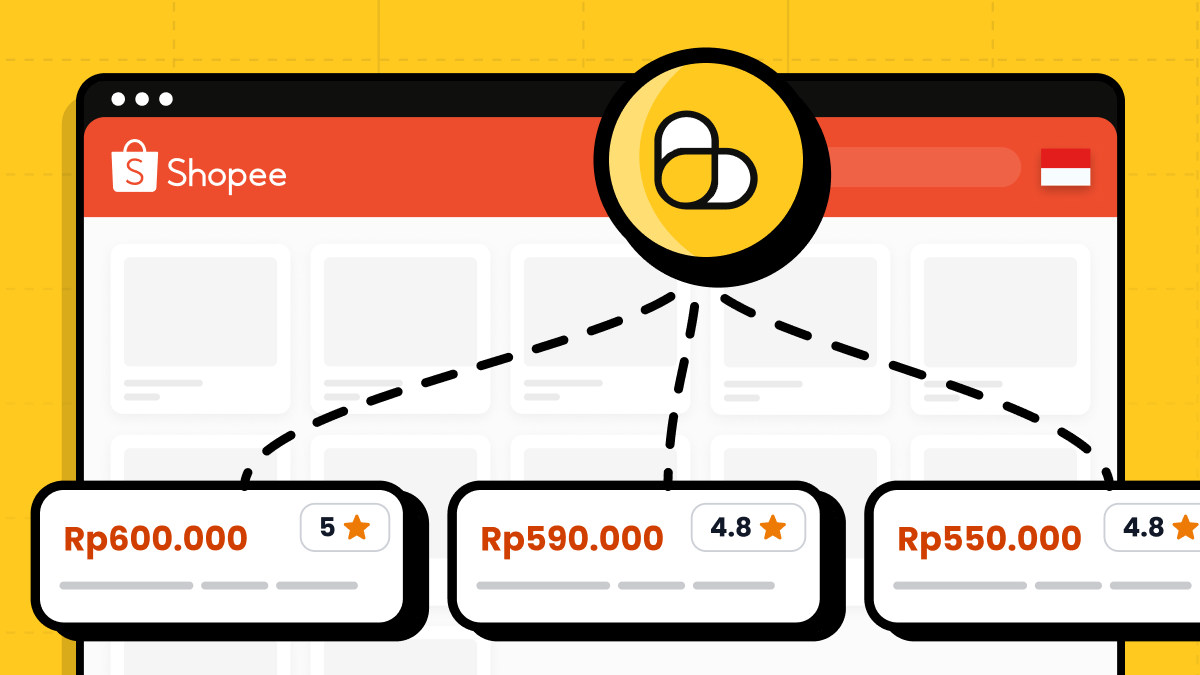
Why scraping Shopee is difficult
Shopee is a dynamic marketplace, so scraping product pages is not as simple as sending an HTTP request and parsing a few HTML elements.
A scraper may need to handle JavaScript rendering, anti-bot protections, proxy rotation, retries, and changes to the page structure. You also have to turn the raw response into consistent product data that your application can use.
The Shopee API handles that part for you and returns the extracted product information as structured JSON.
How the Shopee scraper API works
The Shopee scraper API works with product page URLs. You send a request to the ScrapingBee Shopee endpoint, pass the product URL you want to scrape, and authenticate with your API key. ScrapingBee fetches the page, handles the scraping process, extracts the product information, and returns the result as structured JSON.
At a high level, the flow looks like this:
Shopee product URL → ScrapingBee API → structured product data
You don’t need to manage browsers, proxies, retries, or product-page parsing in your own code.
Quickstart: scrape a Shopee product with Python
To make your first request, you need a ScrapingBee API key and a Shopee Indonesia product URL.
Install the requests package if you don’t already have it:
pip install requests
Then send a GET request to the Shopee API endpoint:
import requests

API_KEY = "YOUR-API-KEY"
PRODUCT_URL = "https://shopee.co.id/product-name-i.93014939.1881883105"

response = requests.get(
    "https://app.scrapingbee.com/api/v1/shopee",
    headers={
        "Authorization": f"Bearer {API_KEY}",
    },
    params={
        "url": PRODUCT_URL,
    },
)

response.raise_for_status()

product = response.json()
print(product)
The API key is passed in the Authorization header, while the Shopee product URL goes into the url parameter. ScrapingBee then returns the extracted product data as JSON.
Here's a sample response:
{
    "title": "Tinta Epson 664 / T664 Original (L120 L121 L1300)",
    "price": 102000.0,
    "item_id": 1881883105,
    "shop_id": 93014939,
    "currency": "IDR",
    "stock": 40,
    "rating": 4.96,
    "reviews_count": 9014,
    "url": "https://shopee.co.id/product-name-i.93014939.1881883105",
    "original_price": null,
    "images": [
        "https://down-id.img.susercontent.com/file/5668e3a147faedccb38836a5e1984acc",
        "https://down-id.img.susercontent.com/file/id-11134201-7qukw-ler0h6bvxhf6f7"
    ],
    "description": "HARGA UNTUK 1 BOTOL, BUKAN 1 SET ...",
    "seller_name": "Kreasindo Retail Official Store",
    "variants": [
        {"model_id": 3236230061, "name": "Black (T6641)", "stock": 10, "price": null},
        {"model_id": 3236230062, "name": "Cyan (T6642)", "stock": 10, "price": null}
    ],
    "category": ["Computer & Accessories", "Printers & Scanners", "Inks & Toners"],
    "sold_count": null,
    "html": null
}
Shopee API parameters
The Shopee API keeps the request interface small. In most cases, you only need to provide a product URL and authenticate with your ScrapingBee API key.
url
The url parameter is required and should contain the full Shopee product URL you want to scrape.
params = {
    "url": "https://shopee.co.id/product-name-i.93014939.1881883105"
}
At the moment, the API only accepts URLs from shopee.co.id. Shopee product URLs normally end in the -i.<shop_id>.<item_id> pattern. If the URL contains a query string, such as ?extraParams=..., you can pass the complete URL as-is. Requests for other Shopee domains return HTTP 400.
add_html
By default, the API returns structured product data only. Set add_html to true if you also need the original page HTML:
params = {
    "url": PRODUCT_URL,
    "add_html": "true",
}
When enabled, the html field contains the full page HTML. The default value is false.
This can be useful if you want to run your own additional parsing or inspect data that is not part of the structured response.
tag
The optional tag parameter lets you attach your own identifier to a request:
params = {
    "url": PRODUCT_URL,
    "tag": "price-monitoring",
}
ScrapingBee returns the tag in the response headers. It does not change how the page is scraped.
Authentication
Pass your ScrapingBee API key using the Authorization header:
headers = {
    "Authorization": f"Bearer {API_KEY}",
}
The API key is required for every request.
Shopee API pricing
Each successful Shopee API request costs 75 ScrapingBee API credits. Failed requests are not charged.
ScrapingBee automatically retries failed requests before returning an error, so some requests may take longer to complete.
The actual monetary cost depends on your ScrapingBee plan and the number of API credits included with it.
Who is the Shopee API for?
The Shopee API is useful when you need structured product data from Shopee without maintaining a custom scraper.
Common use cases include:
- Price monitoring — track product prices and discounts over time.
- Product cataloging — collect titles, descriptions, images, categories, and variants.
- Stock monitoring — check product availability and stock levels.
- Marketplace research — compare products using seller names, product ratings, review counts, and sold counts.
- Data pipelines — feed Shopee product data into internal tools, databases, dashboards, or analytics systems.
It is especially useful for developers who want product-level Shopee data but do not want to manage browsers, proxies, retries, and page parsing themselves.
Get started with the Shopee API
The Shopee API gives you a simple way to turn Shopee product pages into structured data without maintaining your own scraping infrastructure.
For the full list of response fields, request parameters, and examples, check the Shopee API documentation.
If you want to try it yourself, create a free ScrapingBee account. New accounts include 1,000 free API credits, with no credit card required.
FAQ
What is a Shopee scraper API?
A Shopee scraper API lets you extract product data from Shopee pages programmatically. Instead of scraping and parsing the page yourself, you send a product URL to the API and receive structured data such as prices, stock, product ratings, review counts, images, seller names, and variants.
Which Shopee domains does the API support?
The ScrapingBee Shopee API currently supports product pages on shopee.co.id. URLs from other Shopee domains are not supported at this time.
What data can I extract from a Shopee product page?
The API can return fields including the product title, current and original price, currency, stock, rating, review count, images, description, seller name, variants, category, and sold count. You can also request the original page HTML with the add_html parameter.
How much does the Shopee API cost?
Each successful request costs 75 ScrapingBee API credits. Failed requests are not charged. New ScrapingBee accounts include 1,000 free API credits, so you can test the API before moving to a paid plan.

Ilya is an IT tutor and author, web developer, and ex-Microsoft/Cisco specialist. His primary programming languages are Ruby, JavaScript, Python, and Elixir. He enjoys coding, teaching people and learning new things. In his free time he writes educational posts, participates in OpenSource projects, tweets, goes in for sports and plays music.