Key takeaways
- Use
requests.post(url, json=payload)for JSON APIs andrequests.post(url, data=payload)for HTML form submissions (Content-Typewill be set automatically) - Wrap every repeating POST in a
Sessionto reuse connections, persist cookies, and add aRetryadapter for convenient retries. - Always pair POST calls with a timeout and
raise_for_status(); without a timeout, a server can block your script forever. - Reach for httpx when you need async or HTTP/2, and for
curl_cffiwhen a target site fingerprints your TLS handshake
Quick answer, send a POST request in five lines
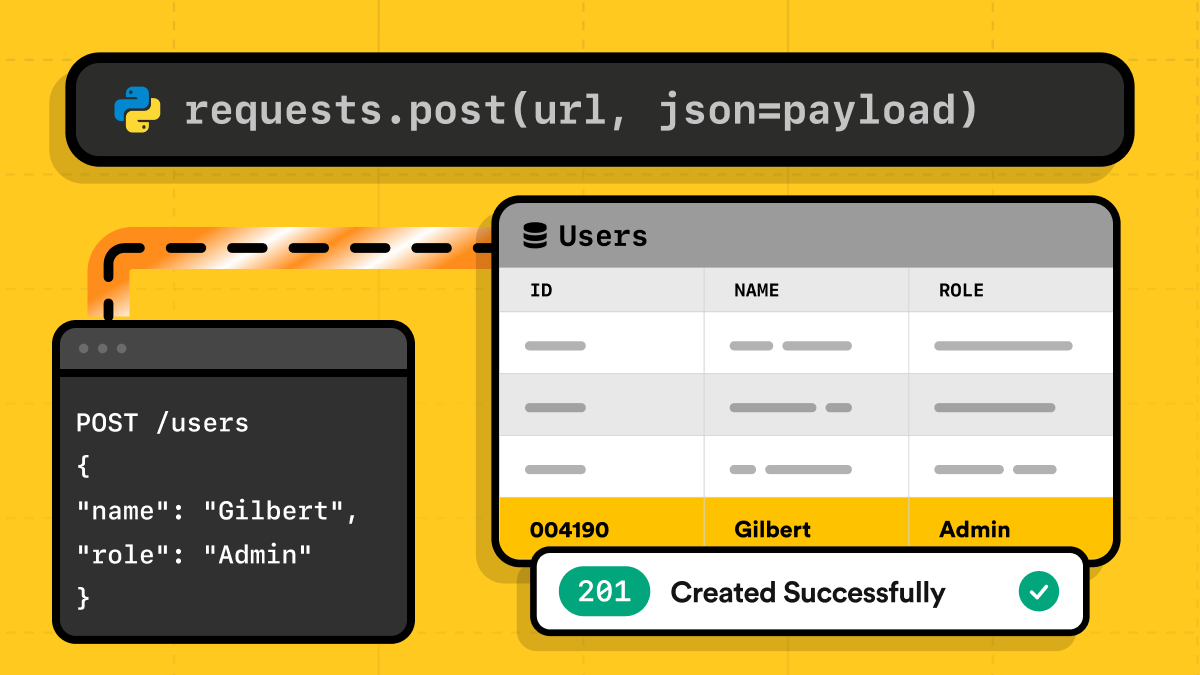
Here's a working Python requests POST example. It uses requests.post with a JSON body, checks the status, and reads the response:
import requests


payload = {"name": "alice", "role": "admin"}
resp = requests.post("https://httpbingo.org/post", json=payload, timeout=10)
resp.raise_for_status()
print(resp.json()["json"])  # {'name': 'alice', 'role': 'admin'}
Setting json=payload serializes the dict and sets Content-Type: application/json. raise_for_status() raises on any 4xx or 5xx. httpbingo.org/post returns back what you sent, so you can see exactly what the server received.
If that's all you needed, you can stop here. The rest of this guide covers what changes in the real world: JSON vs form data, headers and auth, file uploads, sessions, retries, and errors. The Requests Quickstart documents every parameter.
When to use POST instead of GET
The most important thing to remember: GET retrieves data and shouldn't change anything on the server.
On the other hand, POST submits data and usually creates something.
You'll need to send a POST request when:
- An HTML form has a
method="post". - An API endpoint's docs say POST.
When reverse engineering a real site, open DevTools, go to the Network tab, and submit the form. Inspect the request: the method, the payload, and the Content-Type.
You will need to reflect these in your scripts. For more on scraping forms and logins, see our Python Web Scraping Tutorial.
However, there's one corner case to remember: redirects. If a server answers your POST with a 301, 302, or 303, the library follows it as a GET and drops your body. Only 307 and 308 keep the method and payload. If your POST seems to behave strangely, check resp.history.
The MDN POST reference and RFC 9110 cover the semantics.
The four POST request body types you actually need
A POST body is essentially the request's payload. The four most popular cases are:
- JSON
- form-encoded fields
- multipart files
- raw string or bytes
When using requests, the parameter you pass to requests.post determines the Content-Type, so you almost never set it by hand. This applies to parameters like: json=, data=, or files=.
JSON bodies with json=
To POST JSON, simply pass a dict to json=. Requests will serialize it and set Content-Type: application/json. Keep in mind that the tempting alternative, data=json.dumps(payload), sends the same bytes but no header:
import json
import requests
payload = {"name": "alice", "role": "admin"}
good = requests.post("https://httpbingo.org/post", json=payload, timeout=10)
print(good.request.headers["Content-Type"]) # application/json
print(good.json()["json"])  # {'name': 'alice', 'role': 'admin'}


bad = requests.post("https://httpbingo.org/post", data=json.dumps(payload), timeout=10)
print(bad.request.headers.get("Content-Type")) # None
print(bad.json()["json"])  # None
json= also accepts lists, like json=[1, 2, 3]. When a JSON POST misbehaves, check resp.request.body and resp.request.headers. They show what was actually sent, not what you wanted to send.
Form-encoded bodies with data=
Pass a dict to data= and Requests sends application/x-www-form-urlencoded, the format browsers use when they submit an HTML form.
To repeat a key, use a list of tuples:
import requests
login = {"username": "alice", "password": "swordfish"}
resp = requests.post("https://httpbingo.org/post", data=login, timeout=10)
print(resp.request.headers["Content-Type"])  # application/x-www-form-urlencoded
tags = [("tag", "python"), ("tag", "http")]
resp = requests.post("https://httpbingo.org/post", data=tags, timeout=10)
print(resp.request.body)  # tag=python&tag=http
print(resp.json()["form"])  # {'tag': ['python', 'http']}
One real-world challenge: many login forms include a hidden CSRF token. In such cases, GET the form page first, in the same session, pull the token out of the HTML, and send it back as another field.
File uploads with files=
files= sends multipart/form-data. Open files in rb mode: Requests sets Content-Length from the byte size, and text mode can make that wrong:
import requests


URL = "https://httpbingo.org/post"


requests.post(URL, files={"file": open("report.pdf", "rb")}, timeout=15)


with open("report.pdf", "rb") as f:
   files = {"file": ("q3-report.pdf", f, "application/pdf", {"X-Note": "draft"})}
   requests.post(URL, files=files, timeout=15)


with open("report.pdf", "rb") as f:
   resp = requests.post(
       URL,
       data={"title": "Q3 report"},
       files={"file": ("q3-report.pdf", f, "application/pdf")},
       timeout=15,
   )
print(resp.json()["form"])  # {'title': ['Q3 report']}
print(list(resp.json()["files"]))  # ['file']
For in-memory data, pass io.BytesIO(csv_bytes) instead of the file object. files= builds the whole multipart body in memory, so for very large or streamed uploads use requests-toolbelt's MultipartEncoder.
Raw bodies and custom Content-Type
Finally, sometimes you already have the exact body, such as a pre-encoded string or signed payload.
In such a case, pass a str or bytes to data=. Requests sends it untouched and sets no Content-Type, so remember to set it yourself:
import requests
resp = requests.post(
   "https://httpbingo.org/post",
   data="grant_type=client_credentials&scope=read",
   headers={"Content-Type": "application/x-www-form-urlencoded"},
   timeout=10,
)
print(resp.json()["form"])  # {'grant_type': ['client_credentials'], 'scope': ['read']}
This is the shape of an OAuth client-credentials request (a dict in data= would work there too). Use a raw string when you need the exact bytes.
The same pattern sends XML or protobuf - pass the bytes, set application/xml or your own type.
Sending headers, cookies, and authentication
Custom headers can be set by passing a dict to headers=.
Requests overwrites its own defaults with what you provided:
import requests


headers = {"User-Agent": "post-demo/1.0", "X-Request-ID": "42"}
resp = requests.post(
   "https://httpbingo.org/anything",
   headers=headers,
   json={"hello": "world"},
   timeout=10,
)
print(resp.request.headers["User-Agent"])  # post-demo/1.0
Remember that header lookups are case-insensitive, so resp.headers["content-type"] and resp.headers["Content-Type"] return the same value.
Don't set Content-Type yourself when you use json= or files= since those populate it automatically and you don't want those to be overwritten.
For a single request, cookies= sends cookies directly:
import requests


resp = requests.post(
   "https://httpbingo.org/anything",
   cookies={"session_id": "abc123"},
   json={"hello": "world"},
   timeout=10,
)
print(resp.json()["headers"]["Cookie"])  # ['session_id=abc123']
When sending multiple requests, use a session, covered below.
For authentication, auth=("user", "pass") sends HTTP Basic Auth. Most modern APIs want a bearer token, which goes in the Authorization header:
import requests


# Basic
requests.post(url, auth=("alice", "swordfish"), json=payload, timeout=10)


# Bearer token
requests.post(url, headers={"Authorization": f"Bearer {token}"}, json=payload, timeout=10)
They aren't interchangeable. A (user, pass) tuple always produces Basic, and if you pass both, auth= overwrites the Authorization header you set. Pick one.
Reading the Response
Requests exposes the response in several formats. Most APIs respond in JSON. And since we usually care about the structured data rather than the raw text blob, we want a clean way to convert that JSON into normal Python objects.
import requests
resp = requests.post("https://httpbingo.org/post", json={"key": "value"}, timeout=10)
print(resp.status_code)              # 200
print(resp.headers["content-type"])  # application/json; charset=utf-8
print(resp.elapsed.total_seconds())  # latency check, e.g. 0.21
print(resp.json()["json"])           # {'key': 'value'}
print(resp.text[:80])                # body decoded as str
print(type(resp.content))            # <class 'bytes'>, for binary bodies
print(resp.request.headers["Content-Type"], resp.request.body) # application/json b'{"key": "value"}'
json()parses a JSON body into Python objects. If the body isn't JSON, it raisesrequests.exceptions.JSONDecodeErrortextis for HTML or plain text, and.contentis for bytes (images, PDFs, downloads).resp.requestshows what you actually sent (it's probably one of the first things to check if your POST is not working)
Handling errors, status codes, and timeouts
POST requests fail more often than we'd like. Maybe the server expected JSON and you sent form data. Maybe you forgot an auth header. Maybe the site is actively blocking automated traffic.
When things go wrong, you want your code to fail loudly, not keep going with half-broken responses.
These three layers of defense cover any production POST.
Always set a timeout
Requests has no default timeout, so a clogged server can block your worker forever.
To set a timeout, pass a (connect, read) tuple. For example: timeout=(3.05, 27). Connect is the time to establish a connection, and read is how long you'll wait for the server to send bytes (not the whole download).
Call raise_for_status
By default, all status codes are just numbers. However, raise_for_status turns any 4xx or 5xx into a requests.HTTPError, so bad responses can't slip downstream as if they were data.
Catch RequestException
Catching the parent exception allows you to easily handle errors (timeouts, DNS failures, refused connections, SSL errors), in one branch. Remember that success isn't only 200.
A POST that creates something usually returns 201 Created, and one that succeeds with nothing to return sends 204 No Content. Calling json() on a 204 won't work, because the body is empty, so remember to read the status before deciding what to do:
import requests


try:
   resp = requests.post(
       "https://httpbingo.org/post",
       json={"item": "book"},
       timeout=(3.05, 27),
   )
   resp.raise_for_status()
# The server answered with 4xx/5xx
except requests.exceptions.HTTPError as e:
   print("Bad status:", e.response.status_code)
# No usable answer: timeout, DNS, connection, SSL
except requests.exceptions.RequestException as e:
   print("Network error:", type(e).__name__)
else:
   print("OK:", resp.status_code)
Common status codes:
- 400: your payload or format is wrong
- 401: missing or bad credentials
- 403: the server recognized you but won't allow it
- 429: you're going too fast, slow down
- 5xx: the server's problem
The MDN status code reference lists the rest.
Compressing large POST bodies
The Requests library doesn't compress request bodies, but big JSON batches (events, logs, catalogs) are mostly repeated text, so they shrink well.
Compress the bytes yourself, then inform the server how with Content-Encoding:
import gzip
import json
import requests


payload = {"events": [{"id": i, "type": "page_view", "path": "/pricing"} for i in range(500)]}
raw = json.dumps(payload).encode("utf-8")
body = gzip.compress(raw)
print(len(raw), "->", len(body), "bytes")  # 26902 -> 1355 bytes


resp = requests.post(
   url, # an API that accepts gzip request bodies
   data=body,
   headers={"Content-Encoding": "gzip", "Content-Type": "application/json"},
   timeout=15,
)
Use json.dumps() here instead of plain json=, because json= sends the body uncompressed. Set both headers: Content-Encoding says how the bytes are packed, and Content-Type says what's inside.
Before implementing compression, check the API's docs first. Many servers don't decompress request bodies. Those that don't reject the request, typically with a 400 or 415.
If it works, Brotli is a drop-in swap: brotli.compress(raw) with Content-Encoding: br (pip install brotli). It's smaller but slower to compress, and less commonly accepted.
Skip compression for small payloads, since the additional CPU cost might be bigger than the savings.
POST Requests Inside a Session, with Retries
Every call to requests.post() opens a new connection, generating extra overhead. If you're going to send more than one request to the same site, use requests.Session instead.
It gives you:
- Connection reuse: it keeps the TCP connection open, so there's no need to repeat the TCP/TLS handshake
- Persistent cookies: If the server sets a session cookie during login, the session automatically sends it on future requests.
- Shared defaults: Set headers, params, or auth once, so every request inherits them.
Use with requests.Session() as session so the pool closes when you're done:
import requests
from requests.adapters import HTTPAdapter
from urllib3.util.retry import Retry


retry = Retry(
   total=5,
   backoff_factor=1,
   status_forcelist=[429, 500, 502, 503, 504],
   allowed_methods=["GET", "POST", "PUT", "PATCH"],
)
adapter = HTTPAdapter(max_retries=retry)


with requests.Session() as session:
   session.headers.update({"User-Agent": "post-demo/1.0", "Accept": "application/json"})
   session.auth = ("alice", "swordfish")
   session.mount("http://", adapter)
   session.mount("https://", adapter)


   session.get("https://httpbingo.org/cookies/set?token=abc123", timeout=(3.05, 27))


   resp = session.post(
       "https://httpbingo.org/anything",
       json={"item": "book"},
       timeout=(3.05, 27),
   )
   resp.raise_for_status()
   print(resp.json()["headers"]["Cookie"])  # ['token=abc123']
A session has no default timeout, so remember to set timeout on each call.
POST isn't retried by default because that could result in creating some resource multiple times. If you want to make it retryable, add "POST" to allowed_methods, but remember to make the endpoint safe first by making it idempotent (idempotency keys or server-side deduplication).
If the urllib3 mount isn't flexible enough, Tenacity can retry at the method level:
from tenacity import retry, stop_after_attempt, wait_exponential


@retry(stop=stop_after_attempt(5), wait=wait_exponential(multiplier=1))
def create_order(session, payload):
   r = session.post("https://httpbingo.org/post",
     json=payload, timeout=(3.05, 27))
   r.raise_for_status()
   return r
If your target blocks repeated POSTs from the same IP, route the session through a scraping API like ScrapingBee. It rotates proxies and handles JS rendering for you.
For the proxy side, see Using proxies with Python requests.
When to reach for httpx, aiohttp, or curl_cffi
httpx features a requests-style API, but adds async and HTTP/2 support. You can use the same API for sync and async requests. However, if you don't really need those additional features, you can stay with requests. At the point of writing this article, httpx is still pre-1.0 (0.28.1), so it's a good idea to pin the version.
aiohttp is a pure async HTTP client with a more verbose API. It works great if you're already relying on the asyncio event loop and need streaming.
curl_cffi is a drop-in requests replacement. It impersonates a real browser's TLS and HTTP/2 fingerprints, which is something that can help you when your target blocks plain Requests (based on JA3 or JA4 fingerprints).
For synchronous POSTs that aren't fingerprint-sensitive, plain requests is still the right default in 2026. For more, see our guides to async web scraping in Python and the best Python libraries for web scraping.
If your POSTs keep getting blocked, a scraping API like ScrapingBee handles proxies, JS rendering, and CAPTCHAs for you.
Frequently Asked Questions
How do I set a timeout for a POST request in Python?
Pass a (connect, read) tuple to timeout= (for example, timeout=(3.05, 27)) to set the connect and read timeouts separately.
The library doesn't set any default timeouts and without one your code can hang forever, so remember to always set those in production.
How do I retry a failed POST request in Python?
The easiest way would be to use a urllib3.util.Retry adapter on requests.Session.
Just remember that POST is not retried by default because it is non-idempotent by design. Add "POST" to allowed_methods only when you know your endpoint is safe to retry.
How do I send custom headers like Authorization with a POST request?
Pass your dict to headers=, for example headers={'Authorization': 'Bearer ' + token}. However, remember to not set Content-Type when using json= or files= because Requests keeps your value and a wrong one breaks the request.
For repeated requests, use session.headers.update(...) once instead of passing the dict every time.
How do I follow or disable redirects on a POST request?
By default, the Requests library follows redirects, but on 301-303 it converts POST into a GET and drops the body, which surprises most developers. HTTP 307 or 308 keeps the method and body.
You can disable redirects by setting allow_redirects=False.
How do I disable SSL verification with requests.post?
Use verify=False, but remember to do it only for self-signed certificates in development.
In production this disables certificate validation and exposes you to man-in-the-middle attacks - the cleaner fix is verify='/path/to/ca-bundle.pem' to trust a specific CA, or install the certificate locally.
How do I send a POST through a proxy in Python?
You can pass a dedicated proxies dict, for example proxies={'http': 'http://user:pass@host:8080', 'https': 'http://user:pass@host:8080'}.
For rotating proxies on every request, set the dict per-call rather than on the session, or route through a scraping API that rotates IPs for you.
What is the difference between the data and json parameters?
Use json=payload to send a JSON body, which automatically serializes the dict and sets Content-Type: application/json.
Use data=payload to send application/x-www-form-urlencoded, the format HTML forms use.
Additionally, passing data=json.dumps(payload) sends JSON bytes but does not set the header, breaking strict APIs.