Scraping the New York Times with Python can be useful for research, trend tracking, news monitoring, and building datasets for NLP or sentiment analysis. But compared with scraping a simple blog, NYT pages are harder to work with because of paywalls, anti-bot protections, region-aware responses, and occasional JavaScript-rendered content.
In this guide, you'll learn how to scrape NYT section pages and article pages using BeautifulSoup and ScrapingBee. We'll show how to collect headlines, summaries, links, and article body text where it's accessible, and we'll also cover the practical limits of scraping NYT posts reliably.

Quick Answer (TL;DR)
You can scrape the NYT by combining BeautifulSoup for HTML parsing with ScrapingBee for request handling, proxy rotation, and optional JavaScript rendering. If you want a broader setup beyond NYT, see our guide on how to build a news crawler with the ScrapingBee API.
This is all the code we used in this article:
from scrapingbee import ScrapingBeeClient
from bs4 import BeautifulSoup
from urllib.parse import urljoin
import csv
import json


API_KEY = "YOUR_API_KEY"
SECTION_URL = "https://www.nytimes.com/section/opinion"


def scrape_nytimes_articles(max_articles=2):
   client = ScrapingBeeClient(api_key=API_KEY)
   articles = []

   print(f"Scraping section page: {SECTION_URL}")
   response = client.get(
       SECTION_URL,
       params={
           "render_js": "false",
           "block_resources": "true",
           "country_code": "us",
       },
   )

   if response.status_code != 200:
       print(f"Failed to scrape section page: Status code {response.status_code}")
       return articles

   soup = BeautifulSoup(response.content, "html.parser")

   for card in soup.select("article"):
       title_elem = card.select_one("h2, h3")
       summary_elem = card.select_one("p")
       url_elem = card.select_one('a[href^="/"], a[href^="https://www.nytimes.com/"]')

       if not title_elem or not url_elem:
           continue

       article_url = urljoin(SECTION_URL, url_elem["href"])
       print(f"Scraping article: {article_url}")

       article_response = client.get(
           article_url,
           params={
               "render_js": "false",
               "block_resources": "true",
               "country_code": "us",
           },
       )

       if article_response.status_code != 200:
           print(f"Failed to scrape article: Status code {article_response.status_code}")
           continue

       article_soup = BeautifulSoup(article_response.content, "html.parser")
       paragraphs = article_soup.select('section[name="articleBody"] p')
       body = "\n\n".join(
           p.get_text(" ", strip=True) for p in paragraphs if p.get_text(strip=True)
       )

       if not body:
           continue

       articles.append(
           {
               "title": title_elem.get_text(" ", strip=True),
               "summary": summary_elem.get_text(" ", strip=True) if summary_elem else "",
               "url": article_url,
               "body": body,
           }
       )

       print(f"Scraped article {len(articles)}: {title_elem.get_text(' ', strip=True)}")

       if len(articles) == max_articles:
           break

   return articles


articles = scrape_nytimes_articles(max_articles=5)

with open("nytimes_articles.csv", "w", newline="", encoding="utf-8") as f:
   writer = csv.DictWriter(f, fieldnames=["title", "summary", "url", "body"])
   writer.writeheader()
   writer.writerows(articles)

with open("nytimes_articles.json", "w", encoding="utf-8") as f:
   json.dump(articles, f, indent=2, ensure_ascii=False)

print(f"Scraped {len(articles)} articles")
print("Saved data to nytimes_articles.csv and nytimes_articles.json")
Remember to replace YOUR_API_KEY with the API key from your ScrapingBee dashboard.
Why scrape the New York Times?
The NYT covers a wide range of topics, including politics, business, technology, health, culture, sports, and opinion. That makes it a useful source for researchers, analysts, and developers who want structured news data for monitoring, comparison, or downstream analysis.
Scraping the pages can help you:
- Track how topics and narratives change over time
- Monitor headlines and article activity in specific sections
- Build datasets for NLP, classification, or sentiment analysis
- Compare coverage patterns across publishers or topics
- Collect historical article data for research workflows
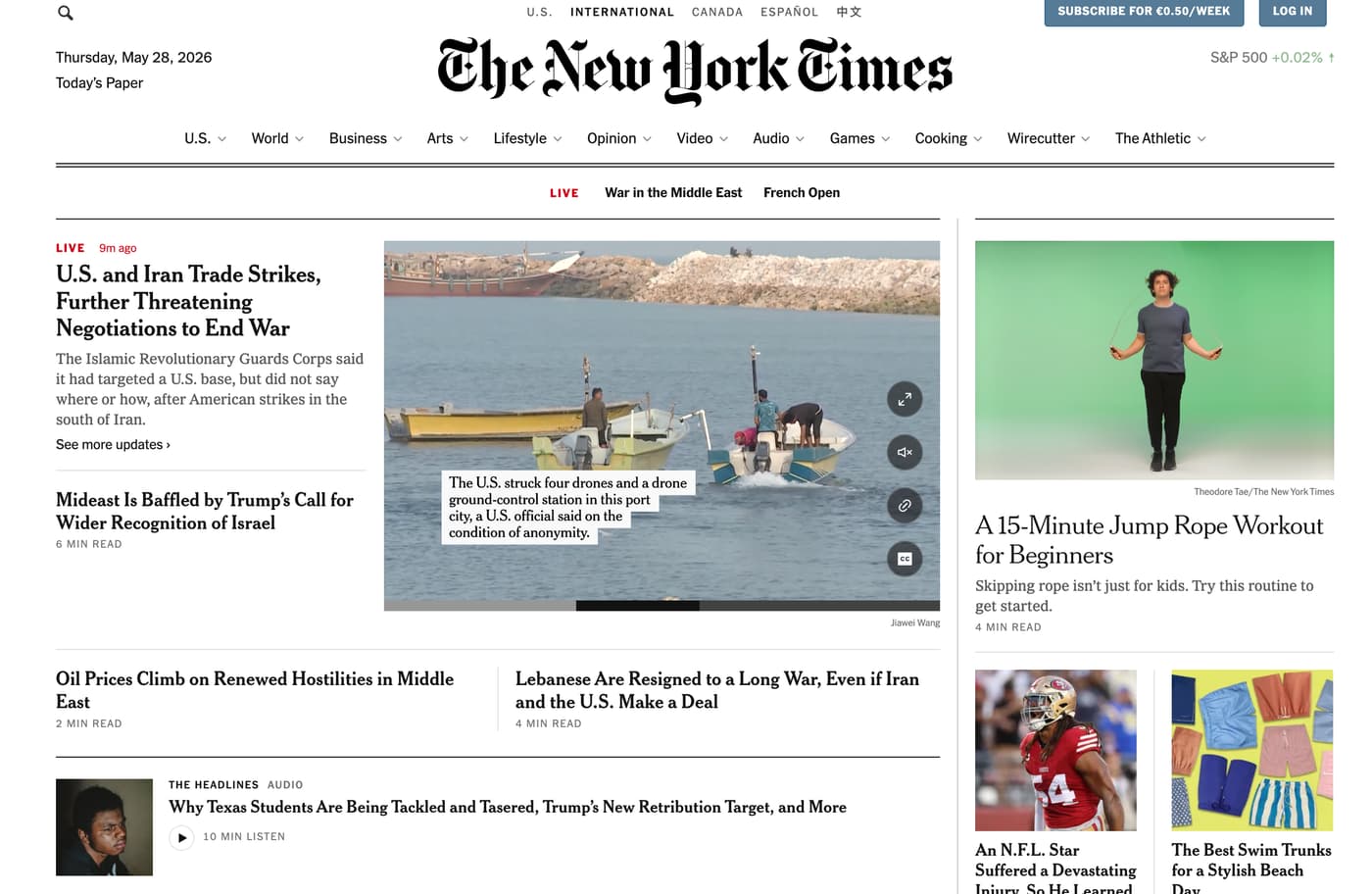
What makes the New York Times hard to scrape
Compared with scraping a simple blog or static website, scraping the New York Times is less predictable. Depending on the page, you may run into access limits, anti-bot protections, and layout patterns that make extraction less reliable.
Paywalls
Some posts are restricted by a paywall, which means you may not be able to access the full article body without a valid account or subscription. In those cases, scraping tools can only pull out the content that is actually delivered to the page.
It's also important to remember that publicly accessible pages and subscriber-only pages may not return the same HTML structure. If the full text is not present in the response, no parser can recover content that was never served.

Anti-bot defenses
The NYT is a high-traffic publisher, so automated requests are more likely to be rate-limited, challenged, or blocked than they would be on a smaller site. That can make direct requests less reliable, especially at scale.
Tools like ScrapingBee can help by handling proxy rotation, browser rendering, and request routing for you. That reduces the amount of web scraping infrastructure you need to manage yourself.
JavaScript-rendered content
Some pages rely on JavaScript to load or structure parts of the posts. When that happens, a simple requests.get() call may not return the same page content that you see in a browser.
For pages that depend on client-side rendering, you may need a rendered browser environment or a web scraping infrastructure that supports JavaScript execution.
How to scrape the New York Times
Without further ado, let's see how we can scrape The New York Times opinion section. This page lists current New York Times articles, links to individual story pages, and gives us enough structure to collect the headline, summary, and the article body.
Prerequisites
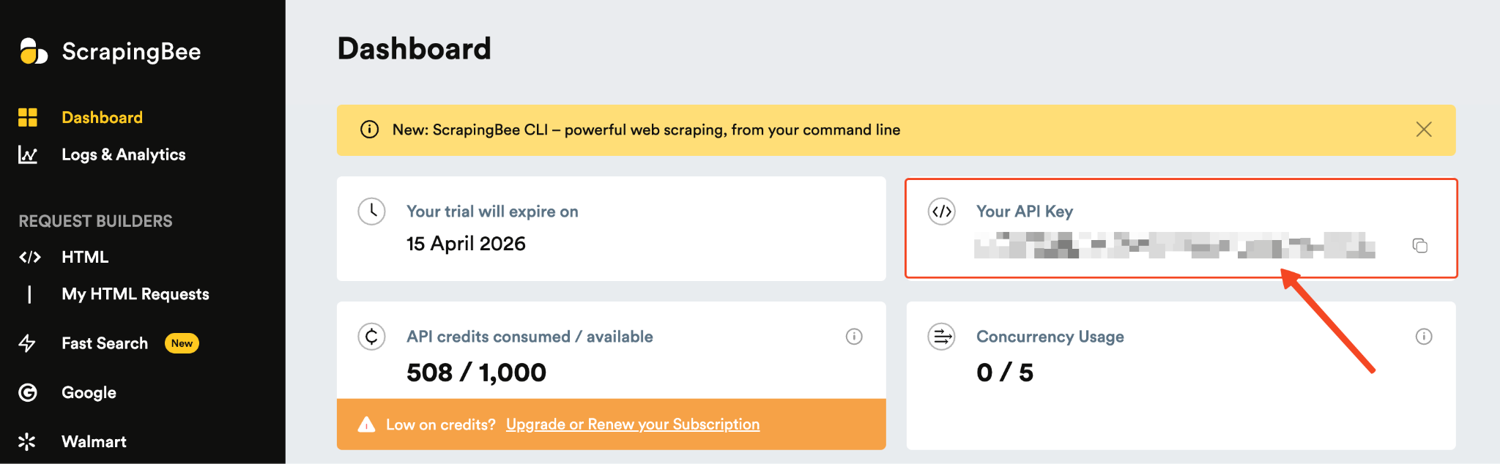
- A ScrapingBee account. Go to your dashboard and copy your secrets.
- Python 3.10 or newer installed on your machine.
- A New York Times account
Create a fresh project folder and virtual environment first. This keeps the tutorial dependencies separate from your global setup.
mkdir nytimes_scraper
cd nytimes_scraper
python3 -m venv .venv
source .venv/bin/activate   # On Windows: .venv\Scripts\activate
Now install the two packages we need. scrapingbee sends the page request through ScrapingBee, while beautifulsoup4 parses the returned HTML.
pip install scrapingbee beautifulsoup4
Step 1: Import the libraries and configure the target page
Start by importing the libraries we would need: ScrapingBee, BeautifulSoup, and urllib.
from scrapingbee import ScrapingBeeClient
from bs4 import BeautifulSoup
from urllib.parse import urljoin


API_KEY = "YOUR_API_KEY"
SECTION_URL = "https://www.nytimes.com/section/opinion"

client = ScrapingBeeClient(api_key=API_KEY)
Replace YOUR_API_KEY with the one from your ScrapingBee dashboard.
ScrapingBee sends the request, BeautifulSoup parses the returned HTML, and urljoin converts relative New York Times links into full URLs. The SECTION_URL points to the Opinion section. This is a good starting point because it lists current editorial articles and links to individual story pages.
Step 2: Fetch the New York Times section page
Next, build a function called scrape_nytimes_articles(). This function takes a max_articles argument, so you can control how many articles you want to scrape.
Inside the function, create the ScrapingBee client, request the page, and parse the returned HTML.
def scrape_nytimes_articles(max_articles=2):
    client = ScrapingBeeClient(api_key=API_KEY)
    articles = []

    print(f"Scraping section page: {SECTION_URL}")
    response = client.get(
        SECTION_URL,
        params={
            "render_js": "false",
            "block_resources": "true",
            "country_code": "us",
        },
    )
  # error handling
    if response.status_code != 200:
        print(f"Failed to scrape section page: Status code {response.status_code}")
        return articles

    soup = BeautifulSoup(response.content, "html.parser")
For this request, we enabled the block_resources parameter so images, fonts, and stylesheets are not loaded, making our request lighter and faster.
The country_code parameter tells ScrapingBee to make the request from the United States, to avoid suspicion. If the page comes back incomplete or the request gets blocked, update the request parameters like this:
"render_js": "true",
"premium_proxy": "true"
By configuring your request params this way, you have enabled JavaScript rendering and premium proxy, so this should bypass any lightweight blocker your script might have had.
Step 3: Loop through the article cards
Now, continue inside the same function and loop through the article cards on the section page.
The NYT frontend can change over time, so avoid fragile generated class names where possible. The article tag gives us a cleaner starting point.
for card in soup.select("article"):
    title_elem = card.select_one("h2, h3")
    summary_elem = card.select_one("p")
    url_elem = card.select_one('a[href^="/"], a[href^="https://www.nytimes.com/"]')

    if not title_elem or not url_elem:
        continue

    article_url = urljoin(SECTION_URL, url_elem["href"])
    print(f"Scraping article: {article_url}")
At this point, the script has the article title, summary, and URL from the section page.
But instead of saving the article immediately, it opens the article URL next, so it can collect the full body text too. This keeps each saved result complete.
Step 4: Request each article and fetch the body text
Still inside the same loop, request the article page using the article_url we just extracted.
article_response = client.get(
    article_url,
    params={
        "render_js": "false",
        "block_resources": "true",
        "country_code": "us",
    },
)

if article_response.status_code != 200:
    print(f"Failed to scrape article: Status code {article_response.status_code}")
    continue
This sends another ScrapingBee request, but this time to the individual article page.
We use the same lightweight settings from the section-page request. If an article request fails, the script prints the status code and moves to the next article card instead of stopping the whole scraper.
Next, parse the article page and get the main story paragraphs.
article_soup = BeautifulSoup(article_response.content, "html.parser")
paragraphs = article_soup.select('section[name="articleBody"] p')
body = "\n\n".join(
    p.get_text(" ", strip=True) for p in paragraphs if p.get_text(strip=True)
)

if not body:
    continue
On the current NYT article layout, the article body is usually inside the section[name="articleBody"] p selector.
This selector keeps the output cleaner than selecting every paragraph on the page. It focuses on the story body and avoids common boilerplate like navigation text, newsletter prompts, and the footer.
The "\n\n" separator keeps the article readable when we save it later. If no body text is found, the script skips that article. This prevents empty articles from being added to the final output.
Step 5: Store the scraped article and return the results
After stripping off the body text, add the article to the articles list. This is where the scraper combines everything into one clean dictionary: the title, summary, URL, and full body text.
    articles.append(
        {
            "title": title_elem.get_text(" ", strip=True),
            "summary": summary_elem.get_text(" ", strip=True) if summary_elem else "",
            "url": article_url,
            "body": body,
        }
    )

    print(f"Scraped article {len(articles)}: {title_elem.get_text(' ', strip=True)}")

    if len(articles) == max_articles:
        break

return articles
The articles.append() block only runs after the article body has been successfully gleaned. That way, the final output does not include empty article records.
The max_articles check stops the scraper once it has collected the requested number of articles. In this tutorial, we'll scrape five articles, but you can increase the number when calling the function.
articles = scrape_nytimes_articles(max_articles=5)
At this point, articles contains a list of complete article records ready to be saved.
Step 6: Save the results to CSV and JSON
Once the scraper is working, save the output. Add csv and json to the imports at the top of your file.
import csv
import json
Then add this block at the bottom of the script.
with open("nytimes_articles.csv", "w", newline="", encoding="utf-8") as f:
    writer = csv.DictWriter(f, fieldnames=["title", "summary", "url", "body"])
    writer.writeheader()
    writer.writerows(articles)

with open("nytimes_articles.json", "w", encoding="utf-8") as f:
    json.dump(articles, f, indent=2, ensure_ascii=False)

print(f"Scraped {len(articles)} articles")
print("Saved data to nytimes_articles.csv and nytimes_articles.json")
You should be able to read the output in the resulting files:
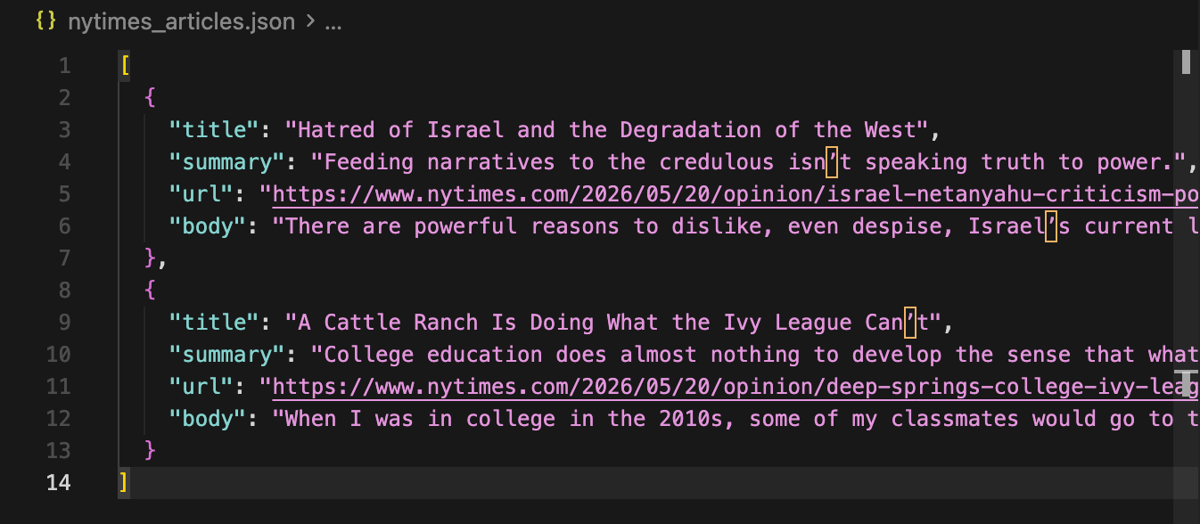
That's it. You have successfully scraped the NYT.
Advanced extraction with ScrapingBee's AI features
So far, we have used BeautifulSoup selectors to pull the article data, which is fast and easy to understand. However, the tradeoff is that selectors depend on the page structure. If the HTML changes, your scraper will break.
To reduce that maintenance work, ScrapingBee also supports AI extraction. Instead of writing selectors for every field, you describe what you want in plain English, and ScrapingBee returns the extracted result.
The quickest option is ai_query. You can just use it to define a prompt and let the model parse and return the specified data without any fuss.
ai_query = """
Extract the article headline and a short one sentence summary.
Return JSON only.
"""

response = client.get(
    articles[0]["url"],
    params={
        "render_js": "true",
        "premium_proxy": "true",
        "block_resources": "false",
        "country_code": "us",
        "ai_selector": "main",
        "ai_query": ai_query,
    },
)

print(response.text)
For a pipeline where you want a more predictable schema, you can use ai_extract_rules. The important detail is that the rules should be JSON encoded with json.dumps.
ai_extract_rules = {
    "headline": "The main article headline",
    "summary": "A short one sentence summary of the article",
    "first_paragraphs": "The first three paragraphs of the article body",
}

response = client.get(
    articles[0]["url"],
    params={
        "render_js": "true",
        "premium_proxy": "true",
        "block_resources": "false",
        "country_code": "us",
        "ai_selector": "main",
        "ai_extract_rules": json.dumps(ai_extract_rules),
    },
)

data = response.json()
print(json.dumps(data, indent=2))
This is useful when you want consistent fields across multiple pages, especially for summaries, short previews, or structured article metadata.
Note that ai_query and ai_extract_rules add extra AI extraction credits on top of the normal request cost, so use them when the convenience is worth the added cost.
Other New York Times web scraping methods
NYT Developer API
The Developer API is the cleanest option when you only need structured metadata. Before reaching for a browser or a scraping infrastructure provider, you might want to check whether the native API already covers your use case.
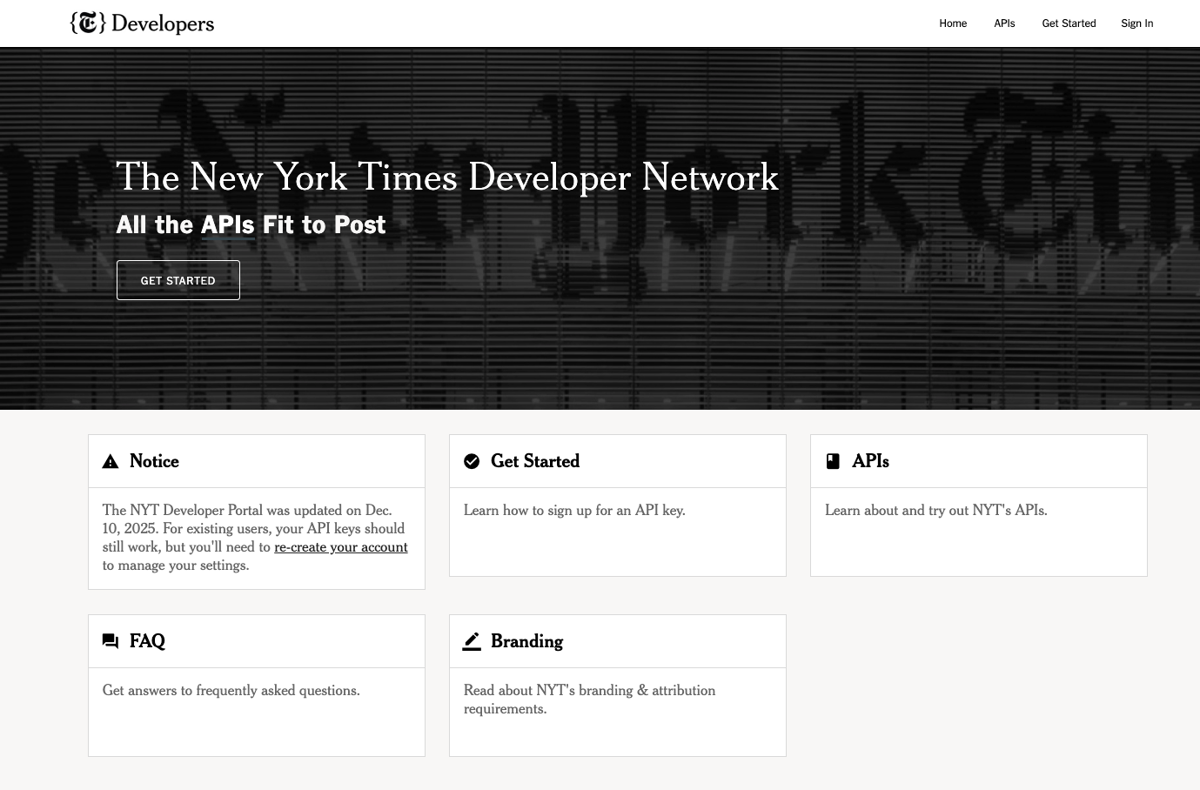
It gives you access to APIs on:
- Article Search
- Top Stories
- Most Popular
- Archive
- Books
However, the full text of articles is NOT available through this service. The API is mainly for metadata, so it is limited if your goal is to pull the article body text.
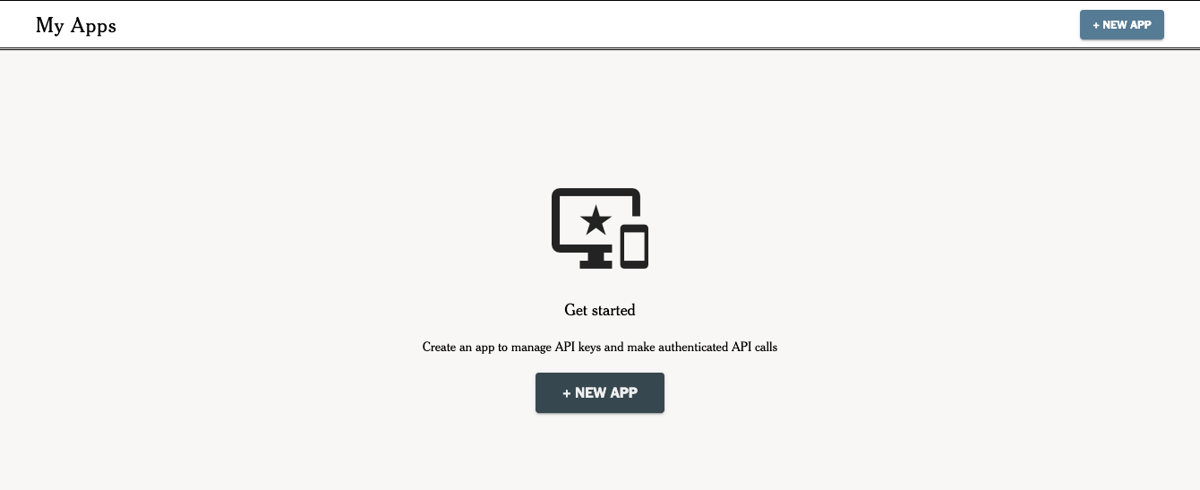
To use it, sign up at developer.nytimes.com, make an app under My Apps, and click New App.
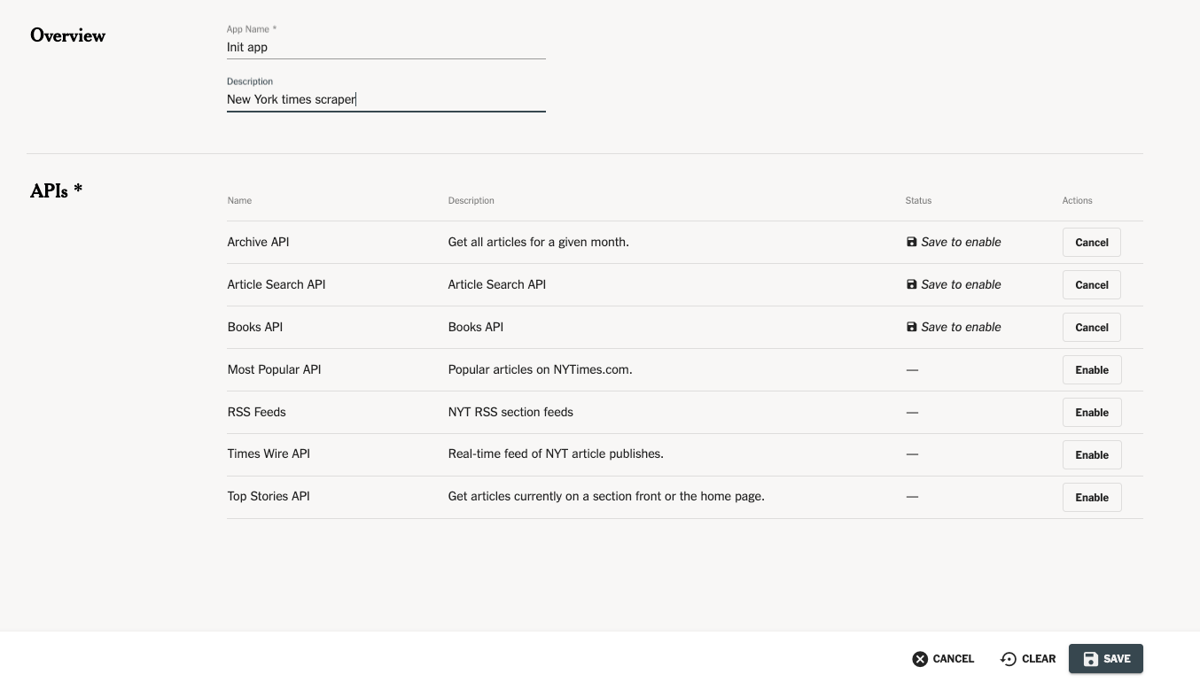
Enter a name and description for the app in the New App dialog and click Create. Toggle on the APIs you need to enable or disable access to the endpoints from the app.
Rate limits are 5 requests per minute and 500 per day for most endpoints, with the Archive API uplifted to 2,000 per day.
Here's a minimal Article Search call:
import requests

params = {
    "q": "climate change",
    "fq": 'news_desk:("Science")',
    "begin_date": "20250101",
    "end_date": "20251231",
    "sort": "newest",
    "api-key": "YOUR_NYT_API_KEY",
}

r = requests.get(
    "https://api.nytimes.com/svc/search/v2/articlesearch.json",
    params=params,
    timeout=30,
)
for doc in r.json()["response"]["docs"]:
    print(doc["pub_date"], "|", doc["headline"]["main"])
    print("  ->", doc["web_url"])
Pros vs Cons
Pros:
- Zero maintenance overhead
- Clean, structured JSON output
- No anti-bot concerns
Cons:
- No full article text
- Non-commercial use only
- Rate limits apply
- You'll need to register for the key
Browser automation with Playwright (Heavy to maintain)
If you need the full article body, you might want to load the website as a real browser would. Playwright (or Selenium) can load the page, scroll through lazy-loaded pages, and scrape text that a simple HTTP client would miss.
A minimal Playwright setup looks like this:
from playwright.sync_api import sync_playwright

with sync_playwright() as p:
    browser = p.chromium.launch(headless=True)
    page = browser.new_page()
    page.goto("https://www.nytimes.com/section/opinion")
    print(page.title())
    browser.close()
Playwright gives you more control, but that control comes with more maintenance. You now have to manage browser installation, browser contexts, timeouts, proxies, retries, and blocking issues yourself.
It can also be more expensive to operate at scale because every request behaves like a browser session instead of a lightweight HTTP request.
Pros vs Cons
Pros:
- Full browser control
- Good for JavaScript-heavy pages
- Can interact with the page
Cons:
- You must manage headless browsers yourself
- Requires browser installation
- Needs proxy setup for reliability
- More expensive to operate at scale
- Heavier to deploy and maintain
Conclusion
In this guide, we've seen how to scrape NYT articles with ScrapingBee. We fetched the Opinion section, extracted article data, and saved everything to CSV and JSON.
Understanding how to scrape the pages properly can help you collect reliable news data for research, monitoring, and analysis.
Scraping the NYT would not have been this easy without ScrapingBee. It handles proxy routing, browser rendering, and blocked requests all in one API call.
Getting started with ScrapingBee does not cost anything. You can sign up for 1,000 free credits, no credit card required, and start scraping in minutes.
Frequently Asked Questions (FAQs)
Can I scrape NYT without an API?
Yes, you can utilize Python libraries like Requests and BeautifulSoup to get data. However, you will need to solve challenges like IP blocks and JavaScript rendering manually, which can be time-consuming.
How do I handle paywalls on NYT?
To access all the information behind a paywall, you generally need an account. Scraping behind a paywall without permission is often a violation of the terms of service, so always check the legal context first.
Is it legal to scrape the NYT?
Scraping publicly available articles for personal research is often a gray area. However, you must follow the robots file and avoid scraping personal data. For commercial use, always get insights from legal experts.
Can ScrapingBee handle both static and dynamic content from NYT?
Yes, ScrapingBee enables you to retrieve both as it can process JavaScript to solve dynamic loading and retrieve static HTML articles quickly utilizing millions of proxies.