If you are wondering how to scrape TCGplayer, the honest answer is that you should first understand what TCGplayer allows. TCGplayer's Terms of Service discourage scraping, and because the site loads prices with JavaScript, a simple Python request will not return the data you want. For most price tracking tasks, a free source like TCGCSV or another public API is the better option. When those sources do not cover your use case, you can responsibly collect data from public pages by rendering them with a web scraping API and keeping your requests low in volume.
In this guide, you will learn what TCGplayer's Terms say, when scraping public pages makes sense, which free alternatives you should consider first, and how to scrape public product pages in Python using ScrapingBee.
Key takeaways
- TCGplayer's Terms of Service and Community Guidelines discourage scraping, especially at high volume or for commercial use. Never scrape behind a login and always keep requests polite and limited.
- Before writing a scraper, consider using TCGCSV. It provides a free daily mirror of TCGplayer price data and even includes historical pricing.
- TCGplayer's official Developer API is effectively closed to new applicants, which is why many developers now use alternative data sources.
- A simple requests script returns no prices because TCGplayer loads its data with JavaScript. Rendering the page first solves this problem.
- Sales information shown on public product pages is one of the few types of data that mirrors and public APIs may not fully provide, making careful public page scraping a reasonable option for some legitimate projects.
Can you scrape TCGplayer? What their Terms actually say
TCGplayer's Terms of Service state that users agree not to crawl, scrape, or spider the website without permission. Separately, TCGplayer's Community Guidelines discourage behavior such as "repeatedly taking shots at our servers" and using collected data "for your own profit." In practical terms, this means high volume and commercial scraping are off the table. Personal, low-volume checks on public pages fall into a gray area, but you should never scrape behind a login. This article is for educational purposes only and is not legal advice.
Before you write a scraper, it is worth checking whether the website already provides an approved way to access the data you need. Many developers jump straight into coding without reading the site's Terms or looking for official alternatives. In TCGplayer's case, understanding these rules first will help you choose the right approach.
That does not automatically answer every legal question. A website's Terms of Service can restrict certain activities even where those activities may otherwise be lawful, and the rules around web scraping vary by country. Because of that, it is best to avoid broad legal conclusions and instead take a cautious, responsible approach.
If you have a legitimate need to collect information from public pages, keep your request volume low, avoid unnecessary automated traffic, and never scrape pages that require signing in. Whenever an official or public data source meets your needs, it is almost always the better choice.
If you are a TCGplayer seller, you do not need to scrape your own inventory. TCGplayer provides a supported CSV export for sellers, making it easy to download and manage your inventory without scraping. You can also review TCGplayer's pricing data and API access page to learn about its supported data access options before deciding whether scraping public pages is necessary.
The fastest way to get TCGplayer prices without scraping
Before you write a scraper, check whether you actually need one. Most TCGplayer price data is already available through free and compliant data sources, which means you can get the information you need without sending requests to TCGplayer at all. Start with the official or public option that fits your use case, and only scrape public pages.
One thing to keep in mind is that the TCGplayer API is closed to new users, which is why community-maintained mirrors and third-party APIs have become popular alternatives. Most of these sources update about once daily and provide product-level pricing data, making them a great choice for price tracking and market analysis.
However, they generally do not include live page information such as recent sales, listing depth, or other data only visible on public product pages.
| Source | What you get | Cost | Best for |
|---|---|---|---|
| TCGCSV | Daily CSV and JSON exports with TCGplayer product and price data across more than 89 trading card games, plus a price history archive | Free | Product-level pricing only. No per-condition pricing or per-listing sales data. Updates daily. |
| MTGJSON | Daily Magic: The Gathering data with TCGplayer IDs, prices, and price history | Free | Best for Magic: The Gathering projects |
| Seller CSV Export | Export and import your own TCGplayer inventory and pricing | Free for sellers | The recommended option for managing your own store. No scraping or login automation required. |
| JustTCG, Scryfall, Pokémon TCG API | Condition-specific pricing with JustTCG or free game-specific APIs | Free tier and paid plans | Third-party services. Check their documentation for current pricing and usage limits. |
| TCGplayer Developer API | Mid-low pricing, Lowest Selling Vendors, and affiliate features | Not available to new users | Effectively closed to new applicants since late 2024. |
If your goal is to build a price tracker, collection manager, or market dashboard, these sources will give you most of what you need. You can even combine them with our guide on pulling website data into Google Sheets to create a simple no-code workflow for monitoring prices.
Scraping becomes useful when you need information that these datasets do not provide. For example, you may want to collect data that only appears on a live public TCGplayer product page, such as recent sales, listing depth, or other page-specific details. In those cases, using ScrapingBee to render the page and extract the visible information is a practical and responsible approach while keeping your requests limited and respecting TCGplayer's terms.
What about the official TCGplayer API?
For years, TCGplayer offered a developer API for marketplace pricing and related data. Access for new developers has become limited, which has pushed many projects to alternatives such as TCGCSV.
When should you actually scrape?
Even with all these alternatives, scraping still has a place. The common thread among datasets like TCGCSV and public APIs is that they mainly provide product-level information.
For example, you may want to study the following:
- Current listing depth
- Recent sales shown on the product page
- Information that changes throughout the day
- Page elements that are not included in public datasets
Those are legitimate reasons to collect information from public pages, provided you do so responsibly.
How to scrape a TCGplayer page in Python (step by step)
If you need data that is not available through TCGCSV or another public data source, you can scrape a public TCGplayer product page with Python. Since TCGplayer loads its prices with JavaScript, you need to render the page before extracting the data. Keep your requests low in volume, respect TCGplayer's terms, and only scrape public pages.
In this section, you'll build a simple TCGplayer scraper in Python using the ScrapingBee Web Scraping API. You will walk through the complete workflow, from rendering the page to extracting structured data with ScrapingBee's built-in AI extraction. If you're new to Python scraping, you may also find a guide on web scraping with Python helpful before getting started.
Note: This section demonstrates how to collect data from public product pages only. It does not use or access TCGplayer's private internal JSON endpoints. While prices are loaded from an internal API behind the scenes, you will use JavaScript rendering to extract the information that is already visible to any visitor.
The workflow looks like this:
- Send the public product URL to ScrapingBee.
- Let a browser render the JavaScript content.
- Receive the completed HTML.
- Extract the fields you need.
- Store the results in your own application.
Prerequisites & Setup
Before starting, you need these things:
- A ScrapingBee API key. The free plan includes 1,000 API credits and does not require a credit card.
- Python 3 installed on your personal computer.
- The requests package.
Install the requests package:
pip install requests
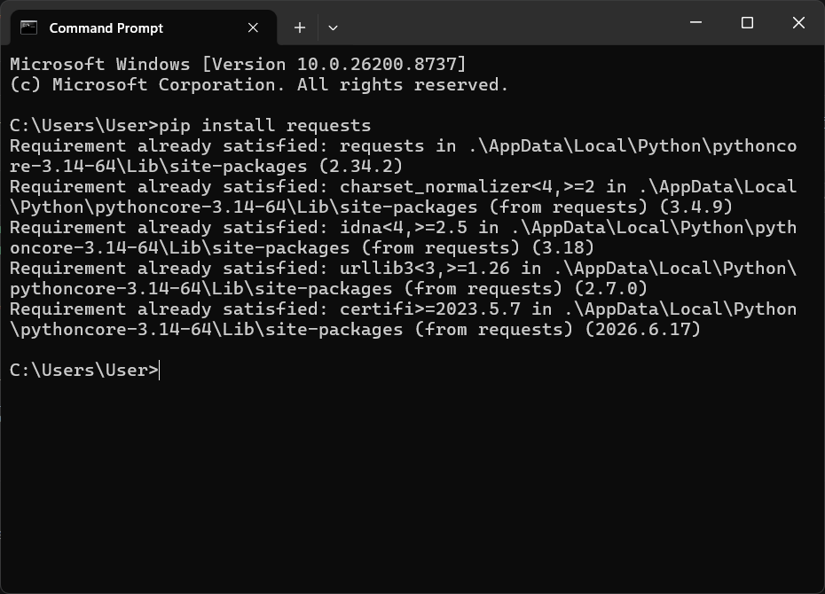
Create a Python file named tcgplayer_scraper.py.
Navigate to the ScrapingBee dashboard and configure your API key:
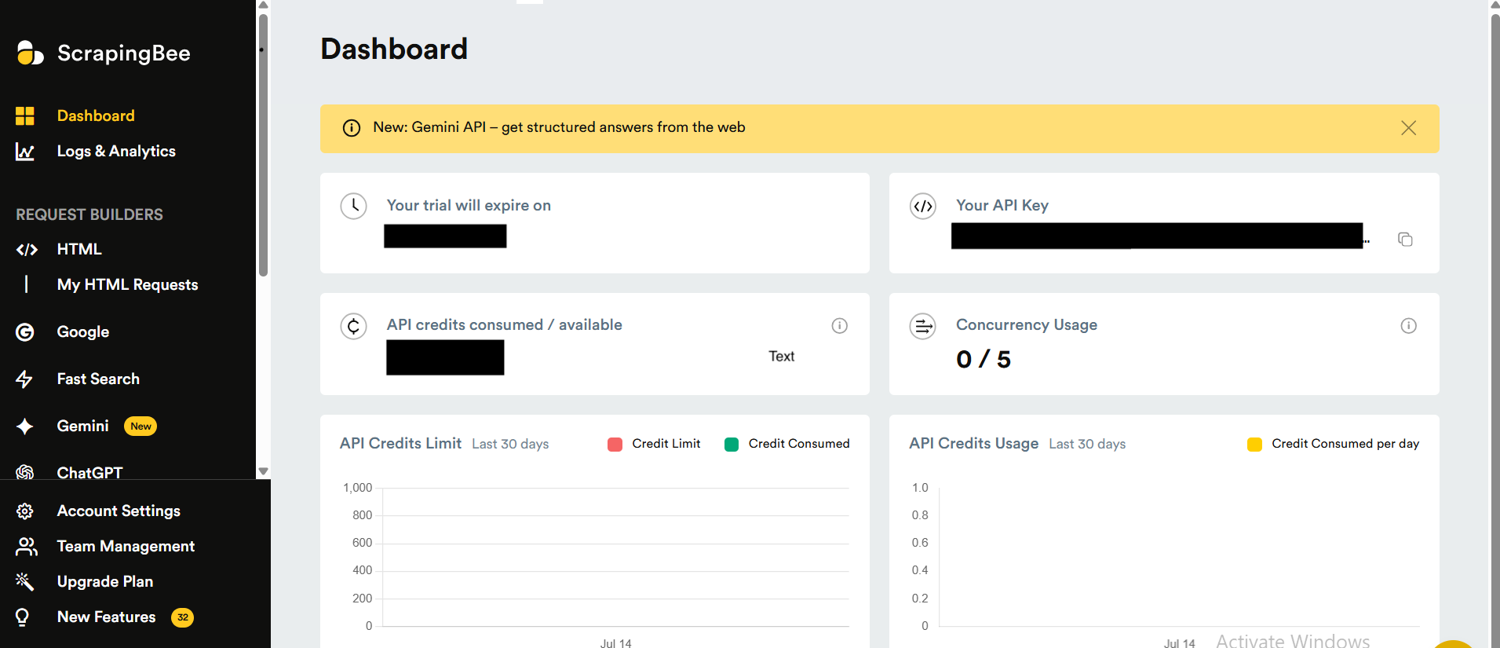
Add your ScrapingBee API key at the top of the file:
API_KEY = "YOUR_SCRAPINGBEE_API_KEY"
Note: Keep your API key private. Do not upload it to GitHub or expose it in frontend code.
Step 1: Why a plain request returns no price
A common first attempt looks like this:
import requests

url = "https://www.tcgplayer.com/product/example"
response = requests.get(url)
print(response.text)
When you request the page, the HTML is returned without the price because TCGplayer relies on a JavaScript-based frontend to load that data dynamically.
The first HTML response is mainly an application shell. Think of it like receiving an empty store before the shelves are filled. The browser then runs JavaScript, contacts additional services, and fills the page with product information.
This type of website is called a Single Page Application (SPA). Because a normal HTTP request only downloads the initial document without executing JavaScript, clicking buttons, or waiting for dynamic content the way a real browser does, tools like Python's BeautifulSoup (without rendering) and Google Sheets IMPORTXML often return empty results when used directly on these JavaScript-heavy sites.
To solve this, browser rendering uses a tool that opens the page in a real browser environment and waits for the JavaScript to execute before returning the fully completed page, rather than just downloading the initial, incomplete HTML response.
Step 2: How to fetch the rendered TCGplayer page with ScrapingBee
By enabling ScrapingBee's render_js option, the page is loaded using a headless browser — a windowless browser controlled through code that behaves like a normal browser — before returning the fully rendered HTML.
Here is a basic request:
import requests

API_KEY = "YOUR_SCRAPINGBEE_API_KEY"
product_url = "https://www.tcgplayer.com/product/YOUR_PRODUCT_URL"
scrapingbee_url = "https://app.scrapingbee.com/api/v1/"

headers = {
    "Authorization": f"Bearer {API_KEY}"
}
params = {
    "url": product_url,
    "render_js": "true",
    "premium_proxy": "true",
    "block_resources": "false",
    "wait_for": "h1"
}
response = requests.get(
    scrapingbee_url,
    headers=headers,
    params=params,
    timeout=180
)
html = response.text

print("Status:", response.status_code)
print("HTML length:", len(html))
If everything works correctly, you should receive the fully rendered HTML instead of the initial application shell. The response should now include the page's product content, including the <h1> element that identifies the product.
The important parameters are:
render_js=true
render_js allows ScrapingBee to execute JavaScript before returning the page. The wait_for option gives TCGplayer time to load the product content before extraction begins.
block_resources="false"
This allows the browser to load the resources required for the page to render correctly. Blocking them may result in an incomplete application shell instead of the finished page.
wait_for="h1"
TCGplayer populates product content after the initial page load. Waiting for the <h1> element ensures the page has finished rendering before ScrapingBee returns the HTML.
premium_proxy=true
This routes the request through premium proxy infrastructure. Some websites apply restrictions based on IP reputation, so using the right proxy option helps avoid unnecessary blocks.
Step 3: Extract structured TCGplayer data with AI extraction
Once the page has been loaded, the next step is to extract the required data. ScrapingBee's AI extraction allows you to describe the intended fields in simple English and return structured JSON.
Instead of manually scanning through HTML, use ScrapingBee to extract TCGplayer information like product name, market price, lowest listing price, and card set. As a result, data is cleaner and more structured, making it easier to store and analyze.
AI extraction is useful for markets like TCGplayer since product pages contain a variety of elements such as seller information, listings, and pricing. It lets you collect key fields without having to write complex HTML query code.
The key difference is flexibility. Extraction rules offer more control but require the website's HTML structure to remain consistent, so they need updates if the layout changes. AI extraction is more adaptable, allowing you to describe the information needed without relying on specific page elements.
import requests
import json
import csv
from datetime import datetime

API_KEY = "YOUR_SCRAPINGBEE_API_KEY"

product_url = (
    "https://www.tcgplayer.com/product/676081/"
    "pokemon-me-ascended-heroes-mega-gengar-ex-269-217"
)

ai_extract_rules = {
    "product_name": (
        "Extract the trading card name from the product page. "
        "Return only the card name."
    ),
    "market_price": (
        "Extract the current Market Price displayed on the TCGplayer "
        "product page. Look for the price value with the dollar sign."
    ),
    "lowest_listing_price": (
        "Extract the lowest available listing price displayed on the "
        "TCGplayer product page. Return the value with the dollar sign."
    ),
    "set_name": (
        "Extract the trading card set name shown on the product page."
    )
}

response = requests.get(
    "https://app.scrapingbee.com/api/v1/",
    headers={
        "Authorization": f"Bearer {API_KEY}"
    },
    params={
        "url": product_url,
        "render_js": "true",
        "premium_proxy": "true",
        "block_resources": "false",
        "wait": "15000",
        "wait_for": "h1",
        "country_code": "us",
        "ai_extract_rules": json.dumps(ai_extract_rules)
    },
    timeout=180
)

print("Status:", response.status_code)

if response.status_code != 200:
    print(response.text)
    exit()

data = response.json()

print("\nExtracted Data:")
print(json.dumps(data, indent=2))

with open(
    "tcgplayer_prices.csv",
    "a",
    newline="",
    encoding="utf-8"
) as file:
    writer = csv.writer(file)
    writer.writerow(
        [
            datetime.now(),
            data.get("product_name"),
            data.get("market_price"),
            data.get("lowest_listing_price"),
            data.get("set_name"),
            product_url
        ]
    )

print("\nSaved successfully")
Instead of working with raw HTML as shown below:
<div class="product-page">
  <span>Market Price</span>
  <span>$60.02</span>
</div>
You will receive clean JSON:
Status: 200

Extracted Data:
{
  "product_name": "Mega Gengar ex",
  "market_price": "$60.02",
  "lowest_listing_price": "$44.99",
  "set_name": "ME: Ascended Heroes"
}
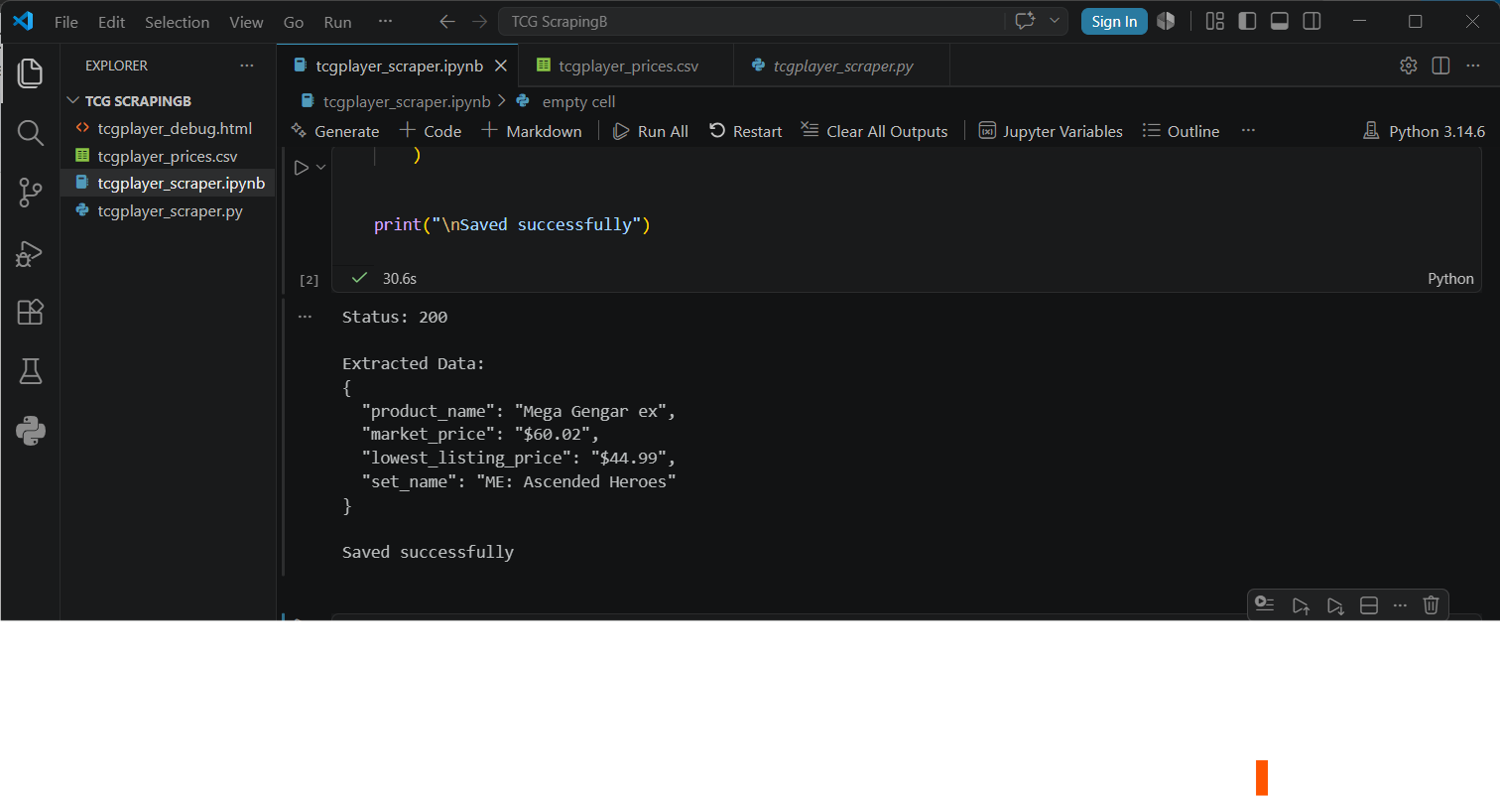
This makes it easier to keep up with your scraper and lets you focus on using the data instead of making complicated rules for parsing HTML.
Step 4: Be a good citizen when scraping
Good web scraping starts with responsible practices. Keep your request volume low, add delays between requests, and use a clear user agent so websites can identify your scraper. If you need large amounts of TCGplayer price data, TCGCSV is usually the better choice because it already provides daily bulk price data.
Only collect data from public pages and avoid anything behind a login, such as private accounts, seller dashboards, or customer information. Always check a website's Terms of Service before scraping to make sure you are collecting data responsibly.
Using Python with a rendering service makes it easier to scrape JavaScript-powered websites. The process is simple: load the page, wait for JavaScript to run, extract the data, and save the results. This approach works for many online marketplaces, including scraping Amazon prices.
Getting sales volume and price history
TCGplayer price data is useful, but many developers want deeper market information such as recent sales, demand trends, and listing activity. The challenge is that there is no official feed that provides a clean per-card units sold number.
Free sources like TCGCSV are excellent for tracking product prices and historical changes, but they do not replace every detail shown on a live product page. Public TCGplayer pages may show information such as price trends, recent sales, and available listings. These can help you understand market activity, but they should be treated as demand signals rather than guaranteed sales volume.
If you need these details for a legitimate use case, collect them carefully from public pages, keep requests limited, and avoid trying to build large-scale sales tracking systems from scraping alone.
Automate and schedule your TCGplayer price checks
Once your scraper works, you can automate TCGplayer price checks by running it on a schedule and saving each result with a timestamp. A simple setup uses cron with a CSV file or database to store price changes over time.
For smaller projects, you can also pull single prices into Google Sheets and build your own tracker. Save the card name, price, and date each time you collect data.
If you only need daily price updates, you may not need a scraper at all. TCGCSV already provides daily TCGplayer pricing data, making it a better option for bulk tracking.
Learn more about scheduling with the ScrapingBee CLI.
Staying unblocked and polite at scale
A reliable scraper is not just about collecting data. It is also about making requests responsibly. Sending too many requests too quickly can lead to blocks based on request rate or IP reputation.
For JavaScript pages like TCGplayer, options such as render_js can help your scraper load pages more reliably. For difficult cases, stronger proxy options may be useful.
Still, the best way to avoid problems is choosing the right source. For large amounts of price data, TCGCSV is usually faster and more efficient than scraping thousands of pages.
Learn more about web scraping without getting blocked and view current ScrapingBee pricing.
Scrape the public web responsibly with ScrapingBee
When public datasets and APIs do not provide the information you need, ScrapingBee helps collect data from public pages by handling JavaScript rendering, proxies, and structured extraction.
You can start with 1,000 free API credits without a credit card and build a scraper that collects public web data responsibly.
TCGplayer scraping FAQs
Below are the frequently asked questions about TCGplayer scraping.
Does TCGplayer allow web scraping?
Not really. TCGplayer discourages scraping through its terms and community guidelines. Avoid high-volume scraping, commercial misuse, and any pages behind a login.
Why does my scraper return no price?
Because TCGplayer loads prices with JavaScript. Basic requests only receive the page shell, so you need browser rendering before extracting prices.
Does TCGplayer have an API?
Yes, but access for new developers has become limited. Many projects now use alternatives like TCGCSV for pricing data.
How do I pull TCGplayer prices into Google Sheets?
IMPORTXML usually fails because prices load dynamically. TCGCSV is often the easiest option, while a scraping API can work for individual live price checks.
Learn more about no-code web scraping.
How do I get TCGplayer sales data?
There is no official public unit sales feed. Public pages may show price history and recent sales, but these should be treated as demand signals rather than exact sales numbers.
Why is TCGplayer API access limited?
TCGplayer's API has become difficult for new developers to access. As a result, many developers now rely on alternatives like TCGCSV for pricing data or use scraping tools to collect publicly available information responsibly, while following TCGplayer's terms and avoiding pages behind a login.