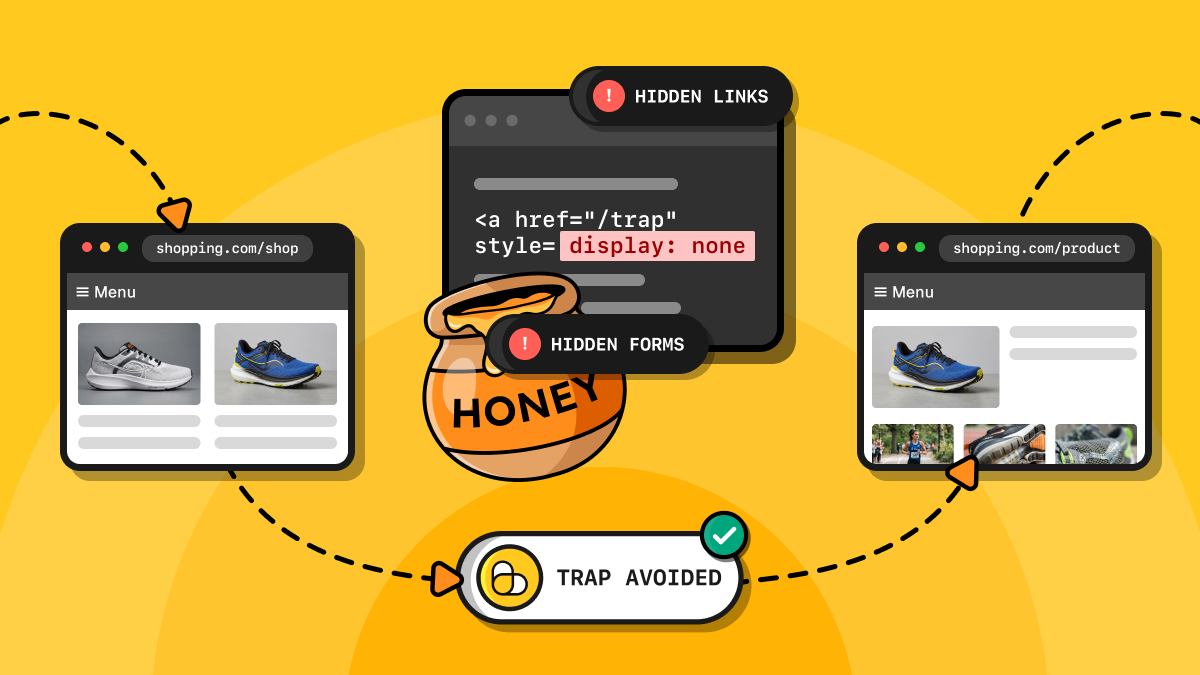
A honeypot trap is an element that human visitors would not normally see or interact with. A website can use it to detect bots that do. If you came here looking for how to bypass honeypot trap mechanisms, the better approach is to identify and avoid them in the first place, rather than circumvent a website’s defenses.
This guide covers the main types of honeypot traps that scrapers may encounter in 2026, from concealed links and fake data to Cloudflare’s AI Labyrinth and AI-targeted hidden instructions. It explains how to flag and respond to them before your scraper or ScrapingBee’s web scraping API follows the wrong link, scrapes misleading data, or ends up in a maze or tarpit.
It also includes a benchmark of how well common visibility checks perform against 20 different techniques for creating trap links.
Key takeaways
- Honeypot traps go beyond hidden links, as fake data, trap URLs, AI-generated link mazes, tarpits, and hidden instructions can all mislead or identify scrapers.
- Cloudflare AI Labyrinth uses invisible nofollow links to lead suspected AI crawlers to trap pages. Respecting crawl instructions and skipping nofollow links helps avoid the maze.
- Playwright’s is_visible() considers links with opacity: 0 visible, so it can miss honeypot links that are completely transparent.
- A custom visibility check function caught 17 traps out of 20 in Chromium and WebKit and 18 in Firefox.
- Set crawl-depth limits, page budgets, request timeouts, and duplicate-content checks to reduce the risk of getting stuck in crawler mazes and AI tarpits.
What is a honeypot trap in web scraping?
A honeypot trap is a hidden link or piece of data that human users would not normally see or interact with, but that a website can place to detect or slow down automated traffic.
When a scraper follows a hidden link by requesting a trap URL, the server can identify suspicious behavior and block the scraper. Alternatively, pages can include convincing fake records, causing the scraper to collect false data without realizing it.
Now, the term “honeypot trap” should not be confused with:
- A honeypot: A decoy system used in cybersecurity to attract attackers and monitor their activity.
- A honey trap: An espionage tactic that uses romantic or sexual attraction to compromise a target.
Although all three concepts rely on luring a target, a honeypot scraping trap is specifically designed to detect bots or contaminate the data they collect.
Types of honeypot traps scrapers run into
Here are the main web scraping honeypots your script may encounter:
| Trap type | How it works | How the site uses it | How to avoid it | What happens if you fall into it |
|---|---|---|---|---|
| Hidden links | Conceals links using CSS, off-screen positioning, overlays, background-matching text, or hidden HTML elements. | Detects crawlers that follow links ordinary users would not interact with. | Check rendered visibility, computed styles, link context, and ancestor elements; distinguish traps from legitimate accessibility features. | Your crawler may be flagged, logged, redirected, or served misleading content. |
| Trap URLs in robots.txt | Lists a disallowed path in robots.txt and exposes a link to it in an unexpected location, such as a sitemap. | Identifies crawlers that follow trap links or ignore crawling restrictions. | Respect robots.txt and avoid following links to disallowed paths. | The site may log the request and flag the crawler as noncompliant. |
| Decoy and fake data | Returns fabricated prices, product records, catalog entries, or API responses instead of genuine data. | Misleads suspected scrapers and helps identify suspicious requests. | Validate records against schemas, historical results, and independent sources; investigate anomalies. | Your dataset may contain false information, corrupting analysis or downstream models. |
| Link mazes and AI tarpits | Leads crawlers through chains of AI-generated, repetitive, or low-value pages. | Wastes crawler time and computing resources while recording which bots follow trap links. | Set crawl-depth and page-count limits, detect repetitive URLs and content, and stop when relevance drops. | Your crawler may waste resources, collect useless data, or be identified by the site. |
| Hidden text targeting AI scrapers and agents | Embeds invisible instructions or unique canary tokens in content that AI systems may process. | Attempts to manipulate AI agents or trace which data sources may have contributed to an AI system’s output. | Strip hidden content, treat webpage text as untrusted input, isolate instructions from retrieved content, and validate consequential actions. | An AI agent may follow malicious instructions, or unique tokens in the response might reveal that the agent scraped a specific webpage. |
| Form honeypot fields | Adds hidden form fields that legitimate users should leave empty but automated scripts may fill in. | Detects bots submitting forms, including search and filtering forms, and often blocks spam. | Inspect form fields and their visibility; avoid filling unexpected hidden fields automatically. | The submission may be rejected, logged, or flagged as automated activity. |
Hidden links
Honeypot links exist in a page’s HTML or rendered DOM but are concealed from ordinary users. These hidden links are ignored by human visitors because they cannot see them. Still, crawlers might discover and follow them, revealing their automated behavior.
Websites can create hidden links using CSS techniques such as:
- display: none: Removes the element from the rendered layout.
- visibility: hidden: Hides the element without removing its layout space.
- opacity: 0: Makes the link fully transparent.
- width: 0; height: 0: Gives the element zero dimensions.
- position: absolute; left: -9999px;: Moves the link off-screen.
- clip-path: inset(100%);: Clips the element out of view.
Trap links can also be hidden by:
- Covering them with overlaying elements.
- Matching their text color to the background.
- Placing them inside HTML comments.
- Including them in
<noscript>elements (which are ignored by regular browsers, as they have JavaScript enabled by default).
Important: A hidden link is not necessarily a honeypot link. Accessibility features, such as “skip to content” links for screen readers, and UX choices, such as collapsed navigation menus visible only on mobile, can also involve intentionally hidden links. Effectively avoiding honeypot-based bot detection requires distinguishing these legitimate links from traps.
Trap URLs listed in robots.txt
Websites can use robots.txt to create honeypot traps by listing a path under a Disallow directive while including a link to that path in an unexpected location (e.g., a URL embedded in a sitemap that is not linked elsewhere in the site).
Well-behaved crawlers respect robots.txt, but scrapers that ignore its rules may request the trap URL, revealing their automated (and potentially unethical) activity.
Remember that the Robots Exclusion Protocol for robots.txt is standardized in RFC 9309, published in September 2022. Learn more in our web scraper guide to robots.txt.
Decoy and fake data
Not all honeypot trap mechanisms aim to block scrapers. Some simply want to deceive them. For example, when a server suspects that a request comes from a bot (e.g., due to bad IP reputation, browser or TLS fingerprinting issues, or unusual HTTP headers), it can start serving fabricated data instead of the real content. This can include misleading prices, fake product records, or entries that do not exist in the actual catalog.
This approach resembles the practice of deliberately adding trap streets to maps (including Google Maps) to help identify unauthorized copying. Alternatively, a website can expose realistic-looking decoy API endpoints that return plausible but fabricated responses. Legitimate front-ends would never call those APIs.
Link mazes and AI tarpits
Some crawler traps go beyond a single honeypot link and lead bots into a maze of AI-generated pages designed to waste their time and computing resources.
A real-world example is Cloudflare AI Labyrinth, introduced in March 2025 and available as an opt-in feature, including on the Free plan. It injects invisible, nofollow links leading suspected AI crawlers to AI-generated content. Note that Cloudflare records crawlers that follow these links, but AI Labyrinth itself does not block their requests.
Other tools take a similar approach. Nepenthes and Iocaine use AI-generated or otherwise repetitive content to create an AI tarpit, keeping crawlers busy with pages that provide little useful information.
Anubis also offers a dataset-poisoning mode that embeds a crawler trap in challenge and error pages, leading scrapers into recursive pages of deliberately vacuous content.
Hidden text targeting AI scrapers and agents
Websites can embed concealed instructions in page content that remain invisible to human visitors but are readable by AI scrapers and agents.
Recently, Zscaler ThreatLabz documented a fraudulent developer website that used off-screen CSS positioning to hide prompt injections designed to trick AI agents into paying $3 for a fake API license. Although this was primarily a security threat, similar techniques could also be used to mislead AI web scrapers.
Another approach uses canary tokens: unique words, names, or values embedded in content served to individual scrapers. If an AI chatbot later reproduces these identifiers, researchers can infer which scraper may have supplied its information. A 2026 research paper tested this method across 20 websites and 22 production AI systems, demonstrating its potential to improve transparency by revealing which sources AI chatbots use to generate their responses.
Form honeypot fields
Web pages can include hidden form fields that real users never see. If a submission contains a value in one of these fields, the site flags or rejects it, since only an automated script would have filled it in. This technique targets scrapers that must submit forms through browser automation scripts to access useful data (e.g., filtering forms). It is also an effective method for detecting spam.
What happens when your scraper hits a honeypot?
TL;DR: Often, nothing obvious…
Modern honeypot bot detection mechanisms usually do not return errors. Instead, they can slow responses, redirect your scraper through fake pages, or serve decoy data, making the crawl appear normal while silently flagging your IP address or browser fingerprint.
Watch for these signs that your crawler may have been caught:
- Extracted values contradict other sources or differ from the website’s genuine content.
- Your scraper keeps discovering new links and pages, causing the crawl to grow unexpectedly.
- Request times gradually increase without an obvious technical explanation.
Over time, your automated script may encounter unexpected CAPTCHAs or IP blocks, as the website attempts to stop scraping altogether. Discover what to do if your IP gets banned.
Those behaviors are not definitive proof of a honeypot trap. Website changes, rate limits, conventional anti-bot defenses, and ordinary technical issues can produce similar symptoms.
How to detect hidden honeypot links
TL;DR: To detect each honeypot link, ensure your scraper can distinguish links visible to ordinary users (trusted links) from hidden links (trap links).
The best way to avoid honeypot links is to render and evaluate them as they would appear to a human user. Or at least to spot them by looking at the aspects that make them hidden in the first place.
That involves considering each link’s computed display, visibility, and opacity (including on its parent elements), its size and position on the page, its color against the background, and whether another element covers it.
For a quick comparison of techniques for detecting honeypot links, refer to the table below:
| Approach | Description | Required libraries | What it catches | What it misses |
|---|---|---|---|---|
| Beautiful Soup static check | Parses raw HTML and checks links and their ancestors for the hidden attribute or common inline CSS hiding patterns | Requests, Beautiful Soup | Links with the hidden attribute, inline display: none, visibility: hidden, opacity: 0, font-size: 0, links inside ancestors hidden by these patterns | Links hidden by external CSS, JavaScript-applied styles or dynamic insertion |
| Playwright is_visible() | Checks whether links are visible after the browser renders the page and applies CSS | Playwright | Links hidden by display: none, visibility: hidden, zero-size elements, external stylesheets, CSS-hidden ancestors | Links with opacity: 0, off-screen links, clipped links, low contrast, overlays |
| Playwright click(trial=True) | Tests whether links are actionable without clicking them, checking whether they can receive pointer events | Playwright | Links blocked by overlays, links that cannot receive pointer events, links that fail actionability checks | Transparent links that remain actionable, off-screen links that can be scrolled into view, low-contrast links, links that become actionable after loading |
| Selenium is_displayed() | Checks whether the browser considers links displayed in the rendered page | Selenium | Depending on the browser, links hidden by many CSS rules, display: none, visibility: hidden, some zero-size elements, off-screen links, transparent links | Depending on the browser, links with font-size: 0, clipped links, low-contrast links, links covered by overlays |
| JavaScript checkVisibility() | Uses the browser’s native visibility check with options for opacity, visibility, and skipped rendering | Playwright, Selenium, or another browser automation tool that can execute JavaScript | Links with opacity: 0 when opacityProperty is enabled, links hidden by visibility: hidden when visibilityProperty is enabled, links skipped by content-visibility: auto when contentVisibilityAuto is enabled | Zero-size links, links with font-size: 0, off-screen links, clipped links, low-contrast links, links covered by overlays, background-matching text |
| Custom JavaScript heuristic | Combines ancestor styles, opacity, dimensions, position, text contrast, clipping, and DOM hit-testing to estimate whether links are visible to humans | Playwright, Selenium, or another browser automation tool that can execute JavaScript | Links hidden by display: none or hidden ancestors, near-zero opacity, clipping, zero dimensions, some off-screen links, low-contrast links, links covered by other elements | Links hidden by unusual CSS techniques, complex backgrounds, partial overlays, links hidden only in certain viewport states |
Spot hidden links in static HTML with Beautiful Soup
Beautiful Soup has no built-in CSS engine or JavaScript execution engine. Because of that, it can only flag links hidden through the HTML hidden attribute or inline CSS, including links inside hidden parent elements.
You can check those cases using Beautiful Soup as follows:
# pip install requests beautifulsoup4
import re
import requests
from bs4 import BeautifulSoup

# Match common inline hiding patterns.
HIDDEN = re.compile(
    r"display\s*:\s*none|visibility\s*:\s*hidden|"
    r"opacity\s*:\s*0(?![\d.])|font-size\s*:\s*0(?![\d.])",
    re.I,
)

def is_hidden(link):
    # Check the link and every parent element.
    for node in [link, *link.parents]:
        if node.has_attr("hidden") or HIDDEN.search(node.get("style", "")):
            return True
    return False

html = requests.get("https://your-target-page.com")
soup = BeautifulSoup(html.text, "html.parser")

# Check each link for a potential honeypot trap
for link in soup.select("a[href]"):
    if is_hidden(link):
        print("Potential honeypot:", link["href"])
Use Playwright is_visible() to check rendered visibility
Playwright’s is_visible() method checks whether a link is visible after the controlled browser applies CSS and renders the page. It detects links hidden by display: none, visibility: hidden, or zero-size elements, including those styled by external stylesheets.
# pip install playwright
# playwright install

from playwright.sync_api import sync_playwright

with sync_playwright() as p:
    browser = p.chromium.launch()
    page = browser.new_page()
    page.goto("https://your-target-page.com")

    # Find hidden links
    for link in page.locator("a[href]").all():
        if not link.is_visible():
            print("Potential honeypot:", link.get_attribute("href"))

    browser.close()
Remember that Playwright considers elements with opacity: 0 visible. Off-screen positioning, low contrast, and overlays can also escape this check. For more information, read our guide to using Playwright for web scraping with Python.
Detect covered links with Playwright click(trial=True)
Passing trial=True to Playwright’s click() makes the function check whether a link can receive pointer events without actually clicking it. This helps detect links covered by overlays or other elements.
# pip install playwright
# playwright install

from playwright.sync_api import sync_playwright, Error

with sync_playwright() as p:
    browser = p.chromium.launch()
    page = browser.new_page()
    page.goto("https://your-target-page.com")

    # Snapshot the links first: a trial click scrolls, which can lazy-load new ones
    for link in page.query_selector_all("a[href]"):
        try:
            link.click(trial=True, timeout=1000)
        except Error:
            # Potential hidden link
            print("Not actionable:", link.get_attribute("href"))

    browser.close()
click(trial=True) auto-waits for the link elements to become actionable, and the default timeout is 30 seconds. Reducing it to one second, as in the snippet above, helps avoid long delays. Still, this method will add overhead to large crawls.
Check displayed links with Selenium
Selenium’s is_displayed() estimates whether an element is displayed in the rendered page:
# pip install selenium

from selenium import webdriver
from selenium.webdriver.common.by import By

driver = webdriver.Chrome()
try:
    driver.get("https://your-target-page.com")

    # Search for hidden links
    for link in driver.find_elements(By.CSS_SELECTOR, "a[href]"):
        if not link.is_displayed():
            print("Potential honeypot:", link.get_attribute("href"))
finally:
    driver.quit()
It can catch many CSS-hidden links, but does not reliably identify low-contrast or covered links. Its behavior can also vary by browser and version. Although this functionality is mentioned in the W3C WebDriver specification, its behavior is not formally defined.
Check out our tutorial on web scraping in Selenium with Python.
Use JavaScript’s checkVisibility()
The browser’s standard checkVisibility() method checks whether an element is potentially visible on the page. To improve detection of a hidden honeypot link, enable these options:
- opacityProperty: Spots elements with opacity: 0.
- visibilityProperty: Marks elements hidden by the visibility property.
- contentVisibilityAuto: Flags elements whose rendering is skipped by content-visibility: auto.
# pip install playwright
# playwright install

from playwright.sync_api import sync_playwright

with sync_playwright() as p:
    browser = p.chromium.launch()
    page = browser.new_page()
    page.goto("https://your-target-page.com")

    hidden = page.locator("a[href]").evaluate_all("""links =>
        links.filter(a => !a.checkVisibility({
            opacityProperty: true,
            visibilityProperty: true,
            contentVisibilityAuto: true
        })).map(a => a.href)
    """)

    print("Potential honeypots:", hidden)
    browser.close()
As MDN explains, a true result from the function does not guarantee that a human can see the element. Honeypot traps may still be off-screen, covered by other elements, or nearly indistinguishable from their background.
Combine multiple visibility checks in a custom JavaScript function
For more thorough detection, consider writing a custom function that:
- Inspects computed styles across ancestors.
- Checks element dimensions and position, text contrast, and overlapping DOM nodes.
# pip install playwright
# playwright install

from playwright.sync_api import sync_playwright

CHECK = r"""
(el) => {
  const rgba = (css) => (css.match(/[\d.]+/g) || [0, 0, 0, 0]).map(Number);
  const lum = (rgb) => {
    const [r, g, b] = rgb.slice(0, 3).map((c) => (c /= 255) <= 0.03928 ? c / 12.92 : ((c + 0.055) / 1.055) ** 2.4);
    return 0.2126 * r + 0.7152 * g + 0.0722 * b;
  };
  const contrast = (a, b) => (Math.max(lum(a), lum(b)) + 0.05) / (Math.min(lum(a), lum(b)) + 0.05);

  // Ancestor walk: display and clip-path are per element, opacity multiplies down the chain.
  let opacity = 1;
  for (let n = el; n; n = n.parentElement) {
    const cs = getComputedStyle(n);
    if (cs.display === 'none' || /inset\(\s*100%/.test(cs.clipPath)) return false;
    opacity *= parseFloat(cs.opacity);
  }
  if (getComputedStyle(el).visibility === 'hidden' || opacity < 0.05) return false;

  // Bounding box against the page. Skip links are off-page until focused, so focus and re-measure.
  const box = el.getBoundingClientRect();
  if (!box.width || !box.height) return false;
  if (box.left + scrollX + box.width <= 0 || box.top + scrollY + box.height <= 0 ||
      box.left + scrollX >= document.documentElement.scrollWidth) {
    el.focus({ preventScroll: true });
    const focused = el.getBoundingClientRect();
    el.blur();
    if (focused.right <= 0 || focused.bottom <= 0 || focused.left >= innerWidth || focused.top >= innerHeight) {
      return false;
    }
  }

  // Contrast: text color against the nearest opaque background (white if none).
  let bg = [255, 255, 255];
  for (let n = el; n; n = n.parentElement) {
    const c = rgba(getComputedStyle(n).backgroundColor);
    if ((c[3] ?? 1) > 0) { bg = c; break; }
  }
  if (el.textContent.trim() && contrast(rgba(getComputedStyle(el).color), bg) < 1.2) return false;

  // Overlap: the element on top at the link's center must be the link or inside it.
  el.scrollIntoView({ block: 'center', behavior: 'instant' }); // hit-testing only works in the viewport
  const first = el.getClientRects()[0]; // first line box, so wrapped links are tested on text
  if (!first) return false; // no layout box, so a person cannot see it
  const x = first.left + first.width / 2;
  const y = first.top + first.height / 2;
  if (x < 0 || y < 0 || x >= innerWidth || y >= innerHeight) return true;
  const hit = document.elementFromPoint(x, y);
  return !hit || el.contains(hit);
}
"""

with sync_playwright() as p:
    browser = p.chromium.launch()
    page = browser.new_page()
    page.goto("https://your-target-page.com")

    links = page.locator("a[href]").all()
    for link in links:
        visible = link.evaluate(CHECK)
        if not visible:
            print("Potential honeypot:", link.get_attribute("href"))

    browser.close()
This can help you flag honeypot links, but it remains a heuristic. Thus, some trap links may be missed, and legitimate links can be flagged as false positives.
We tested 20 ways to create a honeypot link
To measure how well the previous approach and other scraping tools spot hidden links, I built a fictional landing page that includes 20 honeypot trap links and 5 control links that should not be flagged.
The page is live on GitHub Pages at:
https://tonel.github.io/honeypot-benchmark/
The full repository, with the page code, the benchmark scripts, and installation and running instructions, is on my personal GitHub (Tonel/honeypot-benchmark).
The 20 traps
Each trap link’s URL follows the pattern trap/NN-description (e.g., trap/01-inline-display-none), so a result can be traced back to the trap that produced it.
The 20 different traps are:
- Inline display: none
- display: none from a stylesheet
- visibility: hidden
- opacity: 0
- opacity: 0 on the parent
- Zero width and height
- font-size: 0
- left: -9999px
- transform: translateX(-200vw)
- clip-path: inset(100%)
- clip: rect(0 0 0 0)
- Text the same color as the background
- Covered by an overlay
- The hidden attribute
- aria-hidden="true" only
- Hidden by JavaScript after 500 ms
- Inside a
<noscript>element - Inside an HTML comment
- content-visibility: hidden
- A nofollow link to a path disallowed in robots.txt
The 5 controls
The page also includes five controls that a detector should not flag, as they are intended to be visible or usable by human visitors:
- A “skip to content” link for screen readers, hidden until it receives keyboard focus.
- A link in a collapsed mobile menu, hidden on desktop.
- A link outside of the viewport that can be reached only by scrolling down.
- A lazy-loaded link, added to the page only after the user scrolls to it.
- A visible footer link with low contrast against its background.
Control URLs start with control/. The skip link is the exception, because it points to an anchor on the page.
Link visibility detection methods under test
Since most honeypot trap links are simply hidden, I tested ten link-visibility checking methods on the page.
Here is what each method does:
- Beautiful Soup find_all('a'): Downloads the raw HTML and lists every
<a>tag. It does not check visibility at all. This is the baseline. - Beautiful Soup with an inline-style filter: Retrieves the same raw HTML, but marks a link when the link or one of its parents has the hidden attribute or an inline style that hides it, such as display: none or opacity: 0. It ignores stylesheets and JavaScript.
- Selenium is_displayed(): Opens the page in a real browser through WebDriver and asks Selenium whether each link is displayed.
- Playwright is_visible(): Asks Playwright whether each link has a visible box and is not hidden with visibility: hidden. It does not check opacity, position, color, or overlap.
- Playwright click(trial=True): Tries a click without actually clicking. Playwright checks that the link is visible, stable, and not covered by another element. A link is marked when that check fails within one second.
- checkVisibility() with default options: The browser’s built-in call. It returns false for elements that are not rendered, such as those inside a display: none parent. It does not check opacity or visibility by default.
- checkVisibility() with options: The same call, with opacityProperty, visibilityProperty, and contentVisibilityAuto set to true, so it also checks opacity, visibility, and content visibility.
- The custom check: The function from the previous section. It walks up each link’s ancestors to read its computed styles, compares its box with the page, measures the contrast between its text and its background, and checks which element sits on top at its center.
- ScrapingBee with JavaScript rendering and Markdown output: ScrapingBee renders the page in its own browser and returns the main page content as Markdown. It does not judge visibility, but rather checks whether a trap or control is missing from the returned Markdown.
- ScrapingBee AI extraction: Asks ScrapingBee’s AI to “return all links on the page”. It does not judge visibility either, but it only checks presence.
Note: Methods 3 to 8 loaded the page using each tool’s default settings and no additional waiting, as a basic automation script would. The tests were run in Chromium, Firefox, and WebKit.
The results
These results come from one benchmark run on one day, October 25, 2026. ScrapingBee’s output depends on what it returns on the day it is called.
Each cell in the following result tables shows one of these values:
- Yes: The method marked the link as hidden (or filtered out the link upfront). For a trap, this is a catch. For a control, it is a false positive.
- No: The method did not mark the link as hidden. For a trap, this is a miss.
Hidden traps caught
| Trap number | Trap | Beautiful Soup find_all() | Beautiful Soup inline-style filter | Selenium is_displayed() | Playwright is_visible() | Playwright click(trial=True) | checkVisibility() default | checkVisibility() with options | Custom check | ScrapingBee Markdown | ScrapingBee AI |
|---|---|---|---|---|---|---|---|---|---|---|---|
| 1 | Inline display: none | No | Yes | Yes | Yes | Yes | Yes | Yes | Yes | No | No |
| 2 | display: none from a stylesheet | No | No | Yes | Yes | Yes | Yes | Yes | Yes | No | No |
| 3 | visibility: hidden | No | No | Yes | Yes | Yes | No | Yes | Yes | No | No |
| 4 | opacity: 0 | No | No | Yes | No | No | No | Yes | Yes | No | No |
| 5 | opacity: 0 on the parent | No | No | Yes | No | No | No | Yes | Yes | No | No |
| 6 | Zero width and height | No | No | Yes | Yes | Yes | No | No | Yes | No | No |
| 7 | font-size: 0 | No | Yes | No | Yes | Yes | No | No | Yes | No | No |
| 8 | left: -9999px | No | No | Yes | No | Yes | No | No | Yes | No | No |
| 9 | transform: translateX(-200vw) | No | No | Yes | No | Yes | No | No | Yes | No | No |
| 10 | clip-path: inset(100%) | No | No | No | No | Yes | No | No | Yes | No | No |
| 11 | clip: rect(0 0 0 0) | No | No | No | No | Yes | No | No | Yes | No | No |
| 12 | Text the same color as the background | No | No | No | No | No | No | No | Yes | No | No |
| 13 | Covered by an overlay | No | No | No | No | Yes | No | No | Yes | No | No |
| 14 | hidden attribute | No | Yes | Yes | Yes | Yes | Yes | Yes | Yes | No | No |
| 15 | aria-hidden="true" only | No | No | No | No | No | No | No | No | No | No |
| 16 | Hidden by JavaScript after 500 ms | No | No | Yes* | Yes* | Yes | No | No | Yes* | No | No |
| 17 | Inside a noscript element | No | No | Yes | Yes | Yes | Yes | Yes | Yes | No | No |
| 18 | Inside an HTML comment | Yes | Yes | Yes | Yes | Yes | Yes | Yes | Yes | Yes | Yes |
| 19 | content-visibility: hidden | No | No | Yes | Yes | Yes | Yes | Yes | Yes | No | No |
| 20 | nofollow link to a robots.txt-disallowed path | No | No | No | No | No | No | No | No | No | No |
*Marked only in Firefox by Selenium is_displayed(), Playwright is_visible() and the custom check.
Control links marked as false positives
| Control number | Control | Beautiful Soup find_all() | Beautiful Soup inline-style filter | Selenium is_displayed() | Playwright is_visible() | Playwright click(trial=True) | checkVisibility() default | checkVisibility() with options | Custom check | ScrapingBee Markdown | ScrapingBee AI |
|---|---|---|---|---|---|---|---|---|---|---|---|
| 1 | Skip to content link | No | No | No | No | No | No | No | No | No | No |
| 2 | Collapsed mobile menu link | No | Yes | Yes | Yes | Yes | Yes | Yes | Yes | No | No |
| 3 | Below the fold link | No | No | No | No | No | No | No | No | No | No |
| 4 | Lazy-loaded link | No | No | No | No | No | No | No | No | No | No |
| 5 | Low-contrast link | No | No | No | No | No | No | No | No | No | No |
What the results show
- Missed by every method: Traps 15 and 20, but those honeypot traps are visible to a person, so no visibility-only test should flag them.
- Best single method: The custom check. It marked 17 traps in Chromium and WebKit and 18 in Firefox.
- Controls: The collapsed mobile menu link was marked in every browser run and by the static inline-style filter. That is a false positive. The skip link, the below-fold link, and the low-contrast footer link were never marked.
- ScrapingBee results: By default, it does not detect most hidden-link traps. It renders the page and returns its main content in Markdown, as expected. The AI extraction was also prompted to return “all links,” so including links that are not visible to users is understandable.
Important: No single method can reliably flag every web scraping honeypot. Combining static HTML analysis with browser-rendered checks provides better coverage.
How to keep your crawler out of mazes and tarpits
Most tarpits and link mazes target crawlers that ignore the rules. So, start with these steps:
- Parse robots.txt and respect it.
- Skip nofollow links.
- Follow the directives specified in
<meta name="robots">tags.
Then, set limits to prevent crawls from running forever: maximum depth, a per-domain page budget, a total request timeout, a minimum download speed, and near-duplicate screening.
The following sections explain how to apply these safeguards to reduce crawler traps and AI tarpit risks.
1. Respect robots.txt and similar rules
Top scraping libraries like Scrapy can automatically respect robots.txt rules. For example, Scrapy comes with a built-in RobotsTxtMiddleware, which uses Protego to parse the file. Enable it in your project settings:
# settings.py
ROBOTSTXT_OBEY = True
You should also handle nofollow links and meta robots directives separately.
Note: Most robots.txt parsers support extensions beyond the core standard, including Allow, Crawl-delay, and Request-rate. Python’s urllib.robotparser also supports some of these directives, but its RFC 9309 compliance has been the subject of a long-standing open issue.
2. Limit depth and detect URL loops
Set a maximum crawl depth and a page budget for each domain. Crawl depth limits how many link levels the crawler follows from the starting page, while a page budget caps the total number of pages fetched from a domain.
Also, before adding URLs to the queue, normalize them to a consistent form and, where available, resolve them to their canonical URL. This helps prevent the crawler from fetching the same page repeatedly under different URL variations.
Then, track visited canonical URLs and flag suspicious patterns, such as repeating path segments (e.g., /page/page/page/) or query strings that keep growing with new parameters. These safeguards help prevent a crawler trap from generating endless URL variations.
Learn the best approaches to finding all URLs on a website.
3. Set total timeouts and minimum download speeds
To avoid getting stuck in a tarpit, set connection and read timeouts, along with an overall deadline for each request. After all, a connection timeout alone will not stop a tarpit that accepts a connection and then sends data extremely slowly.
Plus, track how many bytes arrive over time and abort the request if the transfer rate stays below a minimum threshold after a short grace period. Choose thresholds that account for legitimately slow servers, and set a maximum response size to prevent the crawler from downloading excessive amounts of data.
4. Detect near-duplicates and check relevance
Crawler mazes tend to generate different URLs with nearly identical content, while some pages gradually drift off topic. Use algorithms such as SimHash, MinHash, or other LSH (Locality-Sensitive Hashing) algorithms to spot near-duplicate pages and avoid processing similar content repeatedly.
Also, check whether pages remain relevant to your target topic. Repeated content and declining relevance are warning signs, but they do not prove that a site contains an AI tarpit or crawler trap.
How to spot decoy or fabricated data
An AI tarpit or honeypot in web scraping might be returning fabricated records that look legitimate at first. Use these checks to identify suspicious data before it contaminates your dataset:
- Check every record against a schema, expected data types, and sensible value ranges.
- Look for values that differ significantly from typical results, such as prices far above or below the median.
- Spot-check records manually in a regular browser to confirm they appear on the site as a human visitor would see them.
- Where possible, verify a sample of records against other data sources.
- Watch out for records that change unexpectedly between requests.
- Look for duplicates and templated patterns, such as near-identical descriptions, repeated names, or suspiciously sequential values.
- Track statistics over time, such as record counts, null rates, and field distributions, and investigate sudden shifts.
Important: Data that fails these checks is a reason to slow down or temporarily stop scraping and investigate, not to retry more aggressively. Continuing to scrape may simply add more fabricated data to your dataset.
How to protect LLM-based scrapers from hidden instructions
TL;DR: Try to pass only the page’s visible text to the LLM. Treat everything collected from a webpage as data, never as instructions.
AI-powered scraping tools use LLMs to interpret webpage content and automatically transform it into structured information. However, passing raw HTML or Markdown (the recommended format for AI ingestion) can expose the model to text from hidden or off-screen elements.
Developers can deliberately hide text as a honeypot trap. This may include instructions meant to hijack or trick your AI agents. As mentioned earlier, prompt injections have been found on real websites, making them a genuine threat to your AI scraping operations.
To reduce the risk, follow three rules:
- Extract only visible text: Remove hidden elements before converting page content into text or Markdown. See our article on how to clean text for LLMs for practical techniques.
- Keep system instructions strict: Hidden text is not the only type of deceptive content designed to target AI. So, instruct the model to treat all webpage content as untrusted input, ignore instructions embedded in it, and follow only its predefined task instructions.
- Restrict agent actions: Never let a scraping agent make purchases, submit forms, or perform other consequential actions solely because webpage text tells it to. Require explicit human approval for such actions.
Note that these safeguards help reduce the risk of hidden prompt injection, but no single measure can eliminate it entirely.
Checking links with ScrapingBee before you follow them
As shown by the benchmark, ScrapingBee renders the page for you, but it does not avoid honeypot links automatically. After all, your code should be in charge of deciding which links are safe to follow.
So you can limit your exposure to honeypot traps in the form of hidden links by adding extra actions to your JavaScript rendering scenario. The ScrapingBee Markdown version of the script will look like this:
# pip install -U scrapingbee
import os
from pathlib import Path
from scrapingbee import ScrapingBeeClient
# TODO: Set the SCRAPINGBEE_API_KEY environment variable to your ScrapingBee API key

# Load the JavaScript file that contains the visibility check for all links
ROOT = Path(__file__).resolve().parent
CHECK_JS = (ROOT / "check_links.js").read_text(encoding="utf-8")

# Initialize the ScrapingBee Python SDK
client = ScrapingBeeClient(api_key=os.environ["SCRAPINGBEE_API_KEY"])

# Contact the ScrapingBee API
response = client.html_api(
    "https://tonel.github.io/honeypot-benchmark/",
    params={
        "render_js": True,
        "block_resources": False,
        "return_page_markdown": True,
        "js_scenario": {"instructions": [
            {"wait": 1000},
            {"evaluate": CHECK_JS},
        ]},
    },
)
markdown = response.text
Similarly, in the case of ScrapingBee AI:
# ...
response = client.html_api(
    "https://tonel.github.io/honeypot-benchmark/",
    params={
        "render_js": True,
        "block_resources": False,
        "js_scenario": {"instructions": [
            {"wait": 1000},
            {"evaluate": CHECK_JS},
        ]},
        "ai_query": "return all links on the page",
    },
)
answer = response.text
This instructs the ScrapingBee API to execute a JavaScript scenario containing the CHECK_JS script on the page. Setting block_resources to False makes ScrapingBee load the page’s stylesheets, without which CSS-hidden traps would look visible. The one-second wait gives scripts that hide links after the page loads time to run.
CHECK_JS is the visibility check from our benchmark, saved as a JavaScript file. The main difference is at the end, as the script checks every link and removes the failed links from the page:
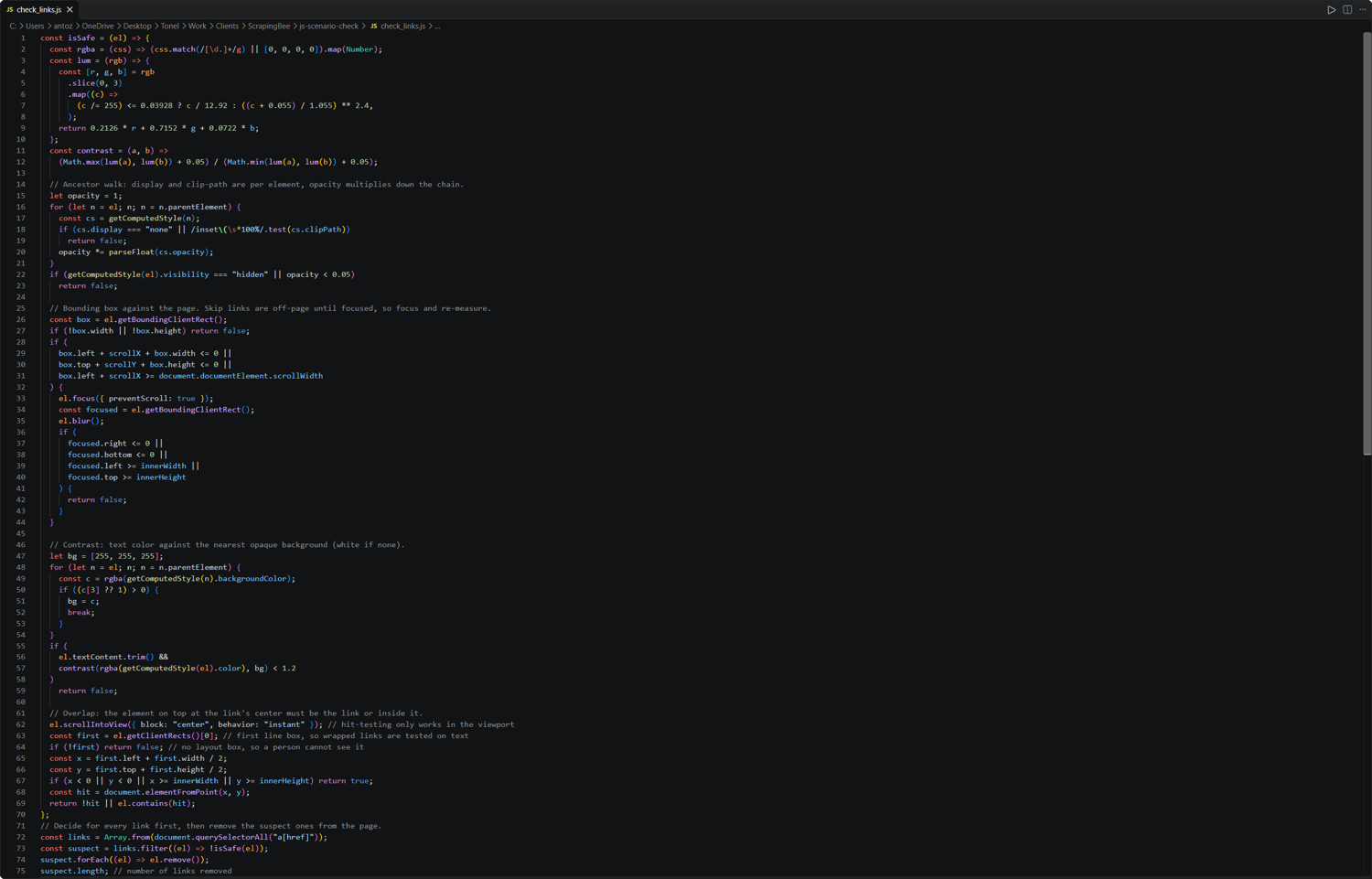
Because ScrapingBee builds its output after the script runs, the removed links never reach the Markdown or AI output.
With this logic, the results achieved by ScrapingBee are:
| Output | Traps removed | Traps missed | Controls removed (false positives) |
|---|---|---|---|
| Markdown | 17 of 20 | 15, 17, 20 | 1 of 5 (collapsed mobile menu) |
| AI answer | 17 of 20 | 15, 17, 20 | 1 of 5 (collapsed mobile menu) |
Traps 15 and 20 are visible to users, so a visibility check should not filter them out. Trap 17 is not flagged because Markdown conversion operates on the DOM rather than the page’s visual content in the browser. Although <noscript> elements are not visible in the rendered page, they are still present in the DOM. As a result, the link contained within the <noscript> element appears in the Markdown output generated by the ScrapingBee API.
Create a new ScrapingBee account, and you will receive 1,000 free credits, with no credit card needed. That is enough to run the test page against several anti-honeypot approaches more than once. Start with the ScrapingBee documentation.
Avoiding traps vs. defeating defenses: where the line is
Avoiding honeypot traps involves crawling like a careful visitor: stick to public pages, respect robots.txt and nofollow directives, and set reasonable limits. By contrast, defeating a defense means trying to bypass measures a website uses to restrict access, such as solving CAPTCHA challenges at scale or changing IP addresses after being blocked. This guide focused on avoiding web scraping honeypots rather than bypassing anti-bot protections.
In the legal context, this distinction becomes more nuanced. Note that this is general information, not legal advice, as I am not a lawyer. In Ziff Davis v. OpenAI (S.D.N.Y., December 2025), a federal judge dismissed Ziff Davis’s claim that OpenAI circumvented technological protections under the DMCA by ignoring robots.txt files. This was a specific ruling, not a blanket finding that ignoring website rules is lawful.
In the European Union, the General-Purpose AI Code of Practice, published on July 10, 2025, commits signatories to using crawlers that respect robots.txt under the Robots Exclusion Protocol (RFC 9309).
On the practical side, Cloudflare announced on July 1, 2025, that AI crawlers would be blocked by default for new customers unless website owners chose to allow them.
The takeaway is simple: to avoid web scraping honeypots, follow site rules, use reasonable crawl limits, and stop when access is denied rather than trying to work around restrictions. For more advice on dealing with anti-bot protections, read our tutorial on web scraping without getting blocked.
Honeypot trap FAQ
Is a honeypot trap the same as a security honeypot?
No, not exactly. A security honeypot is a decoy system designed to attract attackers so defenders and researchers can monitor their activity. A honeypot trap in web scraping, by contrast, is a technique that uses hidden links, trap URLs, or fabricated records to detect crawling bots or mislead them with fake data.
How can you tell if a link is a honeypot?
To uncover honeypot link traps, render the page and inspect each link’s computed styles, dimensions, position, text contrast, and overlapping elements to determine whether it is genuinely visible. Check robots.txt to confirm the path is allowed for your crawler, and look at link attributes such as nofollow.
Does Playwright’s is_visible() catch all hidden links?
No. Playwright considers an element visible if it has a non-empty bounding box and its computed visibility is not hidden. This catches many hidden links, including those with display: none, but not links with opacity: 0. Off-screen positioning, low contrast, and overlays can also escape this check. Therefore, this is not a one-size-fits-all method for detecting honeypot links.
Can Beautiful Soup find honeypot links?
Only some of them. Beautiful Soup only parses HTML, so it can flag links hidden with the HTML hidden attribute or inline CSS if you explicitly check for those patterns. It does not render pages, apply CSS stylesheets, or execute JavaScript, so links hidden through external CSS stylesheets or JavaScript code cannot be spotted.
What is Cloudflare AI Labyrinth, and how do you stay out of it?
Cloudflare AI Labyrinth is an opt-in feature that inserts invisible, nofollow links leading to AI-generated pages. Cloudflare records crawlers that follow these links; the feature itself does not block or challenge their requests. Respecting robots.txt's crawl instructions and skipping nofollow links helps prevent your crawler from entering the maze.
What is an AI tarpit?
An AI tarpit is a defense that traps crawlers in an expanding stream of pages, often containing repetitive or fabricated content, which wastes time and computing resources. Nepenthes and Iocaine are open-source examples of this approach. Limit crawl depth, page counts, and request duration, and watch out for near-duplicate content to reduce the risk of getting stuck in one.
Is Anubis a honeypot?
Not primarily. Anubis mainly uses proof-of-work challenges to make automated requests more expensive. However, it also supports a honeypot and dataset-poisoning mode that can flag crawlers following trap links.
Does respecting robots.txt keep you out of web scraping honeypots?
It helps, but it is not a guarantee. Respecting robots.txt prevents a compliant crawler from requesting disallowed paths. At the same time, hidden links on permitted pages and fabricated records may still lead you into crawler traps.
How do you know if a site is feeding you fabricated data?
Look for anomalies such as prices far outside the normal range, records that change between requests, or entries that appear only in certain sessions. Validate fields, compare repeated samples, and cross-check records against independent sources when they are available.
Is it legal for websites to use honeypots against scrapers?
Sites control the content they serve, and using hidden links or decoy content as honeypot trap techniques is common. The potential risk falls more on the scrapers, as ignoring robots.txt or following trap links might be used as evidence of intent. Do not take this as legal advice, as legality depends on the jurisdiction and circumstances.