Google /goto redirect URLs are starting to appear in Search results instead of direct destination links, often carrying opaque CAES tokens that are not immediately useful to scrapers.
In this article, we'll look at how to decode Google /goto URLs, what the CAES token actually contains, when these redirects tend to appear, and how to resolve them efficiently in Python. We'll also walk through our own browser and scraping experiments and show a practical way to handle /goto links in a real Google scraper.
TL;DR: Google /goto links and CAES tokens
- Google can now return search results as
/goto?url=CAES...redirects instead of exposing the destination URL directly in the SERP HTML. - The
CAEStoken can be Base64URL-decoded and parsed structurally, but you cannot practically decode it back into the destination URL locally. - The token contains a small protobuf envelope followed by protected binary data. Trying to reverse the cryptography is not a useful scraping strategy.
- To recover the actual URL, send a
GETrequest to the/gotolink with redirects disabled and read the destination from the302 Locationheader. HEADdoes not work for this: in our tests it returned200without aLocationheader./gotois not limited to obvious bots. We saw it in manually operated Chrome and Edge as well as Playwright and ScrapingBee, while Brave and LibreWolf returned direct URLs.- Changing IP address or proxy country did not remove
/gotoin our tests, so don't rely on geolocation as a workaround. - The same
CAEStoken may appear multiple times within one SERP, so deduplicate tokens before resolving them. - Tokens are portable: we could collect them through ScrapingBee and resolve them later with plain Python requests from another connection.
- They do not appear to expire quickly. Tokens from the previous days still worked in our tests, although their maximum lifetime is still unknown.
- Resolving redirects adds extra network requests, but the overhead is manageable with connection reuse and moderate concurrency. In our benchmark, 50 URLs took a median of about 3.27 s sequentially and 1.23 s with five workers.
- Don't assume Google will always return one link format. A robust scraper should handle direct URLs,
/gotoredirects, and other Google wrappers rather than hard-coding one SERP structure.
In short: don't try to decrypt CAES. Detect /goto, deduplicate the links, resolve them through Google, read Location, and move on.
What are Google /goto redirect URLs?
Until recently, extracting links from a Google search results page was pretty straightforward. A result pointing to example.com would normally contain the destination URL right in its href:
<a href="https://example.com/some-page">
Now you may run into something very different:
https://www.google.com/goto?url=CAESdwHrOzAVviBTh0oG5HfKYOFhyRtw29uZRfju1ROpYoFN1tfC6B8zJf...
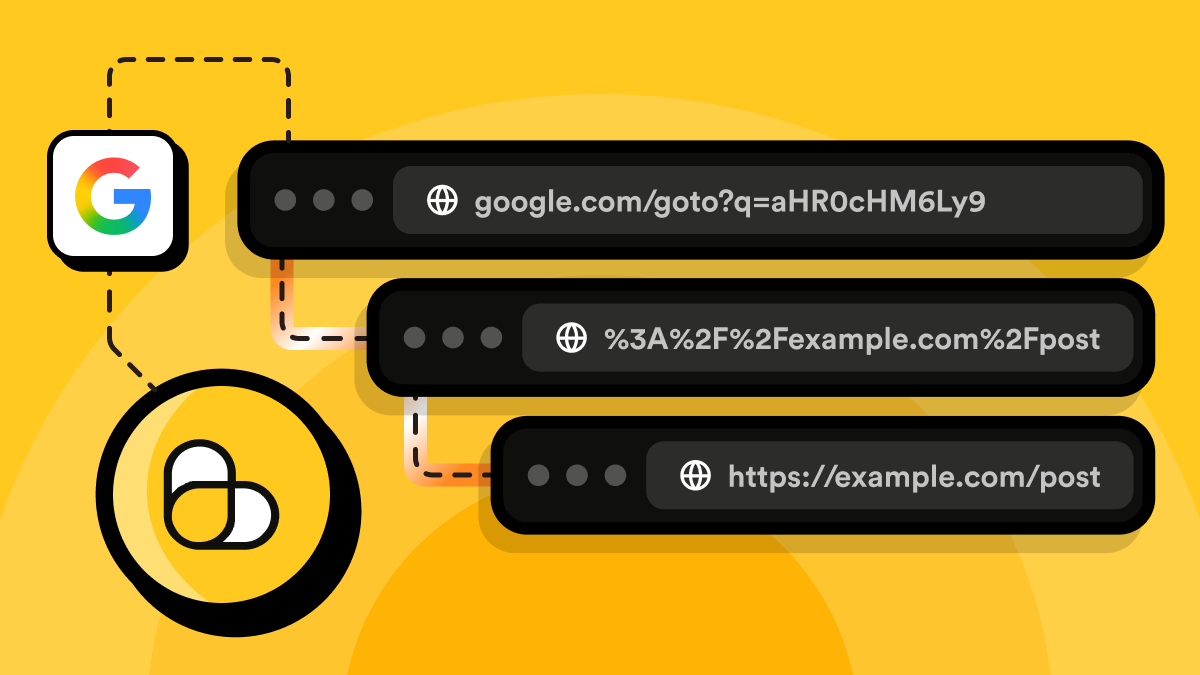
Instead of linking directly to the result, Google sends the browser to its own /goto endpoint. The real destination is represented by an opaque value starting with CAES, and Google performs the final redirect when the link is opened.
For a normal user, this changes almost nothing. You click a search result and still end up on the expected website. For a scraper, however, it changes quite a lot. A scraper that used to grab the href attribute and call it a day may now get a Google URL instead of the actual result:
google.com/goto?url=CAES...
The original destination is no longer sitting there in plain text, so code that expects every organic result to contain an external URL can suddenly start returning Google links, dropping results altogether, or storing useless opaque tokens.
So why did Google introduce this extra layer in the first place? Google says /goto is part of its technical measures against evolving forms of abuse and is intended to help protect Search, its services, and users. Google has not publicly explained the exact detection logic or documented every purpose of the new redirect format.
From a scraping perspective, though, the effect is easy to see. Hiding the destination behind an opaque token makes bulk URL extraction less straightforward: instead of simply parsing the SERP HTML, a scraper may now need to make an additional request to Google for every unique redirect it wants to resolve. That does not prevent scraping, but it adds extra work, latency, and network traffic.
There is another wrinkle: /goto does not appear to be a universal replacement for every Google Search link.
In our tests, regular Chrome and Edge received /goto links, while Brave and LibreWolf received direct destination URLs for the same search. Safari returned yet another variation using Google's /url redirect endpoint with a similar opaque CAES value. We also saw /goto both in manually opened Chrome and in automated browser sessions.
So it is safer to think of /goto as one of the link formats Google Search can currently return, rather than assuming that every search result everywhere has permanently switched to it.
For scraping, the important part is simple:
Before:

Google SERP
→ extract href
→ destination URL


With /goto:

Google SERP
→ extract href
→ google.com/goto?url=CAES...
→ resolve redirect
→ destination URL
That raises a few obvious questions: what exactly is inside the CAES token, can it be decoded locally, and how often do these /goto links actually appear in practice?
We tested all of this ourselves across different browsers, browser configurations, proxy locations, and scraping setups so you don't have to. In the next sections, we'll look at what the token contains, whether it can be turned back into the original URL, and when Google tends to return /goto links in the first place.
When does Google return /goto links?
The first important question was whether /goto links appear under some specific condition. Are they only shown to automated browsers? Do they depend on the IP address? The browser? The country? Or does Google simply roll them out inconsistently?
We ran a series of small experiments to get a better picture.
The full test code and the data we collected are available in the Google
/gotolinks experiments repository. We won't dump every script and CSV file into this article because that would get very long very quickly. Instead, we'll focus on the experiments that produced the most useful results.
Testing automated browsers locally
We started with Playwright on a local Windows machine and searched Google for the same query using several browser configurations:
- Playwright's bundled Chromium in headed mode
- regular Google Chrome launched through Playwright
- Google Chrome launched through Playwright with an explicit remote debugging port
Google did throw CAPTCHA challenges at us during some runs, so we solved those manually and continued with the resulting search page.
Once a real SERP loaded, all three configurations returned the same basic link format: external results were wrapped in /goto and contained CAES tokens. For example, one Playwright run produced 78 /goto links representing 40 unique tokens:
total=81
direct=0
goto+CAES=78
unique CAES=40
We also sampled the page immediately after loading, after 5 seconds, and after 20 seconds. The number of links sometimes increased as Google finished rendering more parts of the SERP, but the link format itself did not switch from /goto back to direct URLs.
That gave us our first useful observation: /goto definitely appears in automated Chromium-based sessions. It did not, however, tell us whether automation was the reason.
Testing normal browsers by hand
So we stopped using Playwright entirely and opened Google manually in several browsers. This produced a much more interesting result.
| Browser | Link format we observed |
|---|---|
| Google Chrome | /goto?url=CAES... |
| Microsoft Edge | /goto?url=CAES... |
| Brave | Direct destination URLs |
| LibreWolf | Direct destination URLs |
| Safari | /url?...&url=CAES... |
The Chrome result is particularly important. We launched a normal Chrome profile, typed the search query by hand, opened DevTools, and inspected the links. There was no Playwright session and no explicit remote debugging configuration involved, yet Google still returned /goto links.
We repeated the same basic test with Chrome launched using a remote debugging port. It also received /goto. So in our tests, remote debugging was not required to trigger the new link format, and neither was browser automation in general.
At the same time, Brave returned normal external URLs even though it is also Chromium-based. That makes a simple explanation such as "Chromium gets /goto, other engines do not" unlikely as well.
Safari added another twist. It received Google's older-looking /url redirect wrapper, but the url parameter itself contained an opaque CAES token:
/url?sa=t&source=web&...&url=CAES...&ved=...&usg=...
So CAES and /goto are not necessarily the same thing. Google can apparently use the opaque token with more than one redirect endpoint.
Changing the network did not change Chrome's behavior
Next, we wanted to see whether our IP address was the main factor. We routed the local connection through a Cloudflare WARP-based proxy, which gave us an exit IP in another EU country, and repeated the manual browser tests.
Chrome first showed a CAPTCHA, but after completing it, the search results still used /goto links.
Brave still showed direct links.
This is only a small test, so it does not prove that IP reputation or location never matters. It does suggest, however, that changing the IP alone was not enough to switch the link format in our case.
Testing through ScrapingBee
Finally, we moved the experiment away from our local machine and fetched Google Search through ScrapingBee.
Join ScrapingBee today and get 1,000 credits as a gift! No credit card needed.
A basic request using a premium proxy without JavaScript rendering did not return a usable SERP. Google responded with an intermediate page asking for JavaScript to be enabled.
We then used:
stealth_proxy=true
custom_google=true
render_js=true
This returned normal rendered search results. And again, the result links used /goto?url=CAES....
We repeated the request several times. The number of result links varied between SERPs, but the pattern stayed consistent: external result links were represented by /goto URLs rather than direct destinations.
We also changed the ScrapingBee proxy location and tested requests from the UK, Germany, and Brazil. The result was the same in all three cases:
UK       → /goto + CAES
Germany  → /goto + CAES
Brazil   → /goto + CAES
We did not see direct external result URLs in any of those successful ScrapingBee runs.
So what actually triggers /goto?
We don't know for certain, and our experiments are not enough to reverse-engineer Google's decision logic. But they do let us rule out a few overly simple explanations.
In our tests:
/gotowas not limited to automated browsers because manually operated Chrome received it too.- An explicit remote debugging port was not required.
- It was not simply a Chromium vs. non-Chromium distinction, because Chrome and Edge received
/gotowhile Brave returned direct URLs. - Changing Chrome's IP through our proxy did not switch it back to direct URLs.
- Changing ScrapingBee's country between the UK, Germany, and Brazil did not change the format either.
The strongest correlation we observed was with the client/browser environment, but that is deliberately vague. A browser exposes many signals beyond its rendering engine: headers, Client Hints, cookies, privacy settings, Google-specific integrations, fingerprinting characteristics, and more. Our tests do not tell us which of those signals, if any, Google actually uses to choose a link format.
There may also be rollout logic, experiments, account state, IP reputation, session history, or other factors involved.
So we would not build a scraper around a rule like:
Chrome = /goto
Brave = direct
That happened in our tests, but it is an observation, not a contract. The safer assumption is that a Google SERP scraper should be prepared to encounter several forms:
https://example.com/page

https://www.google.com/goto?url=CAES...

https://www.google.com/url?...&url=CAES...
If you get direct URLs, great. If Google gives you an opaque redirect instead, your parser should recognize it and handle it rather than assuming that the href already contains the destination.
What's inside a CAES token?
Now for the fun part. A /goto URL usually looks something like this:
https://www.google.com/goto?url=CAESdwHrOzAVviBTh0oG5HfKYOFhyRtw29uZRfju1ROpYoFN1tfC6B8zJf...
The obvious first thought is that the long CAES... value must be the destination URL encoded in some unusual way. Maybe Base64, maybe a compressed string, maybe some Google-specific format that we can unpack locally.
It turns out that the first part is true: the token can be decoded. Unfortunately, "decoded" and "turned back into the original URL" are two very different things here.
We collected 324 unique CAES tokens from our Google Search experiments and took them apart to see how far we could get.
First layer: Base64URL
The CAES value is valid Base64URL. Decoding it gives us binary data rather than a readable URL.
For example:
import base64

def decode_base64url(token: str) -> bytes:
    padding = "=" * ((4 - len(token) % 4) % 4)
    return base64.urlsafe_b64decode(token + padding)
The resulting data starts roughly like this:
08 01 12 ...
This also explains why these tokens so often start with the literal characters CAES. CAES is not the name of an encryption algorithm or some special string that contains the destination. It is simply what the common beginning of this binary structure looks like after Base64URL encoding.
So Base64 decoding works, but we are still nowhere near the original URL.
The outer structure looks like Protocol Buffers
The next layer is much more recognizable. All 324 tokens we tested could be parsed as the same simple Protocol Buffers wire structure:
field 1 = 1
field 2 = <binary data>
Protocol Buffers, or protobuf, is Google's compact binary serialization format. Unlike JSON, the serialized data does not contain human-readable field names. Without the original .proto schema, we can identify field numbers and wire types, but we cannot magically know what Google calls those fields internally.
At the byte level, the beginning:
08 01
represents field 1 with the value 1.
The following 12 identifies field 2 as a length-delimited value. Its length is stored as a protobuf varint, followed by the actual binary payload.
Conceptually, we have something like:
CAES...

  ↓ Base64URL

protobuf message
├── field 1: 1
└── field 2: binary blob
This structure was consistent across every token in our dataset. But field 2 is where the easy decoding stops.
The binary blob has a Tink-style prefix
Every single field 2 value we examined started with the same five bytes:
01 eb 3b 30 15
That is particularly interesting because it matches the documented output-prefix format used by Google's Tink cryptography library.
A standard Tink output prefix is five bytes long:
01 | xx xx xx xx
The first byte is a version byte, while the following four bytes are a key hint, normally the ID of the key used for the operation. Our 324 samples all contained exactly:
version:  01
key hint: eb 3b 30 15
So the structure we observed looks like this:
CAES...

  ↓ Base64URL

protobuf
├── field 1 = 1
└── field 2
    ├── 01 eb 3b 30 15
    └── protected binary data
This is strong evidence that the blob follows a Tink-compatible output format. It is not, however, enough to tell us which cryptographic primitive Google uses, what the encryption key is, or how to decrypt the rest of the data.
And that rest of the data looks very much like cryptographic output.
The same URL does not produce the same token
This is where having hundreds of samples became useful. We found 56 destination URLs that appeared in multiple independent SERPs. In all 56 cases, the destination received a different CAES token in the next SERP:
same destination
+ different SERP
→ different CAES token
We found zero token reuse between separate SERPs.
Inside a single SERP, however, the behavior was different. Google sometimes creates multiple <a> elements pointing to the same destination — for example, one for the result title and another for a related link.
We found 81 such groups. In all 81 cases:
same destination
+ same SERP
→ same CAES token
So the token does not look like a permanent identifier for a URL. It appears to be generated for a particular search result page and then reused where that same destination appears again within that page.
That also means caching tokens by destination URL across searches is unlikely to help much.
The protected data behaves like randomized cryptographic output
We then compared tokens that resolved to exactly the same destination. Across 864 pairs, there were no identical protected payloads. More interestingly, when we compared the protected data byte by byte, the mean proportion of bytes that happened to be identical in the same position was:
0.003827
For two independent random bytes, the probability that they happen to be equal is:
1 / 256 = 0.00390625
Those numbers are remarkably close. In other words, once we remove the common five-byte prefix, two tokens for the same destination look essentially unrelated at the byte level.
That does not let us name the exact encryption algorithm. It does tell us that this is not something simple like:
URL
→ Base64
or:
URL
→ deterministic binary encoding
The data behaves much more like randomized protected or encrypted content.
We tested an obvious elliptic-curve hypothesis too
The Tink prefix naturally raises another question: can we identify the exact cryptographic format from the bytes that follow it? One plausible candidate was Tink's HPKE hybrid encryption using X25519. Tink documents its hybrid format as:
prefix || encapsulated_key || encrypted_data
and for X25519, the encapsulated public key is exactly 32 bytes long. At first, this looked surprisingly promising. We could split every token into a five-byte prefix followed by a unique 32-byte block, and those 32-byte blocks looked random.
But a more specific test killed that hypothesis. Canonical X25519 public values have constraints on their representation. If those first 32 bytes really were X25519 public keys, the highest bit should not behave like a completely random bit.
In our 324 samples, it did:
highest bit = 0: 178 tokens
highest bit = 1: 146 tokens
That's basically a 50/50 distribution.
So the straightforward interpretation:
01 eb 3b 30 15
+ 32-byte X25519 encapsulated key
+ encrypted data
does not fit our data.
This does not prove that no elliptic-curve cryptography is involved anywhere in Google's implementation. It only tells us that the obvious X25519 HPKE layout is not what we are looking at.
At that point, trying to guess increasingly exotic cryptographic constructions would produce more speculation than useful information, so we stopped there.
But the token size reveals something interesting
Although we cannot recover the URL from the protected bytes, their length turns out to be extremely informative. For every token, we resolved the /goto redirect, measured the actual destination URL in bytes, and compared that with the size of the protected data.
Across all 324 tokens in our dataset, we found an exact relationship: destinations shorter than 128 bytes produced protected payloads 51 bytes longer than the URL, while destinations of 128 bytes or more produced payloads 52 bytes longer.
protected data size =
destination URL size
+ 50
+ protobuf varint size of the URL length
There were zero exceptions. In practice, that means:
destination shorter than 128 bytes:
protected size = URL size + 51

destination 128 bytes or longer:
protected size = URL size + 52
The extra byte appearing exactly at 128 is especially interesting. Protobuf uses variable-length integers, or varints, for lengths. Values up to 127 fit into one byte; starting at 128, the length requires two bytes.
So while we cannot see the plaintext structure, the size behavior strongly suggests that the protected plaintext contains a length-delimited value whose size tracks the complete destination URL.
We even saw this with Google's text fragments. For example, the plain result:
https://www.runnersworld.com/gear/a19663621/best-running-shoes/
produced a much shorter protected payload than the same page with a #:~:text= fragment attached.So whatever Google protects here appears to include the full destination target, not merely the domain or canonical page path.
This is useful for understanding the structure, but unfortunately it still doesn't give us a way to reconstruct the URL itself.
So can we decrypt a CAES token?
For practical purposes: no. We can decode several layers:
/goto URL
↓
CAES parameter
↓  Base64URL
↓
protobuf envelope
↓
Tink-style prefix
↓
protected binary payload
But there is no readable destination URL waiting at the bottom. Knowing that the data appears to use a Tink-compatible format does not give us Google's cryptographic key, and our experiments did not reveal a reversible local transformation from the protected bytes to the destination.
That distinction is important for scraper implementations:
- You can parse and inspect the token locally.
- You cannot, based on what we found, decrypt it locally into the destination URL.
Fortunately, you don't actually need to. Google's /goto endpoint will resolve it for you, which we'll use in the next section.
Do CAES tokens expire?
Apparently not immediately. We kept some of the tokens collected during our experiments and tried them again a few days later. They still resolved to their original destinations.
So these are not single-request or single-browser-session tokens, and at least in our tests they remained usable for well over 24 hours. We have not yet established their actual expiration time. They may eventually stop working, and we would not recommend treating them as permanent identifiers.
For scraping purposes, though, the important observation is that they do not appear to require immediate resolution within the original Google session.
This matches another result from our tests: we could collect a token through ScrapingBee and later resolve it with a plain Python HTTP request from our own machine. No original browser session, Google cookies, or ScrapingBee connection was required.
So, at least based on what we have observed so far, a CAES token behaves more like a portable opaque redirect token than a short-lived session-bound value.
How to resolve Google /goto URLs
Once it became clear that the CAES token could not be usefully decrypted locally, the practical solution was much simpler: let Google resolve it.
Given a URL like:
https://www.google.com/goto?url=CAES...
a normal GET request returns an HTTP 302 redirect with the actual destination in the Location header:
GET /goto?url=CAES...

HTTP/1.1 302 Found
Location: https://www.runnersworld.com/gear/a19663621/best-running-shoes/
You do not need to follow the redirect to the destination website. If all you need is the URL, stop at Google's response and read Location.
A minimal Python resolver
With requests, the resolver is tiny:
import requests


def resolve_google_goto(url: str) -> str:
    response = requests.get(
        url,
        allow_redirects=False,
        timeout=10,
    )

    if response.status_code != 302:
        raise RuntimeError(
            f"Expected 302, got {response.status_code}"
        )

    location = response.headers.get("Location")

    if not location:
        raise RuntimeError(
            "Redirect response has no Location header"
        )

    return location
The important part is:
allow_redirects=False
Otherwise, requests will continue to the destination website, which adds another unnecessary request.
HEAD does not work
We also tested whether HEAD could retrieve the destination more cheaply. In our tests, it could not:
HEAD → 200, no Location
GET  → 302, Location available
So /goto resolution requires a GET request.
The token is portable
The resolver did not require the environment that originally received the SERP.
For example, we could collect a CAES token through ScrapingBee and later resolve it using a plain Python HTTP client from our own machine. We did not reuse the original browser session, Google cookies, ScrapingBee proxy, or browser headers.
The same tokens also worked when opened manually in another browser.
Based on our tests, CAES therefore behaves like a portable opaque redirect token rather than something tightly bound to one browser session or IP address.
How much overhead does /goto add?
Every unique /goto URL requires an extra HTTP request, so there is an unavoidable cost. However, connection reuse and moderate concurrency can reduce the wall-clock overhead considerably.
We benchmarked the1 50 unique /goto URLs using different worker counts. Each configuration was run three times, and the table below shows the median result.
| Workers | Median wall time | Median throughput |
|---|---|---|
| 1 | 3.27 s | 15.29 URLs/s |
| 2 | 1.85 s | 27.01 URLs/s |
| 5 | 1.23 s | 40.59 URLs/s |
| 10 | 1.44 s | 34.85 URLs/s |
Five workers performed best in our environment, completing the batch about 2.65 times faster than the sequential version.
Interestingly, median request latency stayed almost unchanged across all four configurations at roughly 57–59 ms. The difference appeared mostly in the slowest requests: with ten workers, individual requests occasionally took more than a second, while the five-worker runs had noticeably lower tail latency.
This suggests that simply increasing concurrency can introduce enough connection or network contention to make the overall batch slower, even when typical individual requests remain fast.
The exact sweet spot will depend on your network and HTTP client, so five workers should not be treated as a universal recommendation. The practical takeaway is to reuse connections and use moderate, bounded concurrency rather than maximizing the number of simultaneous requests.
You may not need another scraping API request
If you obtained the SERP through a scraping API, you do not necessarily need to send every /goto URL through that API again.
In our tests, tokens collected through ScrapingBee could be resolved directly:
requests.get(
    goto_url,
    allow_redirects=False,
)
So resolving /goto does not inherently require another browser-rendered or premium-proxy request.
In short, recovering the destination does not require breaking the CAES token. Send a GET request to Google, stop at the first redirect, and read the Location header.
How to handle /goto links in a Google scraper
A Google scraper should not assume that every result contains the same kind of URL.
In our tests, result links appeared in several forms:
https://example.com/page
https://www.google.com/goto?url=CAES...
https://www.google.com/url?...&url=CAES...
So the safest approach is to classify each href first and only resolve the links that actually need it.
Classify links before processing them
For a scraper targeting google.com, a small helper is enough:
from urllib.parse import parse_qs, urljoin, urlparse


GOOGLE_BASE_URL = "https://www.google.com/"


def is_google_host(host: str) -> bool:
    host = host.lower()
    return host == "google.com" or host.endswith(".google.com")


def classify_google_link(href: str) -> tuple[str, str]:
    absolute = urljoin(GOOGLE_BASE_URL, href)

    parsed = urlparse(absolute)
    host = parsed.hostname or ""

    if (
        is_google_host(host)
        and parsed.path == "/goto"
    ):
        params = parse_qs(parsed.query)
        token = params.get("url", [""])[0]

        if token.startswith("CAES"):
            return "goto", absolute

    if (
        is_google_host(host)
        and parsed.path == "/url"
    ):
        return "google_url", absolute

    if (
        parsed.scheme in {"http", "https"}
        and not is_google_host(host)
    ):
        return "direct", absolute

    return "other", absolute
This gives the scraper four useful categories:
direct     → use immediately
goto       → resolve through Google
google_url → another Google wrapper
other      → ignore or handle separately
Do not build the parser around the string CAES alone. We observed CAES tokens with both /goto and /url, while other browsers returned direct URLs with no token at all.
Deduplicate before resolving
The same /goto URL can appear in multiple anchors within one SERP.
In one of our samples, the page contained 78 /goto anchors but only 40 unique tokens. Resolving every anchor individually would therefore waste 38 requests.
Deduplicate first:
goto_urls = list(dict.fromkeys(goto_urls))
Then resolve the remaining URLs using the method from the previous section.
For larger batches, reuse HTTP connections and use bounded concurrency. Five workers happened to perform best in our benchmark, but the exact number is environment-specific.
Preserve the URL Google returns
Do not automatically strip fragments or other parts of the Location value.
We encountered destinations such as:
https://example.com/page#:~:text=some%20highlighted%20text
These text fragments can point the browser to a specific passage on the page. Unless your application explicitly needs canonical URLs, keep the complete destination returned by Google.
Expect resolution failures
A production scraper should also be prepared for an invalid or expired token, rate limiting, network errors, or a response without a Location header.
For transient failures such as timeouts or 429 responses, retrying with backoff may make sense. An invalid token should simply be treated as a failed result rather than retried indefinitely.
Putting it together
The resulting URL pipeline is straightforward:
SERP href
↓
classify
├── direct → keep URL
├── /goto  → deduplicate → resolve → keep Location
├── /url   → handle separately
└── other  → ignore
The important part is not to assume that Google's current /goto format is permanent or universal. Treat it as one possible redirect layer, keep direct URLs when Google already gives them to you, and resolve only the links that actually require it.
Handling /goto links with ScrapingBee
If you're fetching Google Search through ScrapingBee, you don't need a special decoding API for /goto links.
The workflow is:
ScrapingBee
→ fetch Google SERP
→ extract result links
→ keep direct URLs
→ collect unique /goto URLs
→ resolve them with normal HTTP GET requests
→ read the 302 Location headers
The useful part is that the redirect-resolution step does not need to go through ScrapingBee again.
In our tests, a CAES token collected through ScrapingBee could later be resolved with a plain HTTP request from our own machine. We did not need the original browser session, proxy, cookies, or browser headers.
For the SERP itself, the configuration that worked consistently in our experiments was:
stealth_proxy=true
custom_google=true
render_js=true
A simpler premium-proxy request without JavaScript returned HTTP 200, but the response was an intermediate Google page rather than a usable SERP. So always validate the HTML you actually receive instead of trusting the status code alone.
Here is the complete example:
from __future__ import annotations

import os
import re
import threading
from concurrent.futures import ThreadPoolExecutor
from urllib.parse import parse_qs, urlencode, urljoin, urlparse

import requests
from bs4 import BeautifulSoup


SCRAPINGBEE_API_URL = "https://app.scrapingbee.com/api/v1"
GOOGLE_BASE_URL = "https://www.google.com/"

_thread_local = threading.local()


def is_google_host(host: str) -> bool:
    host = host.lower()

    return bool(
        re.search(
            r"(^|\.)google(?:\.[a-z0-9-]+)+$",
            host,
        )
    )


def classify_google_link(
    href: str,
) -> tuple[str, str]:
    absolute = urljoin(
        GOOGLE_BASE_URL,
        href,
    )

    parsed = urlparse(absolute)
    host = parsed.hostname or ""

    if (
        is_google_host(host)
        and parsed.path == "/goto"
    ):
        params = parse_qs(parsed.query)
        token = params.get("url", [""])[0]

        if token.startswith("CAES"):
            return "goto", absolute

    if (
        is_google_host(host)
        and parsed.path == "/url"
    ):
        return "google_url", absolute

    if (
        parsed.scheme in {"http", "https"}
        and not is_google_host(host)
    ):
        return "direct", absolute

    return "other", absolute


def get_worker_session() -> requests.Session:
    # Keep one persistent Session per worker so
    # connections can be reused.
    session = getattr(
        _thread_local,
        "session",
        None,
    )

    if session is None:
        session = requests.Session()
        _thread_local.session = session

    return session


def resolve_goto(
    url: str,
) -> tuple[str, str | None]:
    session = get_worker_session()

    try:
        response = session.get(
            url,
            allow_redirects=False,
            timeout=10,
        )
    except requests.RequestException:
        return url, None

    if response.status_code != 302:
        return url, None

    return url, response.headers.get("Location")


def resolve_many(
    urls: list[str],
    workers: int = 5,
) -> dict[str, str]:
    # The same CAES token may appear in several
    # anchors within one SERP, so resolve it once.
    unique_urls = list(dict.fromkeys(urls))

    with ThreadPoolExecutor(
        max_workers=workers,
    ) as executor:
        results = executor.map(
            resolve_goto,
            unique_urls,
        )

    return {
        source: destination
        for source, destination in results
        if destination is not None
    }


def fetch_google_serp(
    query: str,
    api_key: str,
) -> str:
    target_url = (
        "https://www.google.com/search?"
        + urlencode(
            {
                "q": query,
                "hl": "en",
            }
        )
    )

    response = requests.get(
        SCRAPINGBEE_API_URL,
        params={
            "url": target_url,
            "stealth_proxy": "true",
            "custom_google": "true",
            "render_js": "true",
        },
        headers={
            "Authorization": f"Bearer {api_key}",
        },
        timeout=120,
    )

    response.raise_for_status()

    return response.text


def extract_links(
    html: str,
) -> tuple[list[str], list[str]]:
    soup = BeautifulSoup(
        html,
        "html.parser",
    )

    anchors = soup.select(
        "#rso a[href], #search a[href]"
    )

    if not anchors:
        raise RuntimeError(
            "No recognizable Google search results found"
        )

    direct_urls = []
    goto_urls = []

    for anchor in anchors:
        href = anchor.get("href", "")

        if not href:
            continue

        kind, url = classify_google_link(href)

        if kind == "direct":
            direct_urls.append(url)

        elif kind == "goto":
            goto_urls.append(url)

    return direct_urls, goto_urls


def main() -> None:
    api_key = os.environ["SCRAPINGBEE_API_KEY"]

    html = fetch_google_serp(
        "best running shoes",
        api_key,
    )

    direct_urls, goto_urls = extract_links(html)

    direct_urls = list(
        dict.fromkeys(direct_urls)
    )

    goto_urls = list(
        dict.fromkeys(goto_urls)
    )

    resolved = resolve_many(
        goto_urls,
        workers=5,
    )

    result_urls = list(
        dict.fromkeys(
            direct_urls
            + list(resolved.values())
        )
    )

    for url in result_urls:
        print(url)


if __name__ == "__main__":
    main()
Install the dependencies:
pip install requests beautifulsoup4
and provide your ScrapingBee API key through the environment:
export SCRAPINGBEE_API_KEY="your-api-key"
On PowerShell:
$env:SCRAPINGBEE_API_KEY="your-api-key"
The example deliberately resolves /goto URLs outside ScrapingBee. That avoids spending another browser-rendered or premium-proxy request on every result just to obtain the Location header.
We also tested ScrapingBee proxy locations in the UK, Germany, and Brazil. All successful SERPs in those runs still used /goto?url=CAES..., so changing the proxy country did not remove the redirect layer in our sample.
The exact Google behavior can change, but the handling strategy stays the same: validate the SERP, recognize the link format, keep direct URLs as-is, and resolve only the opaque redirects.
Conclusion
Google's new /goto links add an extra layer between the SERP and the actual destination URL.
The CAES token can be structurally decoded, but the useful part of it is protected binary data rather than a readable URL. In practice, trying to decrypt it locally is the wrong problem to solve.
The reliable approach is much simpler: recognize /goto, deduplicate repeated tokens, send a GET request with redirects disabled, and read the final destination from Google's 302 Location header.
Our experiments also suggest that /goto is not tied to one simple trigger such as automation, browser engine, IP address, or country. Different clients can receive different link formats, so scrapers should be prepared to handle direct URLs, /goto, and other Google redirect wrappers rather than assuming one permanent SERP structure.
The main takeaway is simple: /goto makes URL extraction a little more expensive, but it does not make it impractical. Once your scraper treats redirect resolution as part of the parsing pipeline, the new format is manageable.
Google /goto redirect URLs FAQ
What is a Google /goto redirect URL?
A Google /goto URL is an intermediate link that Google can place behind a search result instead of linking directly to the destination page. It typically looks like this:
https://www.google.com/goto?url=CAES...
Opening the link sends a request to Google, which then redirects the browser to the actual result URL.
How do I decode a Google /goto URL?
You can decode the CAES parameter from Base64URL and inspect its binary structure, but that does not reveal the destination URL.
In our tests, the decoded value contained a protobuf envelope followed by protected binary data with a Tink-style prefix. We found no local transformation that could turn that protected data back into the original destination.
So if by "decode" you mean "recover the actual URL," the practical solution is to resolve the /goto redirect instead.
What is the CAES token in Google /goto links?
The CAES... value is an opaque token stored in the url query parameter of a Google redirect.
In our dataset of 324 tokens, every value was valid Base64URL and decoded into the same basic protobuf structure:
field 1 = 1
field 2 = protected binary data
The binary data consistently started with the same five-byte Tink-style prefix, but the destination URL itself was not present as readable text.
How do I get the destination URL from a Google /goto link?
Send a GET request to the /goto URL without automatically following redirects and read the Location response header:
import requests

response = requests.get(
    goto_url,
    allow_redirects=False,
)

destination = response.headers["Location"]
In our tests, Google returned:
302 Found
Location: https://actual-destination.example/
You do not need to request the destination website itself if all you want is its URL.
Can I use HEAD to resolve a Google /goto URL?
No, not based on our tests.
A HEAD request returned 200 OK without a Location header, while a GET request returned 302 with the real destination:
HEAD → 200, no Location
GET  → 302, Location available
A scraper therefore needs to make a GET request to resolve the redirect.
Why is Google using /goto redirect URLs?
Google has described the change as part of its technical measures against evolving forms of abuse of Search. The company has not publicly documented the exact logic used to decide which clients receive /goto links.
From a scraping perspective, the practical effect is clear: the destination URL is no longer always available directly in the SERP HTML, so extracting it may require an additional network request.
Does Google show /goto links to every browser?
Not in our tests.
We observed /goto?url=CAES... in Chrome and Edge, including manually operated Chrome sessions, while Brave and LibreWolf returned direct destination URLs. Safari returned a different Google /url wrapper containing a CAES token.
We also received /goto links through Playwright and ScrapingBee.
This behavior can change, so a scraper should not assume that a particular browser will always receive one specific link format.
Do Google CAES tokens expire?
They do not appear to expire quickly.
Tokens collected during our experiments still resolved successfully a few days later, so they lasted for more than 24 hours and did not depend on the original browser session.
We have not established their maximum lifetime yet, so they should still be treated as opaque temporary tokens rather than permanent URLs.
Are Google /goto tokens tied to cookies, an IP address, or a browser session?
We did not observe such a requirement when resolving them.
For example, we could collect a /goto URL through ScrapingBee and resolve it later with a normal Python HTTP request from our own machine. The original ScrapingBee proxy, browser session, and Google cookies were not required.
That does not prove that every future token variant will behave identically, but the tokens we tested were portable between clients.
Do I need a proxy or browser automation to resolve /goto links?
Not for the resolution step in our tests.
Fetching a Google SERP may require whatever proxy or browser setup your scraper normally uses, but once you already have a valid /goto?url=CAES... link, a normal HTTP GET request was enough to retrieve its 302 Location header.
This means you generally do not need to send every redirect through another browser-rendered or premium proxy request.

Ilya is an IT tutor and author, web developer, and ex-Microsoft/Cisco specialist. His primary programming languages are Ruby, JavaScript, Python, and Elixir. He enjoys coding, teaching people and learning new things. In his free time he writes educational posts, participates in OpenSource projects, tweets, goes in for sports and plays music.