---
title: "Getting Started with HtmlUnit"
description: "HtmlUnit is an excellent tool that can be used to scrape websites in Java. In this guide, you'll give a high-level overview of how to use HtmlUnit and explore some of its advanced capabilities."
url: "https://www.scrapingbee.com/blog/getting-started-with-htmlunit/"
canonical: "https://www.scrapingbee.com/blog/getting-started-with-htmlunit/"
date: 2026-01-18
lastmod: 2026-01-18
author: "Aniket Bhattacharyea"
publisher: "ScrapingBee"
---
# Getting Started with HtmlUnit
[HtmlUnit](https://sourceforge.net/projects/htmlunit/) is a GUI-less browser for Java that can execute JavaScript and perform AJAX calls.
Although primarily used to automate testing, HtmlUnit is a great choice for scraping static and dynamic pages alike because of its ability to manipulate web pages on a high level, such as clicking on buttons, submitting forms, providing input, and so forth. HtmlUnit supports the W3C DOM standard, [CSS selectors](/blog/using-css-selectors-for-web-scraping/), and [XPath selectors](/blog/practical-xpath-for-web-scraping/), and it can simulate the Firefox, Chrome, and Internet Explorer browsers, which makes [web scraping](https://www.scrapingbee.com/) easier.
In this article, you'll learn how to scrape static and dynamic websites using HtmlUnit.
To follow along, you'll need [Java](https://www.java.com/en/) installed and set up in your computer. You'll also need a build tool like [Maven](https://maven.apache.org/) or [Gradle](https://gradle.org/). This article will use Maven, so if you're using something else, you'll need to adapt the Maven-specific code accordingly.

## Creating the Project
Run the following command to create a Maven project:
```bash
mvn archetype:generate -DgroupId=com.mycompany.app -DartifactId=scraper -DarchetypeArtifactId=maven-archetype-quickstart -DarchetypeVersion=1.4 -DinteractiveMode=false
```
Change into the project directory:
```bash
cd scraper
```
Open the **pom.xml** file and add the following dependency in the `dependencies` section:
```xml
net.sourceforge.htmlunit
htmlunit
2.70.0
```
In the `properties` section, add the following code:
```xml
com.mycompany.app.App
```
You're now ready to write your code.
## Scraping a Static Page
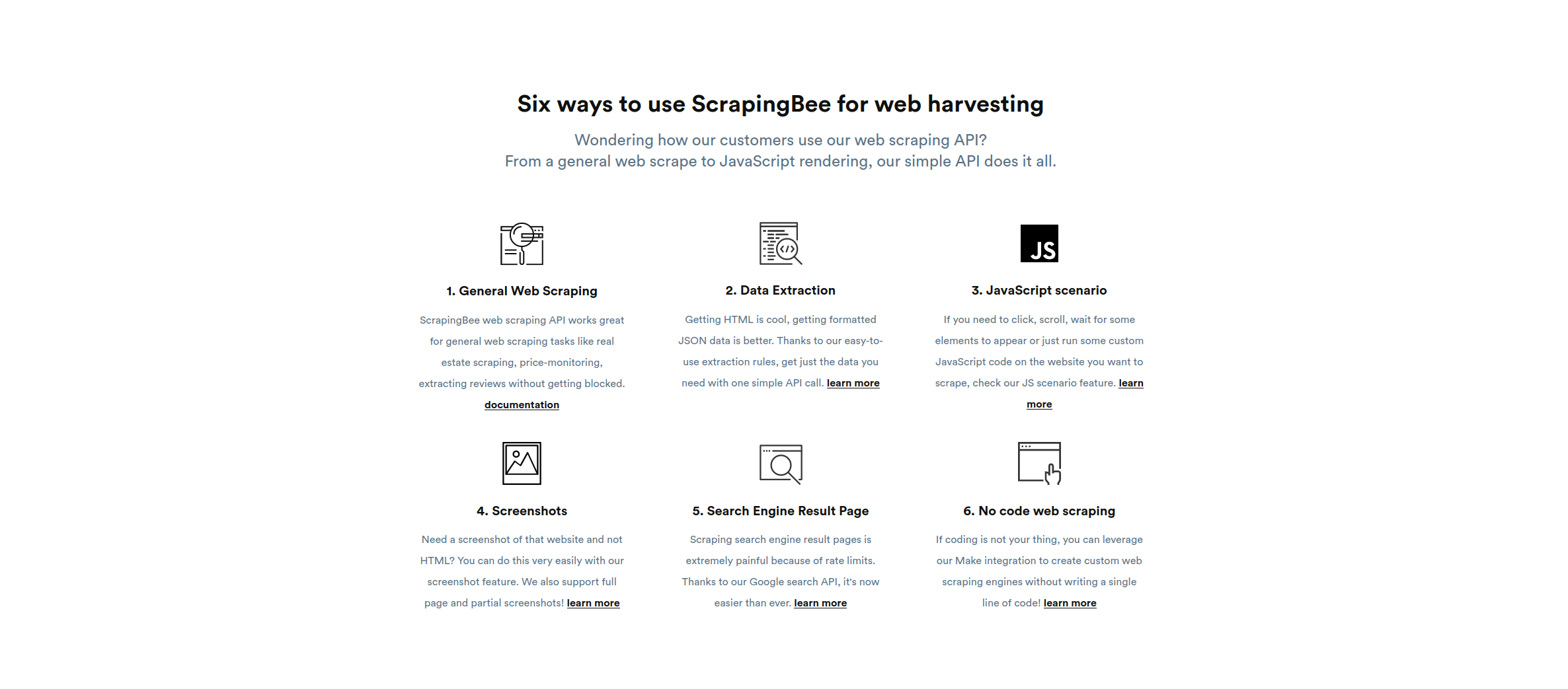
In this section, you'll scrape the [ScrapingBee](https://scrapingbee.com) home page and extract the different ways to use ScrapingBee as listed under the section "Six ways to use ScrapingBee for web harvesting".
Open **src/main/java/com/mycompany/app/App.java** and start by importing the necessary packages:
```java
package com.mycompany.app;
import com.gargoylesoftware.htmlunit.*;
import com.gargoylesoftware.htmlunit.html.*;
import java.io.IOException;
public class App {
public static void main(String[] args) throws IOException {
}
}
```
Inside the `main` method, initialize a `WebClient`:
```java
WebClient client = new WebClient();
```
Since the basic scraper doesn't need to run JavaScript, you can turn JavaScript off to improve performance:
```java
client.getOptions().setJavaScriptEnabled(false);
```
The first step is to load the target web page using the `getpage` method, which returns an instance of the `HtmlPage` class:
```java
HtmlPage page = client.getPage("https://scrapingbee.com");
```
To figure out how to select the required elements, return to the website and open the Inspect Element console by pressing CTRL+Shift+I.

As you can see, the required texts are inside `h3` elements, which are wrapped in a `section`. The `section` doesn't have any specific ID or class that can distinguish it from the other `section`s. However, since it's the third `section` in the page, you can select it using the `nth-child` CSS selector and then select the heading using the classes of the `h3` element inside it. The full CSS selector looks like this:
```
section:nth-child(3) h3.text-[20px].leading-[1.26].text-black-100.mb-[15px]
```
The `querySelectorAll` method can use the CSS selector to select the heading:
```java
DomNodeList features = page.querySelectorAll("section:nth-child(3) h3.text-[20px].leading-[1.26].text-black-100.mb-[15px]");
```
> 💡 CSS selector tutorial
>
> If you want to learn more about CSS selectors and how to use them, check out our guide on [Using CSS Selectors for Web Scraping](/blog/using-css-selectors-for-web-scraping/).
This returns the list of all the headings inside that section. You can now loop over them using a `for` loop:
```java
for (DomNode domNode : features) {
}
```
Inside the `for` loop, you'll need to cast the `DomNode` to the `HtmlHeading3` class, which represents an `h3` element. You can then print its contents:
```java
HtmlHeading3 heading = (HtmlHeading3) domNode;
System.out.println(heading.getTextContent());
System.out.println();
```
Here's what the full code looks like:
```java
package com.mycompany.app;
import com.gargoylesoftware.htmlunit.*;
import com.gargoylesoftware.htmlunit.html.*;
import java.io.IOException;
public class App {
public static void main(String[] args) throws IOException {
WebClient client = new WebClient();
client.getOptions().setJavaScriptEnabled(false);
HtmlPage page = client.getPage("https://scrapingbee.com");
DomNodeList features = page.querySelectorAll("section:nth-child(3) h3.text-[20px].leading-[1.26].text-black-100.mb-[15px]");
for (DomNode domNode : features) {
HtmlHeading3 heading = (HtmlHeading3) domNode;
System.out.println(heading.getTextContent());
System.out.println();
}
}
}
```
Run the code by executing the following command:
```bash
mvn clean compile exec:java
```
You should get the following output:

## Advanced Web Scraping
In this section, you'll explore HtmlUnit features such as XPath selectors, child selectors, and sibling selectors by scraping the list of blogs in the "Learning Web Scraping" heading in the footer of the ScrapingBee home page.
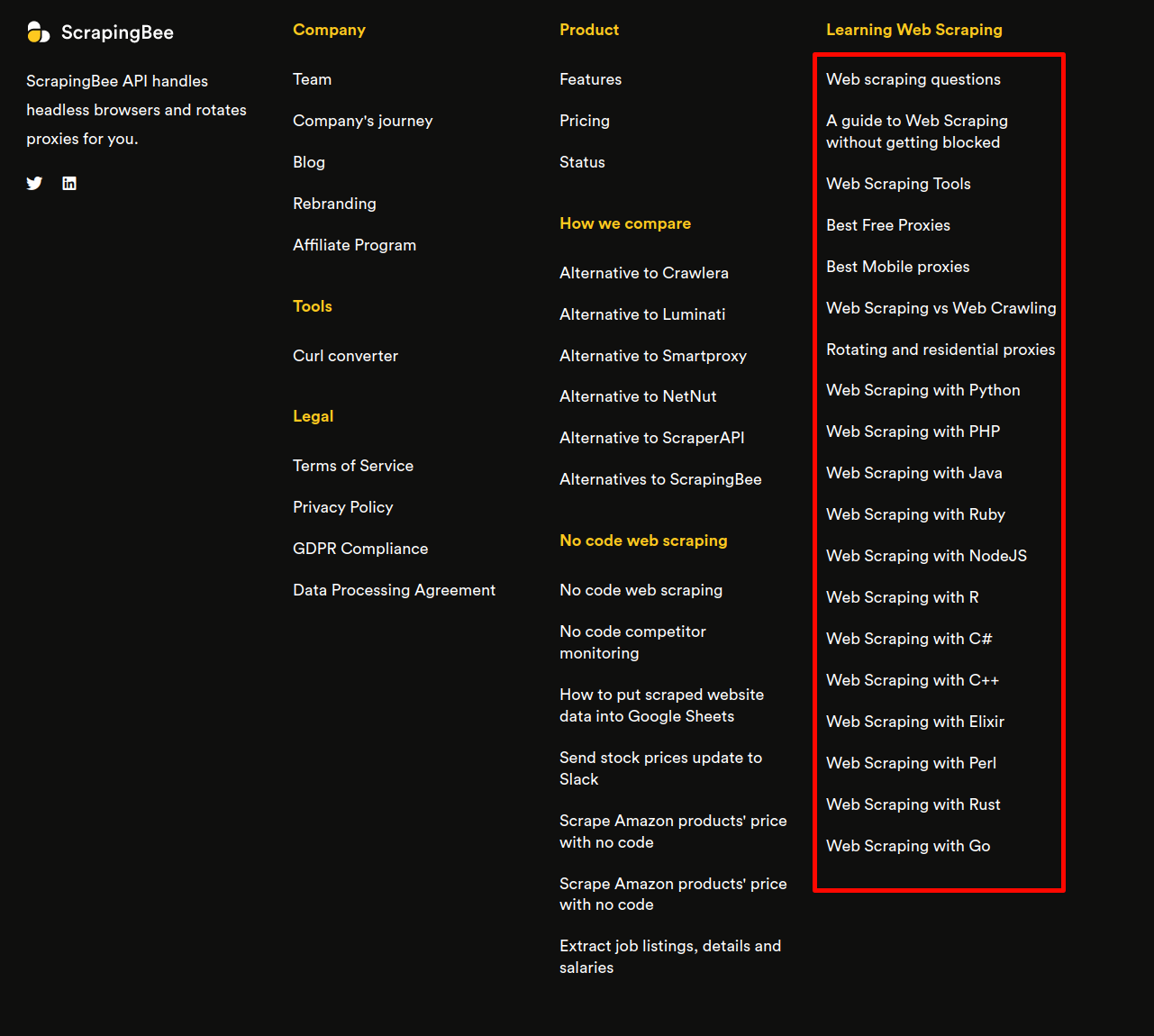
The Inspect Element console reveals that the links to these blogs are inside `li` elements in a `ul` element, which is a sibling of the `h4` element that holds the heading "Learning Web Scraping".
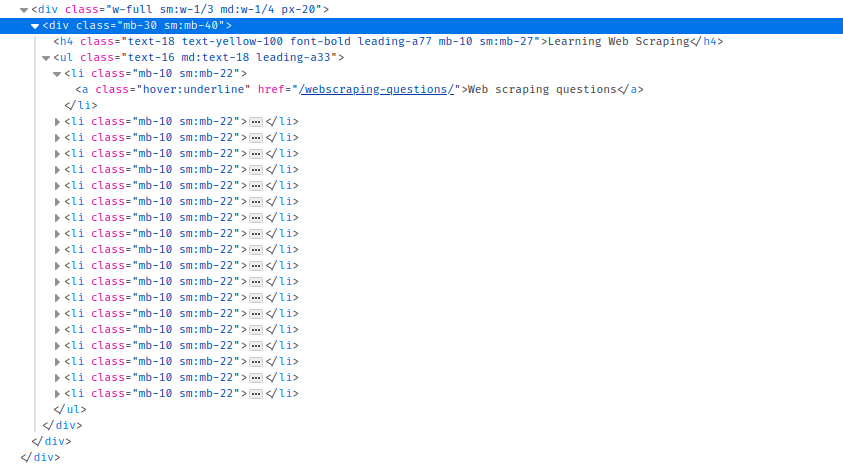
Since these don't have an ID or any unique class, selecting them with usual CSS queries can be difficult. Instead, you'll use the XPath query `//*[contains(text(),'Learning Web Scraping')]` to search for all the elements containing the text "Learning Web Scraping". Combined with the `getFirstByXPath` method, you can select the first element matching the XPath, which should be the element you want:
```java
DomNode h4WithText = page.getFirstByXPath("//*[contains(text(),'Learning Web Scraping')]");
```
The `getNextElementSibling` method now gives you the `ul` element next to it:
```java
DomNode siblingUl = h4WithText.getNextElementSibling();
```
Finally, the `getChildNodes` method returns the list of all children nodes of the `ul`:
```java
DomNodeList lis = siblingUl.getChildNodes();
```
Now you can iterate over the child nodes. Keep in mind that `getChildNodes` returns the text and comment nodes as well, so you need to make sure the node you're working with is an element node, which you can do with the `getNodeType` method:
```java
for (DomNode domNode : lis) {
if(domNode.getNodeType() == DomNode.ELEMENT_NODE) {
HtmlAnchor link = (HtmlAnchor) domNode.getFirstChild();
System.out.println(link.getTextContent());
System.out.println(link.getBaseURI() + link.getHrefAttribute());
System.out.println();
}
}
```
As you can see in the code above, you're casting the `DomNode` to `HtmlAnchor`, which gives you access to the `getHrefAttribute`.
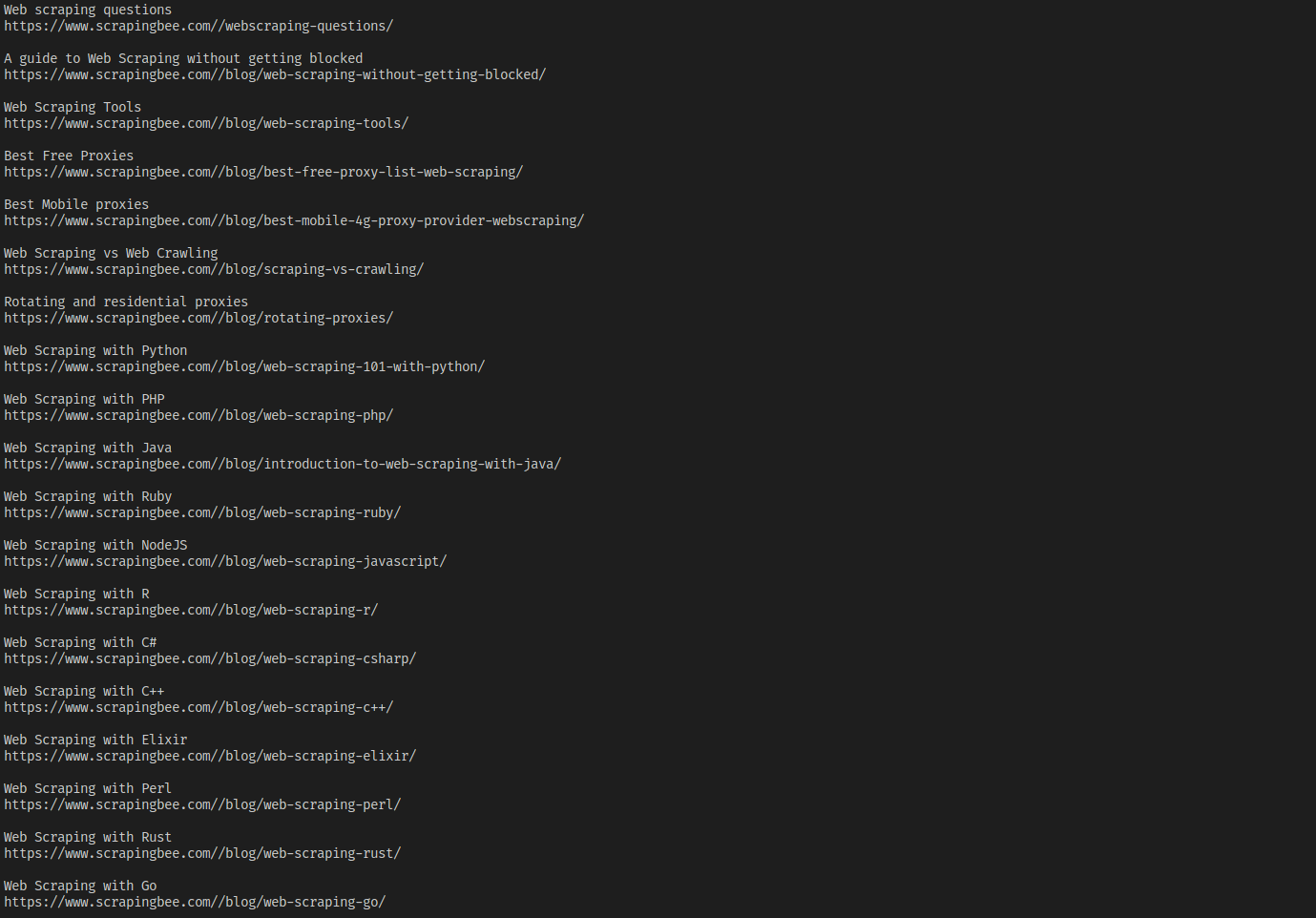
Running this code gives you the following output:
> 💡 XPath tutorial
>
> Curious about XPath? Find out more at [Practical XPath for Web Scraping](/blog/practical-xpath-for-web-scraping/).
## Scraping a Dynamic Website
In this section, you'll scrape a dynamic website with HtmlUnit by performing actions like inputting text and clicking buttons. You'll scrape [this web page](https://www.scrapethissite.com/pages/forms), which has a form where you can search for hockey team stats.
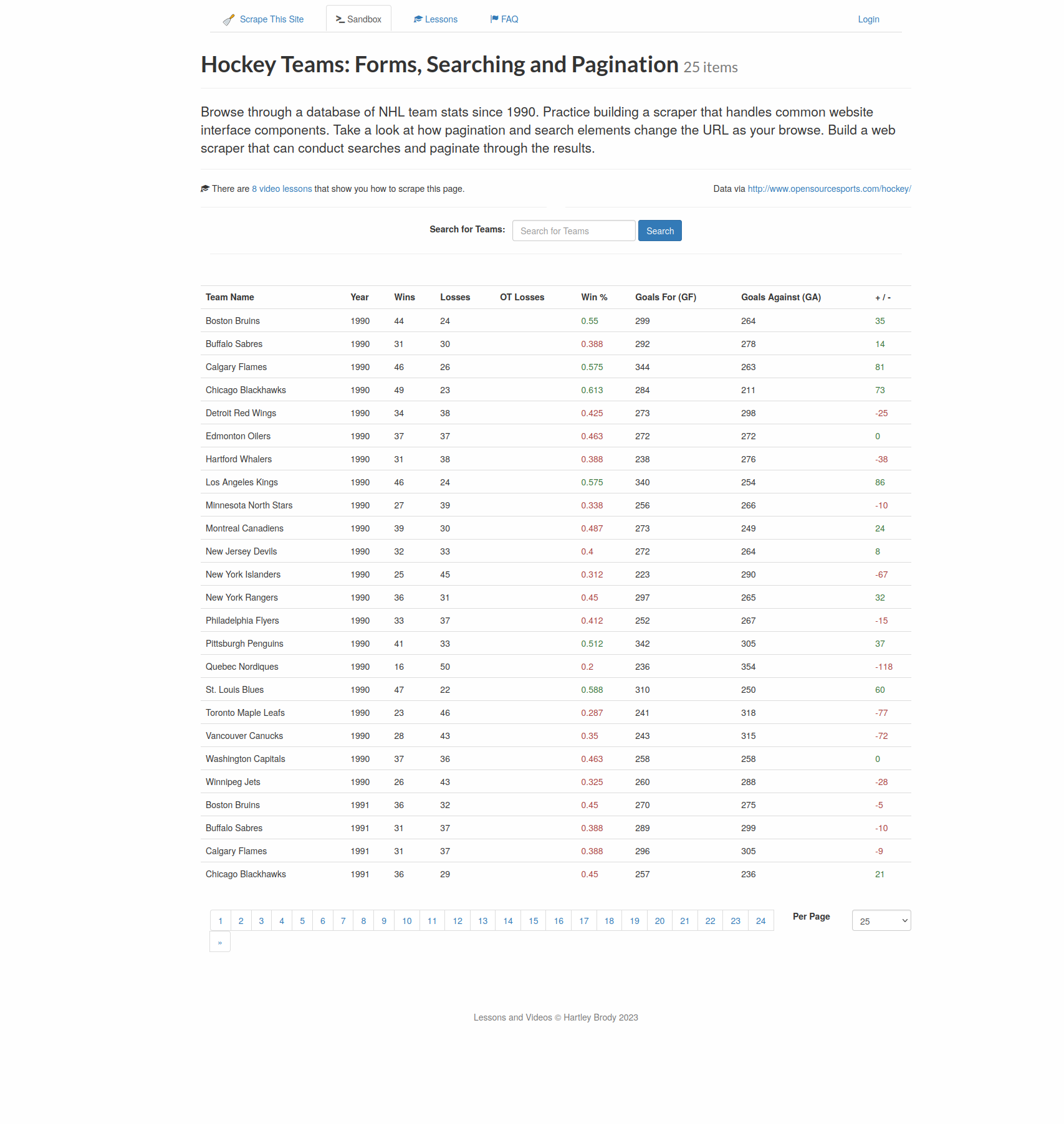
For example, if you search for `Toronto`, you'll get the data for Toronto Maple Leafs.
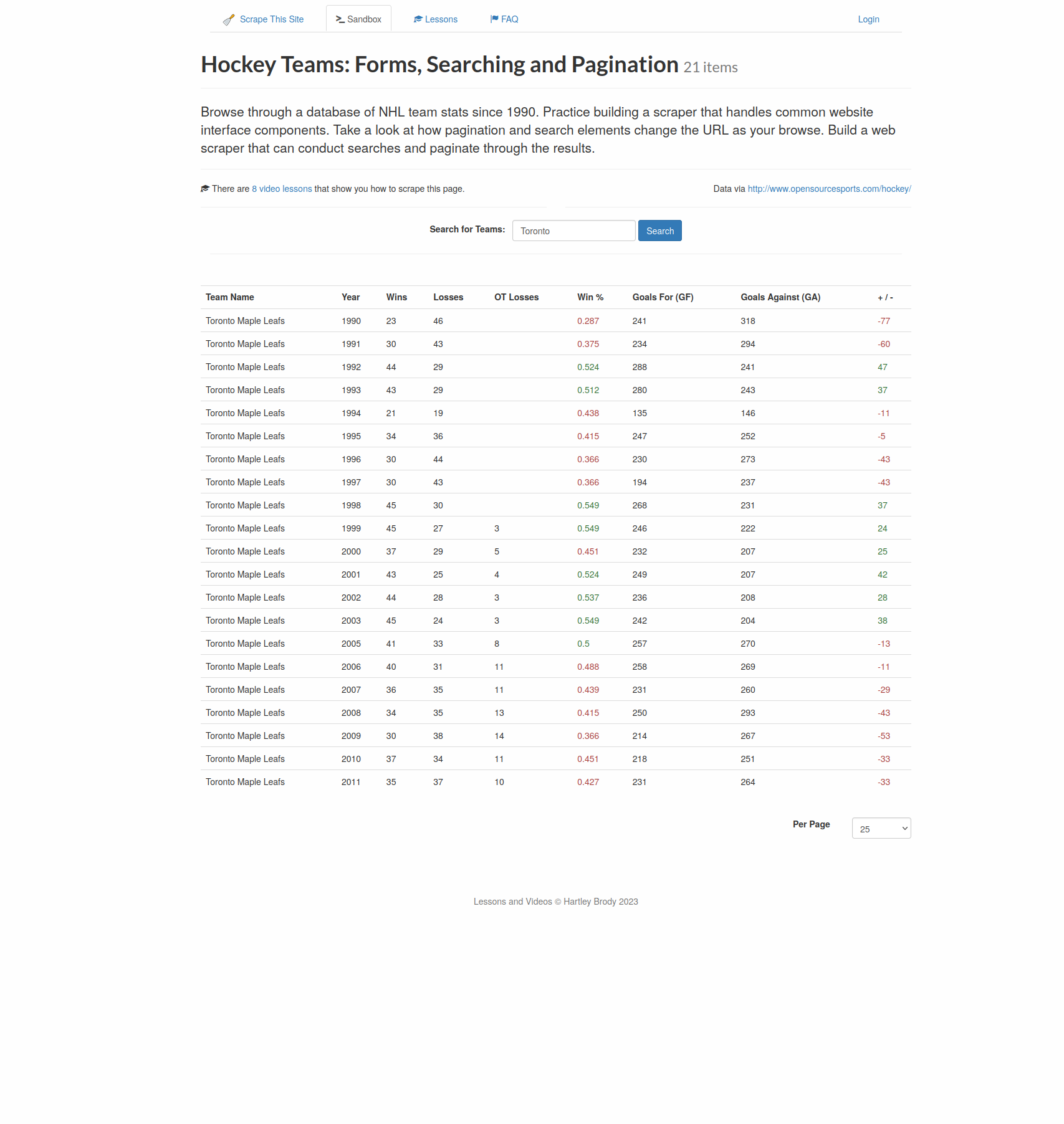
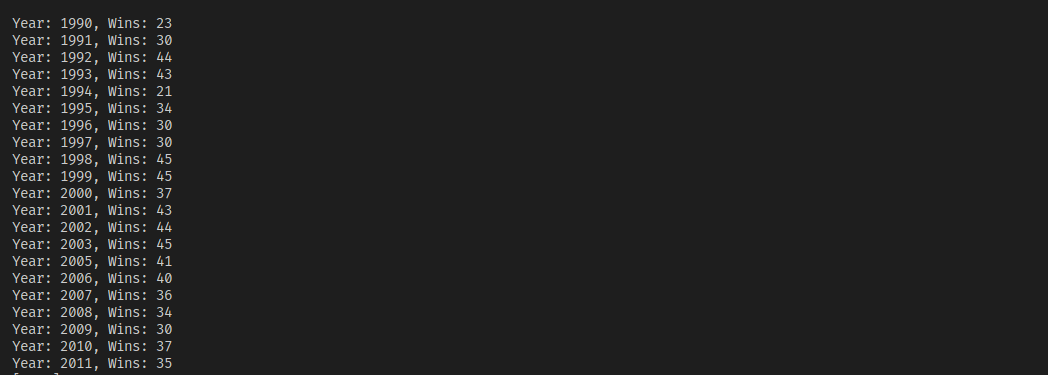
You'll write a scraper that will open the web page, write `Toronto` into the search box, click on the search button, and extract the years and number of wins from the results table.
First, enable JavaScript again and configure HtmlUnit to keep on executing JavaScript code, even if there is an error:
```java
client.getOptions().setJavaScriptEnabled(true);
client.getOptions().setThrowExceptionOnScriptError(false);
```
Note that HtmlUnit will still log the error.
Next, load the target page:
```java
HtmlPage teamsPage = client.getPage("https://www.scrapethissite.com/pages/forms");
```
The `getForms` method returns the list of all forms in a page, from where you can select the first (and only) form in the page:
```java
HtmlForm form = teamsPage.getForms().get(0);
```
Use the `getInputByName` method to select the search box, which is named `"q"`:
```java
HtmlTextInput textField = form.getInputByName("q");
```
The search button doesn't have a unique name, but it has a value of `Search`, so the `getInputByValue` method can be used to select it:
```java
HtmlSubmitInput button = form.getInputByValue("Search");
```
The `type` method of the `HtmlTextInput` class can be used to type the search text into the search box, and the `click` method of the `HtmlSubmitInput` class can be used to click the button:
```java
textField.type("Toronto");
HtmlPage resultsPage = button.click();
```
The `click` method returns a new page that contains your result. From there, select all rows with the `tr.team` CSS selector, and select the years and numbers of wins using `.year` and `.wins`, respectively:
```java
DomNodeList teams = resultsPage.querySelectorAll("tr.team");
for(DomNode team: teams) {
String year = team.querySelector(".year").getTextContent().strip();
String wins = team.querySelector(".wins").getTextContent().strip();
System.out.println("Year: " + year + ", Wins: " + wins);
}
```
Run the code, which should result in the following output (safely ignore any JavaScript errors):
Here's the full code from all the sections:
```java
package com.mycompany.app;
import com.gargoylesoftware.htmlunit.*;
import com.gargoylesoftware.htmlunit.html.*;
import java.io.IOException;
public class App {
public static void main(String[] args) throws IOException {
WebClient client = new WebClient();
client.getOptions().setJavaScriptEnabled(false);
HtmlPage page = client.getPage("https://scrapingbee.com");
DomNodeList features = page.querySelectorAll("section:nth-child(3) h3.text-[20px].leading-[1.26].text-black-100.mb-[15px]");
for (DomNode domNode : features) {
HtmlHeading3 heading = (HtmlHeading3) domNode;
System.out.println(heading.getTextContent());
System.out.println();
}
DomNode h4WithText = page.getFirstByXPath("//*[contains(text(),'Learning Web Scraping')]");
DomNode siblingUl = h4WithText.getNextElementSibling();
DomNodeList lis = siblingUl.getChildNodes();
System.out.println(lis.size());
for (DomNode domNode : lis) {
if(domNode.getNodeType() == DomNode.ELEMENT_NODE) {
HtmlAnchor link = (HtmlAnchor) domNode.getFirstChild();
System.out.println(link.getTextContent());
System.out.println(link.getBaseURI() + link.getHrefAttribute());
System.out.println();
}
}
client.getOptions().setJavaScriptEnabled(true);
client.getOptions().setThrowExceptionOnScriptError(false);
HtmlPage teamsPage = client.getPage("https://www.scrapethissite.com/pages/forms");
HtmlForm form = teamsPage.getForms().get(0);
System.out.println(form.getLocalName());
HtmlSubmitInput button = form.getInputByValue("Search");
HtmlTextInput textField = form.getInputByName("q");
textField.type("Toronto");
HtmlPage resultsPage = button.click();
DomNodeList teams = resultsPage.querySelectorAll("tr.team");
for(DomNode team: teams) {
String year = team.querySelector(".year").getTextContent().strip();
String wins = team.querySelector(".wins").getTextContent().strip();
System.out.println("Year: " + year + ", Wins: " + wins);
}
}
}
```
## Conclusion
HtmlUnit is a fantastic tool for scraping static and dynamic websites. Its ability to mimic browsers and execute JavaScript makes it an indispensable tool for anyone willing to write a web scraper in Java.
In this article, you learned how to use HtmlUnit to scrape static websites as well as dynamic websites by inputting text and clicking buttons. You can find the code for this article on [GitHub](https://github.com/heraldofsolace/htmlunit-demo).
However, HtmlUnit can only get you so far. To scrape any real-world web page, you need to handle rate limits and proxies, evade bot detection, and work around browser fingerprinting. If you prefer not to have to deal with all of that, check out Scrapingbee's no-code web scraping API. The first 1,000 calls are free!
"Before you go, check out these related reads:
- [Introduction to Web Scraping With Java](https://www.scrapingbee.com/blog/introduction-to-web-scraping-with-java/)
- [How to Parse HTML in Ruby with Nokogiri?](https://www.scrapingbee.com/blog/parse-html-nokogiri/)"