ScrapingBee now has a new Gemini API endpoint for AI-powered web data extraction.
You can send prompts to Google Gemini using your existing ScrapingBee account and API key, then get structured AI responses back as plain text, Markdown, and citations. This makes it easier to add AI analysis, summarization, and insight extraction to your scraping workflows without setting up separate infrastructure.
Use it to summarize web data, extract facts from pages, compare products, analyze reviews, support RAG pipelines, or build AI agents that need current web information with source attribution.
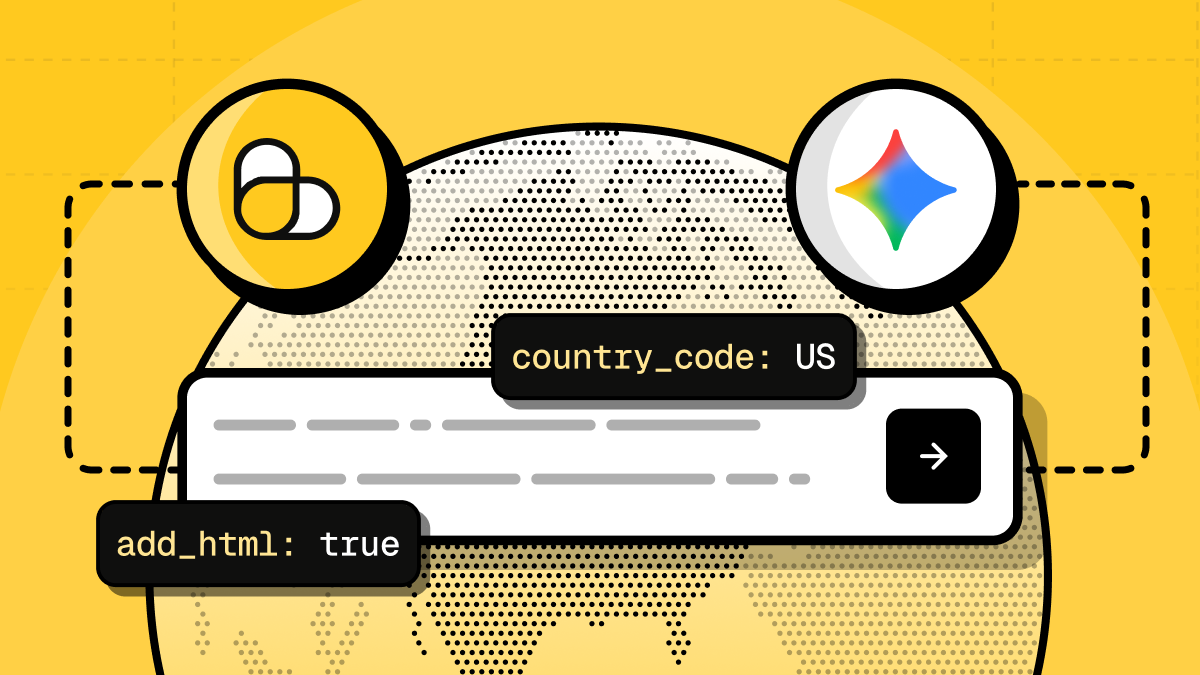
How the Gemini endpoint works
The Gemini endpoint lets you send a prompt to Google Gemini through ScrapingBee and receive a structured response that is ready to use in your app or data pipeline.
You pass the prompt you want Gemini to answer, and the API returns the result in multiple formats: results_text for plain text, results_markdown for formatted output, and citations when sources are available. If you also need the raw HTML response for verification or post-processing, you can enable add_html=true to include full_html in the API response.
This makes the endpoint useful as an AI layer on top of scraping workflows. You can collect data from the web, ask Gemini to summarize or analyze it, and then pass the structured output to your database, dashboard, agent, or RAG pipeline.
What you can build with it
The Gemini endpoint is useful when your scraping workflow needs more than raw HTML or extracted fields. You can use it to turn web data into summaries, comparisons, classifications, or structured insights.
Common use cases include:
- Competitor research: compare pricing pages, feature lists, product descriptions, and positioning.
- Review analysis: summarize customer feedback, extract sentiment, and identify recurring complaints or feature requests.
- Market research: ask questions about current web information and keep source attribution through the
citationsarray. - Data enrichment: add AI-generated summaries, labels, or insights to scraped records before sending them to your database.
- RAG workflows: feed fresh web context into retrieval-augmented generation pipelines.
- AI agents: give agents access to current web information without building a separate model-access layer.
It works through the same ScrapingBee infrastructure you already use for web data collection, so you can add AI analysis to scraping pipelines without changing your whole stack.
Useful parameters
The Gemini endpoint only needs a prompt to get started, but you can add a few optional parameters depending on your workflow.
| Parameter | Required | What it does |
|---|---|---|
prompt | Yes | The question or instruction you want Gemini to answer. |
country_code | No | Localizes the request context, for example us, gb, or fr. |
add_html | No | Adds the full HTML response when set to true. |
tag | No | Adds your own identifier to the request for tracking. |
Each successful Gemini request costs 15 API credits.
See the Gemini API documentation for the full parameter reference.
Quickstart: send your first Gemini request
To use the Gemini endpoint, you need a ScrapingBee account and an API key. Once you have the key, send a request to /api/v1/gemini with a prompt parameter.
The API returns a structured response that you can parse in your application. The most useful fields are results_text, results_markdown, and citations.
Example: query Gemini with Python
The example below sends a prompt to the Gemini endpoint, handles common request errors, and prints the Markdown response with any returned citations.
import os
import sys
from typing import Any

import requests
from requests.exceptions import HTTPError, RequestException, Timeout


API_URL = "https://app.scrapingbee.com/api/v1/gemini"

# Store your API key in an environment variable when running this in production.
# You can also replace "YOUR-API-KEY" directly for a quick local test.
API_KEY = os.getenv("SCRAPINGBEE_API_KEY", "YOUR-API-KEY")


def query_gemini(
    prompt: str,
    country_code: str | None = None,
    add_html: bool = False,
    tag: str | None = None,
) -> dict[str, Any]:
    # prompt is the question or instruction you want Gemini to answer.
    params: dict[str, str] = {
        "prompt": prompt,
    }

    # Optional: localize the request context.
    if country_code is not None:
        params["country_code"] = country_code

    # Optional: include the full HTML response for verification or post-processing.
    if add_html:
        params["add_html"] = "true"

    # Optional: attach your own identifier to the request.
    if tag is not None:
        params["tag"] = tag

    headers = {
        "Authorization": f"Bearer {API_KEY}",
    }

    try:
        response = requests.get(
            API_URL,
            params=params,
            headers=headers,
            timeout=90,
        )
        response.raise_for_status()
    except HTTPError as error:
        response = error.response

        status_code = response.status_code if response is not None else "unknown"
        response_text = response.text if response is not None else str(error)
        request_url = response.url if response is not None else API_URL

        raise RuntimeError(
            f"ScrapingBee API returned an HTTP error: {status_code}.\n"
            f"URL: {request_url}\n"
            f"Response: {response_text}"
        ) from error
    except Timeout as error:
        raise RuntimeError(
            f"Request to ScrapingBee API timed out after 90 seconds.\n"
            f"URL: {API_URL}"
        ) from error
    except RequestException as error:
        raise RuntimeError(f"Request to ScrapingBee API failed: {error}") from error

    try:
        return response.json()
    except ValueError as error:
        raise RuntimeError(
            f"ScrapingBee API did not return valid JSON.\n"
            f"Response body: {response.text}"
        ) from error


def print_gemini_result(data: dict[str, Any]) -> None:
    print("Prompt:", data.get("prompt"))

    print("\nMarkdown result:")
    print(data.get("results_markdown") or data.get("results_text"))

    citations = data.get("citations") or []

    if citations:
        print("\nCitations:")
        for citation in citations:
            print("---")
            print("Title:", citation.get("title"))
            print("URL:", citation.get("url"))
            print(
                "Snippet:",
                citation.get("snippet")
                or citation.get("description")
                or citation.get("text")
            )


if __name__ == "__main__":
    try:
        result = query_gemini(
            prompt=(
                "Summarize the current pricing tiers and feature differences "
                "for popular project management tools."
            ),
            country_code="us",
            add_html=False,
            tag="gemini-quickstart",
        )
        print_gemini_result(result)
    except RuntimeError as error:
        print(error, file=sys.stderr)
        sys.exit(1)
Example: run localized research with citations and HTML
The example below asks Gemini for a localized market summary, uses country_code to set the request context, enables add_html=true to include the raw HTML response, and adds a tag so you can identify the request later.
import os
import sys
from typing import Any

import requests
from requests.exceptions import HTTPError, RequestException, Timeout


API_URL = "https://app.scrapingbee.com/api/v1/gemini"

# Store your API key in an environment variable when running this in production.
# You can also replace "YOUR-API-KEY" directly for a quick local test.
API_KEY = os.getenv("SCRAPINGBEE_API_KEY", "YOUR-API-KEY")


def query_gemini_for_market_research(
    prompt: str,
    country_code: str,
    add_html: bool = True,
    tag: str | None = None,
) -> dict[str, Any]:
    # prompt is the research question or instruction you want Gemini to answer.
    # country_code localizes the request context, for example "us", "gb", or "fr".
    params: dict[str, str] = {
        "prompt": prompt,
        "country_code": country_code,
    }

    # add_html=true includes the full HTML response.
    # This is useful when you want to verify or post-process the raw response.
    if add_html:
        params["add_html"] = "true"

    # tag is an optional custom identifier for your request.
    if tag is not None:
        params["tag"] = tag

    headers = {
        "Authorization": f"Bearer {API_KEY}",
    }

    try:
        response = requests.get(
            API_URL,
            params=params,
            headers=headers,
            timeout=90,
        )
        response.raise_for_status()
    except HTTPError as error:
        response = error.response

        status_code = response.status_code if response is not None else "unknown"
        response_text = response.text if response is not None else str(error)
        request_url = response.url if response is not None else API_URL

        raise RuntimeError(
            f"ScrapingBee API returned an HTTP error: {status_code}.\n"
            f"URL: {request_url}\n"
            f"Response: {response_text}"
        ) from error
    except Timeout as error:
        raise RuntimeError(
            f"Request to ScrapingBee API timed out after 90 seconds.\n"
            f"URL: {API_URL}"
        ) from error
    except RequestException as error:
        raise RuntimeError(f"Request to ScrapingBee API failed: {error}") from error

    try:
        return response.json()
    except ValueError as error:
        raise RuntimeError(
            f"ScrapingBee API did not return valid JSON.\n"
            f"Response body: {response.text}"
        ) from error


def print_research_result(data: dict[str, Any]) -> None:
    print("Prompt:")
    print(data.get("prompt"))

    print("\nMarkdown result:")
    print(data.get("results_markdown") or data.get("results_text"))

    citations = data.get("citations") or []

    if citations:
        print("\nCitations:")
        for citation in citations:
            print("---")
            print("Title:", citation.get("title"))
            print("URL:", citation.get("url"))
            print(
                "Snippet:",
                citation.get("snippet")
                or citation.get("description")
                or citation.get("text")
            )

    full_html = data.get("full_html")

    if full_html:
        print("\nFull HTML returned:", len(full_html), "characters")


if __name__ == "__main__":
    try:
        result = query_gemini_for_market_research(
            prompt=(
                "Summarize the current electric bike market in France. "
                "Focus on popular brands, pricing patterns, and recent demand trends. "
                "Return the answer as short bullet points with sources."
            ),
            country_code="fr",
            add_html=True,
            tag="fr-ebike-market-research",
        )
        print_research_result(result)
    except RuntimeError as error:
        print(error, file=sys.stderr)
        sys.exit(1)
Try the Gemini API endpoint
The Gemini API endpoint is available now in ScrapingBee. You can use it to add AI analysis, summarization, citations, and localized research to your scraping workflows with the same account and API key you already use.
Start with a prompt, parse the structured response, and send the output to your app, database, dashboard, agent, or RAG pipeline.
If you are new to ScrapingBee, you can create a free account and get 1,000 credits to try the API. No credit card required.
FAQ
How much does a Gemini API request cost?
Each successful Gemini API request costs 15 API credits. Failed requests are not charged.
How fast is the Gemini endpoint?
Gemini responses are not instant because the API has to process the prompt and generate an answer. In most cases, requests complete in under a minute, but timing can vary depending on the prompt and response size.
Are citations always returned?
No. The Gemini API does not return citations 100% of the time. Citations depend on the prompt and are more likely to appear when the answer is web-grounded, such as current research, market analysis, or source-based questions. General-knowledge prompts may return an answer without citations.
Can I localize Gemini responses by country?
Yes. Use the country_code parameter to localize the request context. For example, you can ask about prices, availability, news, or market trends in a specific country.
Can I get the raw HTML response?
Yes. Set add_html=true to include the full HTML response in the full_html field. This is useful when you want to verify the response or run your own post-processing.

Ilya is an IT tutor and author, web developer, and ex-Microsoft/Cisco specialist. His primary programming languages are Ruby, JavaScript, Python, and Elixir. He enjoys coding, teaching people and learning new things. In his free time he writes educational posts, participates in OpenSource projects, tweets, goes in for sports and plays music.