When teams estimate the cost of scraping, they usually price the wrong things, like a few days of work, some scripts, or scheduled jobs. But what they almost never price is the ownership of the whole system. Yet at enterprise scale, a collection pipeline is made up of multiple interlocking subsystems. And each needs specific care on its own.
This article decomposes those subsystems, puts numbers against them, and compares the total against subscribing to ScrapingBee’s managed scraping APIs.
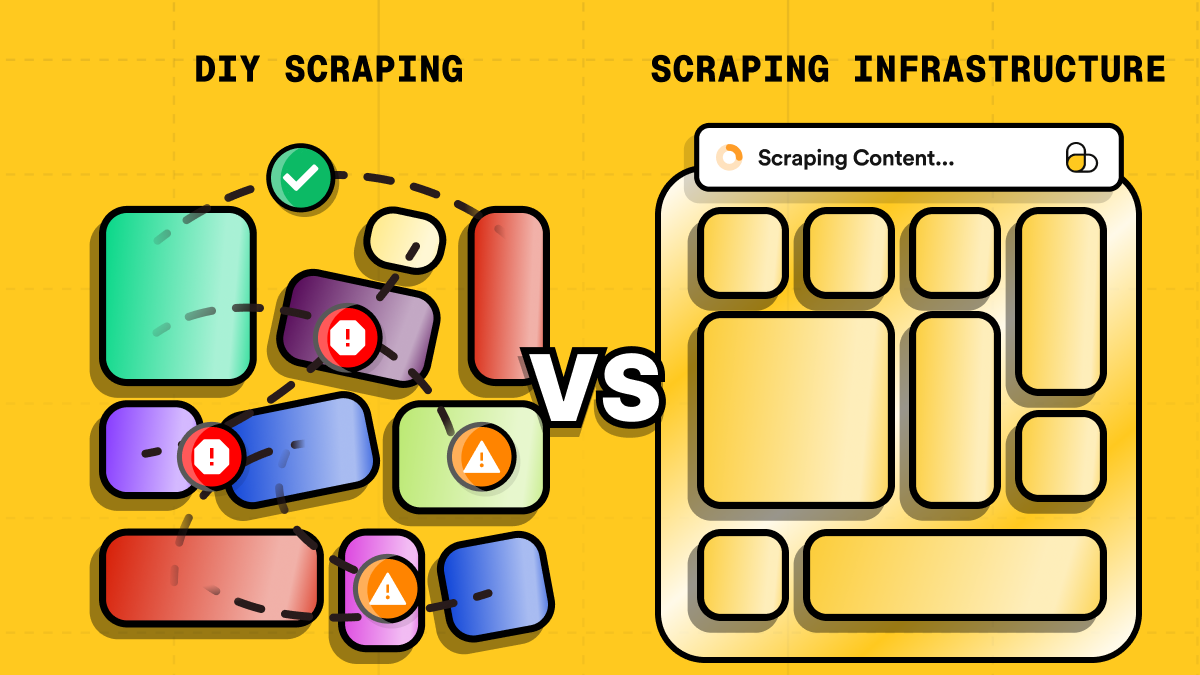
TL;DR
Here’s what this article discusses in summary:
- DIY at enterprise scale means owning eight subsystems, each with its own failure mode, owner, and endless work.
- The carrying cost of DIY overtakes the build cost within a few months, and it scales with your source count.
- Managed APIs win once scraping is a production dependency with concurrency, geotargeting, or block rates to manage.
- DIY wins when scope is narrow and stable, volume is low, and downtime costs nothing.
- Buying reduces the evidentiary burden of compliance, but not the responsibility for it.
What DIY scraping actually means
"Building it ourselves" is almost always described only as writing a scraper. But that is true only for very small and amateur projects. At enterprise scale, instead, DIY scraping means owning every part of a larger system.
Let’s see what these subsystems are and how they work, at a high level.
The crawler and extraction layer
Frameworks like Scrapy handle the crawling and extraction mechanics, and that is where the reusable part of their job ends. This happens because every target site needs its own code. And within each scraper, parsers and selectors turn the HTML of the page into structured fields using CSS selectors or XPath expressions. In other words, you cannot write a generic scraper and expect to apply it to every target site you want.
In short, each target page and website deserves specific attention and custom code.
Managing JavaScript-heavy pages
On top of crawling, there can be multi-step flows, dynamic content like infinite scroll, lazy loading, AJAX-driven navigation, and content that renders after hydration. Handling any of it means driving a headless browser. At the enterprise level, this scales to operating a fleet of them, which is a different job from writing scraping logic.
That changes the economics of the whole system. In such cases, total cost stops tracking request count and starts tracking two variables you neither control nor forecast from a request count: how heavy each page is, and how long you wait for it to settle.
The proxy network
A proxy pool is a set of IP addresses your scraper routes requests through, so traffic reaches a target website from many identities instead of your own. Because websites rate-limit, challenge, and block against the source address, this makes the address (not your crawler) the real constraint on how much data you can collect at scale.
But at enterprise scale, relying on a proxy pool is mandatory. That is because the workload is dozens of domains, potentially across multiple markets and languages, each with its own anti-bot posture. And all the data is collected continuously at volumes no single egress address can absorb for long.
So, the proxy network itself is a pool of IPs, sourced from a provider you can rely on. But around that pool you need rotation, session stickiness, and geo-targeting tuned per target, since some sites only serve the data you want from a specific country. Then come health checks that detect and retire banned, throttled, or slow addresses.
In a nutshell, access to a wide network of reliable proxies is not sufficient, generally speaking. Proxy management is a process that needs care on its own, for projects at scale.
Anti-bot and CAPTCHA handling
Beyond all the above, requests have to look like there are humans behind them at several layers simultaneously. That is because an inconsistency between those layers is itself a signal that requests are automated. Behavior and fingerprinting sit on top of that: you have to manage randomized pacing, realistic scroll and click patterns, and rate profiles that survive a burst without tripping a threshold.
And when all of this fails, CAPTCHA walls may still block your requests. And at volume, CAPTCHA solving becomes a variable cost that scales with how aggressive your targets are.
Scheduling, queuing, and orchestration
At the enterprise level, data retrieval is not a one-time snapshot. The focus is usually on data that changes over time, like product prices, which is where job schedulers and orchestration come into play. What you need is to orchestrate multiple scrapers firing requests on their own cadence to the predefined targets you need. Retry policies, rate limits, and priority rules then have to be set per target, because the retry strategy that is correct for a nightly crawl is actively harmful for an hourly feed.
Monitoring, validation, and alerting
At the end of each scraping pipeline, you need something that manages success rates, latency, and block rates. And you have to do that with dashboards, so that a trend is visible before it turns into an incident. Alongside them, you need automated data-quality checks that catch empty, partial, or malformed output. That’s because a 200 response carrying the wrong page is a failure that erodes trust in a dataset faster than any other.
Alerting and logging close the loop. Failures should be found by your team first, rather than by your client.
A dedicated team
To manage all the above, you need a dedicated team, wide enough to cover the different stages and technicalities:
- Scraping engineers write and repair the collectors.
- DevOps or SRE support keeps the runtime standing.
- Data engineers make the output usable downstream.
- Someone has to define the targets, the fields, the refresh cadence, and the acceptable error rate. Often, that is a product owner or analyst whose absence guarantees that engineering optimizes for volume while the people consuming the data quietly absorb the ambiguity.
- Then there is backup coverage, so that the system's knowledge does not live entirely in one head. That last point is as much a governance question as a staffing one: the person who knows why the retry logic looks strange is very often the only record of why it looks strange.
Finally, for enterprises (especially the ones working in regulated industries), you need someone who manages legal and compliance. And often, that is an entire department with a dedicated team.
Legal and compliance processes
Although we left this part for last, it is not the least important. Rather, in regulated industries, it is the most important one and should be taken into account before writing any line of code.
That is because every new target needs a review of the website’s terms of service, robots.txt, copyright status, and data protection rules before collection starts, and a re-review whenever a site revises its terms.
Around that there’s policy work on personal data, retention and ethical collection: what is gathered, on what lawful basis, for how long it is kept, and what happens when someone exercises a deletion right. Where collected pages contain personal data, that data inherits your existing obligations regardless of how it was obtained. And all of it needs documentation that is ready for audits and vendor-risk reviews.
The costs of DIY coding scrapers
Everything above has a build cost and, more importantly, a carrying cost. Project estimates capture the first one, but rarely capture the second. And for scraping infrastructure, the carrying cost typically overtakes the build cost within a few months.
Specialists' salaries are only the starting line
Specialists are expensive to hire and expensive to keep, and the posted salary number excludes recruiting, onboarding, tooling, and the ramp period before anyone is productive on your specific stack. The figure worth comparing against a subscription price is the mean loaded hourly rate, which sits well above any posted band. The estimates below state their hourly assumption explicitly rather than hiding it, precisely so you can swap in your own.
Maintenance is a never-ending task
Every redesign on a target website generates repair work, and fixes accumulate into a permanent backlog. This means that what your team maintains is not “a scraper”: it is markup you do not control. Also, the load scales with target source count, which surprises teams that assumed volume was the driver. To give numbers, ten low-volume sites consume more engineering hours per week than one busy one.
The anti-bot arms race becomes your problem
Anti-bot defenses change constantly, especially due to their integrations with AI. And when your team is in charge of building the scrapers, they are the ones who need to keep an ongoing research pace on that. This means that there is no version of this work you finish and move on from. Also, falling behind does not announce itself either: it shows up as data gaps and urgent firefighting.
Proxy sourcing, rotation, and bans add up fast
Quality IPs cost lots of money, and pool quality declines continuously as addresses get flagged. That also has an impact on throughput, which decays fast unless you keep paying to refresh the pool. And note that sourcing proxies well adds work that has nothing to do with code because your team has to deal with consent provenance, jurisdictional coverage, sub-processor disclosure, and data processing agreements.
Headless browsers are expensive to run at scale
Operating a fleet of headless browsers costs more than deciding to use one: memory per browser instance, warm pools to avoid cold-start latency, concurrency ceilings that cap throughput regardless of how many IPs you hold, and orphaned processes that leak until something pages you. What’s more, none of that scales with request count in a way you can forecast from a spreadsheet, which is why the compute line grows quietly and then arrives at quarter end as a conversation with your boss about budget.
Failed requests cost money
Blocked and stalled requests burn bandwidth and compute, and retries multiply that spend. As an example, a scraper running at a 30% block rate needs about 1.43 requests for every successful record. Roughly, that is 43% more spend per record than its headline figures imply.
At a 40% block rate, it is +67%. At 50%, a successful record costs twice what a request does. Very few teams measure cost per successful record rather than cost per request made when managing DIY solutions, so that waste stays buried inside a metric that looks reassuringly stable.
On-call duty is the line item nobody budgets
Scrapers fail silently more often than you think, which is why content-level validation is non-negotiable. But the reason why almost nobody budgets it is that the cost problem comes after you build it. This happens because validation produces alerts, and staffing those alerts is a permanent rotation. What typically happens is that technical teams budget for building the check, but not for answering it. And that is why this line goes missing from budgeting estimates.
Scaling pains
Architecture that comfortably handles ten targets needs a rebuild at a thousand when you need to scale. Queue semantics, per-target isolation, state handling, and observability all need rethinking, and that rebuild competes for the same engineers who are still repairing the original ten.
Seasonal bursts make it worse: you either pay for spare capacity all year or miss the data window, and only one of those two outcomes shows up on an invoice.
Compliance and legal exposure land on your team
Compliance and legal exposure is arguably the thing that costs the most, and it is hardly ever taken into account. When you own all the scraping infrastructure, you own the review of terms of service, robots.txt, copyright, and data protection rules such as GDPR and CCPA. And you own it continuously, since target sites revise their terms without telling you. Without third-party vendor documentation to lean on, audits and legal reviews fall to your internal teams. And when an auditor asks for the collection rationale, the retention rule, and the sub-processor chain, a person on your side has to assemble the answer.
The build vs buy scraping infrastructure decision matrix
For teams that need to implement web scraping services, build versus buy is not a matter of preference. It is an engineering and cost decision, and the answer shifts with the characteristics of the workload. The useful framing is narrower than it may appear: When does owning the collection layer create more value than it consumes? And when does handing it off free your engineers to do work that actually differentiates what you ship?
DIY stays the better choice under a recognizable set of conditions:
- The target scope is narrow and stable.
- Request volume is low.
- Slow collection is acceptable.
- Only one location or IP profile is needed, ideally in your own country.
- The team already operates suitable infrastructure, and at least one developer genuinely understands browser automation, CSS selectors, proxy management, and how to bypass CAPTCHAs.
Above all, occasional downtime or manual intervention has no real cost attached to it, and custom behavior matters more than operational convenience.
A managed scraping API becomes the stronger option once any of those assumptions break:
- Scraping becomes part of a production application.
- Request volume or concurrency is significant, meaning tens of concurrent requests or thousands of requests per month.
- Geographic targeting matters.
- Block rates have to be actively managed.
- The workload needs proxy rotation and may need to scale quickly.
The table below puts these criteria against concrete, everyday scenarios to make the trade-off tangible:
| Scenario | Better fit | Why |
|---|---|---|
| A solo developer needs to pull the title and price from ~50 product pages once a week, from a single country. | DIY | Narrow, stable scope, low volume, and one IP profile. A basic script covers it, and occasional manual fixes are tolerable. |
| A side project that needs a handful of Google search results per day for a niche keyword list. | DIY | Low request volume, one IP location, and a developer already comfortable with basic scraping scripts and proxy setup. |
| A SaaS product that shows live competitor pricing to paying customers, updated hourly, across 10+ e-commerce sites in different countries. | Managed service | Production dependency, geotargeting, and concurrency all matter in this case. A block or an outage directly affects paying customers. |
| A lead-generation tool that scrapes tens of thousands of business listing pages per month and needs clean, structured data. | Managed service | Volume and the need for structured/AI-assisted extraction outweigh the setup cost of a managed API, and proxy rotation at that scale is itself a project. |
| An internal analytics team needs JS-rendered pages from a handful of sites protected by aggressive anti-bot systems. | Managed service | Block-rate management and headless-browser upkeep are exactly the ongoing maintenance burden a managed service absorbs. |
| A data-engineering team already runs scraping infrastructure at scale, with in-house expertise, and scraping is a core part of the product. | Hybrid | Collection know-how is a competitive asset, not an overhead. The team can amortize maintenance costs across many scrapers, but the underlying infrastructure still matters. |
| A growing startup starts with a couple of simple scrapers but keeps adding new sources as the product expands. | Managed service (or hybrid) | Complexity and maintenance load tend to compound faster than request volume. What was manageable at 3 sources often is not at 30. |
Overall, the right choice depends less on the sticker price of a subscription and more on engineering requirements and budget availability.
A practical monthly cost comparison
To make the trade-off concrete, pin the workload down first. The figures below assume eight sources, roughly 20,000 requests a month, an hourly refresh on the sources feeding a dashboard, and collection across three countries. They also assume one developer at approximately $75 per hour fully loaded, so maintenance hours and subscription fees can be compared on the same scale.
Note that the table compares estimates, on the same tasks, for a DIY scraper and a scraper built using ScrapingBee’s managed scraping APIs:
| Cost category | DIY Scraper | ScrapingBee |
|---|---|---|
| Initial development and integration | $1,500–$4,500 (proxies, deployment-ready code, DOM management, etc.) | $150–$600 (DOM management and API setup) |
| Compute, headless-browser fleet, and egress | $50–$300/mo | Included in the plan |
| Proxy traffic and IP rotation | $20–$600/mo (per GB consumed; a mixed residential and datacenter pool) | Consumed from the plan's credit allowance |
| Monitoring, logging, and storage | $10–$100/mo (services subscription) | Mostly included (apart from storage) |
| Scraper maintenance | $375–$1,500/mo (5–20 hours: DOM changes, troubles with proxies, blocks, CAPTCHAs, etc.) | $75–$375/mo (1–5 hours: extraction and application logic) |
| Block investigation and incident response | $150–$750/mo (2–10 hours) | Access-layer blocks handled by ScrapingBee |
| Managed-service subscription | — | $49–$249/mo (Freelance to Business, depending on how many requests need JS rendering or premium/stealth proxies) |
| Total max spent | $4,500 (initial) + $3,250 (recurring) | $600 (initial) + $624 (recurring) |
One caveat on that rate. Estimating $75/hr is deliberately conservative, and is closer to a posted band than to the loaded mean the argument above recommends. If your loaded rate is $95/hr, the two maintenance rows become $475–$1,900/mo and $95–$475/mo, and the annual gap widens by roughly $3,600 (about $6,000 once incident response is repriced too). So, substitute your own figure; but remember that the direction of the result does not change.
Also, note that if you carry the recurring column across a year, the gap widens well beyond what a monthly comparison suggests. At the upper bounds, DIY runs to roughly $39,000 per year against roughly $7,500 on the managed side: a difference of about $31,500 annually on top of the $3,900 gap in initial build cost. That recurring figure is exactly what a subscription comparison hides, because it is made almost entirely of engineering hours that are already being paid whether or not they appear on an invoice.
Finally, the calculation changes once the scraper becomes a production dependency. Even a few hours each month spent fixing selectors, investigating blocks, restarting browser processes, or validating incomplete data can cost more than a ScrapingBee subscription. With ScrapingBee, the team still owns its business-specific data extraction and downstream workflow, but browser infrastructure, proxy rotation, retries, and the anti-bot work move behind the API. That is where buying becomes the right solution.
How ScrapingBee can help you and when it can be the right solution for you
ScrapingBee is built around a simple idea: the parts of scraping that become expensive are exactly the ones you can hand off with a single API call. You define the target and a few parameters, and ScrapingBee returns the page content.
That single call covers most of what a hand-rolled scraper has to build and maintain piece by piece:
- Headless rendering for JavaScript-heavy pages, including waiting for selectors, scrolling, clicking, and filling forms via custom JS scenarios.
- Automatic proxy rotation, with premium residential and stealth proxies available for harder targets, plus country-level geotargeting when location matters.
- Flexible output formats, which include raw or rendered HTML, clean LLM-ready Markdown, as well as JSON files.
- Dedicated scraper APIs for sources that are painful to maintain yourself, including Google Search, Amazon, Walmart, YouTube, ChatGPT, and Gemini, plus a Fast Search API for sub-second SERP data.
- Integrations with n8n, Make, and Zapier for no-code/low-code workflows, and an MCP server and CLI for wiring live web data directly into AI coding tools and agents.
Sure, this solution won't be the right one for every scraper. Someone making a few slow, low-volume requests can keep operating a custom solution for less, and that's a legitimate outcome. Where ScrapingBee earns its price is once a scraper has to run reliably in production, adapt to blocked requests, scale across sources, or feed structured data into a workflow.
Conclusion
The build versus buy question for scraping infrastructure has an uncomfortable answer: both options are cheaper than the third one, which is building something, letting it drift, and paying for it anyway.
A narrow, stable, low-volume collection job run by someone who understands the tooling genuinely costs very little to own, and no subscription will beat it. On the other hand, a production workload with several users, high concurrency, geotargeting, and real consequences for a data gap is the opposite case, and there the arithmetic stops being close.
Ready to spend less time maintaining scrapers? Try ScrapingBee for free by starting with 1,000 credits.
FAQs
Is it cheaper to build a scraper or to buy a scraping API?
At low volume and narrow scope, building wins. A few dozen pages pulled weekly from one country can run on a VPS the developer already pays for, with a script that takes an afternoon to write. The crossover arrives when the scraper becomes a dependency rather than a convenience. Past a few sources, or past a few thousand requests a month, or anywhere block rates have to be actively managed, the recurring engineering hours on the DIY side overtake a subscription.
How much does maintaining scrapers actually cost?
More than teams expect, because the cost is proportional to your source count. In the worked example above, eight sources generate 5–20 hours a month of maintenance and 2–10 hours of incident response. That is $525–$2,250 a month at $75/hr, and more at a realistic loaded rate.
A practical way to estimate your own: count your sources, not your requests, and assume each one will break at least once a quarter for a reason you did not cause.
When does keeping scraping in-house still make sense?
When the scope is narrow and stable, volume is low, slow collection is acceptable, one IP profile in your own country is enough, and the team already runs suitable infrastructure with someone who genuinely understands browser automation, selectors, and proxy management.
Are proxies and headless browsers included in a managed scraping API?
With ScrapingBee, they are covered by the plan's credit allowance rather than billed as a separate line. One request handles rendering, proxy assignment, session handling, country-level geotargeting, retries, and CAPTCHA handling, and the output arrives as raw or rendered HTML, LLM-ready Markdown, or JSON.
The honest caveat: proxy tier and rendering are credit multipliers. A stealth-rendered request costs 75 or more credits, while a plain datacenter request costs 1, so a fixed plan allowance covers far fewer requests on hard targets than on easy ones. Size the plan against your hardest source.
Does using a managed service reduce our legal and compliance exposure?
It reduces the surface you have to justify, not the responsibility you carry. Your obligations around terms of service, robots.txt, copyright, and data protection rules such as GDPR stay with you regardless of who operates the infrastructure, and the review of each new target is yours to do and to redo when a site revises its terms. What changes is the evidentiary burden. When you run everything yourself, there is no third-party documentation to point to, so an audit or vendor-risk review is answered from memory, tickets, and code comments. A mature provider gives you published documentation, stated terms, and a defined service scope to reference, which turns part of that assembly work into retrieval.