A CLI for web scraping sounds like a small thing. Then the real project starts. One script fetches pages. Another handles retries. A third one turns results into CSV. Crawling needs its own setup. HTML cleanup becomes a mini side quest. Then someone asks, "Can we feed this into the RAG pipeline?" and suddenly there is a whole new pile of glue code nobody wanted to own.
The annoying part is that most teams are not trying to reinvent scraping infrastructure. They just need fresh web data that lands in a useful format, runs reliably, and does not require babysitting proxies, JavaScript rendering, broken batches, or a cron job that only works when Mercury is in retrograde.
ScrapingBee CLI is built for that gap. It brings scraping, crawling, extraction, batch runs, scheduling, Markdown conversion, and LLM-ready output into the terminal, so web data work can feel less like maintaining a scrapyard of scripts and more like running an actual toolchain.
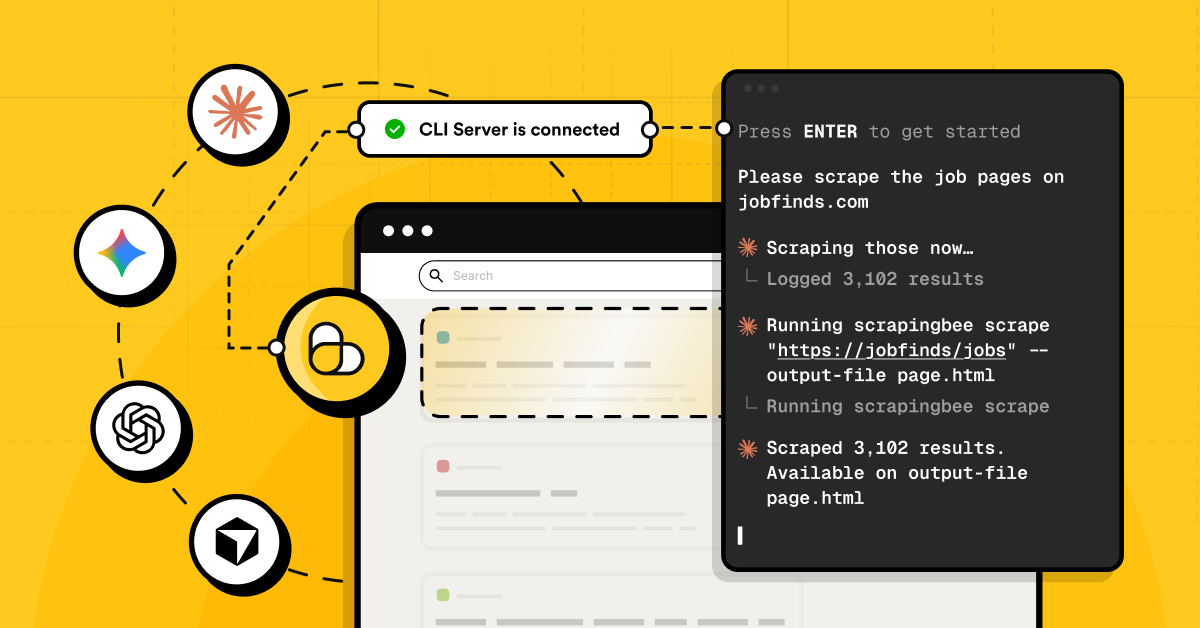
TL;DR: The ScrapingBee CLI in a nutshell
ScrapingBee CLI is a terminal-first way to scrape pages, crawl sites, run batches, extract structured data, schedule recurring jobs, and turn messy web content into AI-ready formats like Markdown or chunked NDJSON.
Instead of wiring together random Python scripts, cron jobs, retry logic, CSV exporters, and HTML cleaners, the CLI gives developers one scriptable interface for getting reliable web data into apps, agents, RAG pipelines, spreadsheets, or whatever weird internal tool needs feeding next.
The problem: Web data is essential, but still a headache
Most modern apps are hungry for web data. AI agents need fresh context. RAG systems need clean source material. Dashboards need market signals. Internal tools need product pages, docs, tables, prices, articles, search results, reviews, job listings, and about fifty other things that live somewhere on the open web.
Getting that data is where the fun usually dies.
A basic scrape turns into a pile of decisions fast: should this page render JavaScript? How do failed requests retry? Where do the results go? What happens when a batch stops halfway through? How do we crawl more URLs without grabbing half the internet by accident? How do we convert a website to Markdown for LLM workflows without writing another cleanup script?
Then comes the AI layer. Raw HTML is rarely useful on its own. For LLM web scraping, the output needs to be readable, structured, deduplicated, and easy to pass into embeddings, agents, or a web scraping for RAG pipeline. Otherwise, the model gets a swamp instead of context.
Even "simple" jobs get annoying. A quick Python web scraping table to CSV task can turn into custom parsing, headers, pagination, retries, and export logic. A recurring monitor needs a scraping scheduler. A docs ingestion job needs URL crawling and filtering. Every new project starts with the same boring plumbing.
That is the real tax: not scraping one page, but maintaining all the little parts around it.
Building AI agents too? Check out our tutorial: Your Guide to Qwen-Agent: Build Powerful AI Agents with Tools & RAG.
The solution: ScrapingBee CLI to the rescue
ScrapingBee CLI takes the usual scraping mess (scripts, shell glue, schedulers, retry logic, export helpers, cleanup steps) and gives it one home: the terminal.
At its core, it gives developers command-line access to ScrapingBee's web scraping API. That means the same serious stuff is available without spinning up a whole mini-project first: JavaScript rendering, proxy handling, custom headers, screenshots, structured extraction, and more.
But the CLI is not just "API, but typed in a terminal." That would be useful, sure, but still pretty basic. The bigger win is that it adds workflow superpowers around the API:
- run one-off scrapes without writing boilerplate
- process URL lists in batch
- crawl websites and sitemaps
- retry failed requests without rebuilding retry logic again
- save results as files, CSV, NDJSON, Markdown, or text
- resume interrupted jobs
- deduplicate URLs and outputs
- schedule recurring scraping jobs
- prepare cleaner data for LLMs, agents, and RAG pipelines
That combo is the real pitch. Full scraping API access handles the hard web stuff. The CLI layer handles the boring operational stuff around it.
So instead of starting every project with "let me just write a quick Python script," the starting point becomes a command that already knows how to fetch, crawl, extract, export, and automate.
Key features: What the ScrapingBee CLI actually does for developers
The nice thing about ScrapingBee CLI is that it does not force every scraping job to become a "real project." Sometimes a command is enough. Sometimes that command becomes a batch. Sometimes it becomes a crawl, a scheduled monitor, or the first step in an LLM pipeline.
Same tool but less duct tape.
1. Automated workflows: batches, crawling, and schedules
A lot of scraping pain starts after the first URL. One page is easy. Five thousand pages, partial failures, duplicate URLs, output folders, and reruns? That is where the little helper script becomes a haunted codebase.
With the CLI, batch scraping is just an input file:
scrapingbee scrape --input-file urls.txt \
  --return-page-markdown true \
  --output-dir pages
Need CSV input instead of a plain text file? Point the CLI at the right column:
scrapingbee scrape --input-file sites.csv \
  --input-column url \
  --output-dir scraped_sites
For URL crawling, start from a site and set sane limits before the crawler gets too excited:
scrapingbee crawl "https://example.com" \
  --max-depth 2 \
  --max-pages 100 \
  --return-page-markdown true \
  --output-dir site_crawl
Sitemaps work too, which is handy for docs, blogs, help centers, and other sites that already publish their URL map:
scrapingbee crawl --from-sitemap "https://example.com/sitemap.xml" \
  --max-pages 500 \
  --return-page-markdown true \
  --output-dir docs_markdown
And when the job needs to run again and again, there is a scraping scheduler built in:
scrapingbee schedule --every 1d --name daily-docs-crawl \
  crawl "https://example.com/docs" \
  --max-pages 100 \
  --return-page-markdown true
That turns "someone should remember to run this" into an actual repeatable workflow.
One small heads-up: scheduling uses your system cron and is treated as an advanced feature because it executes shell commands. That means you enable it deliberately, which is exactly the kind of guardrail you want around automated scraping jobs.
2. Intelligent extraction: get the useful bits, not the whole mess
Raw HTML is fine when debugging. For real work, it is usually too noisy. The CLI can extract structured data directly, so the output is closer to the thing the app actually needs.
For natural-language extraction, use an AI query:
scrapingbee scrape "https://example.com/blog/post" \
  --ai-query "extract the article title, author, publish date, and main summary"
For structured extraction rules, return clean JSON fields:
scrapingbee scrape "https://example.com/product" \
  --ai-extract-rules '{"name":"product name","price":"current price","availability":"stock status"}'
For path-based extraction across HTML, JSON, Markdown, CSV, NDJSON, XML, or plain text, --smart-extract is the sharp little knife:
scrapingbee scrape "https://example.com" \
  --smart-extract '{"title": "...h1", "links": "...href[0:10]"}'
Need something spreadsheet-friendly? Extract structured fields first, then export them as CSV:
scrapingbee scrape --input-file products.csv \
  --input-column url \
  --ai-extract-rules '{"title":"product title","price":"current price","availability":"stock status"}' \
  --output-dir product_extracts

scrapingbee export --input-dir product_extracts \
  --format csv \
  --flatten \
  --columns "title,price,availability,_url" \
  --output-file products.csv
That covers the classic "I just need a Python web scraping table to CSV" type of task without starting from a blank parser again.
3. LLM and RAG integration: make web pages less awful for models
LLMs do not want a random soup of tags, nav links, cookie banners, and footer junk. For LLM web scraping, the useful output is usually Markdown, text, JSON, or chunked records that can move into embeddings, tools, and retrieval systems.
The CLI can return a page as Markdown:
scrapingbee scrape "https://example.com/guide" \
  --return-page-markdown true \
  --output-file guide.md
That is the basic "convert website to Markdown for LLM" move.
For web scraping for RAG, chunk the Markdown into NDJSON so each chunk can become an embedding record:
scrapingbee scrape "https://example.com/guide" \
  --return-page-markdown true \
  --chunk-size 2000 \
  --chunk-overlap 200 \
  --output-file guide_chunks.ndjson
For a whole documentation site, combine crawling with Markdown output:
scrapingbee crawl "https://example.com/docs" \
  --max-depth 3 \
  --max-pages 300 \
  --return-page-markdown true \
  --output-dir rag_docs
Then merge the crawl into one NDJSON file:
scrapingbee export --input-dir rag_docs \
  --format ndjson \
  --output-file rag_docs.ndjson
Now the boring middle step is handled: fetch pages, clean them up, keep the source URL around, and ship the result into the next part of the AI pipeline.
4. Cost efficiency and reliability: fewer wasted calls, fewer rage reruns
Scraping at scale gets expensive when jobs are sloppy. Duplicate inputs, bad configs, failed batches, over-wide crawls, and "oops, we scraped the whole site" moments all burn time and credits.
The CLI gives a few guardrails before the job even starts.
Check usage and plan concurrency:
scrapingbee usage
Test a batch on a small random sample before letting it rip:
scrapingbee scrape --input-file urls.txt \
  --sample 10 \
  --output-dir test_run
Deduplicate URLs before spending credits on the same page twice:
scrapingbee scrape --input-file urls.txt \
  --deduplicate \
  --output-dir clean_run
Resume a batch after an interruption instead of starting from zero like a caveman:
scrapingbee scrape --input-file urls.txt \
  --output-dir clean_run \
  --resume
Add retries and backoff for transient failures:
scrapingbee scrape --input-file urls.txt \
  --retries 5 \
  --backoff 2 \
  --output-dir resilient_run
Limit crawls so discovery does not become an accidental credit bonfire:
scrapingbee crawl "https://example.com" \
  --max-depth 2 \
  --max-pages 100 \
  --include-pattern "/docs/" \
  --exclude-pattern "/tag/|/archive/"
This is the unsexy stuff that matters in production. Not glamorous, not flashy, just fewer failed jobs, fewer surprise bills, and less custom plumbing sitting around waiting to break.
Beyond scraping: Integrating with your stack
The best developer tools do not demand a weird new workflow. They fit into the one already running.
ScrapingBee CLI works nicely here because it is just a command-line tool. That makes it easy to drop into shell scripts, Makefiles, CI jobs, local experiments, data pipelines, cron-style automation, Python workflows, and AI coding sessions where the assistant can help write or adjust the command.
A quick scrape can become part of a larger pipeline:
scrapingbee scrape "https://example.com/docs" \
  --return-page-markdown true \
  --output-file docs.md
A recurring data job can live next to the rest of the project tooling:
scrapingbee scrape --input-file urls.txt \
  --deduplicate \
  --retries 3 \
  --output-dir data/raw
And once the data is saved as Markdown, CSV, JSON, or NDJSON, the next step is boring in the best possible way. Feed it into a vector database loader. Hand it to a Python script. Commit it as test fixtures. Pipe it into an evaluation run. Use it as context for an agent. Ship it into whatever internal goblin machine needs fresh web data today.
That is especially useful with AI coding tools. Instead of asking an assistant to generate another fragile scraper from scratch, the workflow can be: generate the right ScrapingBee CLI command, run it, inspect the output, then build the app logic around clean files.
Less "please write me a crawler and pray." More "here is the command, here is the data, now let's build."
Conclusion: Transform your data pipelines
Web data should not require a fresh pile of glue code every time a new project starts.
That is the real promise of ScrapingBee CLI. It takes the annoying parts around scraping — batching, crawling, retries, extraction, exports, Markdown conversion, scheduling, and RAG-friendly output — and turns them into commands developers can run, save, repeat, and automate.
For teams building AI agents, internal tools, monitoring systems, data products, or web scraping for RAG pipelines, that means less time babysitting scripts and more time shipping the actual thing.
The terminal was already where a lot of developer work happened. ScrapingBee CLI just makes it a much better place to collect and prepare web data.
Give your next scraping job to the terminal
The best way to judge a scraping tool is not by reading another feature list. Run it against something real. Grab a URL that usually makes scripts annoying. A JavaScript-heavy page. A long list of product pages. A documentation site that needs to become Markdown. A small RAG dataset that should not require a weekend of cleanup scripts.
Then try it with ScrapingBee CLI. Start with the ScrapingBee CLI documentation to install the tool, authenticate, and run the first command.
New to ScrapingBee? Create a free account and get 1,000 API calls, then point the CLI at a real workflow: a messy page, a product list, a docs site, or a small RAG dataset. Open the terminal, pick the annoying web data job, and let the CLI take the first swing.
ScrapingBee CLI: FAQ
What is a CLI?
CLI means command-line interface. In normal human terms, it is a tool you run from the terminal instead of clicking around in a web UI. For developers, that is handy because commands can be saved, repeated, scripted, automated, and dropped into existing workflows.
What makes ScrapingBee CLI different from a basic CLI for web scraping?
A basic CLI for web scraping might fetch a page and dump the HTML. ScrapingBee CLI goes further: it supports scraping, crawling, batch jobs, structured extraction, retries, exports, scheduling, Markdown output, and LLM-friendly formats. So it is not just "curl, but nicer." It is more like a web data workflow tool.
Can I use ScrapingBee CLI for LLM web scraping?
Yep. The CLI can return pages as Markdown and chunk them into NDJSON, which makes the output easier to feed into agents, embedding pipelines, vector databases, and other LLM workflows. That is way cleaner than handing raw HTML to a model and hoping it figures out the mess.
Is it useful for web scraping for RAG?
Very much. For web scraping for RAG, the annoying part is usually not grabbing one page. It is crawling the right URLs, cleaning the content, preserving source metadata, chunking the text, and exporting it in a format the rest of the pipeline can use. ScrapingBee CLI helps with exactly that middle layer.
Can it replace my Python scraping scripts?
Sometimes, yes. For common jobs like scraping URL lists, crawling docs, exporting Markdown, or turning scraped data into CSV/NDJSON, the CLI can remove a lot of boilerplate. For custom app logic, Python still makes sense — but the CLI can handle the web data fetching and preparation before Python takes over.

Ilya is an IT tutor and author, web developer, and ex-Microsoft/Cisco specialist. His primary programming languages are Ruby, JavaScript, Python, and Elixir. He enjoys coding, teaching people and learning new things. In his free time he writes educational posts, participates in OpenSource projects, tweets, goes in for sports and plays music.