RAG frameworks handle the plumbing of retrieval-augmented generation (RAG) between your data and a large language model (LLM): loading documents, splitting them, indexing them and retrieving the right pieces at question time.
In this guide, we'll compare the top 11 RAG frameworks on versions, licenses, strengths and how they load web pages.
We'll also benchmark six of them on 310 documentation pages scraped with a web scraping API (four head-to-head against Python, plus LightRAG and Microsoft GraphRAG in a separate graph test), measuring code size, speed, cost and answer quality. The code, corpus and raw results are public.
Key takeaways:
- LangChain, LlamaIndex, Haystack, DSPy and plain Python tied on answer correctness (0.631 to 0.641); the framework changed code size, not accuracy.
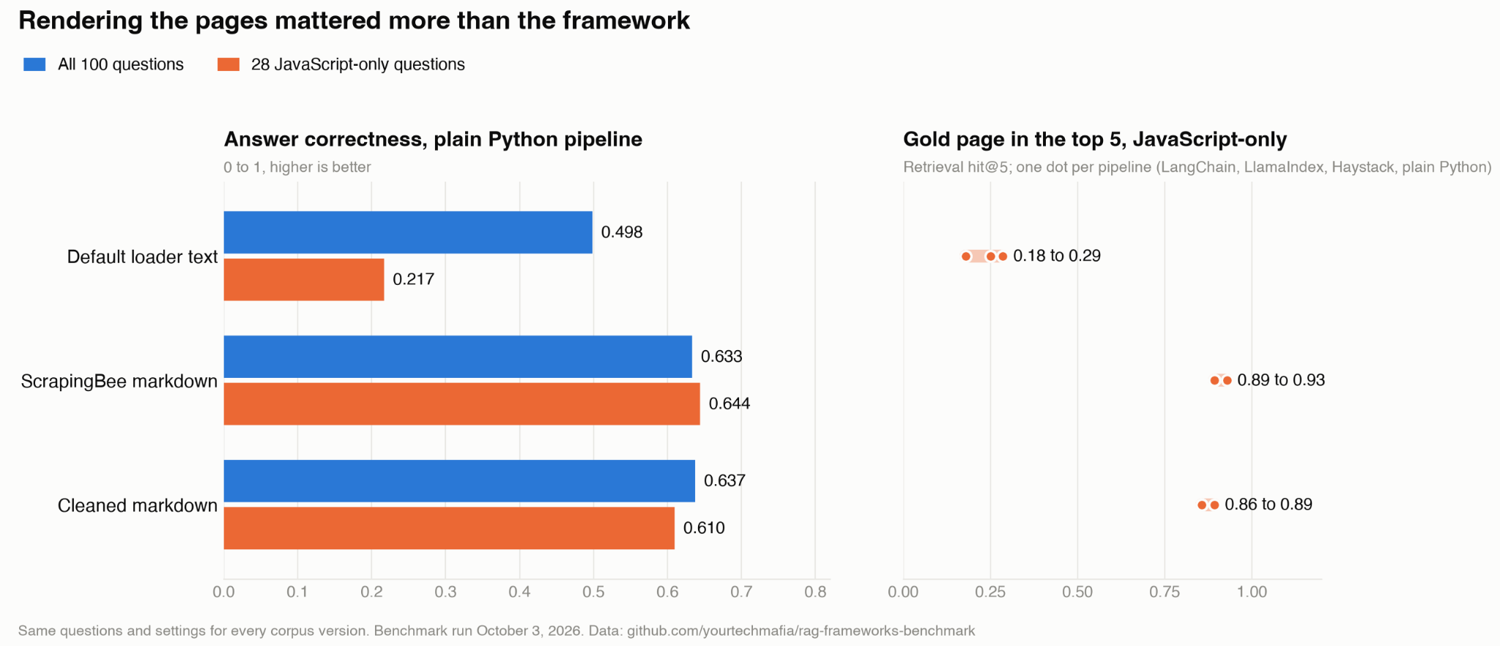
- Indexing rendered Markdown instead of default-loader text lifted answer correctness from 0.50 to 0.64, and from 0.22 to 0.61 on JavaScript-only pages.
- LangChain has been stable since 1.0 in October 2025, and it still has the widest integration ecosystem.
- None of the built-in web loaders I tested run JavaScript, so client-rendered pages came back empty or with only the page title.
- Anthropic's Python SDK 1.0 broke the LlamaIndex, Haystack and LightRAG integrations; LlamaIndex failed silently, returning "Empty Response".
What is a RAG framework?
A RAG framework is a library that handles the steps of retrieval-augmented generation. It loads documents from files, databases or web pages, splits them into chunks, turns the chunks into embeddings and stores them in a vector index.
Then, at question time, it retrieves the most relevant chunks and passes them to a language model with the question. Most frameworks also add agents, evaluation and tracing.
To clear up where people mix things up: a RAG framework isn't a vector database (Qdrant, Milvus and Weaviate store vectors; frameworks call them), an evaluation tool (Ragas and DeepEval score pipelines; they don't build them) or a hosted RAG service you rent from a cloud provider.
Do you need a RAG framework at all?
For a small app with one data source and a fixed flow, plain Python with an embeddings model and a vector database client is often easier to read, debug and keep running.
But the moment you need a second data source, a reranker, hybrid search, an agent that decides when to retrieve, production tracing, or an evaluation loop, each of those becomes a library call in a framework and a project in plain Python.
In my experience, a framework earns its place when you need many integrations, agents, evaluation or tracing without building them yourself.
The top 11 RAG frameworks and how we benchmarked
Most of these are open-source RAG frameworks you install as a library, and a few run as servers.
Here are the top 11 RAG tools at a glance before we dive into each:
| Framework | Best for | Language | License | Runs as | Benchmarked |
|---|---|---|---|---|---|
| LangChain and LangGraph | Agentic RAG and apps that need the widest set of integrations | Python, JS/TS | MIT | Library | Yes |
| LlamaIndex | Document-heavy apps where most of the work is loading, parsing and indexing | Python, TS | MIT (core) | Library | Yes |
| Haystack | Explicit, typed production pipelines that are easy to test and trace | Python | Apache 2.0 | Library | Yes |
| DSPy | Teams that want to tune a RAG program against a metric instead of hand-editing prompts | Python | MIT | Library | Yes |
| RAGFlow | A self-hosted RAG engine with a web UI, especially for messy documents such as scanned PDFs and tables | Python, Go | Apache 2.0 | Server | No |
| LightRAG | Graph-based RAG at a much lower cost than full GraphRAG, with incremental updates | Python | MIT | Both | Yes (graph subset) |
| Microsoft GraphRAG | Broad questions across a whole corpus, such as themes or trends, where plain vector search struggles | Python | MIT | Library | Yes (graph subset) |
| Cognee | Graph-based long-term memory for agents | Python | Apache 2.0 (core) | Library | No |
| txtai | A lightweight, all-in-one Python package | Python | Apache 2.0 | Both | No |
| Mastra and the Vercel AI SDK | TypeScript teams building RAG or agents | TypeScript | Apache 2.0 (Mastra ee/ excepted) | Library | No |
| Microsoft Agent Framework | .NET and Azure teams building agents with retrieval | .NET, Python | MIT | Library | No |
The "Benchmarked" column is where we did some work. I ran them head-to-head against plain Python on the same pages, questions and model, so their numbers compare directly. LightRAG and Microsoft GraphRAG ran a separate graph test on a 100-page subset, each against plain Python on that same subset.
How we benchmarked six RAG frameworks
I built the same retrieve-and-answer pipeline in LangChain, LlamaIndex, Haystack, and DSPy, plus a plain Python baseline, keeping everything else identical (same pages, questions, model, and vector store). Everything here is in the benchmark repo so that you can rerun it.
The web corpus
The corpus is 310 pages from four public documentation sites, crawled once with ScrapingBee on October 3, 2026 and then frozen:
| Site | Built with | Rendered | Pages | Text a default loader gets (median, whitespace collapsed) |
|---|---|---|---|---|
| uv docs | MkDocs Material | At build time | 84 | 5,392 characters |
| pnpm docs (English, current version) | Docusaurus | At build time | 165 | 2,521 characters |
| go-echarts docs | Docsify | In the browser | 39 | 22 characters |
| docsify.js.org | Docsify | In the browser | 22 | 7 characters |
I planned for two or three sites and ended up with four, because finding JavaScript-only docs in 2026 took longer than expected. Most modern docs generators (MkDocs, Docusaurus, VitePress, Starlight) pre-render HTML at build time, so a plain HTTP request gets the text. The two Docsify sites are the JavaScript-only slice: 61 pages, about a fifth of the corpus.
Each page is stored three ways: the raw HTML from a plain GET, ScrapingBee's markdown as returned, and that markdown with navigation and footers stripped by a short cleaner script.
Every file keeps its source URL, fetch time and SHA-256 hash in the manifest. The 310 pages cost 554 credits (3 more went to redirect URLs I dropped). If you need the general technique, here's how to scrape all the text from a website for LLM use.
The questions
The question set has 100 questions, each with a reference answer and the URL of the page (or pages) that contains it:
- I wrote 57 questions by hand, after reading the frozen pages. I wrote the reference answers from the corpus, not from memory, because several of the newest pnpm 12 features postdate Haiku 4.5's training data.
- Ragas 0.4.3 generated 60 candidates, and I kept 43. I rejected 17: duplicates of my own questions, "multi-hop" questions that glued unrelated pages together, and one I couldn't parse. The review log lists each rejection.
- Tags: 86 single-hop, 14 multi-hop, and 28 JavaScript-only, meaning every page that holds the answer renders in the browser.
Writing more than half the set by hand mattered more than I expected. Ragas drew 33 of its 43 keepers from the uv docs and only three from the JavaScript-only pages, so 25 of the 28 JavaScript-only questions are mine.
The same settings for every RAG framework
Every pipeline used these settings:
- Large language model (LLM): Claude Haiku 4.5 at temperature 0, 512 max output tokens, one prompt template.
- Embeddings: BAAI/bge-small-en-v1.5, run locally, with BGE's query prefix.
- Vector store: Qdrant 1.19.1 in Docker, cosine distance.
- Chunking: 800 characters with 100 characters of overlap, top-k 5.
- Runs: 3 per question, scheduled round-robin across frameworks so API latency drift hits everyone equally.
LightRAG and Microsoft GraphRAG build their own graph indexes, so they ran separately on a 100-page subset with 40 questions, using their own retrieval defaults (LightRAG's mix mode, GraphRAG's local search). Their numbers are in their entries below.
What we measured
For each framework, I measured:
- Code: Lines of code for ingestion and querying, counted with pygount (same rules as cloc). The shared runner script (settings, prompt, timing) is excluded from every count.
- Footprint: Package count and size of a fresh virtual environment built from the lockfile.
- Speed: Cold start (imports plus model load), time to first answer, and p50 and p95 latency over 300 queries.
- Cost: Tokens per query and dollars per 100 questions, from a logging proxy that recorded every API call.
- Quality: Ragas faithfulness, context precision, context recall and answer correctness, judged by Haiku 4.5 on run 1, plus retrieval hit rate and mean reciprocal rank (MRR) against the gold URLs.
Every number comes from a script in the repo, and every API call went through a logging proxy, so the costs are measured, not estimated.
The ingestion test
LangChain, LlamaIndex, Haystack and the baseline each indexed the corpus three times: from the text a default web loader extracts, from ScrapingBee's markdown as returned and from the cleaned markdown.
The default-loader version is the text LangChain's WebBaseLoader returns (BeautifulSoup's get_text() on the frozen HTML), fed to all four pipelines, so within each test the only variable is what went into the index.
Versions, date and the repo
I ran everything on October 3, 2026, on Python 3.12.15 and an Apple Silicon Mac.
Each pipeline has its own uv.lock:
| Pipeline | Key packages |
|---|---|
| Plain Python | anthropic 1.11.0, qdrant-client 1.19.1, sentence-transformers 6.1.0 |
| LangChain | langchain 1.4.3, langchain-core 1.6.6, langchain-anthropic 1.7.5, langchain-qdrant 1.1.0, langchain-huggingface 1.2.2, langchain-text-splitters 1.1.2 |
| LlamaIndex | llama-index-core 0.14.25, llama-index-llms-anthropic 0.12.2, llama-index-embeddings-huggingface 0.8.0, llama-index-vector-stores-qdrant 0.10.3, anthropic 0.125.0 |
| Haystack | haystack-ai 3.2.0 (rerun on 3.3.0), anthropic-haystack 6.2.0 (6.3.0), qdrant-haystack 11.0.0, sentence-transformers-haystack 0.1.2 (0.2.0), anthropic 0.125.0 |
| DSPy | dspy 3.4.0, litellm 1.103.2, qdrant-client 1.19.1 |
| LightRAG | lightrag-hku 1.5.7, anthropic 0.125.0 |
| Microsoft GraphRAG | graphrag 3.2.0, litellm 1.100.1 |
| Evaluation | ragas 0.4.3 (with langchain-community 0.3.31) |
The repo has the corpus manifest, the question set, every pipeline, the raw answers for all runs, the Ragas scores per question, and a spend ledger with every API call. The whole benchmark, including test-set generation, judging and both graph pipelines, cost about $55 in Anthropic API calls, plus 554 ScrapingBee credits for the crawl.
RAG framework benchmark results
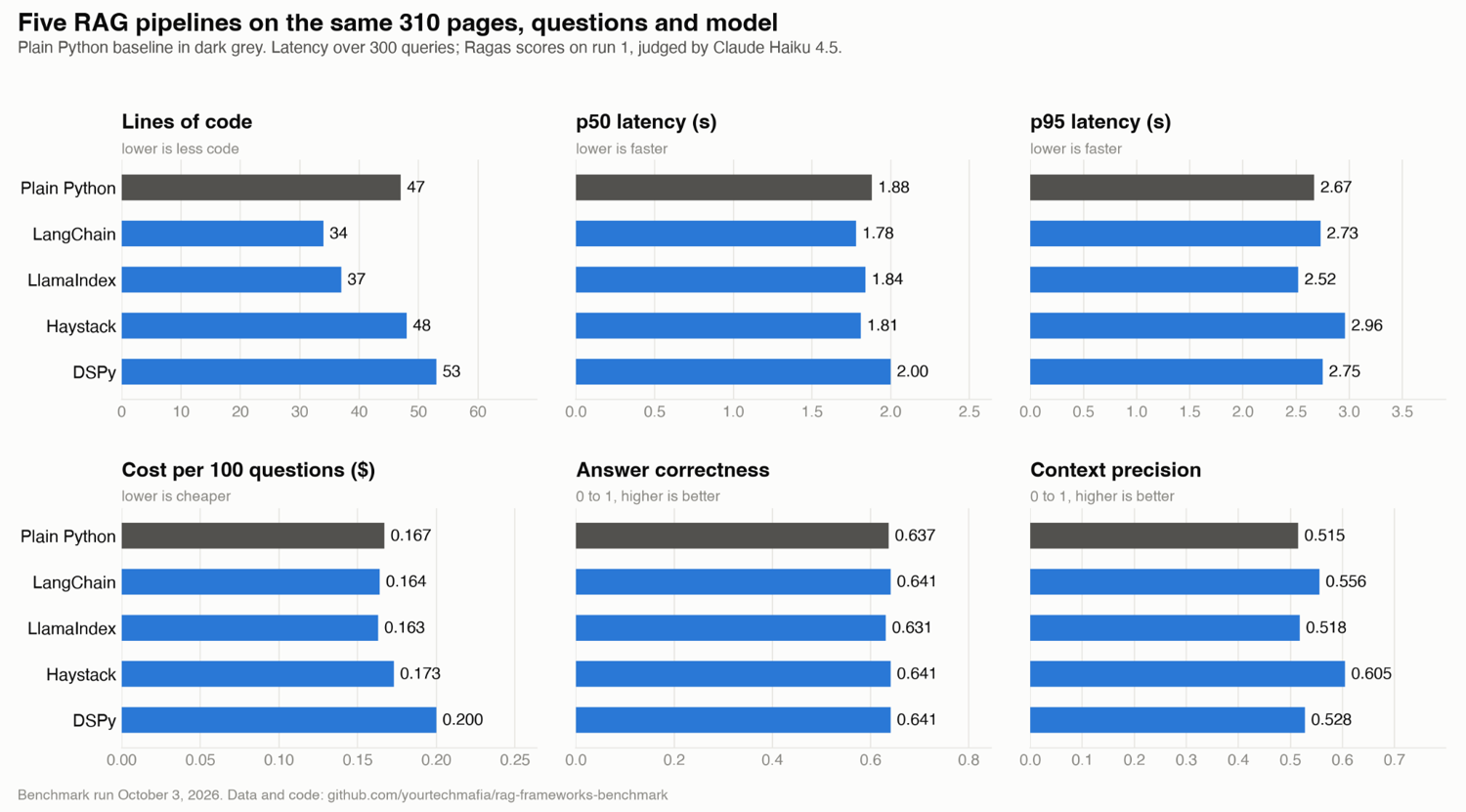
Here's the short version: on the same pages, questions and model, the five pipelines gave statistically indistinguishable answers, ran within a fraction of a second of each other, and, DSPy aside, cost the same per query.
The input moved the scores. One corpus, one model and English docs only, so treat this as a strong signal for retrieve-and-answer apps, not a verdict on agents or tracing.
How the five RAG pipelines compared
All five ran on the cleaned corpus. Here's how they compared on code, speed, cost and quality:
Three things stand out:
- Answer quality is a tie: A paired bootstrap against plain Python found no real difference in answer correctness for any framework (0.631 to 0.641).
- The model is the latency: The work outside the model call (embedding the question, searching Qdrant and the framework's own code) took 63 to 67 ms at the median in every pipeline. About 97% of each query was the model.
- Haystack and DSPy stood out: Haystack's context precision was 0.09 higher than plain Python's, possibly because its splitter falls back to sentence boundaries (LlamaIndex's splitter is sentence-aware too and scored lowest, so that's a partial explanation at best), though across 16 comparisons, one fluke is what chance alone would produce. DSPy costs about 20% more per query, because its prompt format adds about 300 input tokens to every call.
None of this crowns a quality winner. On a retrieve-and-answer job, the framework decides how much code you write and what breaks when a dependency moves; the model decides the answer.
How much ingestion changed the answers
The ingestion test is where the input made the difference the framework didn't:
- Rendering is the step that matters. Cleaned markdown beat default-loader text by 0.14 in answer correctness (95% confidence interval +0.09 to +0.19). On the JavaScript-only questions, all 28 default-corpus answers were some version of "I don't know".
- Server-rendered pages did nearly as well either way (0.608 against 0.648), because their text is already in the HTML.
- Cleaning bought a smaller index, not better answers. Stripping navigation and footers cut the chunk count by 22 to 24% while answer correctness held (0.633 against 0.637).
So if your sources include JavaScript-rendered pages, the rendering step is worth more than any framework switch, and the cleanup step pays for itself in a smaller, cheaper index.
Where plain Python matched the RAG frameworks
On this benchmark, the 47-line plain Python pipeline (sentence-transformers, qdrant-client and the Anthropic SDK) matched every framework on answer correctness and latency, with the smallest install: 60 packages against 85 to 110. It took 13 more lines than LangChain, which is the price of writing your own splitter.
It also had the fewest moving parts to break. When Anthropic's Python SDK 1.0 removed the temperature argument, the plain pipeline needed one line (extra_body), while LlamaIndex, Haystack and LightRAG each needed the SDK pinned below 1.0 until their integrations catch up.
A deep-dive into the 11 RAG frameworks
Each entry below follows the same order: who it's for, its language and license, its GitHub star count (checked on October 3, 2026), what it is, what it does well for RAG, how it loads web pages, what to watch out for and, for the frameworks I benchmarked, how it did.
The first four ran the full benchmark; LightRAG and GraphRAG ran the graph test.
1. LangChain and LangGraph
- Best for: Agentic RAG and apps that need the widest set of integrations
- Language and license: Python and JavaScript/TypeScript, MIT
- Stars: 147K+
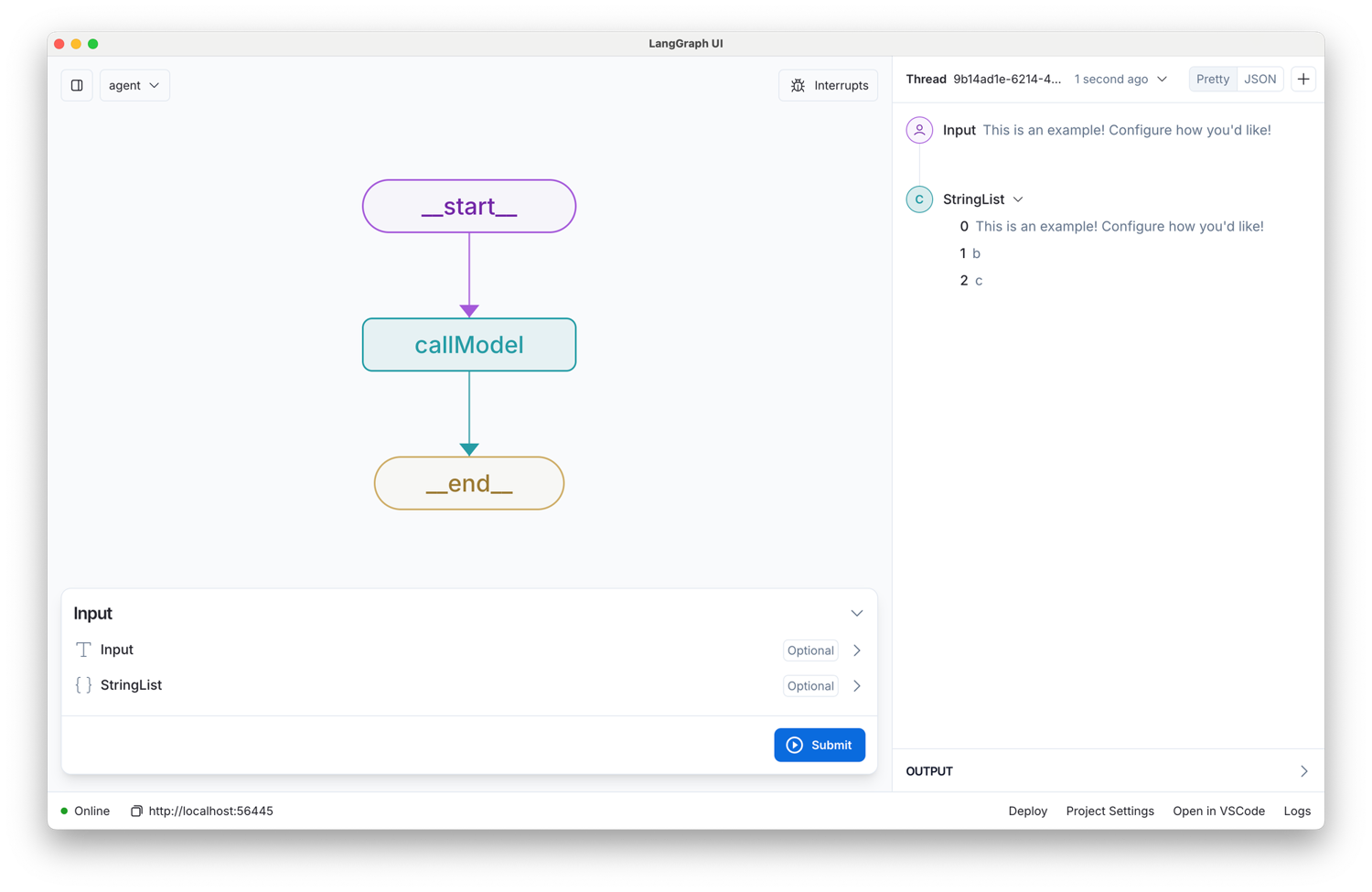
LangChain is the integration hub of the Python and JavaScript AI world, and LangGraph is the runtime its agents now run on, which makes it the default agentic RAG framework.
What it does well for RAG
LangChain's strength is breadth. Whatever vector store, model or loader you need, someone has already wrapped it. Version 1.0 moved the old chains, agents, memory and retrievers into langchain-classic.
The new core is create_agent plus middleware (human approval, summarization, redaction of personally identifiable information) running on LangGraph.
LangSmith, the paid hosted product, adds tracing and evaluation.
How it loads web pages
LangChain's built-in loaders (WebBaseLoader, RecursiveUrlLoader and SitemapLoader) fetch raw HTML without running JavaScript, while its Playwright and Selenium loaders drive a browser you install.
ScrapingBee's langchain-scrapingbee package exposes its APIs as agent tools.
Watch out for
The first thing to watch out for with LangChain is old tutorials: code from 2023 and 2024 breaks on 1.x imports, and most of the internet's LangChain answers come from those years.
CVE-2025-68664 hit serialization in langchain-core; make sure you're on 0.3.81, 1.2.5 or later.
Benchmark result: 34 lines, the fewest of the five. Answer correctness is 0.641 and p50 latency is 1.78 s, both inside the tie band. langchain-anthropic 1.7.5 worked with the current Anthropic SDK without changes.
2. LlamaIndex
- Best for: Document-heavy apps where most of the work is loading, parsing and indexing
- Language and license: Python and TypeScript, MIT (core)
- Stars: 52K+
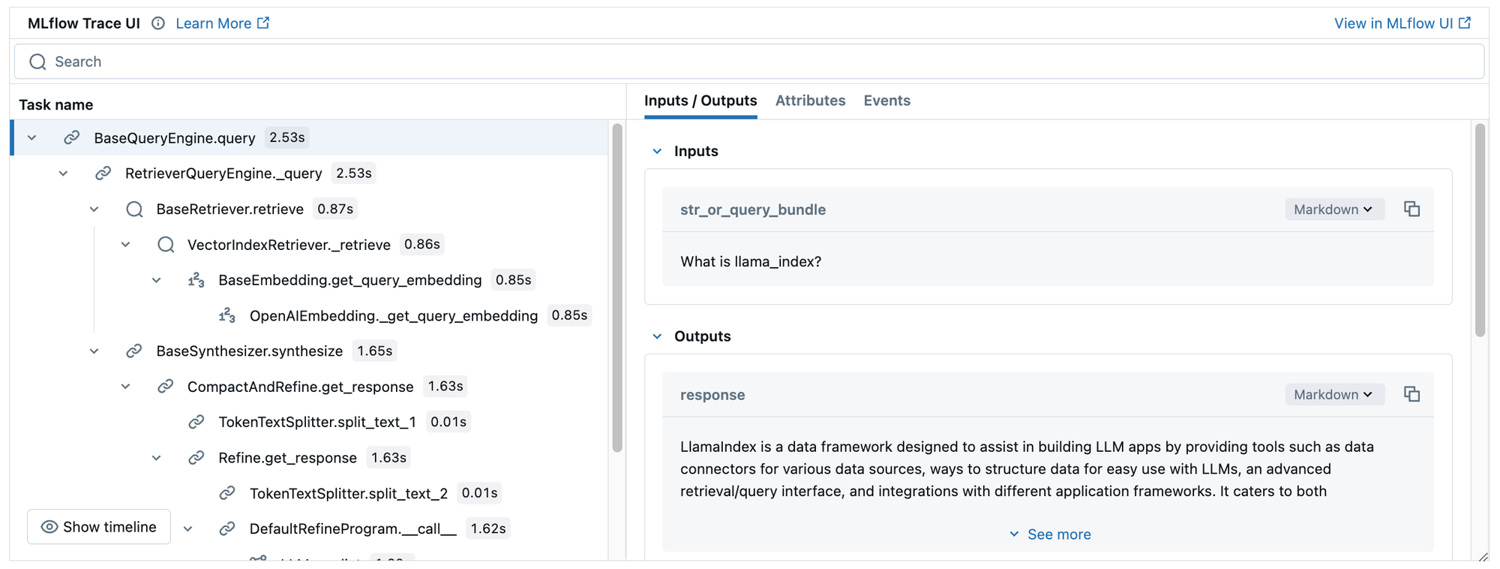
LlamaIndex is the framework that cares most about what happens before retrieval: loading, parsing, chunking and indexing.
What it does well for RAG
LlamaIndex provides the shortest path from documents to a query engine, with node parsers, many index types and Workflows for multi-step logic. The company now puts most of its effort into LlamaParse, its hosted parser for hard documents: 10,000 free credits a month, then $1.25 per 1,000 (pricing).
How it loads web pages
LlamaIndex's SimpleWebPageReader (requests plus html2text) and TrafilaturaWebReader don't run JavaScript, while WholeSiteReader drives Selenium. llama-index-readers-web has readers for several scraping services.
Watch out for
LlamaIndex has two catches. The first is licensing: llama-index-readers-web is GPL-3.0-or-later, which matters for commercial projects.
The second showed up in my run: llama-index-llms-anthropic 0.12.2 broke against Anthropic's Python SDK 1.x. The SDK rejected the temperature argument, and the query engine caught the error and returned the string "Empty Response" instead of raising.
Pin anthropic<1 until the integration catches up, and check for that string in your tests.
Benchmark result: It has the best p95 latency (2.52 s) and MRR (0.77), with answer correctness at 0.631, a statistical tie. It was also the heaviest: 110 packages and a 2.2-second framework import.
3. Haystack
- Best for: Explicit, typed production pipelines that are easy to test and trace
- Language and license: Python, Apache 2.0, maintained by Deepset (which also sells a managed platform)
- Stars: 26K+
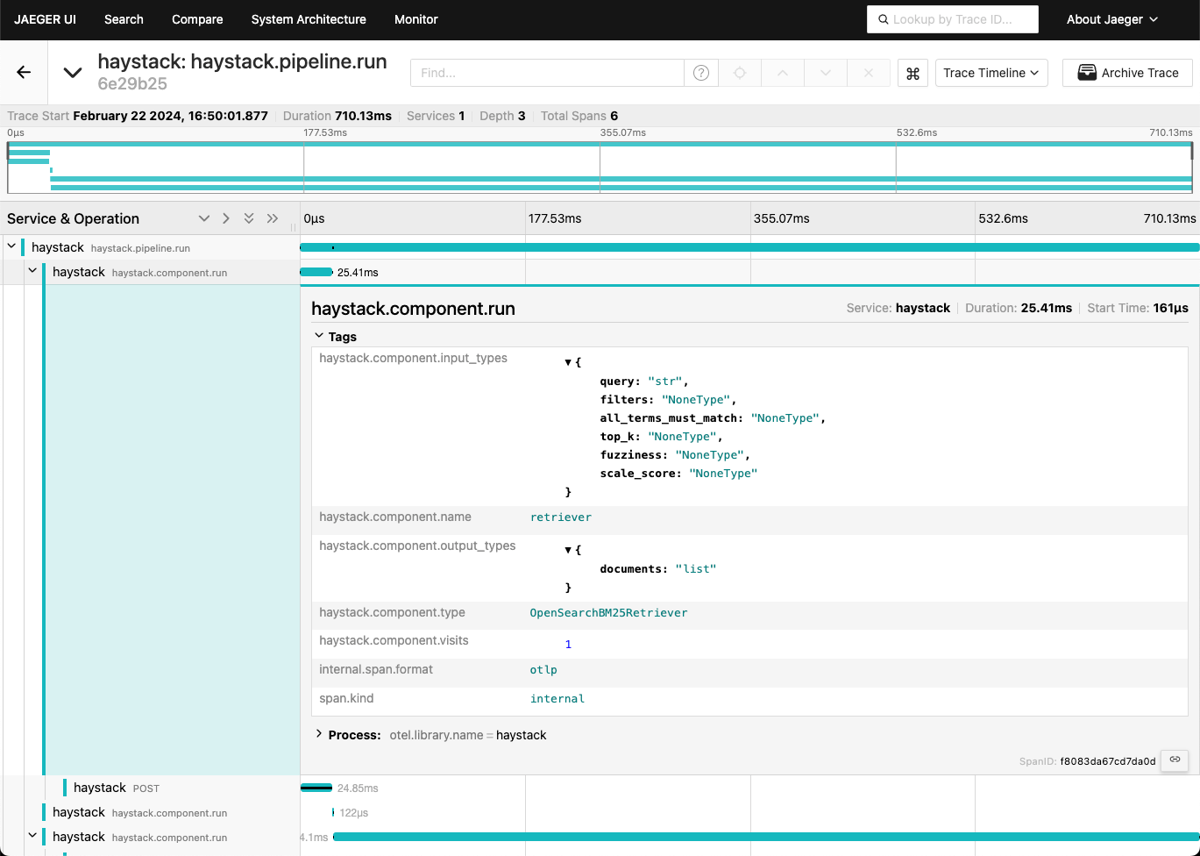
Haystack builds RAG from explicit, typed components you wire into pipelines, making it the easiest of the big three to test and reason about.
What it does well for RAG
In Haystack, pipelines are graphs of components with declared inputs and outputs, so a wrong connection fails when you build the pipeline, not in production. Hybrid retrieval, evaluators and OpenTelemetry tracing are built in.
How it loads web pages
Haystack loads web pages with LinkContentFetcher plus HTMLToDocument, over plain HTTP and without running JavaScript. On the Docsify page, the pair produced a document with no content.
Watch out for
Haystack 3.x breaks 2.x code. AsyncPipeline is gone (async lives in Pipeline), auto-generated document IDs changed (re-ingest), and tracing is off until you switch it on.
My install turned up three more catches. The Sentence Transformers embedders moved out of core into sentence-transformers-haystack, and RecursiveDocumentSplitter needs nltk, which you install yourself.
anthropic-haystack 6.2.0 and the current 6.3.0 hit the same Anthropic SDK 1.x error as LlamaIndex, but they raised it loudly, which is the behavior you want.
Benchmark result: 48 lines, and the only quality difference that survived the significance test is context precision (0.605 vs. 0.515 for plain Python), which may come from its sentence-aware splitter, though LlamaIndex's is sentence-aware too and scored lowest. Answer correctness is 0.641; p95 is 2.96 s. A rerun on 3.3.0 matched (0.634 correctness, 0.596 precision).
4. DSPy
- Best for: Teams that want to tune a RAG program against a metric instead of hand-editing prompts
- Language and license: Python, MIT, from Stanford NLP
- Stars: 38K+
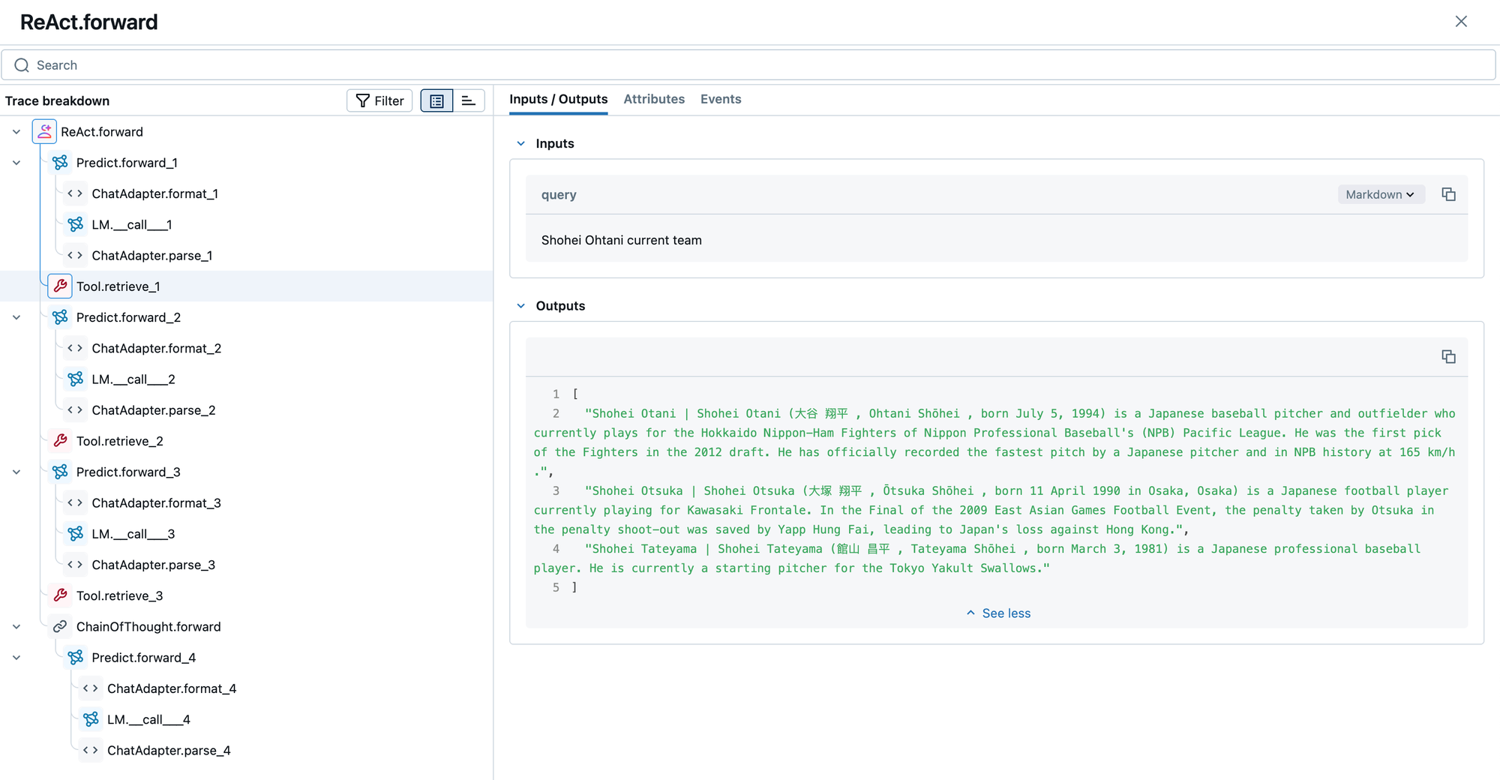
DSPy treats a RAG pipeline as a program whose prompts are optimized against a metric, rather than prompts you edit by hand.
What it does well for RAG
With DSPy, you write modules with typed signatures (context, question -> answer), and optimizers such as GEPA, MIPROv2 and SIMBA rewrite the prompts against a metric you define.
DSPy vs LangChain fits in two sentences: LangChain gives you building blocks and integrations, and DSPy tunes the program you build from them.
How it loads web pages
DSPy has no loaders, no splitters and no vector store clients; it ships a small in-memory Embeddings retriever and expects you to bring the rest. In the benchmark, DSPy got the same splitter and Qdrant setup as the baseline.
Watch out for
In DSPy 3.4.0, import dspy installs a lazy-import proxy for numpy, and importing qdrant_client after it crashed inside numpy with "data type 'bool' not understood". Importing numpy before dspy fixed it.
A similar report for onnxruntime is open as stanfordnlp/dspy#10220. Alphabetical import sorting puts dspy first, so expect to meet this.
Benchmark result: 53 lines, because I wrote the splitter and the Qdrant calls myself. About 300 more input tokens per query than the others (20% higher cost) and a 4.4-second first answer in a fresh process. Answer correctness is 0.641, a tie. I ran no optimizer, so this is DSPy without the feature it exists for.
5. RAGFlow
- Best for: A self-hosted RAG engine with a web UI, especially for messy documents such as scanned PDFs and tables
- Language and license: Python (and now Go), Apache 2.0, from InfiniFlow. Runs with Docker
- Stars: 91K+
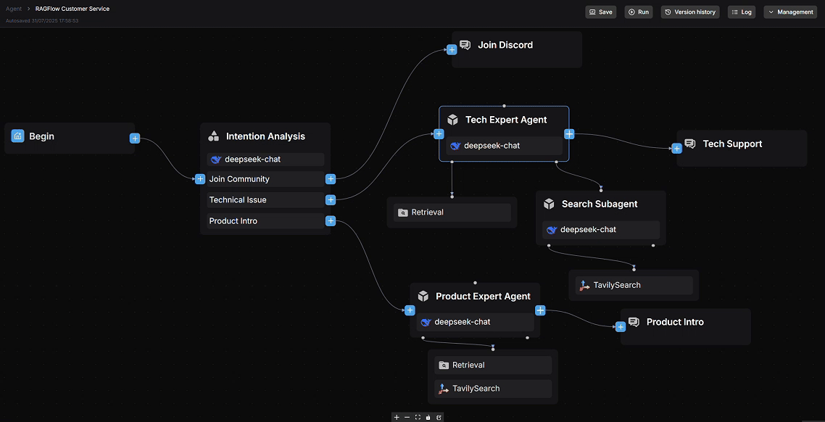
RAGFlow is a self-hosted RAG engine you run as a server with a web UI, not a library you import.
What it does well for RAG
RAGFlow's standout is DeepDoc, its layout-aware parser, which reads tables and scanned pages that text-only loaders miss. Around it, you get agents, data connectors, an HTTP API and a Model Context Protocol (MCP) server, all behind one UI that non-developers can use.
RAGFlow accepts web pages as a document type and recently added website ingestion through sitemaps. Its README doesn't say it runs JavaScript, so for client-rendered docs, render the pages first and upload the Markdown.
Watch out for
RAGFlow ships breaking changes often, and its release notes document them. Agents built before v0.20.0 have to be rebuilt, and from v0.22.0 the Docker images no longer bundle embedding models.
The bigger change is still a release candidate. v0.27.2 (September 10, 2026) is the current stable line, while v1.0.0-rc1 (September 29, 2026) rewrites the server in Go and swaps Redis for NATS, and upgrading to it migrates your data in a way you can't roll back.
I'd wait for 1.0 to leave the release candidate before betting a production deployment on it.
6. LightRAG
- Best for: Graph-based RAG at a much lower cost than full GraphRAG, with incremental updates
- Language and license: Python, MIT, from the HKU Data Intelligence Lab
- Stars: 39K+
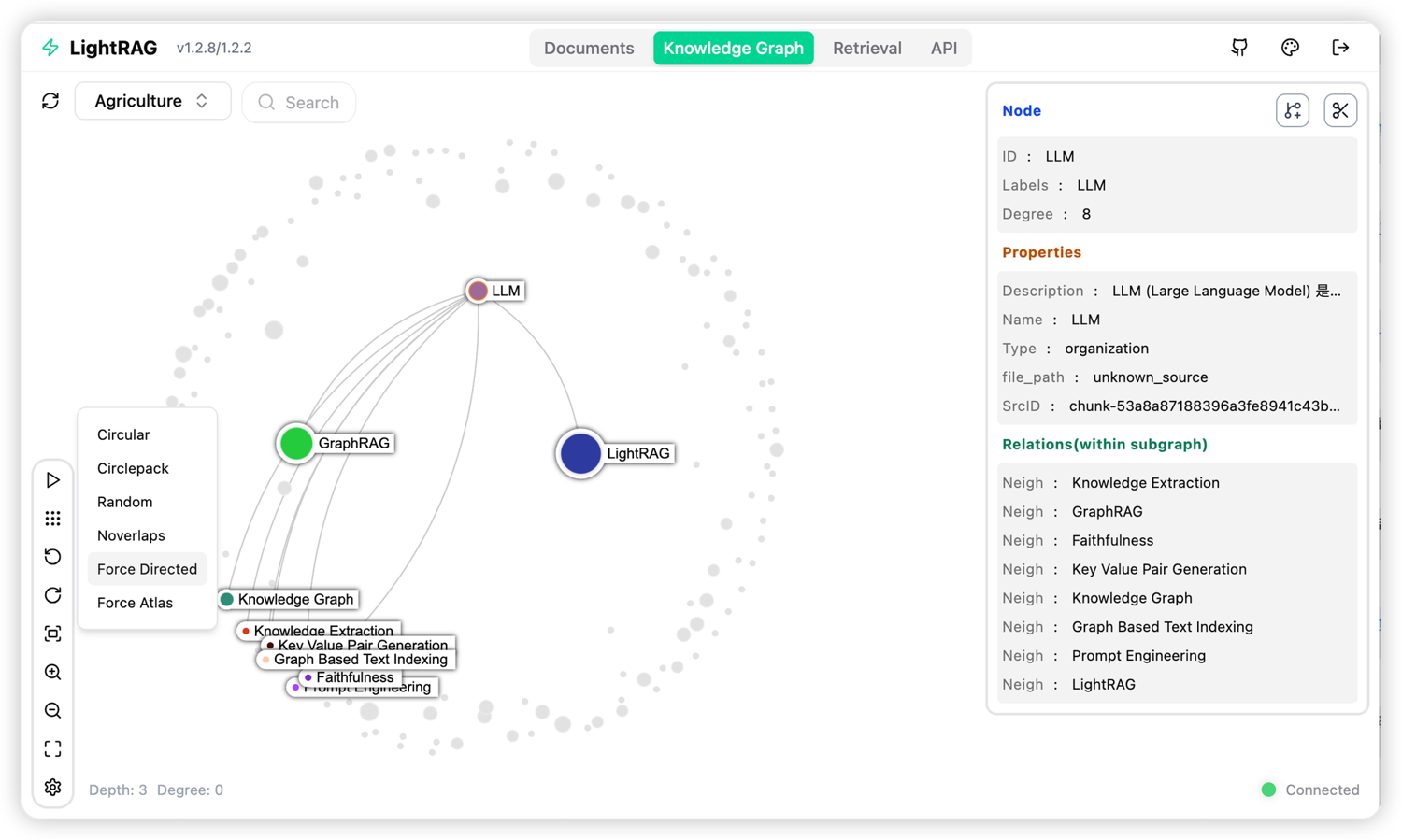
LightRAG builds a knowledge graph and a vector index side by side, at a fraction of the cost of building Microsoft GraphRAG. Its paper appeared in Findings of EMNLP 2025.
What it does well for RAG
LightRAG extracts entities and relations from each chunk, merges them into a graph, and at query time mixes graph context with vector chunks. You can add documents without rebuilding the whole index, and lightrag-server ships a web UI.
How it loads web pages
LightRAG has no web loader; it ingests whatever text you hand it, so rendered markdown goes straight in.
Watch out for
LightRAG has a known, open issue with duplicate entities, where the same thing turns up under several names (#1323), and it's maintained by a university lab rather than a company.
Its Anthropic adapter also passes temperature straight to the SDK, so with Anthropic SDK 1.x every extraction failed until I pinned anthropic<1, and failed queries came back as empty answers rather than errors.
One more thing from my run is that LightRAG de-duplicates documents by the last segment of their path, so pnpm.io/python and uv's .../policies/python/ collided and it silently dropped one. Give each document a unique name.
Benchmark result (graph subset): On the 100-page subset, indexing cost $5.98, and each query read about 28,000 input tokens. Context recall was 0.973 against 0.716 for plain Python, but answer correctness was 0.672 against 0.709 (a tie), and p50 latency was 6.48 s.
On LightRAG vs GraphRAG, the same 100 pages cost $10.53 to index with GraphRAG, while LightRAG cost 57% as much, with slightly higher context recall (0.973 vs 0.939) and answer correctness close to GraphRAG's (0.672 vs 0.657).
7. Microsoft GraphRAG
- Best for: Broad questions across a whole corpus, such as themes or trends, where plain vector search struggles
- Language and license: Python, MIT
- Stars: 36K+
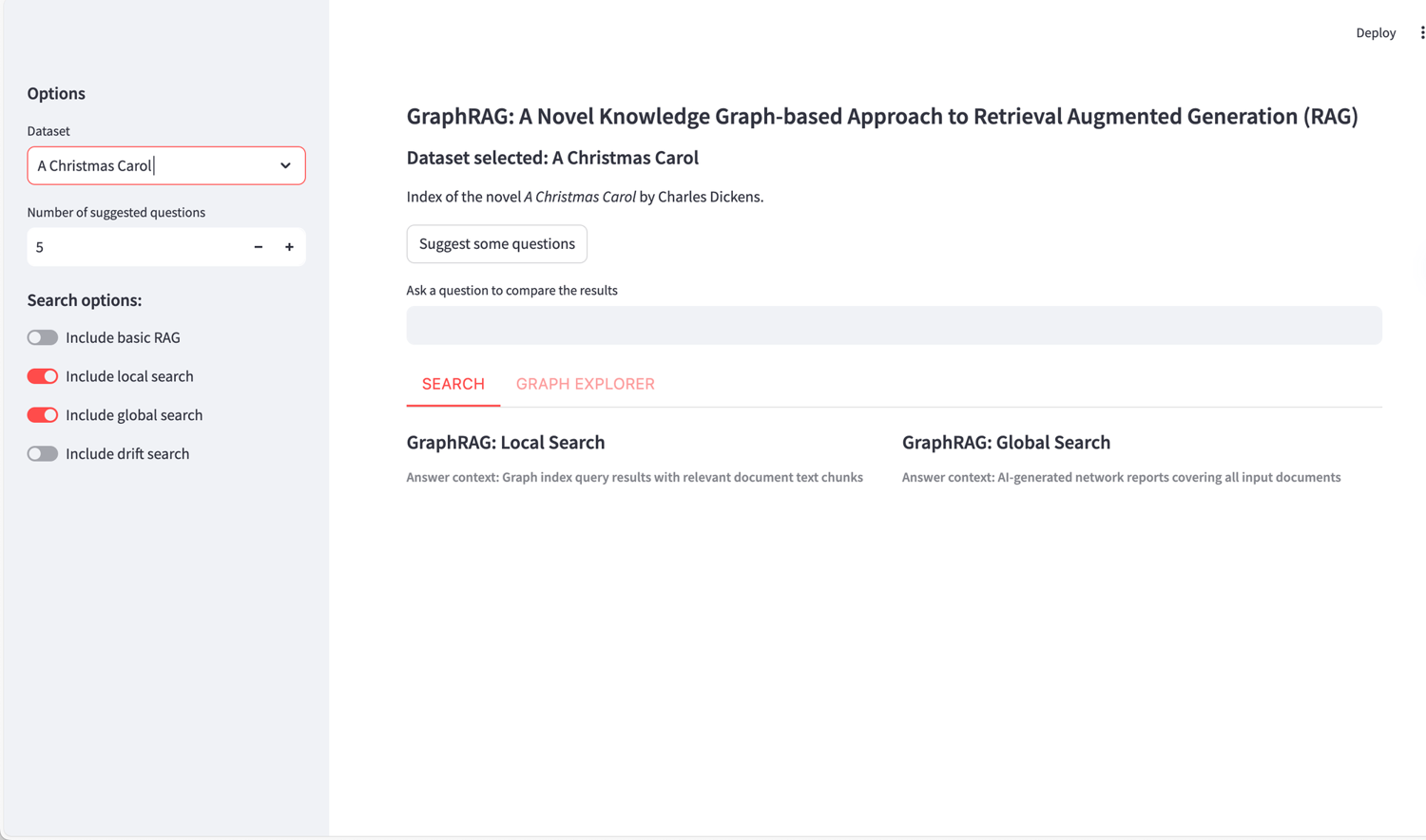
Microsoft GraphRAG builds a knowledge graph from your documents, summarizes the communities it finds in that graph, then answers corpus-wide questions from those summaries.
What it does well for RAG
GraphRAG's global search runs over community reports, so it can answer "what are the main themes" questions that top-k vector retrieval can't. Its local search covers specific questions, and that's the mode I benchmarked.
How it loads web pages
GraphRAG has no web loader; it reads files or a DataFrame you pass in, so feed it rendered markdown.
Watch out for
GraphRAG's README says the project "is largely in maintenance mode, and won't be accepting new PRs or implementing new features", so treat it as a reference implementation. The current release, 3.3.0 (October 8, 2026), still needs Python below 3.14.
Its defaults assume OpenAI. I had to change the vector size from 3,072 to 384 to use a local embedding model, and its default entity types (organization, person, geo, event) suit news more than software docs.
Indexing is also the expensive part: Microsoft's own LazyGraphRAG research reported indexing costs at 0.1% of full GraphRAG.
Benchmark result (graph subset): On the same subset, indexing cost $10.53 (1,715 LLM calls) and p50 latency was 5.80 s. Context recall was 0.939 and answer correctness 0.657, slightly below plain Python's 0.709.
8. Cognee
- Best for: Graph-based long-term memory for agents
- Language and license: Python. The core is Apache 2.0
- Stars: 31K+
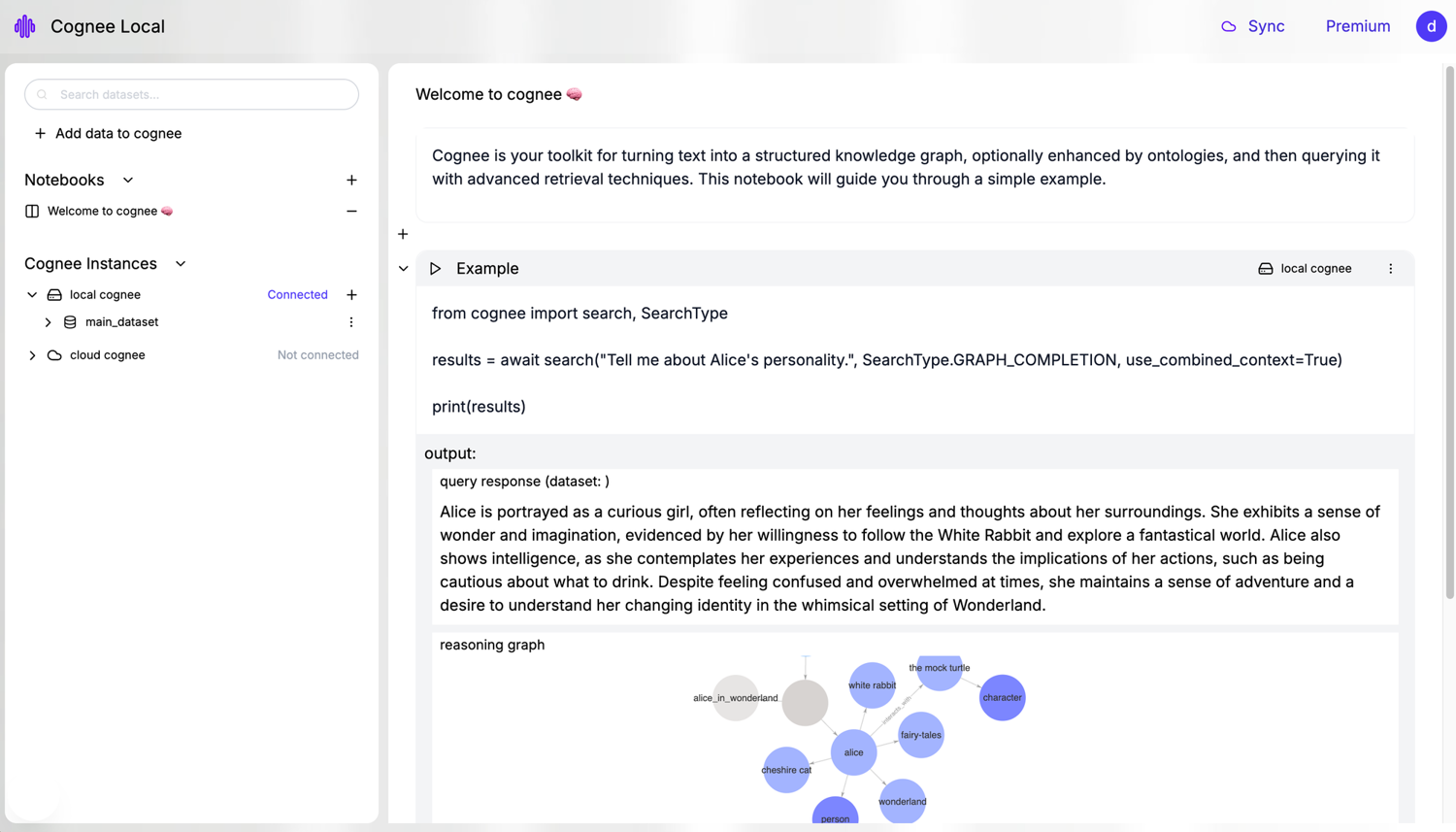
Cognee turns documents and conversations into a knowledge graph that agents query as long-term memory.
What it does well for RAG
Cognee extracts entities and relationships as it stores content and lets agents recall them across sessions. Its API now reads like memory rather than retrieval (remember, recall, improve, forget), which tells you who it's built for.
How it loads web pages
Cognee's core has no web loader. Source connectors live in a separate integrations repo, so the dependable route is to feed it rendered markdown.
Watch out for
Cognee's README says plainly that Postgres as a graph store "is currently released as a demo feature. The production-ready version is available as a licensed product." If your production plan is "everything in one Postgres", budget for that license.
9. txtai
- Best for: A lightweight, all-in-one Python package
- Language and license: Python, Apache 2.0, from NeuML
- Stars: 12K+
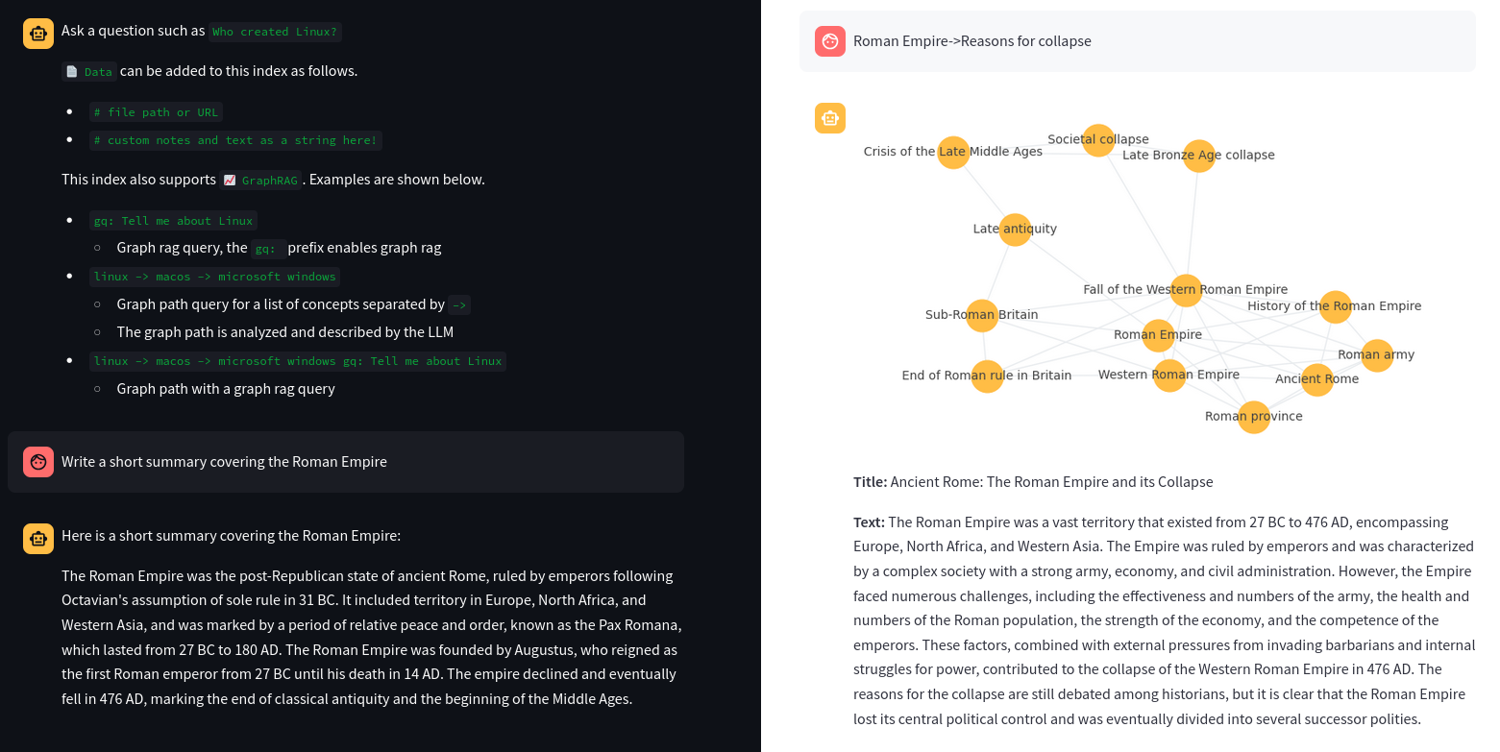
txtai is a single Python package that bundles an embeddings database with RAG, agent and workflow pipelines.
What it does well for RAG
A single txtai install gives you dense and sparse vector indexes, a graph, SQL over your embeddings and a RAG pipeline, with web and MCP APIs on top. For a small team that wants one dependency instead of five, that's the pitch, and it holds.
How it loads web pages
txtai's Textractor pipeline converts HTML to markdown with static parsing (Apache Tika handles other file types). No browser is in the loop, so JavaScript-rendered pages need to be rendered first.
Watch out for
txtai's ecosystem is much smaller than the top three's. When you hit an edge case, you're more likely to read the source than find a Stack Overflow answer.
10. Mastra and the Vercel AI SDK
- Best for: TypeScript teams building RAG or agents
- Language and license: TypeScript. Mastra is Apache 2.0, except code in ee/ directories, which is source-available under the Mastra Enterprise License: free for development, licensed for production. The AI SDK is Apache 2.0.
- Stars: Mastra 28K+, Vercel AI 27K+
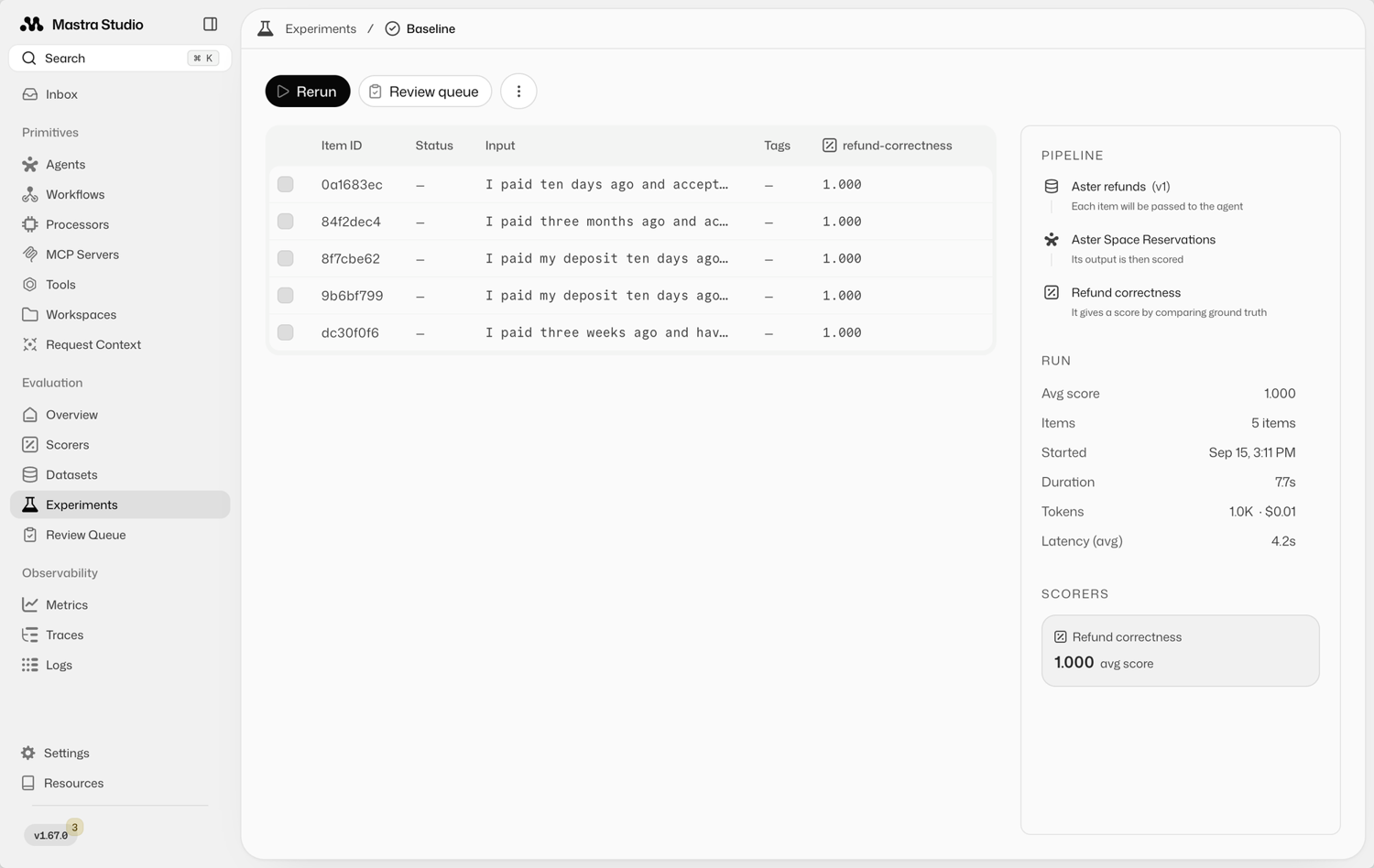
Mastra and the Vercel AI SDK are the two TypeScript options worth your time, and they sit at different heights.
What they do well for RAG
Mastra ships agents, workflows and RAG ready to use: MDocument with recursive and sliding-window chunking, embedMany, and vector store adapters for pgvector, Pinecone, Qdrant, MongoDB and others.
The AI SDK is a model and provider layer with streaming UI helpers. It isn't a retrieval framework, so RAG is something you build on top of it.
How they load web pages
Neither Mastra nor the AI SDK renders JavaScript. Fetch rendered markdown and pass it in as text.
Watch out for
Mastra keeps its enterprise features (auth, the agent builder and the editor) in ee/ directories, so check which ones you use before you ship.
Which to pick: Mastra if you want RAG and agents ready to use, the AI SDK if you want thin building blocks and full control.
11. Microsoft Agent Framework
- Best for: .NET and Azure teams building agents with retrieval
- Language and license: .NET and Python, MIT. A Go SDK is in public preview, and its docs say RAG isn't available there yet
- Stars: 13K+
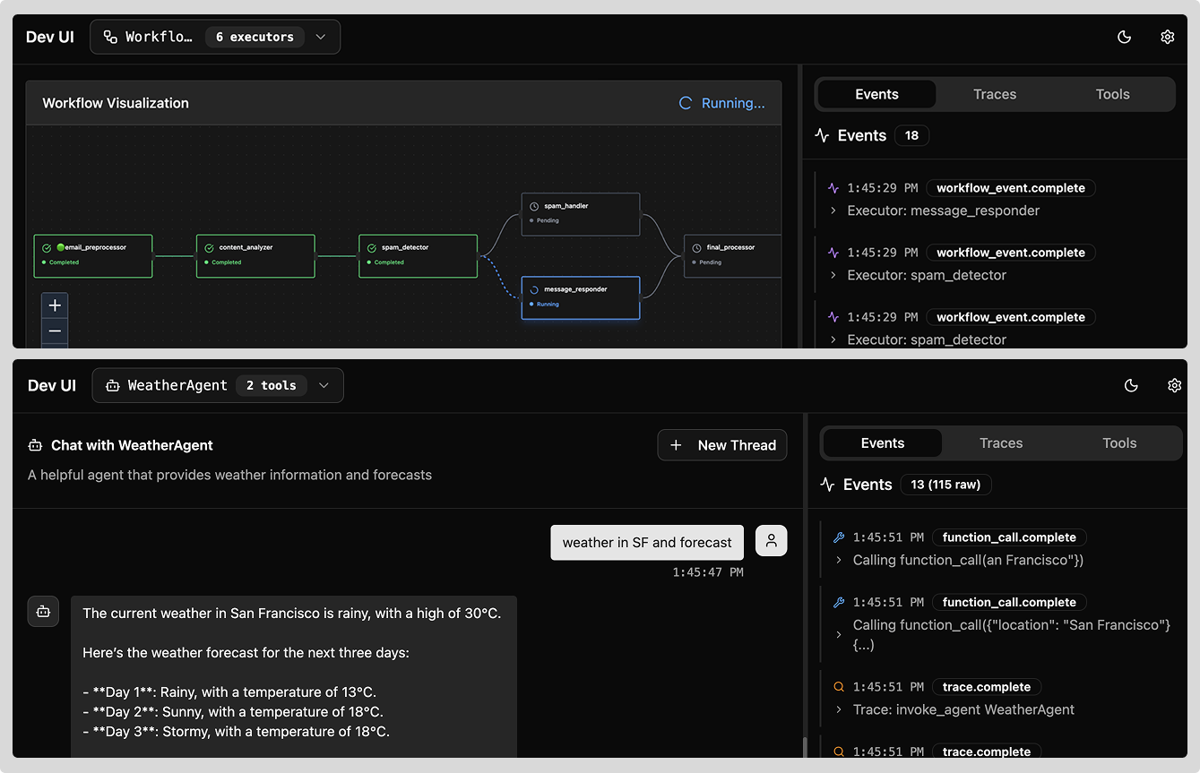
Microsoft Agent Framework is Microsoft's agent SDK for .NET and Python, and the direct successor to Semantic Kernel and AutoGen. Version 1.0 went GA in April 2026 (PyPI dates agent-framework 1.0.0 to April 2, 2026), and it's already on 1.21.0.
What it does well for RAG
Agent Framework brings in retrieval through context providers and connectors rather than a dedicated retrieval stack, alongside graph-based workflows, middleware, telemetry and MCP clients. If your company already runs on Azure, the integrations are the point.
How it loads web pages
Agent Framework doesn't load web pages itself. A tool or MCP server fetches them, and the framework orchestrates the agent.
Watch out for
If you're still on Semantic Kernel, plan the move to Agent Framework. Semantic Kernel gets critical fixes for at least a year after Agent Framework's GA, but new features only land in Agent Framework, so start new projects here.
How to choose the right RAG framework by what you're building
You need to pick a RAG framework based on what you're building. On a plain retrieve-and-answer job, the five pipelines in my benchmark landed within 0.01 of each other on answer correctness.
So, the deciding factor is everything around that job: the integrations, the agents, the document parsing and the language your team already writes. That's also the honest answer to LlamaIndex vs LangChain, or Haystack vs LangChain. All three tied on answer quality here, so choose on design.
Here's how I'd match each kind of project to a framework:
- An agent that calls tools and needs many integrations: LangChain with LangGraph.
- Lots of PDFs and documents to parse and index: LlamaIndex, with LlamaParse for the hard files.
- Explicit pipelines you want to test and trace: Haystack.
- Prompts you want to tune against a metric: DSPy on top of your retriever.
- A self-hosted app with a UI: RAGFlow.
- Questions across a whole corpus: LightRAG first, Microsoft GraphRAG if you need its global search.
- Memory for agents: Cognee.
- TypeScript: Mastra or the Vercel AI SDK.
- .NET or Azure: Microsoft Agent Framework.
- A small app with stable requirements: Plain Python.
If you're shopping for LangChain alternatives or LlamaIndex alternatives, match the replacement to the reason you're leaving. If LangChain's abstractions feel heavy for a simple flow, Haystack's explicit pipelines or plain Python will feel lighter.
If you're tired of hand-tuning prompts, DSPy changes the workflow, not the plumbing. And if LlamaIndex's ingestion is fine but agents are now the bottleneck, LangGraph is the natural next step.
How to load your web data into a RAG framework
Most built-in web loaders fetch raw HTML without running JavaScript, so pages that build their content in the browser come back empty or half-filled. Open-source crawlers such as Crawl4AI fix that by driving a browser you host.
Here, we'll use ScrapingBee. For reliable RAG over web pages, render the page, convert it to Markdown, strip navigation and footers, and keep the source URL with each chunk before you embed it.
I ran every loader in this table against two pages, a Docsify page that renders in the browser and a server-rendered pnpm page (raw output in the repo):
| Framework | Built-in web loader | Runs JavaScript | What came back from the JavaScript page |
|---|---|---|---|
| LangChain | WebBaseLoader | No | 7 characters: the word "docsify" from the <title> |
| LangChain | SitemapLoader | No | Not run separately: it subclasses WebBaseLoader and fetches the same way |
| LangChain | RecursiveUrlLoader | No | The empty app shell as raw HTML, plus a 404 page it reached by following ${url} out of a JavaScript template string |
| LangChain | AsyncChromiumLoader, PlaywrightURLLoader, SeleniumURLLoader | Yes (drives a browser you install) | Not run: needs a local browser |
| LlamaIndex | SimpleWebPageReader, TrafilaturaWebReader | No | 0 characters |
| LlamaIndex | WholeSiteReader | Yes (Selenium) | Not run: needs a local browser |
| Haystack | LinkContentFetcher + HTMLToDocument | No | A document with content=None |
| DSPy | None | n/a | n/a |
None of the loaders that ship with these frameworks got me the Docsify page, and the browser-driving ones mean running Chromium yourself. Plain HTTP has a second failure mode, too.
A few minutes after my test crawl (about 170 plain requests from one IP in an hour, so rate limiting I'd earned), pnpm.io started answering my plain requests with a "Vercel Security Checkpoint" page served as HTTP 200, and WebBaseLoader and SimpleWebPageReader loaded it as if it were documentation, with no error raised.
The five steps below get you rendered, clean Markdown with its source URL, whichever framework you picked.
1. Check whether your RAG framework's web loader runs JavaScript
Before you index a site, load one page with your framework's default loader and look at the length.
This is the check that produced the first row of the table (it needs pip install langchain-community beautifulsoup4, since LangChain 1.x no longer bundles the community loaders):
from langchain_community.document_loaders import WebBaseLoader

url = "https://docsify.js.org/#/quickstart"
doc = WebBaseLoader(url).load()[0]
text = doc.page_content.strip()
print(f"{len(text)} characters: {text[:80]!r}")
The page in a browser is a full quick-start guide.
Here's what the loader saw:
7 characters: 'docsify'
The loader ignores everything after #, so every page on a hash-routed site maps to the same URL, and that URL holds an empty shell that JavaScript fills in later. If the number you get is tiny, or the same for every page, you need rendering.
2. Render pages to markdown with the ScrapingBee HTML API
The ScrapingBee HTML API renders the page in a real browser and can return markdown instead of HTML. Authenticate with the Authorization: Bearer header (the api_key query parameter is deprecated), and read the credit cost from the Spb-cost response header.
That header carried the right value on every call I made. It's documented under Response Headers in the API docs, and your dashboard's usage page is the official running total:
import os
import requests
API = "https://app.scrapingbee.com/api/v1/"

def fetch_markdown(url, render_js=False, wait_for=None):
    params = {"url": url, "render_js": str(render_js).lower(), "return_page_markdown": "true"}
    if wait_for:
        params["wait_for"] = wait_for
    resp = requests.get(
        API,
        params=params,
        headers={"Authorization": f"Bearer {os.environ['SCRAPINGBEE_API_KEY']}"},
        timeout=150,
    )
    resp.raise_for_status()
    return resp.text, int(resp.headers.get("Spb-cost", 0))

if __name__ == "__main__":
    markdown, credits = fetch_markdown(
        "https://docsify.js.org/#/quickstart", render_js=True, wait_for=".markdown-section > *"
    )
    print(f"{credits} credits, {len(markdown)} characters")
    print(next(line for line in markdown.splitlines() if "docsify-cli" in line))
The same page that gave the loader 7 characters:
5 credits, 4633 characters
It is recommended to install `docsify-cli` globally, which helps initializing and previewing the website locally.
Only turn on render_js where you need it. On the server-rendered pnpm docs, render_js=false returned the clean article for 1 credit. With rendering on, the markdown extractor picked the sidebar instead of the article, and it cost 5.
For the benchmark corpus, I rendered the 61 Docsify pages and fetched the other 249 without a browser, for 554 credits across 310 pages.
3. Wrap the markdown in LlamaIndex and Haystack documents
Neither LlamaIndex nor Haystack ships a ScrapingBee component, and neither needs one. Their document types take text and a metadata dictionary, so the markdown goes straight in.
Save the previous snippet as fetch_markdown.py and keep the URL and fetch time in the metadata so that answers can cite the page and you know when to refresh it:
from datetime import datetime, timezone
from haystack import Document as HaystackDocument
from llama_index.core import Document as LlamaDocument
from fetch_markdown import fetch_markdown

url = "https://pnpm.io/catalogs"
markdown, credits = fetch_markdown(url)  # server-rendered page: no JS rendering needed
meta = {"url": url, "fetched_at": datetime.now(timezone.utc).isoformat(timespec="seconds")}

llama_doc = LlamaDocument(text=markdown, metadata=meta)
haystack_doc = HaystackDocument(content=markdown, meta=meta)

print(llama_doc.metadata["url"], len(llama_doc.text))
print(haystack_doc.meta["fetched_at"], haystack_doc.content[:40].replace("\n", " "))
Both objects carry the same markdown and metadata:
https://pnpm.io/catalogs 7719
2026-10-03T11:57:23+00:00 Catalogs ========  "*Catalogs*" are a [w
From here, VectorStoreIndex.from_documents([llama_doc]) or a Haystack indexing pipeline takes over, exactly as in the benchmark code.
4. Give LangChain agents live pages with langchain-scrapingbee
For agents that decide at runtime which page to read, the langchain-scrapingbee package exposes ScrapingBee's APIs as LangChain tools.
One version note first: 1.0.0 still declares langchain<0.4, so on LangChain 1.x install it with pip install --no-deps langchain-scrapingbee next to langchain, langchain-anthropic and requests, with ANTHROPIC_API_KEY and SCRAPINGBEE_API_KEY set.
The tool imports from langchain.tools, which 1.x still provides, and it worked in my test on 1.4.3:
import os

from langchain.agents import create_agent
from langchain_scrapingbee import ScrapeUrlTool

scrape = ScrapeUrlTool(api_key=os.environ["SCRAPINGBEE_API_KEY"])
agent = create_agent(
    "anthropic:claude-haiku-4-5",
    tools=[scrape],
    system_prompt=(
        "Use scrape_url with return_content=true and params "
        '{"render_js": true, "return_page_markdown": true} to read pages before answering.'
    ),
)
result = agent.invoke({"messages": [{
    "role": "user",
    "content": "Read https://docsify.js.org/#/quickstart. Which command previews a Docsify site locally, and on which port?",
}]})
print(result["messages"][-1].content)
The agent rendered the page, read it, and answered:
Perfect! I found the information you're looking for. Based on the Docsify quickstart documentation:
**Command:** `docsify serve`
**Port:** `3000`
The documentation states:
> "Run the local server with `docsify serve`. You can preview your site in your browser on `http://localhost:3000`."
The full command to preview your Docsify site locally is:
```bash
docsify serve docs
```
This will start a local server on port 3000 where you can view your documentation.
Note that ScrapeUrlTool saves every result to a local scraping_results/ folder, and without return_content=true, it hands the agent a "saved" message instead of the page, which is why the system prompt asks for it.
For more on wiring scrapers into LangChain, see our LangChain web scraping tutorial. If your agent runs in a Model Context Protocol (MCP) client instead, ScrapingBee's remote MCP server gives it the same live pages, and for open-web questions there are web search APIs built for RAG.
Live fetching complements an index; it doesn't replace one, because every question then pays for a fetch.
5. Crawl a whole docs site to markdown chunks with the ScrapingBee CLI
For a full index, the ScrapingBee CLI crawls from a sitemap and writes one markdown file per page, plus a manifest.json that maps each URL to its file, fetch time, status and credits used:
scrapingbee crawl --from-sitemap https://docs.astral.sh/uv/sitemap.xml \
  --render-js false --return-page-markdown true \
  --exclude-pattern '\.(png|svg|jpg|gif)$' --output-dir uv-docs
The --exclude-pattern line is there because of my first run. Without it, the crawl also followed six images the pages linked to, saved each one as an empty .md file and charged a credit apiece: 90 credits for 84 pages. With it, the run cost 84 credits for 84 pages.
If you'd rather go straight to embedding-sized pieces, scrape takes a URL list and splits each page into chunks itself, one JSON object per chunk with the source URL attached:
scrapingbee scrape --input-file urls.txt --render-js false --return-page-markdown true \
  --chunk-size 800 --chunk-overlap 100 --output-dir uv-chunks
Each line of the output looks like this (content trimmed):
{"url": "https://docs.astral.sh/uv/concepts/tools/", "chunk_index": 0, "total_chunks": 24, "content": "[Skip to content](#tools)\n\n[](../.. \"uv\")\nuv\n\n..."}
That first chunk is uv's navigation menu. The CLI gives you the page's markdown faithfully, menus included, which is why cleanup belongs in the pipeline. In my ingestion test, that cleanup cut the index by 22 to 24% without hurting retrieval, while the rendering step lifted answer correctness from 0.50 to 0.64.
Build your RAG framework's knowledge base on clean web data with ScrapingBee
You wanted a RAG app that answers questions about the web, not a side project maintaining headless browsers, rotating proxies and HTML cleanup scripts. Every framework on this list assumes the text arrives clean.
However, on the web it rarely does (default loaders returned empty or title-only text for a fifth of my corpus, and one site started serving a bot check mid-test).
Here's what ScrapingBee handles before your framework ever sees a page:
- JavaScript rendering: Pages that build their content in the browser arrive fully rendered, with wait_for for slow ones.
- Markdown output: return_page_markdown returns the main content as markdown, ready for chunking and embedding.
- Whole-site crawls: The CLI crawls a sitemap to markdown files with a URL manifest, or splits a URL list into embedding-sized chunks.
- LangChain tools: langchain-scrapingbee lets agents fetch and render pages while they work.
- MCP for agents: The remote MCP server gives MCP clients live pages at question time, alongside your index.
Start with 1,000 free API credits and point the CLI at your first docs sitemap.
Frequently asked questions about RAG frameworks
Is ChatGPT a RAG LLM?
ChatGPT is a chat app built on OpenAI's models, not a RAG framework. When it searches the web or reads files you upload, it retrieves outside content before answering, which is RAG in practice. With those tools off, it answers only from what the model learned during training.
What is the difference between RAG and an LLM?
An LLM generates text based on patterns it learned during training. RAG is a pattern wrapped around an LLM: retrieve relevant documents first, add them to the prompt, then generate. That lets the model answer from current or private data and cite its sources, without retraining.
Can you use LangChain and LlamaIndex together?
Yes, and it's a common pairing. LlamaIndex loads, parses and indexes the documents, and a LangGraph agent calls that index as a retriever or tool. Keep ownership clear: one framework handles ingestion and retrieval, the other runs the agent loop, so you debug one set of abstractions at a time.
Which RAG frameworks are free for commercial use?
Nearly all of them. LangChain, LlamaIndex core, DSPy, LightRAG, Microsoft GraphRAG and Microsoft Agent Framework are MIT, and Haystack, RAGFlow, txtai and Cognee's core are Apache 2.0. Check three exceptions: Mastra's ee/ directories, Cognee's production Postgres graph store, and the GPL-licensed llama-index-readers-web.
Do long-context models make RAG obsolete?
No. Models can read more per request, but the evidence doesn't crown a winner: the LaRA benchmark (ICML 2025, 2,326 cases, 11 LLMs) found the better choice depends on the model, context length and task. Retrieval also keeps token bills down and makes citing sources straightforward.
How do you evaluate a RAG pipeline?
Fix a question set with reference answers and the source page for each, then score retrieval and answers separately. Ragas and DeepEval measure faithfulness, context precision and context recall; checking whether the right page was retrieved needs no LLM at all. Rerun the same set after every change to chunking, embeddings or prompts.

Ismail is a Senior Managing Editor and Senior AI Workflow Engineer. For a decade, he has turned the trickiest corners of web scraping, Python, content marketing, and AI infrastructure into guides readers keep open in a second tab. He builds the tools before he documents them, breaks them, and reports back with the scars.