ScrapingBee now has a new Amazon Pricing endpoint that returns complete offer data for any Amazon ASIN in one request.
You can use it to retrieve the Buy Box winner, third-party seller offers, new and used prices, FBA and merchant-fulfilled options, shipping costs, Prime eligibility, and seller ratings.
The endpoint is designed as the next step after Amazon search and product lookup. Find a product, get its ASIN, then use the Pricing endpoint to see the full competitive offer stack behind it.
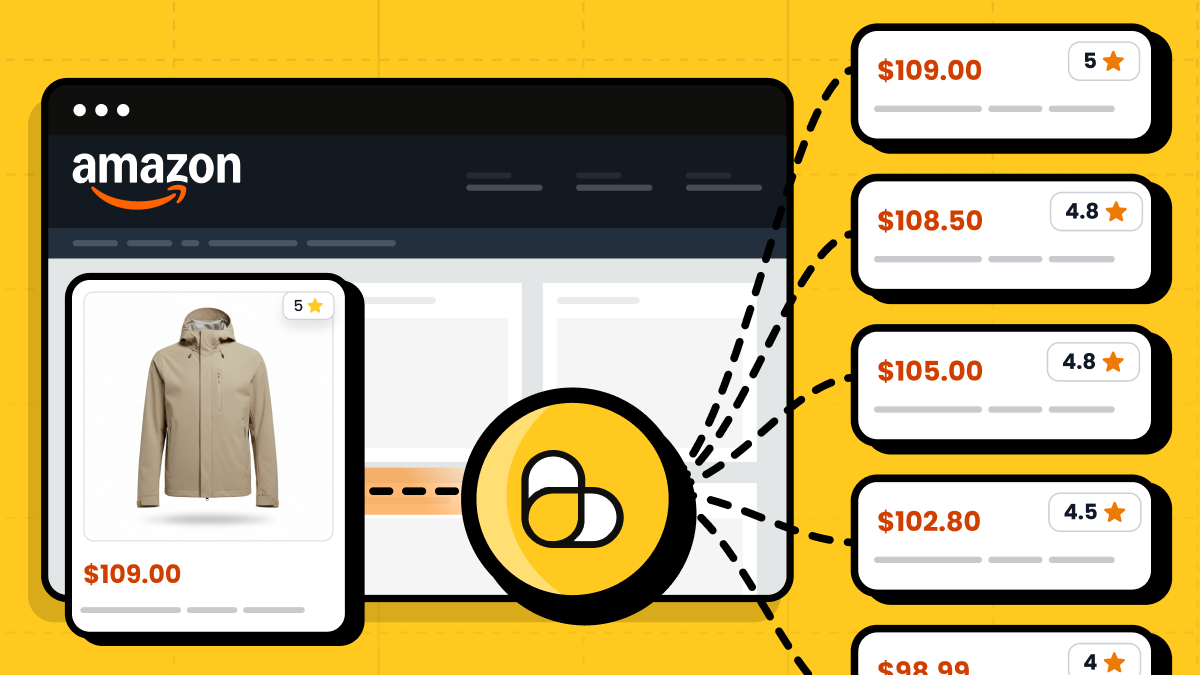
What the Amazon Pricing endpoint returns
The Amazon Pricing endpoint gives you the full offer stack for a product ASIN. Instead of checking only the main product page price, you can retrieve structured pricing data across the sellers competing for the same listing.
A single request can return the Buy Box offer, third-party seller offers, new and used prices, fulfillment method, shipping costs, Prime eligibility, seller details, and seller ratings. This helps you see not only the current price, but also who is selling the product, how the offer is fulfilled, and how competitive each seller is.
The endpoint works with the same Amazon workflow you already use in ScrapingBee: use Amazon Search to find a product, use Amazon Product to inspect the listing, then pass the ASIN to Amazon Pricing to retrieve the full offer data.
See the Amazon API documentation for the full parameter reference.
What you can build with Amazon Pricing data
The Amazon Pricing endpoint is useful whenever you need to track how offers change around a specific ASIN.
- For Buy Box monitoring, you can track which seller owns the Buy Box, compare their price, shipping, fulfillment method, and seller rating, and watch when the winning offer changes.
- For price comparison, you can monitor all seller offers for the same product instead of only checking the main product page price. This helps you compare new and used offers, Prime-eligible listings, FBA offers, merchant-fulfilled offers, and shipping costs.
- For repricing workflows, you can feed seller prices and availability into your own pricing logic. This is useful for teams that need to react when competitors change prices, run out of stock, or move in and out of the Buy Box.
- For deal tracking, you can watch for price drops, used offers, Prime-eligible offers, and seller changes across the products you care about.
How to use the Amazon Pricing endpoint
The Amazon Pricing endpoint fits into the existing Amazon API workflow.
Start with Amazon Search if you need to discover products by keyword. Use Amazon Product if you need product-level details. Once you have the ASIN, pass it to the Pricing endpoint to retrieve the full offer stack for that product.
In practice, the workflow looks like this:
Search for a product → get the ASIN → request Amazon Pricing data → compare seller offers
You can localize pricing data with parameters such as domain, country, currency, language, and zip_code. You can also use light_request=true for a faster, cheaper request, or set light_request=false when you need a regular request with JavaScript rendering.
See the Amazon API documentation for the full parameter reference.
Example: retrieve Amazon offers with Python
The example below sends a request to the Amazon Pricing endpoint for a specific ASIN, reads the pricing array, and prints seller, condition, price, shipping, delivery, and rating data for each offer.
import os
import sys

import requests
from requests.exceptions import HTTPError, RequestException, Timeout


API_URL = "https://app.scrapingbee.com/api/v1/amazon/pricing/"

# Store your API key in an environment variable when running this in production.
# You can also replace "YOUR-API-KEY" directly for a quick local test.
API_KEY = os.getenv("SCRAPINGBEE_API_KEY", "YOUR-API-KEY")


def fetch_amazon_pricing(
    asin: str,
    domain: str = "com",
    country: str | None = None,
    currency: str | None = None,
    zip_code: str | None = None,
    light_request: bool = True,
) -> dict:
    # asin is the Amazon Standard Identification Number for the product.
    # The Pricing endpoint uses it to return the offer stack for that listing.
    params = {
        "asin": asin,
        "domain": domain,
        "light_request": str(light_request).lower(),
    }

    # Optional localization parameters.
    # Use them when you need pricing for a specific marketplace or location.
    if country is not None:
        params["country"] = country

    if currency is not None:
        params["currency"] = currency

    if zip_code is not None:
        params["zip_code"] = zip_code

    headers = {
        "Authorization": f"Bearer {API_KEY}",
    }

    try:
        response = requests.get(
            API_URL,
            params=params,
            headers=headers,
            timeout=90,
        )
        response.raise_for_status()
    except HTTPError as error:
        response = error.response

        status_code = response.status_code if response is not None else "unknown"
        response_text = response.text if response is not None else str(error)
        request_url = response.url if response is not None else API_URL

        raise RuntimeError(
            f"ScrapingBee API returned an HTTP error: {status_code}.\n"
            f"URL: {request_url}\n"
            f"Response: {response_text}"
        ) from error
    except Timeout as error:
        raise RuntimeError(
            f"Request to ScrapingBee API timed out after 90 seconds.\n"
            f"URL: {API_URL}\n"
            f"ASIN: {asin}"
        ) from error
    except RequestException as error:
        raise RuntimeError(f"Request to ScrapingBee API failed: {error}") from error

    try:
        return response.json()
    except ValueError as error:
        raise RuntimeError(
            f"ScrapingBee API did not return valid JSON.\n"
            f"Response body: {response.text}"
        ) from error


def print_offers(data: dict) -> None:
    offers = data.get("pricing", [])

    print("ASIN:", data.get("asin"))
    print("Product:", data.get("title"))
    print(f"Offers found: {len(offers)}")

    for offer in offers:
        delivery_options = offer.get("delivery_options") or []

        print("---")
        print("Seller:", offer.get("seller"))
        print("Seller ID:", offer.get("seller_id"))
        print("Condition:", offer.get("condition"))
        print("Price:", offer.get("price"))
        print("Currency:", offer.get("currency"))
        print("Shipping:", offer.get("price_shipping"))
        print("Delivery:", offer.get("delivery"))
        print("Seller rating count:", offer.get("rating_count"))

        if delivery_options:
            print("Delivery options:")
            for option in delivery_options:
                print("-", option.get("type"))


if __name__ == "__main__":
    try:
        data = fetch_amazon_pricing(
            asin="B087TXHLVQ",
            domain="com",
            currency="USD",
            light_request=True,
        )
        print_offers(data)
    except RuntimeError as error:
        print(error, file=sys.stderr)
        sys.exit(1)
Try the Amazon Pricing endpoint
The endpoint is available now across all plans. If you already use ScrapingBee's Amazon API, you can start using it with any ASIN from your existing amazon_search or amazon_product workflow.
Use it to monitor Buy Box changes, compare seller prices, track Prime-eligible offers, or feed complete offer data into your repricing and price monitoring systems.
If you are new to ScrapingBee, you can create a free account and get 1,000 credits to try the API. No credit card required.

Ilya is an IT tutor and author, web developer, and ex-Microsoft/Cisco specialist. His primary programming languages are Ruby, JavaScript, Python, and Elixir. He enjoys coding, teaching people and learning new things. In his free time he writes educational posts, participates in OpenSource projects, tweets, goes in for sports and plays music.